1
Basic Operations
Note
Before connecting your Network Walkman to the computer for the first time, be sure to
install the “SonicStage” software from the supplied CD-ROM in your computer. Even if the
SonicStage software is already installed, you need to install the SonicStage software supplied
with this Network Walkman before connecting your Network Walkman to the computer
(update programs may be available).
1
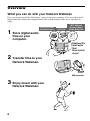
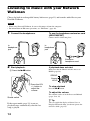
Install the SonicStage software in your computer using the supplied CD-ROM.
Follow step 1 only for the first time when you connect your Network Walkman to the
computer.
Refer to the Quick Start Guide.
Refer to the SonicStage operating instructions for details.
z Tip
The SonicStage operating instructions are installed with the SonicStage software in your computer.
2
Import audio files into the SonicStage software.
For details, refer to the SonicStage operating instructions.
continued
11
Basic Operations
Transferring audio files from the
computer to your Network Walkman/
Charging