1
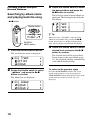
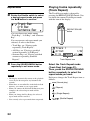
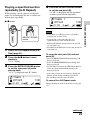
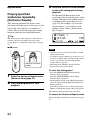
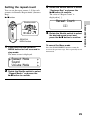
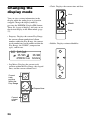
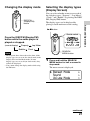
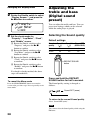
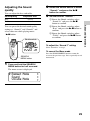
Setting the volume using the preset
volume function (Volume Mode)
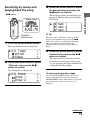
Switching to manual mode
(Manual Volume)
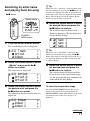
2
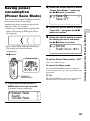
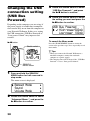
1
Rotate the Shuttle switch to select
“Volume Mode>” and press the
Nx button to confirm.
Manual Volume
Preset Volume
3
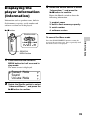
Rotate the Shuttle switch to select
“Preset Volume>” and press the
Nx button to confirm.
The value of “Low” is displayed in [ ].
Low
[ 5]
4
Mid
10
To cancel the Menu mode
Press the SEARCH/MENU button to return the
screen to the previous stage. Press repeatedly to exit
menu mode.
Note
If AVLS (page 32) is set, the actual volume may be
lower than the settings.
Releasing AVLS returns the volume to the preset
level.
34
Repeat Mode
Sound
Volume Mode
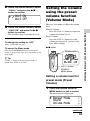
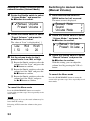
2
Rotate the Shuttle switch to select
“Volume Mode>” and press the
Nx button to confirm.
Manual Volume
Preset Volume
High
20
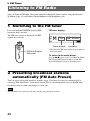
Set the volume levels for the 3
preset levels: Low, Mid, or High.
1 Rotate the Shuttle switch to select the
volume level for “Low” and press the
Nx button to confirm.
2 Rotate the Shuttle switch to select the
volume level for “Mid” and press the
Nx button to confirm.
3 Rotate the Shuttle switch to select the
volume level for “High” and press
the Nx button to confirm.
Press and hold the SEARCH/
MENU button for half a second.
The menu screen is displayed.
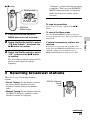
3
Rotate the Shuttle switch to select
“Manual Volume” and press the
Nx button to confirm.
With this setting, you can adjust the
volume level by pressing the VOL +/–
button.
To cancel the Menu mode
Press the SEARCH/MENU button to return the
screen to the previous stage. Press repeatedly to exit
menu mode.