1
T Co n n ecto r User Do cu men tati o n
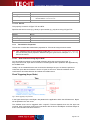
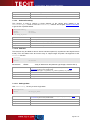
Specifies the calculation method used for the parity bit. It is important to choose exactly the same
value as adjusted in your external device.
Default Value
None (N)
Get/Set
Get/Set
Data Type
String
Value Range
N
O
E
M
S
None
Odd
Even
Mark
Space
See also
7.2.1.7
XonXOff
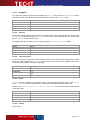
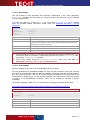
This property is only used for IOType Serial.
Xon/XOff is a software protocol for data flow-control (handshaking)1. If your external device uses
this protocol, enable it. Software handshaking is usually disabled if hardware handshaking
(DTRDSR and/or RTSCTS) is used. To enable Xon/Xoff handshaking set the property to True, to
disable set it to False. It is important to choose exactly the same flow control as adjusted in your
external device.
► If you want to transmit binary data, use hardware handshaking. Xon/XOff are control
characters, which may interfere with binary data.
Default Value
False
Get/Set
Get/Set
Data Type
Boolean
Value Range
True
False
See also
7.2.1.8
DTRDSR
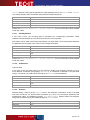
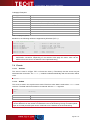
This property is only used for IOType Serial.
DTR (Data Terminal Ready) and DSR (Data Set Ready) are lines of the RS-232 Interface.
Sometimes these lines are used for flow-control - in this case, enabled this property. To enable
DTR/DSR hardware handshaking set the property to True, to disable set it to False. It is
important to choose exactly the same flow control as adjusted in your external device.
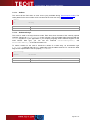
► Be aware that some serial devices need a specific state of the DTR line. If DTR/DSR
handshake is not used, the DTR line is controlled by the property DTRDefault.
Default Value
False
Get/Set
Get/Set
Data Type
Boolean
Value Range
True
False
See also
1
Flow control means the ability to slow down the flow of Bytes in a wire. For serial ports this means the ability to stop and then
restart the flow without any loss of Bytes.
Page 21 of 47