1
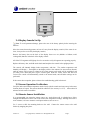
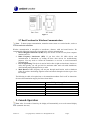
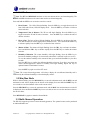
1. Introduction Thank you for your purchase of the Ambient Weather WS-0101 Wireless Weather Station with time, indoor temperature and outdoor temperature and outdoor humidity with calibration. The following user guide provides step by step instructions for installation, operation and troubleshooting. To download the latest manual and additional troubleshooting tips, please visit: http://ambientweather.wikispaces.com/ws0101 2. Getting Started The WS-0101 weather station consists of a display console (receiver), and a thermo-hygrometer (remote transmitter). 2.1 Parts List QTY 1 1 Item Display Console Frame Dimensions (LxWxH): 4.5 x 2.5 x 1.0 in LCD Dimensions (LxW): 2.25 x 1.75” Thermo-hygrometer transmitter (WH2B) with mounting bracket Dimensions (LxWxH): 3.5” x 2.5” x 0.9” 2.2 Recommend Tools Philips screwdriver (precision) Drill for mounting bracket 2.3 Thermo-Hygrometer Sensor Set Up Note: To avoid permanent damage, please take note of the battery polarity before inserting the batteries. Remove the battery door on the back of the sensor with a Philips screwdriver (there is only one screw, at the bottom of the unit). Insert two AAA batteries as shown in Figure 1 (we recommend lithium batteries for cold weather climates, but alkaline batteries are sufficient for most climates). Replace the battery door and set screw. Note that the temperature and humidity will be displayed on the LCD display. Looking at the back of the unit from left to right, the polarity is (-) (+) for the top battery and (+) (-) for the bottom battery. Version 1.4 ©Copyright 2014, Ambient LLC. All Rights Reserved. Page 2