1
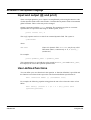
9-366 FWDU Text Editor
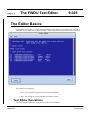
Invoke
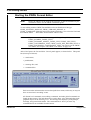
To start the editor you have to invoke it from the I_MDB. Se the I_MDB
manuals for details.
Quit
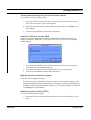
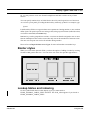
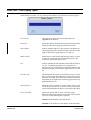
To terminate the current session then press on the Quit button. This
terminates the current session.
Save
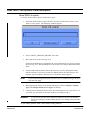
When a text needs to be saved to the mission database then simple press on
the Save button. Pressing Save can result in an error message. Read the message and
proceed according to the recommend action.
Hints and Tricks
When using the editor you can use the following functionality:
Cut/Paste
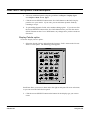
You can use the standard operating system copy, cut, and paste. The
buttons for this are located on the left side of the keyboard. Highlight the text you want to
cut or paste and then press on the wanted key. Place the cursor and paste the text. You can
also combine this with other tools that support the operating system cut and paste
functionality.
Save As
There is no Save As functionality built into the editor. Instead of Save As
you can take a copy of the wanted End Item in the I_MDB and then invoke the copy.
Undo
If you do not want to save a text you just have modified then simply quit
without saving.
Pathnames
When a pathname is typed in the path is checked at save time.
Syntax
Depending on the End Item type parts of the syntax will be checked at
same time. But because the End Item can be saved it does not guarantee that the syntax is
correct. Always test the End Item in it’s correct environment after it has been created or
modified.
Supported End Items
Use the FWDU Text Editor for modifying the following End Items:
• FWDU_HELP_TEXT - Simple text
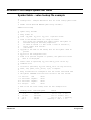
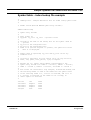
• FWDU_SYMBOL_TABLE_TEXT - See APPENDIX L
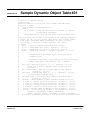
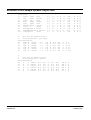
• FWDU_DYNAMIC_OBJECT_TABLE_TEXT - See APPENDIX K
• FWDU_LIST_TEXT - See APPENDIX C
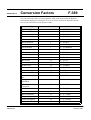
• FWDU_CONVERSION_TEXT - See APPENDIX F
• FWDU_DATA_DEF_RECORD_TEXT - See Tabular DDO
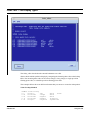
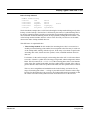
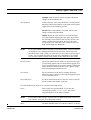
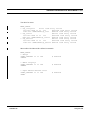
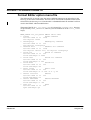
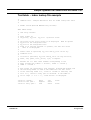
• FWDU_EQUIPMENT_CONSTRAINTS_TEXT - See the following text
FWDU
ROVSING A/S
UM-114-002-ROV Issue 2.2
User Manual
15 August 1999