1
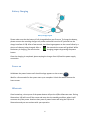
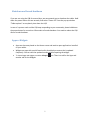
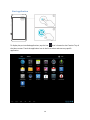
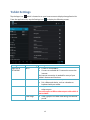
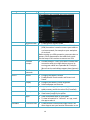
Tablet Settings Tap the Apps icon which is located at on your home screen to display the application list. From the application list, tap the Settings icon Setting Section WIRELESS & NETWORKS Tablet Setting Wi-Fi Bluetooth Ethernet Data usage to display the following screen. Description Enable or disable Wi-Fi Connect to available Wi-Fi network to access the internet An Internet connection is needed for many of your tablet's features and functions. Enable/Disable Bluetooth on your table Pair a Bluetooth device, such as a headset or keyboard with your tablet. Setup access internet access via USB to the ethernet port. You will require a USB to ethernet port cable which is not included. View a graph of the data used during the selected period 15