1
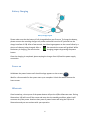
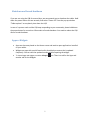
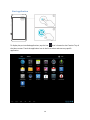
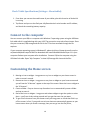
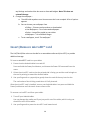
The microSD™ card is spring-loaded, so pressing it in eventually pops it outward. 3. Pinch the microSD™ card between your fingers and remove it completely. The microSD™ card is too tiny to leave it lying around. Store it inside a miniature box that you can label with a miniature pen in miniature letters, “MicroSD™ Card Inside.” Don’t lose it! Keeping your device secure With more than 700,000 Android apps available in the Play Store, it is reasonable to assume that there are plenty of potential malware and other security threats designed to take advantage of new and careless Android users Install “mobile security” app: Here is a small list reliable free security apps you can install (in no particular order): o 360 Mobile Security - Antivirus o TrustGo Antivirus & Mobile Security o avast! Mobile Security o Lookout Mobile Security o AVG Anti-Virus Free o Zoner AntiVirus Free Be wary of installing free apps: Google has removed quite a lot of scam apps aimed at stealing your personal data. Most of them did it through rogue permissions which had no reason to exist (Eg. A free clock widget that needs access to my contact list, my phone calls, my personal info and stuff?) Frequently Asked Questions How to create a folder 1. Drop one app over another on a Home screen. The two icons will be combined. 2. Tap on the folder to rename it. How to secure your tablet 1. On the Home screen, touch the All apps icon, and then touch the Settings 2. In the PERSONAL section, select Security 3. Touch the type of lock you want and follow the onscreen instructions. You can choose among these lock options, listed in approximate order of strength: Slide provides no protection, but lets you get to the Home screen quickly Pattern lets you draw a simple pattern with your finger to unlock the tablet 21 icon