1
WebFOCUS
C
Maintaining a Schedule Using the HTML User
Interface
The ReportCaster Interface, accessed
from either Dashboard (select Tools, then
ReportCaster) or the WebFOCUS
Welcome Page (ReportCaster
Development), provides the same
functionality as the ReportCaster HTML
User Interface with a different look and
feel. This section explains the options
and features of maintaing a schedule
from the ReportCaster HTML User
Interface perspective, but can be used
to work with the current ReportCaster
Interface.
Both interfaces provides access to your
existing schedules and allows you to edit
the properties of a schedule, clone a
schedule, delete a schedule, or run a log
report to obtain information about a
schedule. Additionally, you can purge log
records to conserve space in the log file,
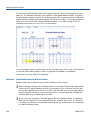
view the dates on which you cannot run
or set schedules to run, check the status
of your scheduled jobs, and create,
update, and delete your Execution IDs.
ReportCaster End User's Manual
Topics:
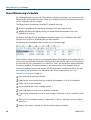
About the Schedules Interface
Editing a Schedule in the HTML User
Interface
Cloning a Schedule
Deleting a Schedule
Viewing a Log Report
Purging the Log File
Schedule Blackout Dates
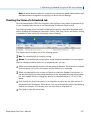
Checking the Status of a Scheduled
Job
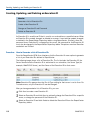
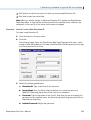
Creating, Updating, and Deleting an
Execution ID
119