1
Text
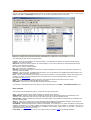
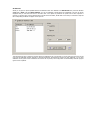
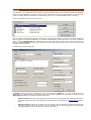
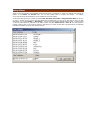
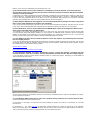
Allows you to capture packets that contain certain text. Enter a text string in the Add Record frame, select the type of entered
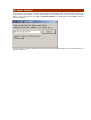
information (As String or As Hex), and click Add Text. The new rule will be displayed. You can enter text either as a string (selfexplanatory), or as a hexadecimal value. The latter method should be used when you want to enter non-printable characters: just
type hexadecimal character values separated by spaces, as shown below. Now you can select the action to be taken when a new
packet is processed: the packet can be either captured or ignored.
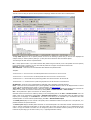
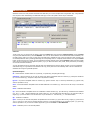
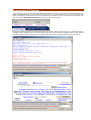
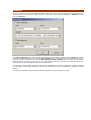
This example shows how to make the program capture only the packets that contain either "GET" or the 01 02 03 04 hex data.
Check the Case sensitive box if you want the rules to be case sensitive. All other packets that do not contain the text mentioned
above will be ignored.
Advanced
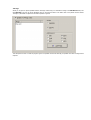
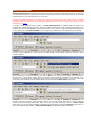
Advanced rules are the most powerful and flexible rules that allow you to create complex filters using Boolean logic. For the detailed
help on using advanced rules, please refer to the Advanced Rules chapter.