1
Commands
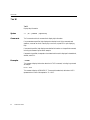
BPR
BPR
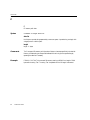
Set break point on memory range
Syntax
BPR start-address end-address [verb] [C=count]
start-address, end-address
specifies a memory range
verb
R, W, RW, T or TW
Comments
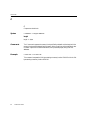
The BPR command allows you to set a break point across a range of memory.
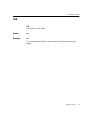
All of the verb types except T or TW cause the program to execute the instruction that caused
the break point. The current CS:IP will be the instruction after the break point.
There is no range break point on execution. If a range break point is desired on execution, R
must be used. An instruction fetch is considered a read for range break points.
If a verb is not specified, W is the default.
The range break point will degrade system performance in certain circumstances. Any read or
write within the 4K page that contains the break point range is analyzed by SoftICE. This
performance degradation is usually not noticeable, however, degradation could be extreme in
exception cases.
The T and TW verbs enable back trace ranges on the specified range. They do not cause break
points, but instead log instruction information that can be displayed later with the SHOW or
TRACE commands. For more information on back trace ranges, see chapter 9.
Example
BPR B000:0 B000:1000 W
This command defines a break point on memory range. The break point will occur if there
are any writes to the monochrome adapter video memory region.
38
SoftICE User’s Guide