1
Using external equipment
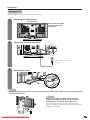
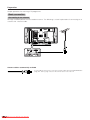
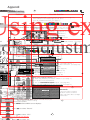
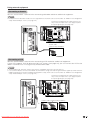
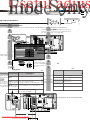
Connecting a decoder
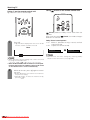
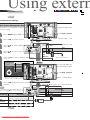
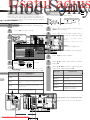
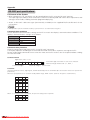
You can use the INPUT 1 terminal when connecting a decoder and other audiovisual equipment.
NOTE
• In cases when the decoder needs to receive signal from the TV, make sure to set “Decoder” to “INPUT1” in the Programme
Setup “Manual Adjust” menu. (See page 24.)
To watch an image from this input terminal, you
may select the input source (see page 39) and
the input signal type (see page 44).
SCART cable
(commercially available)
Decoder
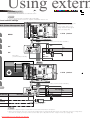
Connecting a VCR
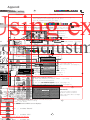
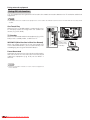
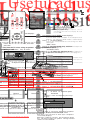
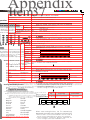
You can use the INPUT 2 terminal when connecting a VCR and other audiovisual equipment.
If your VCR supports TV-VCR advanced “AV Link” systems (see page 34), you can connect the VCR to the
INPUT 2 terminal of the TV using the fully-wired SCART cable.
NOTE
• TV-VCR advanced “AV Link” systems may not be compatible with some external sources.
• It is recommended to connect to the INPUT 2 terminal when using a decoder for ground wave signal input with a VCR. If
INPUT 2 signals preset in auto installation or programme setup, make sure to set “Decoder” to “INPUT2” in the Programme
Setup “Manual Adjust” menu. (See page 24.)
To watch an image from this input terminal, you
may select the input source (see page 39) and
the input signal type (see page 44).
SCART cable (commercially available)
VCR
Downloaded From TV-Manual.com Manuals
Decoder
33