1
Using extern
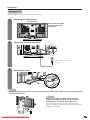
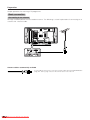
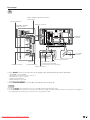
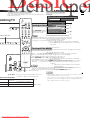
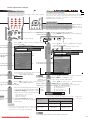
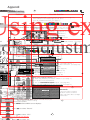
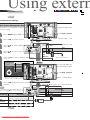
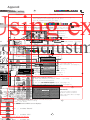
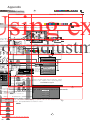
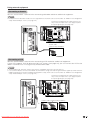
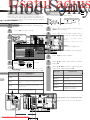
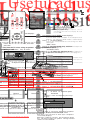
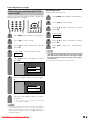
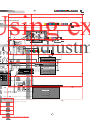
Connecting a PC
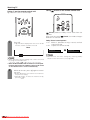
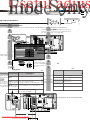
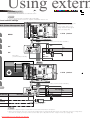
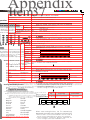
Use the INPUT5 terminals to connect a PC.
NOTE
• The PC input terminals are DDC1/2B-compatible.
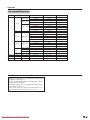
• Refer to page 53 for a list of PC signals compatible with the TV.
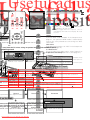
sic adjustment settings
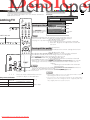
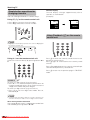
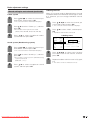
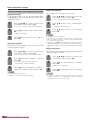
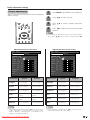
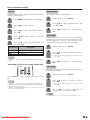
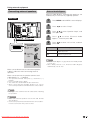
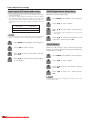
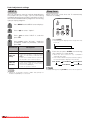
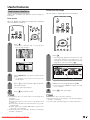
Colour temperature
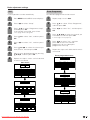
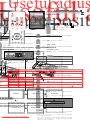
.M.S. (Colour Management System)
To watch the image from this
input terminal, you may
select input source (see
page 39) and input signal
type (see page 44).
1
1
MENU
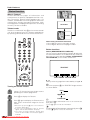
C.M.S. (Colour
Management System)
2
2
OK
ø 3.5 mm stereo minijack cable (commercially available)
3
3
OK
OK
PC
Description
Selected item
4
High
Mid-High
Mid
Mid-Low
Low
OK
DVI cable
(commercially available)
5
Black
Ð
Ð
Ð
Ð
Ð
Ð
1
C.M.S. (Colour
Management System)
2
OK
6
ø 3.5 mm stereo minijack cable (commercially available)
3
OK
NOTE
OK
elected item
Description
Selected item
Description
PC
Off
On
M.S-Hue
M.Saturation
M.S-Value
NOTE
RGB/DVI conversion cable
(commercially available)
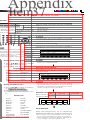
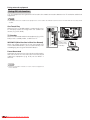
• Macintosh adaptor may be required for use for some Macintosh computers.
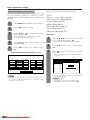
• When connecting to a PC, the correct input signal type is automatically detected. (See page 44.) If the PC image does
not come in clearly, you may need to set the Auto Sync. adjustment in the “Setup” menu. (See page 38.)
Downloaded From TV-Manual.com Manuals