1
USER MANUAL FOR CAMRY KNEE CPM.
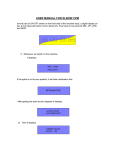
1) Whenever we switch ON the machine
It displays: -
If the splint is not at zero position, it will take initialization first and become
completely straight.
2) After initialization, put patient’s leg on machine splint with knee exactly matching
to machine hinge. If required adjust length of femural splint by loosening bolt
below that splint. Tighten that bolt after length adjustment. Apply straps on leg
tightly, it displays: -
Press UP/ LOW keys to set desired flexion angle and press NEXT key.
UP key will increase flexion angle by 5 degrees, LOW key will decrease flexion angle
by 5 degrees
3) It then displays: -
Press UP/ LOW keys to set timer and press NEXT key.
4) It will display: -
HOLD TIME 04 SEC
ADJ & PRESS NEXT
Press UP/ LOW keys to set desired Hold time and press NEXT key.
When you will press NEXT key on this screen, the treatment will be started.
USING CAMRY FOR FIX FLECTION DEFORMITY
1) On the very first screen of “FLEXION ANGLE 000”, press and hold DEL key for 3
sec. It will display: -
.
2) Then it displays: -
Use UP/LOW keys to bring empty splint up /down to adjust splint as per the
Patient’s comfort / deformity angle and press NEXT key.
3) Then it displays: -
Press UP/ LOW keys to set desired flexion angle and press NEXT key.
4) It displays: -
Press LOW key to set desired extension angle and press NEXT key.
5) It then displays: -
Press UP/ LOW keys to set timer and press NEXT key.
6) It will display: -
Press UP/ LOW keys to set desired hold time and press NEXT key.
When you will press NEXT key on this screen, the treatment will be started
ONLINE MENU
You can use following functions when the process is ON.
1. Patient can hit RED PANIC KEY on remote in unbearable pains.
2. To increase or decrease set flexion angle online, press UP key while the splint
is coming up that is flexing. It will stop at whatever position it is and display set
flexion angle initially by you: -
Press UP/ LOW keys to do necessary modifications and press NEXT key. The process
will be continued further and set angle will be modified from the next cycle only.
3. You can terminate the process anytime in between by pressing DEL.
4.
Always handover remote with panic key to patient which will help him in
unbearable pains. There should be always one attendant to monitor and use ONOFF switch directly in any extreme conditions to switch OFF the supply.