1
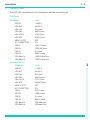
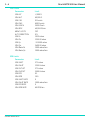
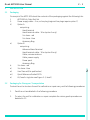
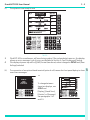
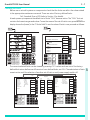
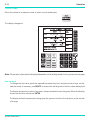
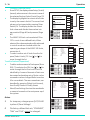
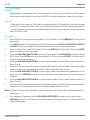
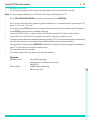
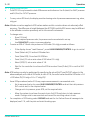
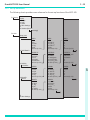
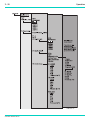
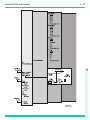
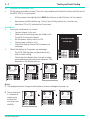
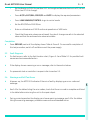
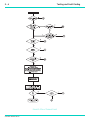
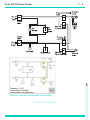
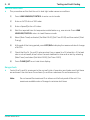
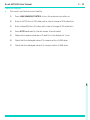
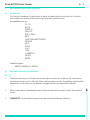
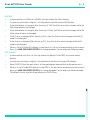
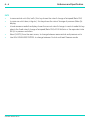
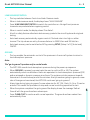
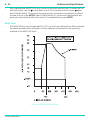
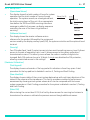
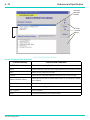
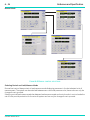
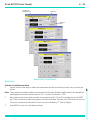
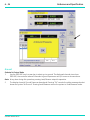
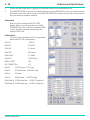
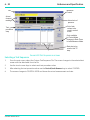
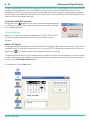
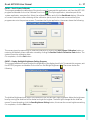
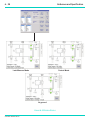
3 - 14 Operation To select a limit set (User) Press SETUP, the display shows Setup, [Limits] [xxxxxx], where xxxxxx is the current name of the selected limit set. Select [Limits] [xxxx] F3. The display highlights the current set of limits in use by the name in the list. The current limit values can be inspected by pressing [View Details] F4. The display shows the current limit values and divides these values into aeronautical (Page #1) and pressure (Page #2). The ARINC 565 limit can be selected ON or OFF in a set of user defined limits, When selected, the values entered and/or achieved in control mode are checked within the operating envelope of the ARINC 565 limits, see section 6. To select another set of limits from the list press [Select Limits], F5. Use [ ] or [ ] to move through the list. To edit a limit set (Supervisor) To edit or make a new set of limits press [Enter PIN], F3 and enter the PIN. Use [ ] or [ ] to move through the list. Each set of limits is identified by it's name. New sets of limits can be created and existing sets of limits can be renamed or values changed. Refer to section 6 for more details. The user-named sets, can be edited by pressing [Select Limit [xxxxxx], then Modify Details or Modify Name. Select [Save Settings] to store the new details or name to be used on the next power-up of the system. User Limits Active Limit Set: CIVIL STANDARD CIVIL Available User Limits USER 1 USER 2 USER 3 USER 4 USER 5 ROC RATE Ps MACH Pt GROUND RATE HELP SETUP LEAK MEASURE t Select Limits F3 Select Limit View Details F4 Modify Details Enter PIN F5 Modify Name F6 Save Settings 7 8 9 CLEAR QUIT 5 6 ABORT 1 _ 2 3 DELETE 0 . ENTER User 2 For temporary changes press QUIT/CLEAR in place of [Save Settings]. The factory-defined limit sets, “STANDARD“, "MAX" and "CIVIL" cannot be changed. K0260 Issue No. 8 Supervisor Details Details Min ALT Max ALT Min CAS Max CAS Max Mach Max ROC Alt Cor. ARINC Limits -1000 ft 50,000 ft 0.0 knots 450 knots 1.0 Mach 6,000 ft/min 0 ft OFF Next Page Page #1 ALT Ps SPEED Qc MACH Pt ROC RATE Ps GROUND RATE LEAK MEASURE HELP SETUP CONTROL F1 Next Page F2 s F3 t F4 Modify Units F5 ft kts ft/min F6 more (1 of 2) CLEAR QUIT 7 8 9 4 5 6 ABORT 1 _ 2 3 DELETE 0 . ENTER 000 User Supervisor Limits Details Min Ps Max Ps Min Qc Max Qc Rt Ps Rt Qc 0.0 mbar 1050.406 mbar 0.0 mbar 368.01 mbar 105.00 mbar/min 90.0 mbar/min Next Page F1 m km/h m/min F2 mbar mbar/min F3 F4 Page #2 F5 F6 Notes: 1 s F2 4 000 CONTROL F1 t MAX SPEED Qc Limits s Available Preset Limits ALT Ps Supervisor ALT Ps SPEED Qc MACH Pt ROC RATE Ps GROUND RATE HELP SETUP LEAK MEASURE CONTROL 7 8 9 CLEAR QUIT 4 5 6 ABORT 1 _ 2 3 DELETE 0 . ENTER 000 more (1 of 2)