1
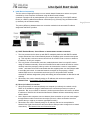
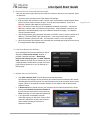
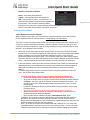
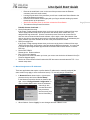
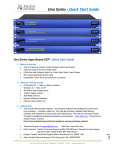
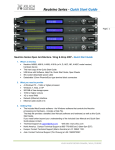
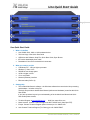
Uno Quick Start Guide 4. Introduction and Description: Thank you Hello from everyone here at Xilica Audio Design and thank you for purchasing our Uno-Series digital processor. Page | 3 Since Uno is setup and controlled by a host computer via Ethernet it is important that we get you connected and up and running as quickly and easily as possible. Thus the first portion of this Quick Start Guide is dedicated to getting the Uno processor and the NeuConsole software connected and operating with ease. If you have any suggestions for making this quick start guide better in that or any regard please bring them to my attention at [email protected] and we will make those changes. Once the Uno processor and the NeuConsole software is connected and operational we believe you will find working with the software and processor to be very straight forward as outlined in the balance of this Quick Start Guide. Uno-Series Digital Processor Designed in Canada and built on the audio performance reputation of our 40 Bit, Floating Point DSP Engine and High Performance 24 Bit Converters - Uno is an apps based DSP that bridges the gap between the ease of use and the lower cost of fixed architecture processors and the flexibility but higher cost associated with open architecture -drag & drop type processors. We call Uno a Hybrid architecture DSP. Simply download a pre-designed DSP app into Uno. There is a pre-designed DSP app for just about every application and with input from users our web site apps library will continue to grow, future-proofing your Uno hardware investment. Uno is available in four I/O model configurations - 8x8, 8x16, 16x8 and 16x16 with Mic/Line input selection per input, 48v phantom power and high performance mic pre-amps. Download pre-designed DSP apps from our web sites Uno Apps Library and load one into Uno’s NeuConsole software and from there into the processor device itself. Each app has DSP modules specific to the pre-designed application and in a specific fixed order. The user then adjusts each DSP module using the supplied NeuConsole software GUI to complete the system processing. From auto-mixing to loudspeaker management Uno has a DSP app that will work for your application. Control Uno via Ethernet using the included NeuConsole software GUI, with the logic input/relay output ports, using the optional NeuPanel - Mini and Touch Series programmable wall controls or any third party controller. Uno provides auto recognition and connection of all Uno devices and controls on the network (in DHCP mode). The Uno Hybrid Architecture – Apps Based Digital Processor from Xilica. No programming skills or DSP design time required – we do it for you. XILICA AUDIO DESIGN CANADA / ASIA / EUROPE