1
Step 5
Self-EDID Programming Procedure
Connect LC optical fiber between the transmitter and the receiver as shown in
figure 4.
The graphic source equipment generally requires communication of display information
(EDID). Display information (EDID) contains resolution and timing information for your
display.
OLC II supports Self-EDID programming. Self-EDID programming means that the
EDID from the display is stored in the transmitter. You should use Self-EDID
programming feature if the resolution of the display is not UXGA(1600x1200). Follow
these steps to record the EDID of the display into the transmitter unit.
Figure 4 – Connection of optical fibers
Note: Both of single-mode and multi-mode fiber are applicable to OLC II up to
500meters. In the case of longer than 500meters, you have to use single-mode
fibers.
Note1 : If you know that EDID is not required by the source, Self-EDID
programming is not necessary.
Note2 : The default EDID in factory ship-out is programmed in the VESA standard
of UXGA (1600x1200) 60Hz.
Step 6
Step 1
Plug the transmitter to the DVI receptacle of the DVI source such as PC.
Power on the display.
Step 2
Insert the included 5V DC power adapter into the transmitter.
Step 3
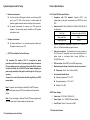
Push the EDID PRGM. button of the transmitter with a narrow pin. After twice
blinking of Self-EDID LED, it will be turned off.
Figure 5 – Connection of the transmitter to the DVI source
Note: Be recommended NOT to use any intermediate cable or adapter between
them to avoid undesirable performance degradation.
Step 7
Plug the receiver to the DVI receptacle of the display.
Self-EDID LED
EDID-PRGM. button
Figure 7 – Position of EDID-PRGM. button and Self-EDID LED
Step 4
Figure 6 – Connection of the transmitter to the display
Step 8
Make the PC and the display power ON.
Connect the transmitter to the display while turned on, not to the PC. The
LED on the transmitter will begin to blink rapidly. Blinking indicates reading the
EDID. LED will be turned OFF after blinking for about 8 sec. The monitor EDID
has been recorded.
Step 5
Note: You can replace any DVI cable into an OLC II by following the Step1 to 7,
while all powers of PC and display are ON.
Disconnect the transmitter from the display. Then LED ON again.
1-4 Installation
1-5 Self-EDID Programming Procedure