1
Table of Contents
1. CONFIGURATION OPTIONS .......................................................................... 2
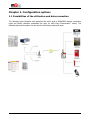
1.1 Possibilities of the utilization and data connection .................................................................... 2
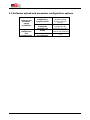
1.2 Software upload and parameter configuration options .............................................................. 3
2. CONNECTION OPTIONS ................................................................................. 4
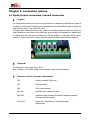
2.1 Input/Output connectors, internal connectors .......................................................................... 4
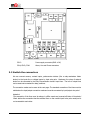
2.2 Switch the connectors ........................................................................................................... 5
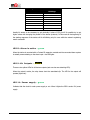
2.3 LED funcionality .................................................................................................................... 7
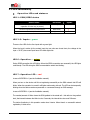
2.4 Operation conditions ............................................................................................................. 9
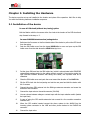
3. INSTALLING THE HARDWARE ..................................................................... 11
3.1 Az eszköz üzembehelyezése ................................................................................................. 11
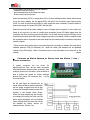
3.2 Az eszköz bekapcsolása – elméleti tudnivalók ........................................................................ 12
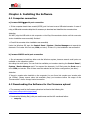
4. INSTALLING THE SOFTWARE ...................................................................... 13
4.1 Computer connection .......................................................................................................... 13
4.2 Downloading the Software for the Firmware upload ............................................................... 14
4.3 Identification of the software toolkit ...................................................................................... 14
4.4 Installation of the Easy Communicator device ........................................................................ 15
4.5 Starting the Terminal tool ................................................................................................... 16
4.6 Connecting the Communicator device ................................................................................... 16
4.7 New Connection in the Hyperterminal tool ............................................................................. 16
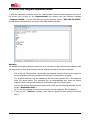
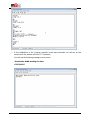
4.8 Enter into Program operation mode ...................................................................................... 18
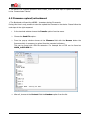
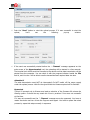
4.9 Firmware upload/refreshment ............................................................................................. 20
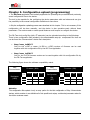
5. CONFIGURATION UPLOAD (PROGRAMMING) .............................................. 26
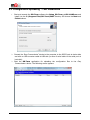
5.1 Configuration uploading - Tool installation ………………………………………………………………………… 27
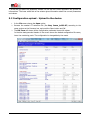
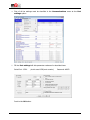
5.2 Configuration upload - Upload to the device .......................................................................... 28
5.3Configuration check and load from the device ......................................................................... 31
6. CONFIGURATION WITH SMS-COMMANDS ................................................... 33
6.1 Setting up the device with SMS-commands ............................................................................ 33
6.2 Example for the SMS-command setting parameters ............................................................. 42
6.3 Compatibility .................................................................................................................. 42
7. SET TO DEFAULT VALUES (WITH DR-TERM) ................................................. 43
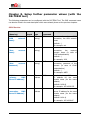
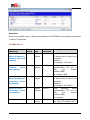
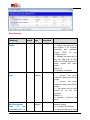
8. SET UP FURTHER PARAMETERS (WITH DR-TERM) ........................................ 47
9. SETTING THE CONFIGURATION TO FACTORY DEFAULT (HARDWARE RESET) 69
10. SUPPORT .................................................................................................... 70
11. LEGAL NOTICE ............................................................................................ 71