1
Ubuntu:Precise -
http://ubuntuguide.org/index.php?title=Ubuntu:Preci...
Ubuntu:Precise
From
Ubuntu 12.04 LTS (Precise Pangolin)
Introduction
On April 26, 2012, Ubuntu 12.04 LTS (http://releases.ubuntu.com/precise/) was released.
It is codenamed Precise Pangolin and is the successor to Oneiric Ocelot 11.10
(http://ubuntuguide.org/wiki/Ubuntu_Oneiric) (Oneiric+1).
Precise Pangolin is an LTS (Long Term Support) release. It will be supported with security
updates for both the desktop and server versions until April 2017.
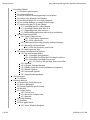
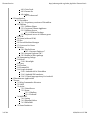
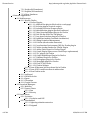
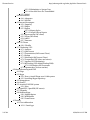
Contents
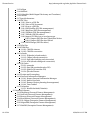
1 Ubuntu 12.04 LTS (Precise Pangolin)
1.1 Introduction
1.2 General Notes
1.2.1 General Notes
1.3 Other versions
1.3.1 How to find out which version of Ubuntu you're using
1.3.2 How to find out which kernel you are using
1.3.3 Newer Versions of Ubuntu
1.3.4 Older Versions of Ubuntu
1.4 Other Resources
1.4.1 Ubuntu Resources
1.4.1.1 Unity Desktop
1.4.1.2 Gnome Project
1.4.1.3 Ubuntu Screenshots and Screencasts
1.4.1.4 New Applications Resources
1.4.2 Other *buntu guides and help manuals
1 of 264
05/04/2014 12:27 PM
Ubuntu:Precise -
http://ubuntuguide.org/index.php?title=Ubuntu:Preci...
2 Installing Ubuntu
2.1 Hardware requirements
2.2 Fresh Installation
2.3 Install a classic Gnome-appearing User Interface
2.4 Dual-Booting Windows and Ubuntu
2.5 Installing multiple OS on a single computer
2.6 Use Startup Manager to change Grub settings
2.7 Dual-Booting Mac OS X and Ubuntu
2.7.1 Installing Mac OS X after Ubuntu
2.7.2 Installing Ubuntu after Mac OS X
2.7.3 Upgrading from older versions
2.7.4 Reinstalling applications after a fresh installation
2.8 Add Extra Repositories
2.8.1 Types of Repositories
2.8.1.1 Third party repositories
2.8.1.2 PPA repositories
2.8.2 Add Repositories using Synaptic Package Manager
2.8.3 Manually add repositories
2.8.3.1 Edit the repository sources list
2.8.4 Add repository keys
2.9 Package Installation and Updates
2.9.1 Apt and Package Basics
2.9.1.1 Installing .deb packages
2.9.1.2 Handling (Tar/GZip) and (Tar/Bzip2) archives
2.9.1.3 Installing a package from source
2.9.1.3.1 Create a .deb package from source files
2.9.2 Aptitude
2.9.3 Synaptic Package Manager
2.9.4 Ubuntu Software Center (Add/Remove Programs)
2.9.5 Manual Updates
2.9.6 Automated Updates
2.9.7 Repair broken packages
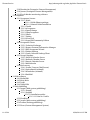
3 File Managers
3.1 Nautilus
4 Desktop Add-ons
4.1 Gnome Eye-Candy Resources
4.2 Ubuntu Wallpaper
4.3 Change Plymouth Splash Screen
4.4 Metacity
4.5 Compiz Fusion
4.5.1 Fusion Icon
4.5.2 Rotate the Compiz Cube
4.5.3 Emerald
4.6 Google Desktop
4.7 gDesklets
4.8 Dock applications
4.8.1 Avant Window Navigator
2 of 264
05/04/2014 12:27 PM
Ubuntu:Precise -
http://ubuntuguide.org/index.php?title=Ubuntu:Preci...
4.8.2 Cairo Dock
4.8.3 Gnome Do
4.8.4 wbar
4.8.4.1 wbarconf
5 Virtualization
5.1 VirtualBox
5.1.1 Proprietary versions of VirtualBox
5.2 VMWare
5.2.1 VMWare Player
5.2.2 Create an Ubuntu Appliance
5.2.3 VMWare Server
5.2.3.1 VMWare Package
5.2.4 Keyboard errors in VMware guest
5.3 KVM
5.4 Qemu (without KVM)
5.5 Xen
5.6 Virtual Machine Manager
5.7 Crossover for Linux
5.8 Wine
5.8.1 PlayOnLinux
5.8.1.1 Internet Explorer 7
5.8.2 Internet Explorer 6 & 7
5.8.3 Netflix in Wine package
5.9 Transgaming Cedega
5.10 Mono
5.10.1 Moonlight
5.11 Java
5.12 DosBox
5.13 ScummVM
5.14 Google Android
5.14.1 Android-x86 in VirtualBox
5.14.2 Android SDK emulator
5.14.3 F-Droid app repository for Android
6 Edutainment Applications
7 Games
7.1 Wing Commander Privateer
7.2 Vdrift
7.3 Action
7.3.1 UrbanTerror
7.3.2 Doom
7.3.2.1 Skulltag
7.3.2.2 PrBoom
7.4 MMORPG
7.4.1 Spring
7.4.2 Regnum Online
7.4.3 PlaneShift
7.5 Game Emulators
3 of 264
05/04/2014 12:27 PM
Ubuntu:Precise -
http://ubuntuguide.org/index.php?title=Ubuntu:Preci...
7.5.1 DosBox (DOS emulator)
7.5.2 Dolphin (Wii emulator)
7.5.3 Other Emulators
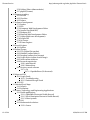
8 Internet Applications
8.1 Web Browsers
8.1.1 Mozilla Firefox
8.1.1.1 Firefox Plug-ins
8.1.1.1.1 Adblock Plus plug-in (block ads in a web page)
8.1.1.1.2 NoScript plug-in (controls scripts)
8.1.1.1.3 Bookmark Favicon Changer plug-in
8.1.1.1.4 RefreshBlocker plug-in (prevents redirects)
8.1.1.1.5 Video DownloadHelper plug-in for Firefox
8.1.1.1.6 Hide Tab Bar With One Tab plug-in
8.1.1.1.7 User Agent Switcher plug-in for Firefox
8.1.1.1.8 Lightbeam (website crosslink visualization)
8.1.1.1.9 Unplug Download Management
8.1.1.1.10 Lucifox (eBook reader extension)
8.1.1.1.11 Java Runtime Environment (JRE) for Firefox plug-in
8.1.1.1.12 Adobe Acrobat Reader for Firefox Plug-in
8.1.1.1.13 Adobe Flash Player for Firefox Plug-in
8.1.1.1.14 Gnash Plug-in (Open source Flash Player replacement)
8.1.1.1.15 VLC plug-in for Firefox
8.1.1.1.16 Gecko MediaPlayer Plug-in for Firefox
8.1.1.1.17 Kaffeine Plug-in for Firefox
8.1.1.1.18 Helix player plug-in for Firefox
8.1.1.1.19 Moonlight plugin for Firefox
8.1.1.1.20 FireFTP for Firefox
8.1.1.1.21 Firefox Widgets
8.1.1.2 Turn off browser bar drop-down list in Firefox
8.1.1.3 Turn off SSL certificate name in address bar
8.1.1.4 View Firefox cache
8.1.2 IceWeasel
8.1.3 GNUzilla IceCat
8.1.4 Opera
8.1.5 Chromium
8.1.6 Google Chrome
8.2 Download Managers
8.2.1 MultiGet
8.2.2 Usenet Clients
8.2.2.1 Pan
8.2.2.2 Kwooty
8.3 Email Clients
8.3.1 Evolution
8.3.1.1 Evolution and PGP
8.3.2 Thunderbird
8.3.2.1 Lightning calendar extension
8.3.2.2 Enigmail
4 of 264
05/04/2014 12:27 PM
Ubuntu:Precise -
http://ubuntuguide.org/index.php?title=Ubuntu:Preci...
8.3.2.3 Miniminize to System Tray
8.3.2.4 New Mail Icon for Thunderbird
8.3.3 KMail
8.4 Newsreaders
8.4.1 Akregator
8.4.2 RSSOwl
8.5 Instant Messengers
8.5.1 Empathy
8.5.2 Pidgin
8.5.3 Kopete
8.5.3.1 Kopete Styles
8.5.3.2 GoogleTalk on Kopete
8.5.4 Konversation (IRC client)
8.5.5 XChat (IRC client)
8.5.6 aMSN
8.5.7 Emesene
8.6 FTP Clients
8.6.1 Filezilla
8.7 Filesharing / P2P
8.7.1 Azureus
8.7.2 QBitTorrent
8.7.3 Transmission (BitTorrent Client)
8.7.4 Deluge
8.7.5 Bittornado (BitTorrent Client)
8.7.6 Torrentflux (P2P client and server)
8.7.7 Apollon (P2P Filesharing)
8.7.8 MLDonkey (P2P eMule/eDonkey2000)
8.7.8.1 MLDonkey GUI frontends
8.7.9 Opentracker (Torrent tracker)
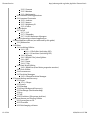
9 Videoconferencing and VOIP
9.1 Ekiga
9.2 Skype
9.2.1 How to install Skype on a 64-bit system
9.2.2 Installing Skype repository
9.3 Wengophone
9.4 Gizmo5
9.5 Asterisk VOIP PBX system
9.5.1 Kiax
9.6 OpenSIPS / OpenSER (SIP server)
9.7 Telepathy
9.8 Web meetings
9.8.1 BigBlueButton
9.8.2 WebHuddle
9.8.3 TeamViewer
10 Privacy
10.1 Text obfuscation
10.1.1 FauxCrypt
5 of 264
05/04/2014 12:27 PM
Ubuntu:Precise -
http://ubuntuguide.org/index.php?title=Ubuntu:Preci...
10.2 Message and file encryption
10.2.1 PGP (Message Encryption)
10.2.1.1 Enigmail with Thunderbird
10.2.1.2 Seahorse
10.2.2 scrypt (Message Encryption)
10.2.3 bcrypt (Message Encryption)
10.3 File archival and encryption
10.3.1 Archives with Passwords
10.3.2 EncFS (File and Disk encryption)
10.3.3 ccrypt (File and Attachment Encryption)
10.3.4 TrueCrypt (File and Attachment Encryption)
10.4 Disk and Storage Encryption
10.5 Passwords and file authentication
10.5.1 Random password generator
10.5.2 Password checker and enforcement
10.5.3 MD5Sum
10.6 Web browsing
10.7 DNS Servers and Search engines
10.8 Changing a MAC address
10.9 Certificate verification
10.10 Tor (Network Privacy)
10.10.1 Vidalia (Tor interface)
10.10.2 Using Tor with Firefox and Thunderbird
10.10.3 Using Tor with other programs
10.10.4 Tails
11 Proprietary Extras
11.1 Restricted Extras
11.1.1 Java environment
11.1.2 Playing DVDs
12 Photos and Graphics
12.1 GIMP (Image Manipulator)
12.2 Dia (Diagram editor)
12.3 Kivio (Diagram editor)
12.4 Inkscape (Vector Illustrator)
12.5 Digikam (Photo Organiser)
12.6 F-spot (Photo Organiser)
12.7 Google Picasa (Photo Organiser)
12.8 Shotwell (Photo Organiser)
12.9 Tesseract (Optical Character Reader)
12.10 Cuneiform (Optical Character Reader)
12.10.1 YAGF (Cuneiform/Tesseract GUI)
12.11 Xsane (Scanning utility)
12.11.1 Troubleshooting
12.11.2 Gnome-Scan (Scanning Utility)
12.11.3 Gwenview (Image Manipulator)
12.11.4 OpenClipart (ClipArt Library)
13 Screencasts and Desktop Recording
6 of 264
05/04/2014 12:27 PM
Ubuntu:Precise -
http://ubuntuguide.org/index.php?title=Ubuntu:Preci...
13.1 FFMPEG with x11grab
13.2 recordMyDesktop (Desktop Session Recording)
13.2.1 Using recordMyDesktop with PulseAudio
13.3 Istanbul (Desktop Session Recording)
13.4 xvidcap (Desktop Session Recording)
13.5 CamStudio
13.6 Wink (Presentation Editor)
13.7 Freeseer (Presentation capture)
13.8 Screencast Demos
13.9 Online content capture and streaming
13.10 Video Disk Recording (Personal Video Recorder)
14 Video Applications
14.1 OpenShot
14.2 PiTiVi (Non-linear Video Editing Suite)
14.3 Avidemux (Video editor/processor)
14.4 Kino (Non-linear Video Editing Suite)
14.5 KdenLive (Non-linear Video Editing Suite for KDE)
14.6 Cinelerra (Non-linear Video Editing Suite)
14.7 LiVES (Video editor/processor)
14.8 OpenMovieEditor
14.9 Blender
14.10 Stopmotion (Animation)
14.11 Animata (Animation)
14.12 Webcam Applications
14.13 Video Disk Recording (VDR)
15 Audio Applications
15.1 Audacity (Audio Editor and Recorder)
15.2 Ardour (Digital Audio Workstation)
15.3 Rosegarden (Digital Audio Workstation)
15.4 Hydrogen (Drum synthesizer)
15.5 EasyTag (ID3 editor)
15.6 PuddleTag (ID3 editor)
15.7 UbuntuStudio (Ubuntu distribution customized for multimedia editing)
16 Audio / Video conversion
16.1 Mencoder
16.2 FFMPEG video / audio conversion
16.2.1 FFMPEG GUI
16.2.2 Join video segments
16.2.2.1 Split a file into segments
16.3 Save any streaming Flash video
16.3.1 Save rtmp / flv streams
16.4 Convert Flash video audio to mp3
16.5 2ManDVD
16.6 DeVeDe
16.7 ManDVD
16.8 DVD Author
16.8.1 QDVDAuthor
7 of 264
05/04/2014 12:27 PM
Ubuntu:Precise -
http://ubuntuguide.org/index.php?title=Ubuntu:Preci...
16.8.2 Other DVD authoring programs
16.9 ToVid
16.10 Ripper X CD Ripper/Encoder
16.11 Asunder CD Ripper/Encoder
16.12 Audex CD Ripper/Encoder
16.13 Gnac (GNome Audio Converter)
16.14 SOX (encodes/decodes audio)
16.14.1 Install MP3 support for SoX
17 CDs and DVDs
17.1 Brasero (CD/DVD burner)
17.2 Gnomebaker (CD/DVD burner)
17.3 K3b (CD/DVD burner)
17.3.1 Normalize audio levels
17.4 Cdrecord troubleshooting
17.4.1 Cdrecord error 254
17.4.2 Cdrecord has no permission to open the device error
17.5 K9copy (DVD Ripper)
17.6 Handbrake
17.7 dvd::rip
17.8 Acidrip
17.9 DVD Fab (DVD Ripper)
17.10 DVD Playback Capability
17.10.1 libdvdcss
17.10.2 libudf
18 Music Players
18.1 Rhythmbox
18.1.1 Play Internet Radio through Rhythmbox
18.2 XMMS2
18.3 Audacious
18.4 QMMP
18.5 Amarok
18.5.1 Amarok themes
18.5.2 Play Shoutcast Internet Radio through Amarok
18.6 Banshee Music Player
18.7 Exaile Music Manager and Player
18.8 Songbird Music Player
18.9 aTunes
19 Multimedia Players
19.1 VLC Multimedia Player
19.1.1 VLC plugins
19.2 MPlayer Multimedia Player
19.2.1 Dump a video stream to disc
19.3 Xine-UI Multimedia Player
19.4 Kaffeine Video Player
19.5 RealPlayer 11 Multimedia Player
19.6 Internet TV
19.6.1 Myth TV
8 of 264
05/04/2014 12:27 PM
Ubuntu:Precise -
http://ubuntuguide.org/index.php?title=Ubuntu:Preci...
19.6.2 Miro Player
19.6.3 Sopcast Internet TV
19.6.4 Zattoo
19.6.5 TV Time (TV Viewer)
19.6.6 ABC iView
19.6.7 BBC iPlayer
19.6.7.1 get_iplayer (BBC program recording)
19.6.8 Netflix in Wine app
19.6.9 Netflix Android App
19.7 Internet Radio
19.7.1 Last FM
19.7.2 Shoutcast Internet Radio
19.7.3 StreamTuner Stream Directory Browser
19.7.4 Streamripper
19.7.5 RadioTray
19.7.6 Pithos (Pandora client)
19.7.7 Spotify
19.8 Media Centers and PVR (Personal Video Recorder)
19.8.1 MythTV
19.8.2 Mythbuntu
19.8.3 XBMC
19.8.4 Boxee
19.8.5 Elisa
19.8.6 LinuxMCE
19.9 Multimedia Servers
19.9.1 MPD Multimedia Playing Server
19.9.2 TiMidity++ MIDI Sound Server
19.9.3 uShare UPnP A/V Media Server
19.10 Content streaming
19.10.1 Icecast
19.10.2 CRTMPServer
19.10.3 Red5 Media Server
19.10.4 FLVStreamer
19.10.5 rtmpdump (Capture streaming video)
19.10.6 Streamcapture with VLC
19.10.7 Streamcapture with MPlayer
20 Home Automation / Home Theater / Home Security
20.1 Complete Systems
20.1.1 Linux MCE (Media Center Edition)
20.1.2 Other systems in development
20.2 Home Security
20.2.1 Zoneminder surveillance system
20.2.1.1 Myth Zoneminder
21 Office Suites
21.1 LibreOffice
21.1.1 Open Word 2007 Documents in LibreOffice
21.2 Open Office
9 of 264
05/04/2014 12:27 PM
Ubuntu:Precise -
http://ubuntuguide.org/index.php?title=Ubuntu:Preci...
21.3 Calligra
21.4 AbiWord
21.5 GoldenDict (Multi-lingual Dictionary and Translator)
21.6 Xournal
21.7 Special characters
21.8 PDF Files
21.8.1 Print to a PDF file
21.8.2 View a PDF document
21.8.3 Scan to a PDF file
21.8.4 PDF-Shuffler (PDF file management)
21.8.5 MaxView (PDF file management)
21.8.6 PDFMod (PDF file management)
21.8.7 PDFedit (PDF file editor)
21.8.8 Import PDF files into a word processor
21.8.8.1 Import PDF files into LibreOffice Writer
21.8.8.2 Import PDF files into KWord
21.8.9 PDF-XChange (PDF file editor)
21.9 DjVu files
21.10 CHM files
21.10.1 CHM file viewers
21.10.2 CHM file conversion
21.11 eBooks
21.11.1 FBReader (e-book reader)
21.11.2 Calibre (eBook conversion)
21.11.3 Sigil (eBook editing and conversion)
21.11.4 eCub (eBook editing and conversion)
21.12 QR Codes
21.12.1 qrencode
21.12.2 qtqr (QR encoder/decoder GUI)
21.12.3 qreator (QR encoder GUI)
21.12.4 QR code viewers
21.13 Scripts and Screenplays
21.14 Personal Information Managers
21.14.1 Kontact Personal Information Manager
21.14.2 BasKet Note Pads
21.14.3 Planner (Project planning & management)
21.14.4 Time Tracker
21.15 Calendars
21.15.1 Mozilla Sunbird (Calendar)
22 Financial Software
22.1 KMyMoney (Personal Finance Management)
22.2 GnuCash (Personal Finance Management)
22.3 Skrooge (Personal Finance Management)
22.4 Moneydance (Personal Finance Management)
22.5 SQL-Ledger (Enterprise Finance Management)
22.6 LedgerSMB (Enterprise Finance Management)
22.7 WebERP (Enterprise Finance Management)
10 of 264
05/04/2014 12:27 PM
Ubuntu:Precise -
http://ubuntuguide.org/index.php?title=Ubuntu:Preci...
22.8 Phreebooks (Enterprise Finance Management)
22.9 Quasar (Enterprise Finance Management)
22.10 Stock Market monitoring software
23 Groupware
23.1 Groupware Servers
23.1.1 Kolab
23.1.1.1 Kolab Ubuntu package
23.1.1.2 Manual Kolab installation
23.1.2 Citadel
23.1.3 eGroupware
23.1.4 Open-Xchange
23.1.5 OpenGroupware
23.1.6 Zarafa
23.1.7 Zimbra
23.1.8 SchoolTool
23.1.9 SugarCRM Community Edition
23.2 Groupware Clients
23.2.1 Evolution Exchange
23.2.2 Kontact Personal Information Manager
23.2.3 KDE Groupware Wizard
23.2.4 Zimbra Desktop
23.2.5 Oracle Calendar Desktop Client
23.3 Group Calendars
23.3.1 DAViCal Calendar Server
23.3.2 Radicale Calendar Server
23.3.3 Darwin Calendar Server
23.3.4 WebCalendar
23.4 Mail servers
23.4.1 Postfix / Dovecot (Mail Server)
23.4.2 Squirrelmail (webmail)
23.4.3 Roundcube (webmail)
23.4.4 iRedMail
24 Wiki software
24.1 MediaWiki
24.2 Moin Moin
24.3 Twiki
24.4 TiddlyWiki
25 Web Publishing
25.1 Drupal (Web content publishing)
25.1.1 Drupal7
25.1.2 Drupal6
25.1.2.1 Installation quirks
25.1.2.1.1 Exim vs. Postfix
25.2 WordPress
25.3 Joomla (Web content publishing)
25.4 Scribus (Desktop publishing)
25.5 Plone (Content Management System)
11 of 264
05/04/2014 12:27 PM
Ubuntu:Precise -
http://ubuntuguide.org/index.php?title=Ubuntu:Preci...
25.6 Gallery (Photo album website)
25.7 phpBB (Forums)
26 Distance teaching
26.1 Moodle
26.2 Claroline
26.3 Dokeos
27 Software Development
27.1 Spyder
27.2 Eric
27.3 Kompozer Web Development Editor
27.4 Quanta Plus (Web IDE)
27.5 Netbeans IDE
27.6 BlueFish Web Development Editor
27.7 Gobby (Multi-user development)
27.8 Eclipse IDE
27.9 Qt Creator
27.10 Game Engines
28 Search Engines
28.1 Sphinx
29 Online Storage
29.1 FTP (online file transfer)
29.2 WebDAV (online folders)
29.3 Dropbox (online cloud storage)
29.4 Google Drive (online cloud storage)
29.5 Other online webhosts
29.6 Personal repositories
29.6.1 mini-dinstall
29.6.2 Debarchiver
29.7 Version control software
29.7.1 Git
29.7.1.1 SparkleShare (Git frontend)
30 Maps and GPS
30.1 Google Earth
30.1.1 Troubleshooting
30.1.2 Uninstall Google Earth
30.2 GPS
31 Celestial (Star) Maps
31.1 Celestia
31.2 Stellarium
32 Science, Technology, and Engineering Applications
32.1 Health applications
32.1.1 OpenEMR (Electronic Health Record)
32.1.2 VistA (Enterprise Electronic Health Record)
32.1.3 Other systems
32.2 CAD
32.3 Mathematical solutions
32.3.1 Octave
12 of 264
05/04/2014 12:27 PM
Ubuntu:Precise -
http://ubuntuguide.org/index.php?title=Ubuntu:Preci...
32.3.2 Freemat
32.3.3 Maxima
32.3.4 Mathomatic
32.4 Amateur Radio applications
32.5 Amateur Electronics
32.5.1 Arduino
32.5.2 Improv
32.5.3 Raspberry Pi
32.5.4 CuBox
32.6 Robotics
32.7 LaTeX
32.7.1 LyX
32.7.2 Texmaker
32.7.3 LaTeX Reference Managers
32.8 Engineering-oriented applications
33 Miscellaneous software (not endorsed by this guide)
33.1 JBidwatcher
34 Utilities
34.1 Archiving Utilities
34.1.1 ZIP
34.1.1.1 File Roller (Archiving GUI)
34.1.1.2 X-archiver (Archiving GUI)
34.1.2 BChunk
34.1.3 HJSplit Files Joiner/Splitter
34.1.4 Rar
34.1.5 Unrar
34.1.6 7-Zip
34.2 Hard Drive Utilities
34.2.1 KDiskFree (Hard drive properties monitor)
34.3 Clock Utilties
34.4 Screensavers
34.5 Partition Managers
34.5.1 GParted Partition Manager
35 System Backup and Recovery
35.1 Rsync
35.1.1 GRsync
35.2 Bacula
35.3 SBackup
35.4 Keep (Backup and Recovery)
35.5 Partimage (Partition backup)
35.6 cp
35.7 dd
35.8 FSArchiver (Filesystem Archiver)
36 System Rescue and Cloning Utilities
36.1 System Rescue CD
36.2 Clonezilla
36.3 Disk Imaging software
13 of 264
05/04/2014 12:27 PM
Ubuntu:Precise -
http://ubuntuguide.org/index.php?title=Ubuntu:Preci...
36.4 Ubuntu Customization Kit
36.5 Remastering software
36.6 Run (K)Ubuntu LiveCD from a USB pendrive
36.6.1 USB Creator
36.6.2 Create a boot CD to allow booting from the USB drive
37 User Administration
37.1 Users and Groups
37.1.1 Manage Users and Groups with the Gnome2 GUI
37.2 Timekpr (Parental controls)
37.3 Web content filtering
38 System Administration
38.1 Automating Tasks
38.2 Boot Menu
38.2.1 Login Menu settings
38.2.2 Automating bootup options
38.2.3 GRUB boot manager settings
38.2.3.1 Grub2
38.2.3.1.1 Grub2 background image, colors, fonts
38.2.3.1.2 Change the default menu item
38.2.3.1.3 Protecting Grub2 from cracking
38.2.3.2 GRUB Legacy
38.2.3.2.1 Chainloading Grub2 from Grub Legacy
38.2.3.2.2 Protecting Grub Legacy from cracking
38.3 Default Applications
38.4 Kill a process
38.5 Enabling NUM LOCK On Startup
38.6 Working with Menus
38.7 Create an encrypted folder
38.8 Create a symlink from a file to another location
38.9 Assign a root password
38.10 Get a root prompt without using a root password
38.11 Use the File Manager as root
38.12 Manually Mount and Unmount a device
38.13 Windows Compatibility
38.13.1 Mounting NTFS Partitions (with read/write privileges)
38.13.2 Mounting FAT32 Partitions
38.14 Synchronize clock to network time server
39 Hardware
39.1 CPU and motherboard
39.1.1 Disable CPU Frequency scaling
39.1.2 libsensors
39.1.3 Sensors-applet (Motherboard monitoring)
39.2 Graphics Cards
39.2.1 Frequency Out of Range / Choose New Resolution
39.2.2 Install Latest Nvidia/ATI drivers
39.2.3 Intel integrated graphics cards
39.2.3.1 Intel graphics resolution problems
14 of 264
05/04/2014 12:27 PM
Ubuntu:Precise -
http://ubuntuguide.org/index.php?title=Ubuntu:Preci...
39.2.3.2 Screen Keeps Flickering
39.2.4 Reconfigure xserver-xorg
39.2.4.1 xorg.conf
39.2.4.1.1 xorg.conf for nvidia
39.2.4.1.2 xorg.conf for intel
39.2.5 Installation of ATI and nVidia Graphics drivers
39.2.5.1 nVidia Driver
39.2.5.2 ATI Driver
39.3 Monitors / Displays
39.3.1 Turn off power saving
39.3.2 Configure Dual Monitors with nVidia
39.4 Hard Drives and USB Storage
39.4.1 USB Drives
39.4.1.1 Add MTP capability
39.5 Optical Drives
39.6 Printers & Scanners
39.6.1 Add a Printer
39.6.1.1 Change default CUPS printer margins
39.6.2 Brother printers
39.6.3 HP Printers
39.7 Sound
39.7.1 PulseAudio
39.7.1.1 HDMI with PulseAudio
39.7.1.2 Recording with PulseAudio
39.7.2 Airport Express
39.7.2.1 Airport Express with Pulse Audio
39.7.2.1.1 Troubleshooting
39.7.2.2 raop-client (Airport Express streaming)
39.7.2.3 GSTransmit (Airport Express streaming)
39.7.2.4 Airfoil (Airport Express streaming)
39.8 Mice
39.8.1 Activate side-mouse-buttons in FireFox
39.9 Touchpad
39.10 Wacom Pen Tablets
39.11 Fingerprint Readers
39.12 Smart Card Readers
39.12.1 PC/SC
39.12.2 OpenCryptoki
39.12.3 GnuPG Smart Cards
39.13 Remote Controls
39.13.1 LIRC (Infrared Remote Controls)
39.13.2 Remuco (Bluetooth and WiFi Remote Controls)
39.14 Bluetooth
39.14.1 WiiMote
39.15 USB
39.16 Wireless Cards
39.16.1 Atheros Cards
15 of 264
05/04/2014 12:27 PM
Ubuntu:Precise -
http://ubuntuguide.org/index.php?title=Ubuntu:Preci...
39.16.1.1 Atheros AR242x
39.17 3G
39.17.1 he220r1
39.17.2 T-Mobile Option 225 (Web'N'Walk) Stick
39.17.3 Virgin Huawei e169
39.17.4 EVDO Cards
39.17.4.1 Sprint
39.17.4.2 Verizon
39.17.4.2.1 Tethering your PC to your Verizon cell phone
39.18 Digital Cameras
39.19 WebCams
39.19.1 EasyCam
39.19.2 iSight
39.19.3 Luvcview (USB webcam viewer)
39.20 Netbooks
39.20.1 Acer Aspire One
39.21 Palm
39.22 Mobile Devices
39.23 MP3 / Video Players
39.23.1 iPod
39.23.1.1 Copy files from iPod to computer
39.23.2 Sansa Fuze
39.23.3 MachSpeed Trio
39.24 Speech Recognition and Synthesis
39.24.1 Festival
40 Networking
40.1 Network Manager
40.2 Wicd Network Manager
40.3 Set a static IP address
40.3.1 Manual configuration from the command-line
40.4 Internet connection sharing (DHCP server)
40.4.1 Using a nested wireless LAN router
40.4.2 Network Interfaces Bridging
40.5 Using Dynamic IP addresses for a webserver
40.6 Filesharing
40.6.1 NFS
40.6.2 Samba File Sharing
40.6.2.1 Samba client
40.6.2.2 Samba server
40.6.2.3 Change your Workgroup
40.6.2.4 Recognizing Win98 machines
40.6.3 Integrating into Mac OS X Network
40.6.4 FTP Server
40.6.4.1 vsftpd
40.6.4.2 proftpd
40.6.5 WebDAV
40.7 Local Area Network
16 of 264
05/04/2014 12:27 PM
Ubuntu:Precise -
http://ubuntuguide.org/index.php?title=Ubuntu:Preci...
40.8 Modems / Dial-up
40.8.1 Gnome PPP and wvdial
40.8.2 GPPP
41 Remote Access
41.1 SSH
41.1.1 Connect to a remote SSH server
41.1.1.1 From the command-line terminal
41.1.1.2 Port forwarding through SSH
41.1.2 PuTTY
41.1.2.1 Using keys created by Puttygen in OpenSSH
41.1.3 Connect using SSH Agent
41.1.4 Setup an SSH server
41.1.4.1 Limit authorized SSH users
41.1.4.2 OpenSSH Public Key Authentication
41.1.4.3 Connect with SSH and start an application with a single
command
41.1.4.4 Automate SSH connections that require a password
41.2 VNC
41.2.1 Vino Remote Desktop VNC server
41.2.1.1 How to securely use VNC with SSH tunneling
41.2.2 X11VNC Server
41.2.2.1 Using VNC with SSH
41.2.3 Vinagre VNC client
41.2.4 Terminal Server Client
41.2.5 Krdc VNC client
41.2.5.1 Using a VNC client with SSH
41.2.6 XVNC4Viewer VNC Client
41.2.7 Automatic user login (for use with VNC)
41.3 FreeNX
41.3.1 FreeNX Server
41.3.2 FreeNX Client
41.4 XDMCP
41.4.1 Telnet
41.5 VPN clients
41.5.1 VPN through Network Manager
41.5.2 vpnautoconnect (vpn daemon)
41.5.3 Other VPN clients
41.6 VPN servers
41.6.1 OpenVPN
41.6.2 Poptop (PPTP Server)
41.6.3 OpenSwan
41.7 Citrix
42 Security
42.1 Firewall
42.1.1 Firestarter
42.1.1.1 Firestarter fails to open system log
42.1.2 Shorewall
17 of 264
05/04/2014 12:27 PM
Ubuntu:Precise -
http://ubuntuguide.org/index.php?title=Ubuntu:Preci...
42.1.3 Guarddog
42.1.4 Uncomplicated Firewall
42.1.4.1 Gufw
42.2 Anti-virus
42.2.1 ClamAV
42.2.1.1 ClamTk (ClamAV GUI)
42.2.2 AVG
42.2.3 Avast
42.3 Anti-spam
42.3.1 Spam Assasin
42.4 Rootkit checkers
42.4.1 Chkrootkit
42.4.2 Rootkit Hunter
42.4.3 Malicious commands to avoid
42.5 USB drives
42.6 Prevent unauthorized boots and system access
43 Network Monitors
43.1 Netstat
43.2 Etherape (Network monitoring)
43.3 List open files
43.4 Nmap
43.4.1 Nmap GUI
43.5 Nessus
43.6 Snort
43.6.1 AcidBase
43.7 AppArmor
43.7.1 Disable AppArmor
43.8 SELinux
43.9 Knockd (Port security)
44 Network Management
44.1 Nagios
44.2 Munin
44.3 Cacti Monitoring Server
44.4 Cluster SSH
44.5 Enterprise Network Firewall
44.5.1 IPCop
44.5.2 SmoothWall
44.5.3 Endian
45 LTSP (Thin client support)
45.1 LTSP Server
45.2 LTSP Client
45.3 iTALC (Thin client for Education)
45.4 Internet Cafe software
45.4.1 OutKafe
45.4.2 OpenKiosk
45.4.3 CafePilot
45.4.4 Miscellaneous solutions
18 of 264
05/04/2014 12:27 PM
Ubuntu:Precise -
http://ubuntuguide.org/index.php?title=Ubuntu:Preci...
45.4.5 Pessulus (Lockdown Editor)
46 Cluster (cloud) computing
46.1 OpenStack cloud
46.2 Eucalyptus cloud
46.3 Beowulf
46.4 BOINC (Berkeley Open Infrastructure for Network Computing)
46.5 A warning about distributed computing
47 Servers
47.1 Ultimate Server Walkthrough
47.2 Add a desktop to an Ubuntu Server
47.3 LAMP server installation
47.3.1 Apache2 + MySQL + PHP
47.4 Other servers
47.4.1 eBox (server and network manager)
47.4.2 OpenSSH server
47.4.3 VPN Server
47.4.4 Mail Server
47.4.5 Bind9 (DNS server)
47.4.6 Apache Tomcat (Java server)
47.4.7 Xen virtual machine host
47.4.8 Print server
47.4.9 OpenLDAP
47.4.10 Proxy server
47.4.10.1 Squid
47.4.10.2 Privoxy
47.4.11 Reverse proxy Servers and Load Balancers
47.4.11.1 Pound (Reverse proxy and load balancer)
47.4.11.2 Apache Reverse proxy
47.4.12 Control panels
47.4.13 Media servers
48 Network Attached Servers
48.1 FreeNAS
49 Setup RAID in Ubuntu/Kubuntu
50 Databases
50.1 PostgreSQL
50.2 MySQL
50.3 MariaDB
51 Tips & Tricks
51.1 Run Command
51.2 Turn off Hot Keys
51.3 Associate default applications
51.4 Automatic user login
51.5 Autostart a program at bootup
51.6 Choose Bootup/Startup services
51.7 Run a script from a menu item
51.8 SHC (Encrypt scripts)
51.9 Capture a screenshot
19 of 264
05/04/2014 12:27 PM
Ubuntu:Precise -
http://ubuntuguide.org/index.php?title=Ubuntu:Preci...
51.10 Customize desktop to look like KDE
51.11 Run a KDE 4 desktop from Ubuntu
51.12 Run a KDE 3 desktop from Ubuntu
51.13 Kill (end) a process
51.14 View hidden files
51.15 Mute notifications (alerts)
51.16 Filenames with spaces
51.17 Alien
52 Software Troubleshooting
52.1 Permissions error on program startup
52.2 CD-ROM Troubleshooting
53 Licenses
53.1 GPL license
53.2 LGPL license
53.3 ODbL license
53.4 Apache license
53.5 BSD license
53.6 Creative Commons licenses
53.7 Proprietary licenses
54 Requests
54.1 eBook version of this guide
54.2 Import this guide into another wiki
54.3 Other requested topics
54.4 Public Service Announcement
General Notes
General Notes
This is the original Ubuntuguide. You are free to copy this guide but not to sell it or any
derivative of it. Copyright of the names Ubuntuguide and Ubuntu Guide reside solely with
this site. This Ubuntu (http://www.ubuntu.com) help guide is neither sold nor distributed in
any other medium. Beware of copies that are for sale or are similarly named; they are
neither endorsed nor sanctioned by this guide. Ubuntuguide is not associated with
Canonical Ltd. (http://www.canonical.com/) nor with any commercial enterprise.
Ubuntu allows a user to accomplish tasks from either a menu-driven Graphical User
Interface (GUI) (http://en.wikipedia.org/wiki/Graphical_user_interface) or from a text-based
command-line interface (CLI) (http://en.wikipedia.org/wiki/Command-line_interface) . In
Ubuntu, the command-line-interface terminal is called Terminal, which is started:
Menu -> File -> Open Terminal
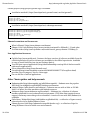
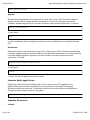
Text inside the grey dotted box like this should be put into the command-line Terminal.
20 of 264
05/04/2014 12:27 PM
Ubuntu:Precise -
http://ubuntuguide.org/index.php?title=Ubuntu:Preci...
Many changes to the operating system can only be done by a User with Administrative
privileges. 'sudo' elevates a User's privileges to the Administrator level temporarily (i.e.
when installing programs or making changes to the system). Example:
sudo bash
'gksudo' can be used instead of 'sudo' when opening a Graphical Application through the
"Run Command" dialog box or as a menu item. Example:
gksudo gedit /etc/apt/sources.list
Many file management tasks can be accomplished with root Administrative privileges
by starting the Nautilus file manager in a similar fashion. (Use 'gksudo' if starting
Nautilus from a menu item.)
gksudo nautilus
or
sudo nautilus
"man" command can be used to find help manual for a command. For example, "man sudo"
will display the manual page for the "sudo" command:
man sudo
While "apt-get" and "aptitude" are fast ways of installing programs/packages, you can also
use the Synaptic Package Manager, a GUI method for installing programs/packages. Most
(but not all) programs/packages available with apt-get install will also be available from the
Synaptic Package Manager. In this guide, when you see
sudo apt-get install package
you can search for package in Synaptic and install it that way.
Many instructions use the text editor "nano" (which is universally available in Linux).
However, it is often easier to use the text editor "gedit" in Ubuntu instead.
"Menu" refers to the menu bar at the top (or bottom) of the desktop, akin to the Start menu
in Microsoft Windows or the Menu bar of the Apple Macintosh.
If you are using the 64-bit version, replace any "i386" with "amd64"
Other versions
How to find out which version of Ubuntu you're using
21 of 264
05/04/2014 12:27 PM
Ubuntu:Precise -
http://ubuntuguide.org/index.php?title=Ubuntu:Preci...
Open the command terminal and type:
lsb_release -a
How to find out which kernel you are using
uname -a
Newer Versions of Ubuntu
Ubuntu has a six month release cycle, with releases in April and October.
Raring Ringtail (13.04) was released in April 2013 and will be supported until December
2013.
Quantal Quetzal (12.10) was released in October 2012 and will be supported until April
2014.
Older Versions of Ubuntu
Lucid Lynx (10.04 LTS) (Server support (only) until April 2015)
Oneiric Ocelot (11.10) (no longer supported)
Natty Narwhal (11.04) (no longer supported)
Maverick Meerkat (10.10) (no longer supported)
Karmic Koala (9.10) (no longer supported)
Jaunty Jackalope (9.04) (no longer supported)
Hardy Heron (8.04 LTS) (no longer supported)
Dapper Drake (6.06 LTS) (no longer supported)
See this complete list of older and newer versions.
Other Resources
Ubuntu Forums (http://ubuntuforums.org/) has a large community for online solutions and
specific help.
Ubuntu Resources
Unity Desktop
Unity (http://en.wikipedia.org/wiki/Unity_%28desktop_environment%29) is the default desktop
environment used in Ubuntu. It is compatible with the GTK platform used by Gnome. It was
designed to be used for netbooks, but is developed by Canonical to be useful on all types of
devices.
Gnome Project
Gnome3 (http://www.gnome.org/) is an alternative desktop available for Ubuntu, and a list of
22 of 264
05/04/2014 12:27 PM
Ubuntu:Precise -
http://ubuntuguide.org/index.php?title=Ubuntu:Preci...
Gnome projects (http://projects.gnome.org/) is available.
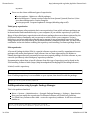
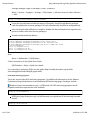
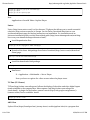
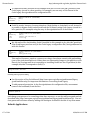
Installation method 1 (https://launchpad.net/~gnome3-team/+archive/gnome3) :
sudo
sudo
sudo
sudo
add-apt-repository ppa:gnome3-team/gnome3
apt-get update
apt-get dist-upgrade
apt-get install gnome-shell
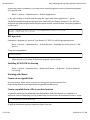
Installation method 2 (https://launchpad.net/~ubuntugnometeam) :
sudo
sudo
sudo
sudo
sudo
add-apt-repository ppa:ubuntugnometeam/gnome3
add-apt-repository ppa:ubuntugnometeam/ppa-gen
apt-get update
apt-get install ugr-desktop-g3
apt-get dist-upgrade
Ubuntu Screenshots and Screencasts
What is Ubuntu? (http://www.ubuntu.com/ubuntu)
Ubuntu 11.04 Unity Desktop (http://www.youtube.com/watch?v=HMztaKt_1_E) and other
YouTube videos (http://www.youtube.com/results?search_query=ubuntu+11.04&aq=f) .
New Applications Resources
GetDeb (http://www.getdeb.net) - Features the latest versions of software available from the
official repositories as well as software not available in the official repositories. Available
in easy-to-install .deb files (see Apt and Package Basics).
Top 100 Open source Applications (http://ubuntulinuxhelp.com/top-100-of-the-best-usefulopensource-applications/)
Linux Alternatives (http://www.linuxalt.com/)
LinuxLink (http://www.linuxlinks.com/article/20080621060835773/GroupTests.html)
provides "best in category" lists for Linux apps
See our full list of add-on applications.
Other *buntu guides and help manuals
Kubuntuguide (http://ubuntuguide.org/wiki/Kubuntuguide) -- Kubuntu uses the popular
KDE (http://en.wikipedia.org/wiki/KDE) desktop environment
Lubuntu (https://wiki.ubuntu.com/Lubuntu) -- Lubuntu can run with as little as 256 Mb
RAM. It is better for older machines with limited resources.
Edubuntu (http://www.edubuntu.org/Download) -- Edubuntu is a collection of software
bundles optimized for use in educational environments. LTSP (thin client terminal server
support) and many networking tools are bundled. A version for use with KDE (Kubuntu) is
available.
SkoleLinux / DebianEdu (https://wiki.debian.org/DebianEdu) -- a collection of (open-source)
educational tools for Debian/Ubuntu Linux
Ubuntu Doctors Guild (http://ubuntudoctorsguild.dyndns.org/) -- a collection of tips for
using (K)Ubuntu Linux in health care environments
23 of 264
05/04/2014 12:27 PM
Ubuntu:Precise -
http://ubuntuguide.org/index.php?title=Ubuntu:Preci...
official Ubuntu Server Guide (https://help.ubuntu.com/12.04/serverguide/C/index.html) -- a
good starting reference for server packages
Installing Ubuntu
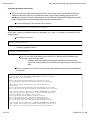
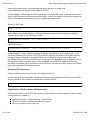
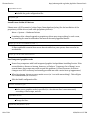
Warning: During installation from the LiveCD, there is an option to install the boot loader to
/dev/sda, which really installs the Grub2 boot loader to both the MBR (Master Boot Record) as
well as the partition into which (K)Ubuntu will be installed. Pay careful attention during this
step if your system uses a boot partition, uses multiple OS (more than 2), or chainloads
bootloaders. For systems with such a boot partition, it is best NOT to overwrite the MBR. In this
case, the boot loader should only be installed to the partition in which the (K)Ubuntu OS itself
will be installed. (For example, if (K)Ubuntu will be installed to /dev/sda6, then only install the
boot loader to /dev/sda6, not to /dev/sda. The text based installer used in the Server and Alternate
versions asks whether to install the bootloader into the MBR. Answer "no" to this question, and
then proceed to install the bootloader to /dev/sda6 only.)
Hardware requirements
Ubuntu Precise Pangolin runs well with as little as 384 Mb RAM. (The GUI installer requires a
minimum of 256 Mb RAM, while the alternative text-based installer can run using only 192 Mb
RAM.) Netbooks can run Ubuntu Precise Pangolin, which has been optimised for that platform.
The installation takes between 3-4 Gb hard drive space, and 8 - 10 Gb will be needed to run
comfortably. (However, at least 25-30 Gb will likely be needed for routine usage.)
If you have an older computer with less memory than this, consider Lubuntu
(https://wiki.ubuntu.com/Lubuntu) (if 160 Mb RAM or greater), PuppyLinux
(http://www.puppylinux.org/) (if 256 Mb or greater), or DSL (http://damnsmalllinux.org/) (if
minimal RAM, limited hard drive space, running from a USBdrive, or running from within
another OS).
Fresh Installation
Download the latest ISO image from Ubuntu 12.04 LTS (http://releases.ubuntu.com/precise/)
.
See this guide (http://help.ubuntu.com/community/BurningIsoHowto) for burning the ISO
image to a CD ("LiveCD").
Use the LiveCD for installation.
The Alternate CD version (http://releases.ubuntu.com/precise/) also allows the use of the
same fast text-based installer used in the Server version (requiring less RAM), and there
are more installation options than on the Desktop CD ("Regular Download").
Another method involves installing the Server version first and then installing the Ubuntu
desktop.
24 of 264
05/04/2014 12:27 PM
Ubuntu:Precise -
http://ubuntuguide.org/index.php?title=Ubuntu:Preci...
A LiveCD can also be transferred to a USB flashdrive (using usb-creator-gtk) and the USB
flashdrive then used to install Ubuntu on systems without CD drives. (Also see the Ubuntu
Official documentation (http://www.ubuntu.com/download/help/create-a-usb-stickon-ubuntu) or the Ubuntu Community documentation (http://help.ubuntu.com/community
/Installation/FromUSBStick) .) Installing from USB is generally much faster than from a CD.
If your computer, device, or hardware uses UEFI instead of a BIOS bootup system, then see
this page.
If your computer, device, or hardware uses Coreboot instead of a BIOS bootup system, then
see this page.
Install a classic Gnome-appearing User Interface
A Gnome 3.4 interface gnome-shell (http://live.gnome.org/GnomeShell) can be installed,
and a choice (from the Login Manager) of running in Unity or Gnome 3 will then be
available:
sudo apt-get install gnome-shell
A user interface resembling the classic Gnome 2 interface (used in Ubuntu Lucid Lynx and
earlier versions) can be installed. (This installs the gnome-shell modules as well.) A choice
of running Unity or Gnome as the desktop environment will then be available from the
Login Manager.
sudo apt-get install gnome-session-fallback
A complete Ubuntu Gnome Shell Remix (http://ubuntu-gs-remix.sourceforge.net/p/home/)
OS (an unofficial Ubuntu derivative) is also available from which the Unity desktop
environment has been removed entirely, and is more similar to a Debian
(http://wiki.debian.org/) distribution with a Gnome (http://www.gnome.org/gnome-3/)
desktop.
Of course, if you would like to use Ubuntu with the popular and powerful KDE
(http://kde.org/applications/) desktop, use Kubuntu.
Dual-Booting Windows and Ubuntu
A user may experience problems dual-booting Ubuntu and Windows. In general, a Windows OS
should be installed first, because its bootloader is very particular. A default Windows
installation usually occupies the entire hard drive, so the main Windows partition needs to be
shrunk, creating free space for the Ubuntu partitions. (You should clean up unnecessary files
and defragment the drive before resizing.) See changing the Windows partition size.
After shrinking a Windows partition, you should reboot once into Windows prior to installing
Ubuntu or further manipulating the partitions. This allows the Windows system to automatically
rescan the newly-resized partition (using chkdsk in XP or other utilities in more recent versions
25 of 264
05/04/2014 12:27 PM
Ubuntu:Precise -
http://ubuntuguide.org/index.php?title=Ubuntu:Preci...
of Windows) and write changes to its own bootup files. (If you forget to do this, you may later
have to repair the Windows partition bootup files manually using the Windows Recovery
Console.)
Newer installations of Windows use two primary partitions (http://en.wikipedia.org
/wiki/Disk_partitioning#PC_partition_types) (a small Windows boot partition and a large
Windows OS partition). An Ubuntu Linux installation also requires two partitions -- a linux-swap
partition and the OS partition. The Linux partitions can either be two primary partitions or can
be two logical partitions within an extended partition. Some computer retailers use all four
partitions on a hard drive. Unless there are two free partitions available (either primary or
logical) in which to install Ubuntu, however, it will appear as if there is no available free space.
If only one partition on a hard drive can be made available, it must be used as an extended
partition (in which multiple logical partitions can then be created). Partition management can
be done using the GParted utility.
If there are only two existing primary partitions on a hard drive (and plenty of free space on it)
then there will be no problem installing Ubuntu as the second operating system and it is done
automatically from the Ubuntu LiveCD. Allow the Ubuntu LiveCD to install to "largest available
free space." Alternatively, if there is an extended partition with plenty of free space within it, the
Ubuntu LiveCD will install to this "largest available free space" as well.
The main Windows partition should be at least 20 Gb (recommended 30 Gb for Vista/Windows
7), and a Ubuntu partition at least 10 Gb (recommended 20 Gb). Obviously, if you have plenty of
disk space, make the partition for whichever will be your favoured operating system larger. For
a recommended partitioning scheme, see this section.
Conversely you can install a retail version of Windows (but not an OEM or recovery version)
after Ubuntu by creating a primary NTFS partition using GParted. (You may have to use
GPparted from a Live CD/USB). Once the primary NTFS partition is created you can boot your
Windows CD/DVD and choose to install Windows to that NTFS partition. When installation is
complete, reboot to insure Windows boots properly. Once that is ascertained, use the Ubuntu
Live CD/USB to install GRUB back to the MBR. (This is necessary because Windows overwrites
the MBR and designates its own bootloader as the master bootloader.) Once GRUB is installed
you will be able to boot either OS.
Alternatives include:
Wubi (http://www.ubuntu.com/getubuntu/download-wubi) (Windows-based Ubuntu
Installer), an officially supported dual-boot installer that allows Ubuntu to be run mounted
in a virtual-disk within the Windows environment (which can cause a slight degradation in
performance). Because the installation requires an intact functioning Windows system, it is
recommended to install Ubuntu in this manner for short-term evaluation purposes only. A
permanent Ubuntu installation should be installed in its own partition, with its own
filesystem, and should not rely on Windows.
EasyBCD (http://neosmart.net/dl.php?id=1) , a free Windows-based program that allows you
to dual-boot Windows 7/Vista and Ubuntu (http://neosmart.net/wiki/display/EBCD/Ubuntu)
(as well as other operating systems) by configuring the Windows 7/Vista bootloader.
Installing multiple OS on a single computer
26 of 264
05/04/2014 12:27 PM
Ubuntu:Precise -
http://ubuntuguide.org/index.php?title=Ubuntu:Preci...
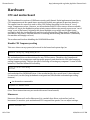
Warning: During installation from the LiveCD, there is an option to install the boot loader to
/dev/sda, which really installs the Grub2 boot loader to both the MBR (Master Boot Record) as
well as the partition into which (K)Ubuntu will be installed. Pay careful attention during this
step if your system uses a boot partition, uses multiple OS (more than 2), or chainloads
bootloaders. For systems with such a boot partition, it is best NOT to overwrite the MBR. In this
case, the boot loader should only be installed to the partition in which the (K)Ubuntu OS itself
will be installed. (For example, if (K)Ubuntu will be installed to /dev/sda6, then only install the
boot loader to /dev/sda6, not to /dev/sda. The text based installer used in the Server and Alternate
versions asks whether to install the bootloader into the MBR. Answer "no" to this question, and
then proceed to install the bootloader to /dev/sda6 only.)
If you want to install more than 2 operating systems on a single computer, check out these tips.
Also see these tips regarding manipulating partitions.
Use Startup Manager to change Grub settings
Grub is a bootup utility that controls which OS to load by default and other bootup settings. You
can change Grub settings from Startup Manager (http://sourceforge.net/projects/startupmanager/) , a GUI that is able to manage settings for Grub (Grub Legacy), Grub 2, Usplash, and
Splashy. Also see the Ubuntu Community help (https://help.ubuntu.com/community
/StartUpManager) page for Startup Manager usage instructions. Install:
sudo apt-get install startupmanager menu
Run:
Menu -> System -> Administration -> Startup Manager
Note: You can also edit the Grub settings manually from the command-line interface.
Dual-Booting Mac OS X and Ubuntu
Also see these tips for installing multiple OS.
Mac OS X has a similar structure to Linux (it is BSD Unix based). Dual-booting Mac OS X and
Ubuntu detailed instructions can be found here (https://help.ubuntu.com/community/MacBook) .
Installing Mac OS X after Ubuntu
If you decide to dual boot with OS X, choose ext2 as your partition type during the Ubuntu
installation. (For this the Super Grub Disk CD is a useful utility. You can download the Super
Grub .iso image file at forjamari.linex.org (http://supergrub.forjamari.linex.org) and burn
the image to a CD-ROM.)
Once you have installed Ubuntu, edit the Grub start-up list:
sudo nano /boot/grub/menu.lst
27 of 264
05/04/2014 12:27 PM
Ubuntu:Precise -
http://ubuntuguide.org/index.php?title=Ubuntu:Preci...
and add the following lines:
title Mac OS X
root (hd0,0)
makeactive
chainloader +1
Reboot your Mac and go to the terminal in Max OS X (if you have any issues booting, boot from
your Mac OS X DVD). Press F8 and enter -s. Enter:
fdisk -e /dev/rdisk0
flag 2 <--note that flag 2 is my Mac partition number two
quit
y
reboot
If are still unsure whether it is working correctly, use the Super Grub Disk CD and make
grub active.
Installing Ubuntu after Mac OS X
If you get an error message during boot such as HFS+error in the bootloader, you can also
use the Super Grub Disk for recovering Linux GRUB and the Windows MBR (Master Boot
Record).
Once you have installed Ubuntu, edit the Grub start-up list:
sudo nano /boot/grub/menu.lst
and add the following lines:
title Mac OS X
root (hd0,0)
makeactive
chainloader +1
If you have issues with Mac OSX or Windows in GRUB, try changing the Mac OS X Grub
entry
change root (hd0,0) to root (hd0,1)
This means you will boot into partition number 1. You can try any partition number until you
get it right.
Upgrading from older versions
Also see the Ubuntu desktop upgrade documentation (https://help.ubuntu.com/community
/UpgradeNotes) and Precise upgrade documentation (specific to Ubuntu)
(https://help.ubuntu.com/community/PreciseUpgrades) .
28 of 264
05/04/2014 12:27 PM
Ubuntu:Precise -
http://ubuntuguide.org/index.php?title=Ubuntu:Preci...
There are several methods for upgrades from the command-line interface (Konsole) (which can
be used for both the desktop and server editions of Kubuntu/Ubuntu).
This is the preferred method:
sudo apt-get install update-manager-core
sudo do-release-upgrade
You can also use the update-manager (all editions):
sudo apt-get install update-manager
sudo update-manager -d
You can also use:
sudo apt-get update
sudo apt-get upgrade
sudo apt-get dist-upgrade
(Note: the first two lines simply make sure your current distribution is current before
upgrading the entire distribution, and are optional.
Always backup your system. Upgrades do not generally work for me, because I often make
customizations to my older installations (to make my hardware work with them) but these
customizations are often not required in the newest version. When the system then attempts to
migrate my customizations (during an attempted upgrade), it often crashes my new system.
(Fortunately, I always back up my important files, and reinstalling them on a fresh OS
installation is therefore usually accomplished relatively quickly.) Here are some of the steps I
have sometimes needed to take when performing upgrades.
In general, upgrades must be done serially from one version to the next in order.
Reinstalling applications after a fresh installation
If you upgrade your Ubuntu system with a fresh installation, it is possible to mark the packages
and services installed on your old system (prior to the upgrade) and save the settings
("markings") into a file. Then install the new version of Ubuntu and allow the system to reinstall
packages and services using the settings saved in the "markings" file. For instructions, see this
Ubuntu forum thread (http://ubuntuforums.org/showthread.php?t=1057608) . In brief:
On the old system:
Synaptic Package Manager -> File -> Save Markings
Save the markings file to an external medium, such as a USB drive.
Complete the backup of your system's other important files (e.g. the /home directory)
before the installation of the new system.
In the freshly-installed new system:
Synaptic Package Manager -> File -> Read markings and load the file on your USB drive (or
29 of 264
05/04/2014 12:27 PM
Ubuntu:Precise -
http://ubuntuguide.org/index.php?title=Ubuntu:Preci...
other external storage) previously saved.
Note: Many packages, dependencies, and compatibilities change between version of Ubuntu, so
this method does not always work. Automated updates remains the recommended method.
Alternatively you can use this command-line method.
Prior to the clean installation. run:
dpkg --get-selections > ~/my-packages
This creates a my-packages file in the ~ (home) directory which will contain a list of
the packages installed on the old system. Copy this file to a safe place (as you will need
it after the new installation).
Proceed with the clean installation. Enable the same repositories that were enabled in
the old system.
Now copy the my-packages file to the ~ (/home) folder. Run:
sudo dpkg --set-selections < my-packages && sudo apt-get dselect-upgrade
Any packages that you had installed (that are in the new repositories) will now be
installed. Excluded will be any manually-installed packages (that are not in the new
repositories) and any packages that were compiled from source.
Here are some of the steps I have sometimes needed to take when performing upgrades.
Add Extra Repositories
Software packages and programs are freely available for download at multiple online sites with
standardized structures, called repositories. There are repositories officially sanctioned and
monitored by the Kubuntu/Ubuntu developer community, while other repositories are
independently provided, without official sanction or supervision (and should be used with
caution). Additional information is available from the Ubuntu Repository Guide
(https://help.ubuntu.com/community/Repositories/Ubuntu) .
Types of Repositories
There are four major package repository types in Ubuntu:
main - Supported by Canonical. This is the major part of the distribution.
restricted - Software not licensed under the GPL (http://en.wikipedia.org
/wiki/GNU_General_Public_License) (or similar software license), but supported by
Canonical.
universe - Software licensed under the GPL (or similar license) and supported by
users.
multiverse - Software not licensed under the GPL (or similar license), but supported
30 of 264
05/04/2014 12:27 PM
Ubuntu:Precise -
http://ubuntuguide.org/index.php?title=Ubuntu:Preci...
by users.
There are also these additional types of repositories:
Precise-updates - Updates to official packages.
Precise-backports - Current version software from Quantal Quetzal (Precise+1) that
have been backported to Precise Pangolin.
Precise-proposed - Proposed updates & changes (bleeding edge stuff).
Third party repositories
Software developers often maintain their own repositories, from which software packages can
be downloaded and installed directly to your computer (if you add the repository to your list).
Many of these third party repositories and software packages have never been reviewed by the
(K)Ubuntu/Debian community and can present a security risk to your computer. Trojans,
backdoors, and other malicious software can be present at any unregulated repository. When
using repositories not endorsed by the (K)ubuntu/Debian community, make sure you have utter
confidence in that site before enabling the repository and installing a software package from it.
PPA repositories
A Personal Package Archive (PPA) is a special software repository used for experimental source
packages still under development. Such software has not been approved by the Debian or
Ubuntu developers (but may eventually become an accepted package). Use this software at your
own risk just like any other third party repository software.
Documentation about how to install software from this type of repository can be found at the
PPA Installing Software Guide (https://help.launchpad.net/Packaging/PPA/InstallingSoftware) .
In brief, to add a repository:
sudo add-apt-repository ppa:user/ppa-name
Note: If add-apt-repository is not available on your system, then install it with the package:
sudo apt-get install python-software-properties
Add Repositories using Synaptic Package Manager
This is the preferred method.
Menu -> System -> Administration -> Synaptic Package Manager -> Settings -> Repositories.
Here you can enable the repositories for Ubuntu Software and Third Party Software.
For Third Party Software select Add -> enter the repository's address. It will have a format
similar to:
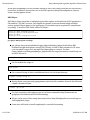
deb http://archive.ubuntu.com/ubuntu/ precise main restricted
deb-src http://archive.ubuntu.com/ubuntu/ precise main restricted
31 of 264
05/04/2014 12:27 PM
Ubuntu:Precise -
http://ubuntuguide.org/index.php?title=Ubuntu:Preci...
Example: To add the Medibuntu repository, Add:
deb http://packages.medibuntu.org/ precise free non-free
Download the repository key to a folder.
Example: The Medibuntu key can be downloaded from
http://packages.medibuntu.org/medibuntu-key.gpg
Then add the key from:
Menu -> System -> Administration -> Synaptic Manager -> Settings -> Repositories ->
Authentication -> Import Key File...
(Alternatively, you can manually add the key from the command line Terminal. See
Add Repository keys.)
Refresh the package list from the new repository:
Synaptic -> Reload
Manually add repositories
Adding a repository (such as a Launchpad ppa repository) can be accomplished from the
command-line interface:
sudo apt-add-repository ppa:user/repository
where ppa:user/repository is an example of the repository you wish to add.
When the repository name has a format similar to the following, enclose the repository
name in quotation marks:
sudo apt-add-repository "deb http://repository.example.org precise stable"
To remove a repository:
sudo apt-add-repository -r ppa:user/repository
Download and add the repository keys to your keyring. See Add repository keys.
Refresh the packages list from the new repositories:
sudo apt-get update
Note: If add-apt-repository is not available on your system, then install it with the package:
sudo apt-get install python-software-properties
32 of 264
05/04/2014 12:27 PM
Ubuntu:Precise -
http://ubuntuguide.org/index.php?title=Ubuntu:Preci...
Edit the repository sources list
This is an optional, labor intensive method. Do this at your own risk. Modify the default
Ubuntu sources.list only if you understand what you're doing. Mixing repositories can
break your system. For more information see the Ubuntu Command-line Repository guide
(https://help.ubuntu.com/community/Repositories/CommandLine) .
Create a backup of your current list of sources.
sudo cp -i /etc/apt/sources.list /etc/apt/sources.list_backup
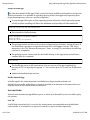
Note: sudo - runs the command with root privileges. cp = copy. -i = prompt to overwrite if a file
already exists.
Edit the list of sources:
sudo nano /etc/apt/sources.list
or using a graphical editor:
gksudo gedit /etc/apt/sources.list
Note: To use your local mirror you can add "xx." before archive.ubuntu.com,
where xx = your country code.
Example: deb http://gb.archive.ubuntu.com/ubuntu precise main
restricted universe multiverse indicates a repository for Great Britain
(gb).
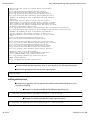
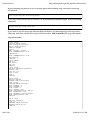
Here is a sample sources.list. At the end have been added repositories for Medibuntu
and Google:
#deb cdrom:[Ubuntu 12.04 _Precise Pangolin_ - Release i386]/ Precise main restricted
# See http://help.ubuntu.com/community/UpgradeNotes for how to upgrade to
# newer versions of the distribution.
deb http://gb.archive.ubuntu.com/ubuntu/ precise main restricted
deb-src http://gb.archive.ubuntu.com/ubuntu/ precise main restricted
## Major bug fix updates produced after the final release of the
## distribution.
deb http://gb.archive.ubuntu.com/ubuntu/ precise-updates main restricted
deb-src http://gb.archive.ubuntu.com/ubuntu/ precise-updates main restricted
## N.B. software from this repository is ENTIRELY UNSUPPORTED by the Ubuntu
## team. Also, please note that software in universe WILL NOT receive any
## review or updates from the Ubuntu security team.
deb http://gb.archive.ubuntu.com/ubuntu/ precise universe
deb-src http://gb.archive.ubuntu.com/ubuntu/ precise universe
deb http://gb.archive.ubuntu.com/ubuntu/ precise-updates universe
deb-src http://gb.archive.ubuntu.com/ubuntu/ precise-updates universe
## N.B. software from this repository is ENTIRELY UNSUPPORTED by the Ubuntu
## team, and may not be under a free licence. Please satisfy yourself as to
## your rights to use the software. Also, please note that software in
33 of 264
05/04/2014 12:27 PM
Ubuntu:Precise -
http://ubuntuguide.org/index.php?title=Ubuntu:Preci...
## multiverse WILL NOT receive any review or updates from the Ubuntu
## security team.
deb http://gb.archive.ubuntu.com/ubuntu/ precise multiverse
deb-src http://gb.archive.ubuntu.com/ubuntu/ precise multiverse
deb http://gb.archive.ubuntu.com/ubuntu/ precise-updates multiverse
deb-src http://gb.archive.ubuntu.com/ubuntu/ precise-updates multiverse
## Uncomment the following two lines to add software from the 'backports'
## repository.
## N.B. software from this repository may not have been tested as
## extensively as that contained in the main release, although it includes
## newer versions of some applications which may provide useful features.
## Also, please note that software in backports WILL NOT receive any review
## or updates from the Ubuntu security team.
deb http://gb.archive.ubuntu.com/ubuntu/ precise-backports main restricted universe multiverse
deb-src http://gb.archive.ubuntu.com/ubuntu/ precise-backports main restricted universe multiverse
## Uncomment the following two lines to add software from Canonical's
## 'partner' repository. This software is not part of Ubuntu, but is
## offered by Canonical and the respective vendors as a service to Ubuntu
## users.
deb http://archive.canonical.com/ubuntu precise partner
deb-src http://archive.canonical.com/ubuntu precise partner
deb http://security.ubuntu.com/ubuntu precise-security main restricted
deb-src http://security.ubuntu.com/ubuntu precise-security main restricted
deb http://security.ubuntu.com/ubuntu precise-security universe
deb-src http://security.ubuntu.com/ubuntu precise-security universe
deb http://security.ubuntu.com/ubuntu precise-security multiverse
deb-src http://security.ubuntu.com/ubuntu precise-security multiverse
## Medibuntu - Ubuntu 12.04 "Precise Pangolin"
## Please report any bug on https://bugs.launchpad.net/medibuntu/
deb http://packages.medibuntu.org/ precise free non-free
deb-src http://packages.medibuntu.org/ precise free non-free
# Google software repository
deb http://dl.google.com/linux/deb/ stable non-free
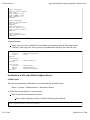
Download and add the repository keys to your keyring. See Add repository keys.
Refresh the packages list from the new repositories:
sudo apt-get update
Add repository keys
Download the gpg keys for the repositories and automatically add them to your
repository keyring:
Example: To obtain and add the Medibuntu repository key:
wget --quiet http://packages.medibuntu.org/medibuntu-key.gpg -O - | sudo apt-key add -
Example: To obtain and add the Google repository key:
wget --quiet http://dl.google.com/linux/linux_signing_key.pub -O - | sudo apt-key add -
34 of 264
05/04/2014 12:27 PM
Ubuntu:Precise -
http://ubuntuguide.org/index.php?title=Ubuntu:Preci...
Note: wget - retrieves a file from a network location. --quiet = no output. -O = Output
downloaded item to terminal. The | (pipe symbol) is used to capture the output from the
previous command (in our case the screen) and use it as an input for the piped command (i.e.
apt-key, which adds it to the keyring).
Alternatively (and perhaps more easily), you can use apt-key directly:
sudo apt-key adv --keyserver keyserver.ubuntu.com --recv-keys KEY
where KEY is the missing key code printed in apt-get output, e.g. EF4186FE247510BE.
Note: Key servers often use port 11371. Make sure your firewall allows port 11371 to
be open.
Package Installation and Updates
Apt and Package Basics
Read Add Extra Repositories
Most new users will use the Synaptic Package Manager to install packages. These instructions
are for installing packages from the command-line Terminal. Terminal can be started:
Menu -> Applications -> Accessories -> Terminal
Install packages:
sudo apt-get install packagename
Example:
sudo apt-get install mpd sbackup
Remove packages:
sudo apt-get remove packagename
To remove all dependencies:
sudo apt-get autoremove
Example:
sudo apt-get remove mpd sbackup
Search for packages:
35 of 264
05/04/2014 12:27 PM
Ubuntu:Precise -
http://ubuntuguide.org/index.php?title=Ubuntu:Preci...
apt-cache search <keywords>
Examples:
apt-cache search Music MP3
apt-cache search "Text Editor"
Update the apt package database after adding/removing repositories:
sudo apt-get update
Upgrade packages:
sudo apt-get upgrade
Upgrade the entire distribution (e.g. from Maverick to Natty):
sudo apt-get dist-upgrade
Installing .deb packages
Debian (.deb) packages are the packages that are used in Ubuntu. You can install any .deb
package in your system. .deb files can generally be installed from your file manager (Nautilus)
merely by clicking on them, since file associations with the default installer is already set in
Ubuntu. These instructions are for those who wish to install packages from the command-line
terminal (Terminal).
Install a downloaded Debian (Ubuntu) package (.deb):
sudo dpkg -i packagename.deb
Remove a Debian (Ubuntu) package (.deb):
sudo dpkg -r packagename
Reconfigure/Repair an installed Debian (Ubuntu) package (.deb):
sudo dpkg-reconfigure packagename
*Example:
sudo dpkg-reconfigure mpd
Handling (Tar/GZip) and (Tar/Bzip2) archives
36 of 264
05/04/2014 12:27 PM
Ubuntu:Precise -
http://ubuntuguide.org/index.php?title=Ubuntu:Preci...
(Tar/GZip) archives end in ".tar.gz" and (Tar/Bzip2) archives end in ".tar.bz2". Bzip2 is the newer,
more efficient compression method. These files can generally be automatically extracted by
merely clicking on them from your file manager (Nautilus), since file associations with the
appropriate archival utilities are set by default in Ubuntu. These instructions are for those who
wish to use the command line Terminal.
To extract:
tar xvf packagename.tar.gz
Note: tar is an application which can extract files from an archive, decompressing if necessary.
-x means extract.
-v means verbose (list what it is extracting).
-f specifies the file to use.
Decompressing ".gz" files
gunzip file.gz
Decompressing ".bz2" files
bunzip2 file.bz2
Note: You can also decompress a package first by using the command gunzip (for .gz)
or bunzip2 (for .bz2), leaving the .tar file. You would then use tar to extract it.
To create a .gz archive:
tar cvfz packagename.tar.gz folder
To create a .bz2 archive:
tar cvfj packagename.tar.bz2 folder
Installing a package from source
Make sure you have all the necessary development tools (i.e. libraries, compilers, headers):
sudo apt-get install build-essential linux-headers-$(uname -r)
Note: "uname -r" lists the current kernel you are using
Extract the archive that contains the source files:
37 of 264
05/04/2014 12:27 PM
Ubuntu:Precise -
http://ubuntuguide.org/index.php?title=Ubuntu:Preci...
tar xvf sourcefilesarchive.tar.gz
Build the package using the package's script (in this case the configure script), compile the
package (make), and install the compiled package into your system (make install):
cd /path/to/extracted/sourcefiles
./configure
sudo make
sudo make install
Note: typing ./ before a filename in the current folder allows the Linux shell to try and
execute the file as an application even if it is not in the path (the set of folders which it
searches when you type a command name). If you get a "permission denied" error,
the file is not marked as being executable. To fix this:
sudo chmod +x filename
Example: In the above instructions, configure is the shell script to build the package
from source. To be sure the configure script is executable:
sudo chmod +x configure
Create a .deb package from source files
If your build from source is successful, you can make a Debian (Ubuntu) package (.deb) for
future use:
Install package tools:
sudo apt-get install checkinstall
Rebuild package using "checkinstall":
cd /path/to/extracted/package
./configure
sudo make
sudo checkinstall
Keep the resulting ".deb" file for future use. It can later be installed using:
sudo dpkg -i packagename.deb
Note: These are basic instructions that may not always work. Some packages require additional
dependencies and optional parameters to be specified in order to build them successfully. Also
see these Ubuntu wiki instructions (https://wiki.ubuntu.com/PackagingGuide
/Basic?action=show&redirect=HowToBuildDebianPackagesFromScratch) . More info about .deb
package structure can be found here (http://www.ibm.com/developerworks/linux/library
38 of 264
05/04/2014 12:27 PM
Ubuntu:Precise -
http://ubuntuguide.org/index.php?title=Ubuntu:Preci...
/l-debpkg.html) .
Aptitude
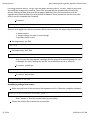
Aptitude is a terminal-based package manager that can be used instead of apt-get. Aptitude
marks packages that are automatically installed and removes them when no packages depend
on them. This makes it easy to remove applications completely. To use Aptitude, replace apt-get
with aptitude in the command line. Example:
sudo
sudo
sudo
sudo
aptitude
aptitude
aptitude
aptitude
install packagename
remove packagename
update
upgrade
For an ncurses-based graphical user interface, type
sudo aptitude
For more information, see the aptitude documentation (http://people.debian.org/~dburrows
/aptitude-doc/en/) .
Synaptic Package Manager
While "apt-get" and "aptitude" are fast ways of installing programs/packages, you can also use
the Synaptic Package Manager (Menu -> System -> Administration -> Synaptic Manager), a GUI
method for installing programs/packages. Most (but not all) programs/packages available with
apt-get install will also be available from the Synaptic Package Manager. This is the preferred
method for most desktop users. In this guide, when you see
sudo apt-get install package
you can simply search for package in Synaptic and install it that way.
Menu -> System -> Administration -> Synaptic Package Manager
Search for the name of the program/package. You can also search for a word in its
description.
-> Mark for Installation -> Apply
The selected program(s) will be automatically installed, along with its dependencies.
Ubuntu Software Center (Add/Remove Programs)
Not all packages available from apt-get, aptitude, and Synaptic Package Manager are available in
the Ubuntu Software Center. However, it is the easiest interface for new users of Ubuntu and
directs them to preferred packages.
Menu -> Applications -> Ubuntu Software Center
Search for the sort of program you want to add. Example: type MP3 to see a list of
39 of 264
05/04/2014 12:27 PM
Ubuntu:Precise -
http://ubuntuguide.org/index.php?title=Ubuntu:Preci...
mp3 software.
-> Mark for Installation -> Apply
The selected program(s) will be automatically installed.
Manual Updates
Read General Notes
Read Add Extra Repositories
Manually, from Terminal (command line interface):
sudo apt-get update
sudo apt-get upgrade
or
Use Synaptic Package Manager:
Menu -> System -> Administration -> Synaptic Package Manager -> "Reload" then "Mark all
upgrades"
If there are packages available for updating, you will be prompted whether to install them.
Automated Updates
Use Synaptic Package Manager:
Menu -> System -> Administration -> Synaptic Manager -> Settings -> Preferences -> General
-> Reloading Outdated Package Information -> Automatic
Repair broken packages
If a package installation fails (which can cause a Package Manager to freeze or become locked),
or if a package has unsatisfied dependencies causing a similar condition, then run one (or both)
of the following commands from the command-line terminal:
sudo apt-get install -f
sudo dpkg --configure -a
If a problem occurs with MergeList (appearing as a missing "Package: header" error):
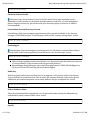
E: Encountered a section with no Package: header
E: Problem with MergeList...
E: The package lists or status file could not be parsed or opened.
then repair by recreating the package lists:
40 of 264
05/04/2014 12:27 PM
Ubuntu:Precise -
http://ubuntuguide.org/index.php?title=Ubuntu:Preci...
sudo rm /var/lib/apt/lists/* -vf
sudo apt-get update
If a problem occurs with a lock on the apt cache, for example:
E: Could not get lock /var/cache/apt/archives/lock - open (11: Resource temporarily unavailable)
then run:
sudo fuser -cuk /var/lib/dpkg/lock; sudo rm -f /var/lib/dpkg/lock
sudo fuser -cuk /var/cache/apt/archives/lock; sudo rm -f /var/cache/apt/archives/lock
File Managers
For FTP (http://en.wikipedia.org/wiki/File_Transfer_Protocol) (online File Transfer
Protocol):
See this section on FTP clients for information about FileZilla.
See this section on FTP servers for information about vsftp and proftp.
Also see these FTP tips.
For WebDAV (http://en.wikipedia.org/wiki/WebDAV) (online folders):
See this section on WebDAV for information about both WebDAV servers and clients.
For MTP (http://en.wikipedia.org/wiki/Media_Transfer_Protocol) (Media Transport
Protocol), used for transferring data (by USB) to some storage devices:
See this section.
Nautilus
Nautilus (https://live.gnome.org/Nautilus) is the default file manager in Ubuntu (Gnome).
Desktop Add-ons
There are many add-on icons, themes, wallpapers, 3-D effects, and other customizations
available for the GNOME desktop.
Gnome Eye-Candy Resources
Gnome Look (http://www.gnome-look.org) has wallpapers, splash screens, icons, and
themes for windows managers (including Metacity and Compiz) and other applications.
Ubuntu Wallpaper
41 of 264
05/04/2014 12:27 PM
Ubuntu:Precise -
http://ubuntuguide.org/index.php?title=Ubuntu:Preci...
Download free Maverick Meerkat wallpapers (https://wiki.ubuntu.com/Artwork/Incoming
/Maverick) .
Change Plymouth Splash Screen
This is the initial splash screen you see at bootup. Different Plymouth themes can be found by
searching for plymouth-theme in a Package Manager. Install a new one and then:
sudo update-alternatives --config default.plymouth
sudo update-initramfs -u
and manually select the theme you wish to use.
Plymouth does not reliably work with nVidia drivers and during bootup a blank screen may
result for several seconds.
Metacity
Metacity is the default desktop compositing manager in Gnome. It is lightweight, streamlined
and does not have many configurable options, but has multiple themes available at Gnome
Look.
Compiz Fusion
Compiz Fusion is available as a separate Windows Manager, to allow advanced desktop effects
such as the rotating cube desktop. Many Ubuntu users choose to run Compiz, which is quite fast
in Ubuntu. Install:
sudo apt-get install compiz compizconfig-settings-manager compiz-fusion-plugins-main compiz-fusion-plugins-extra emerald librsvg
To change to Compiz as the Window Manager:
Select Compiz Configuration:
Menu -> System -> Preferences -> CompizConfig Settings Manager
Note: You must logout and log back in for the change to take effect.
Fusion Icon
Fusion Icon is a tray icon that allows you to easily switch between window managers, window
decorators, and gives you quick access to the Compiz Settings Manager. This allows quick
toggling of 3-D desktop effects (that may not be compatible with some applications).
sudo apt-get install fusion-icon
Menu -> Applications -> System Tools -> Compiz Fusion Icon
42 of 264
05/04/2014 12:27 PM
Ubuntu:Precise -
http://ubuntuguide.org/index.php?title=Ubuntu:Preci...
You can then easily access CompizConfig Settings Manager from the icon.
Rotate the Compiz Cube
Set the CompizConfig Settings Manager to enable the "Desktop Cube" and "Rotate Cube" and
"Viewport Switcher" options. Click on the icon for each to customize settings. For example, to
change the appearance of the cube, click on the Desktop Cube icon to access its settings. You can
set the hotkey buttons for rotating the cube in the "Viewport Switcher" settings. Otherwise, hold
down the Ctrl+Alt+Left mouse button and drag the mouse (or touchpad) the direction you want
to rotate the cube.
Remember, the cube rotates between desktops. It's not a cube unless you have at least 4 desktops
running. You will not get a cube if you are only using 2 desktops (you will get a "plate"). You can
still rotate the sides of the plate, of course, but it will not be a cube. (Recent users from the
Windows OS may have no experience with the concept of simultaneous desktops, but they are
nice once you learn how to use them).
When running Compiz fusion as the Windows Manager, you must change the default number of
desktops from within CompizConfig Settings Manger. To enable 4 desktops:
CompizConfig Settings Manager -> General -> General Options -> Desktop Size -> Horizontal
Virtual Size -> 4
When you start an application, you can assign it to any one of the 4 desktops by right-clicking the
upper left corner of the application window and choosing the "To Desktop..." option. Rotating
the cube shows the different desktops. You can also go to a desktop using the taskbar icon which
shows the 4 desktops.
Emerald
Emerald is the theme engine for Compiz Fusion. Multiple themes are available. (These themes
originated from the Beryl project before it merged with Compiz to form Compiz Fusion.) The
Emerald Theme Manager for Compiz Fusion can be installed:
sudo apt-get install emerald
Google Desktop
Google Desktop for Linux (http://googledesktop.blogspot.com/) was a proprietary suite of Google
widgets and applications. It was discontinued in September 2011.
gDesklets
gDesklets (http://gdesklets.de/) are similar to Windows widgets and Google gadgets and provide
information such as weather, system resources, and news primarily for the Gnome desktop (i.e.
Ubuntu Maverick and older). Install:
sudo apt-get install gdesklets
43 of 264
05/04/2014 12:27 PM
Ubuntu:Precise -
http://ubuntuguide.org/index.php?title=Ubuntu:Preci...
Dock applications
Avant Window Manager, Cairo Dock, gnome-do and Wbar are dock-like applications for Ubuntu
Linux. A dock represents running programs as icons at the bottom of the screen (as is done on
the Mac OS X desktop), instead of by toolbar panel segments (as is done in Windows and other
Linux window managers). See this brief comparison of dock applications
(http://linuxowns.wordpress.com/2008/05/08/the-best-and-worst-docks-for-ubuntu/) .
Avant Window Navigator
Avant Window Navigator (http://wiki.awn-project.org/) requires that a desktop composition
manager (such as Metacity, Compiz, Xcompmgr, KDE4 (Kubuntu), or xfwm4 (Xubuntu)) be
installed and running.
Install and upgrade proprietary nVidia or ATI graphics drivers so that the compositing
manager functions properly.
Install AWN:
sudo apt-get install avant-window-navigator awn-manager
(Note: If you are using Gnome (Ubuntu) and do not already have a compositing manager
installed (such as Compiz), Metacity will be installed as part of the installation.)
Enable automatic startup of AWN at bootup:
Menu -> System -> Preferences -> Startup Applications -> Add...
avant-window-navigator
Select which applets should run from the dock menu by default:
Menu -> Applications -> Accessories -> Avant Window Navigator Manager
You can drag application icons onto the list, then activate or deactivate the applets from the
list.
Cairo Dock
Cairo Dock (http://developer.berlios.de/projects/cairo-dock/) can be used either with a desktop
compositing manager (such as Metacity for Gnome, Compiz, or the KDE4 Window Manager) or
without one. See the Ubuntu installation instructions (https://help.ubuntu.com/community
/CairoDock) for details. It is available from the repositories:
sudo apt-get install cairo-dock cairo-dock-plug-ins
Gnome Do
Gnome Do (http://do.cooperteam.net/) is a docking utility for Gnome. Install:
44 of 264
05/04/2014 12:27 PM
Ubuntu:Precise -
http://ubuntuguide.org/index.php?title=Ubuntu:Preci...
sudo apt-get install gnome-do
From the preferences pane of gnome-do select the Docky look and feel to get the dock
(rather than the default Quicksilver-like) look and feel.
wbar
wbar (http://code.google.com/p/wbar/) is a quick-launch bar (not a dock) that has an appearance
similar to Avant Window Manager and Cairo Dock. It is GTK (Gnome) based but can work in all
desktop environments. It does not require a compositing manager to be installed and is
therefore quicker and more suitable for low-end hardware systems. It is the default in the
Google gOS desktop and is available as a .deb package from Google. Download and install (from
the command-line Terminal):
wget http://wbar.googlecode.com/files/wbar_1.3.3_i386.deb
sudo dpkg -i wbar_1.3.3_i386.deb
Start wbar with custom start options (e.g. by pressing alt+F2). Here is an example:
wbar -isize 48 -j 1 -p bottom -balfa 40 -bpress -nanim 3 -z 2.5 -above-desk
Here is another example:
wbar -above-desk -pos bottom -isize 60 -nanim 1 -bpress -jumpf 0.0 -zoomf 1.5
For a full list of command-line startup options, see:
wbar --help
Tip: If you want the "wave" effect just increase the -nanim value. I like the icons to just pop up so
I don't use it, but with 9 icons 5 there is a nice "wave" effect.
Obviously, you could create a menu item with the command line options (similar to the
examples above), or a batch file that can be automatically started at system startup (as a cron
event or startup session).
You can also change wbar startup options by editing the configuration file:
sudo gedit /usr/share/wbar/dot.wbar
See this example configuration file (http://ubuntuforums.org/showthread.php?t=980565) .
However, not all options are able to be set from the configuration file and must be run from the
command line. For more info see this wbar guide (http://linux-guider.blogspot.com/2008/09
/wbar-another-cute-dock.html) .
wbarconf
45 of 264
05/04/2014 12:27 PM
Ubuntu:Precise -
http://ubuntuguide.org/index.php?title=Ubuntu:Preci...
A simple wbar configuration utility (http://gnomefiles.org/content/show.php
/wbarconf?content=131999) can be downloaded as a .deb package and installed:
wget http://koti.kapsi.fi/~ighea/wbarconf/wbarconf_0.7.2-1_i386.deb
sudo dpkg -i wbarconf_0.7.2-1_i386.deb
Virtualization
Virtualization allows a second operating system (OS), such as Windows or OS X, to be run from
within (K)Ubuntu. This requires extra RAM (because both (K)Ubuntu and the virtualized second
OS require separate amounts of RAM) and a license for the second OS. If you wish to run a
virtualized instance of Windows XP, for instance, you must have a license for Windows XP.
VirtualBox
VirtualBox (http://www.virtualbox.org/) is a fast and complete virtualization solution that was
owned and maintained by Sun Microsystems (now bought by Oracle). There is a free and fully
open-source edition available under the GNU GPL license.
Install the open-source edition:
sudo apt-get install virtualbox-ose virtualbox-ose-source virtualbox-guest-additions
You can also add the QT-version (if using KDE/Kubuntu, for example):
sudo apt-get install virtualbox-ose-qt
Start VirtualBox:
Menu -> VirtualBox OSE PC virtualization solution
For usage instructions, see the End-user documentation (http://www.virtualbox.org/wiki/Enduser_documentation) . For information on installing Virtualbox in Windows so that Ubuntu can
then be installed within in a virtual machine running in Windows, see this page.
Proprietary versions of VirtualBox
A few additional features (http://www.virtualbox.org/wiki/Editions) that are not yet in the OSE
version, such as a USB device interface, are available in the proprietary version of VirtualBox. To
install a proprietary edition (http://www.virtualbox.org/wiki/Linux_Downloads) of VirtualBox:
Add the security key:
wget -q http://download.virtualbox.org/virtualbox/debian/oracle_vbox.asc -O- | sudo apt-key add -
Add the repository string to your repository list and update:
46 of 264
05/04/2014 12:27 PM
Ubuntu:Precise -
http://ubuntuguide.org/index.php?title=Ubuntu:Preci...
echo "deb http://download.virtualbox.org/virtualbox/debian maverick non-free" | sudo tee /etc/apt/sources.list.d/virtualbox.list
sudo apt-get update
Install:
sudo apt-get install virtualbox
VMWare
VMWare (http://www.vmware.com/) is a commercial virtualization platform that currently
offers two free products: VMWare Player and VMWare Server (http://www.vmware.com
/download/server/) (the latter with a free renewable yearly license). VMWare Player can play
virtual appliances that have already been created, whereas VMWare Server (which has a
broader range of features) allows the creation of virtual machines. In general, VMWare Server is
recommended unless you only need to play an appliance. (Appliances will also run in VMWare
Server). Users that wish to run servers (or processes) that need to be available to a network from
within the virtual machine should use VMServer. If you wish to install a new OS within a virtual
machine (other than in an appliance), you will need VMWare Server.
VMWare Player
Installation instructions are on the website, or at the Ubuntu community wiki
(https://help.ubuntu.com/community/VMware/Player) . In brief, to install the free VMWare
Player:
Install pre-requisites:
sudo apt-get install build-essential linux-headers-$(uname -r)
Get the binary package/installation script, give it executable privileges, then run the
installation script:
wget http://download3.vmware.com/software/vmplayer/VMware-Player-2.5.3-185404.i386.bundle
chmod +x VMware-Player-2.5.3-185404.i386.bundle
sudo ./VMware-Player-2.5.3-185404.i386.bundle
Run:
Menu -> Applications -> System Tools -> VMWare Player
Create an Ubuntu Appliance
While any edition of Ubuntu can be installed in a virtual machine, the minimal installation
option (F4) of the Ubuntu Server creates a highly-efficient edition (previously known as JeOS)
optimised for use within a virtual appliance (which can then be played using VMWare Player or
other virtual machine client). See this walkthrough.
A virtual appliance for VMWare Player (using this JeOS minimal server) can also be built using
47 of 264
05/04/2014 12:27 PM
Ubuntu:Precise -
http://ubuntuguide.org/index.php?title=Ubuntu:Preci...
vmbuilder (https://help.ubuntu.com/10.04/serverguide/C/jeos-and-vmbuilder.html) .
VMWare Server
Install pre-requisites:
sudo apt-get install build-essential linux-headers-$(uname -r)
Download the server source files for your architecture (32-bit or 64-bit) from the VMWare
Server website (http://www.vmware.com/download/server/) and retrieve your license key
by email.
Extract the files, give execution privileges to the install script, and run the install script:
tar xvf VMware-server-2.0.1-156745.i386.tar.gz
cd vmware-server-distrib
chmod +x vmware-install.pl
sudo ./vmware-install.pl
VMWare Package
VMWare Appliances (that include an Ubuntu/Debian OS) can be created using VMWare Server
and the VMWare Package utility. These appliances can then be deployed to users who can play
them using VMWare Player. Install:
sudo apt-get install vmware-package
Keyboard errors in VMware guest
After installing VMWare 6.5, and installing a guest OS, the Function, arrow and Del/End/etc keys
do not function. This is a bug with VMWare´s code. Add this line to ~/.vmware/config (create file
if necessary) to fix this issue:
xkeymap.nokeycodeMap = true
KVM
KVM (http://www.linux-kvm.org/page/Main_Page) is the free open source virtualization solution
implemented as a Linux kernel module (in the recent kernels) for computers whose processors
contain virtualization extensions (Intel VT or AMD-V). See the Ubuntu installation instructions
(https://help.ubuntu.com/community/KVM/Installation) . Install:
sudo apt-get install kvm
Qemu (without KVM)
If your computer does not have the virtualization extensions, you can still run the QEMU
48 of 264
05/04/2014 12:27 PM
Ubuntu:Precise -
http://ubuntuguide.org/index.php?title=Ubuntu:Preci...
(http://wiki.qemu.org/) virtualization platform. See this Ubuntu community documentation
(https://help.ubuntu.com/community/WindowsXPUnderQemuHowTo) . It can be installed from
source code (http://www.qemu.org/qemu-doc.html#SEC82) .
Xen
Xen (http://www.xen.org/) is an efficient open-source virtualization ("hypervisor") platform
(which includes a merge with QEMU). It is the basis for the Amazon EC2 Cloud and is generally
intended for use on a server (or on "baremetal" systems, i.e. no OS yet installed). It is free open
source under a GPL license. The latest desktop (and installation instructions) is available from
the website. (A commercial version is also offered by Citrix.) Implementation in Ubuntu requires
some modification, currently. For more info, see the Ubuntu community documentation
(https://help.ubuntu.com/community/Xen) . Install:
sudo apt-get install xen-hypervisor xen-docs convirt
A Xen virtual machine host can also be installed automatically with certain 64-bit CPUs, using
the 64-bit Ubuntu Server LiveCD. (A (K)Ubuntu desktop can then later be added -- see Ubuntu
server).
Virtual Machine Manager
Virtual Machine Manager (http://virt-manager.et.redhat.com/) is an application to allow viewing
of all instances of virtual machines on your system. It includes a secure implementation of VNC.
This and other virtual management tools are available as an integrated package in (K)Ubuntu.
Install:
sudo apt-get install ubuntu-virt-mgmt
Crossover for Linux
Codeweavers' Crossover Office for Linux (http://www.codeweavers.com/products/cxlinux/) is a
subscription-based commercial package that allows many Windows programs to be run on
Ubuntu without the need for a Microsoft OS license or a complete virtualization system. See the
website for more info. Codeweavers releases older versions of this product into the free package
Wine.
Wine
Wine (http://www.winehq.org/) is a free open-source package that is similar to (and implements
many elements of) CrossOver for Linux. Like CrossOver for Linux, no Microsoft license or
virtualization platform is required to run Windows programs. See these instructions
(http://www.winehq.org/download/deb) for installing the latest version of Wine.
sudo apt-get install wine
Also consider installing Microsoft's TrueType fonts:
49 of 264
05/04/2014 12:27 PM
Ubuntu:Precise -
http://ubuntuguide.org/index.php?title=Ubuntu:Preci...
sudo apt-get install ttf-mscorefonts-installer
PlayOnLinux
PlayOnLinux (http://www.playonlinux.com/) is a Wine frontend which simplifies the installation
and launch of many Windows programs, particularly games. Install:
sudo apt-get install playonlinux
Internet Explorer 7
Internet Explorer 7 can be installed with PlayOnLinux. Select "Internet Explorer 7" from the
"Internet" section of PlayonLinux.
Internet Explorer 6 & 7
Internet Explorer 6 & 7 can function under Wine, albeit imperfectly. For most purposes, Firefox
can be used (with the User Agent Switcher plugin) to mimic Internet Explorer.
Make sure you have Wine and cabextract packages:
sudo apt-get install wine cabextract
Download the Winetricks (http://wiki.winehq.org/winetricks) installation script:
wget http://winetricks.org/winetricks
sudo chmod +x winetricks
Install with winetricks:
sh winetricks ie6
sh winetricks ie7
Note: Winetricks is automatically installed with the current version of Wine
(http://www.winehq.org/download/deb) .
Netflix in Wine package
See this section.
Transgaming Cedega
Cedega (http://www.transgaming.com/) is a commercial application (similar to CrossOver Office
and Wine), for installing and running some Windows applications, specifically games, without
the need for virtualization or a Microsoft license. It provides 3D support, software acceleration
50 of 264
05/04/2014 12:27 PM
Ubuntu:Precise -
http://ubuntuguide.org/index.php?title=Ubuntu:Preci...
support, and a high level of DirectX support. Installation instructions are found on the website.
Mono
Mono (http://www.mono-project.com/Main_Page) is a free open source project sponsored by
Novell to allow .NET programs to function in Linux ((K)Ubuntu) and Mac OS X. . Several GNOME
applications (like Tomboy, F-Spot, and Banshee) require mono to be installed, so mono may
already be installed by default on your system. The most recent version is available here
(http://www.mono-project.com/Other_Downloads) .
sudo apt-get install mono-2.0-devel
Moonlight
See Moonlight plugin for Firefox
Java
Install the Java Runtime Environment version 6 (the default-jre package points to the
open-jdk6-jre package):
sudo apt-get install default-jre
or
sudo apt-get install open-jdk6-jre
Alternatively, install the Java Runtime Environment version 7:
sudo apt-get install open-jdk7-jre
If you really need to use Oracle (ex Sun) Java instead of OpenJDK in (K)Ubuntu then install
from the PPA private repository using the instructions found here
(http://www.webupd8.org/2012/01/install-oracle-java-jdk-7-in-ubuntu-via.html) .
DosBox
DOSBox (http://www.dosbox.com/) is a DOS-emulator that emulates CPU:286/386
realmode/protected mode, Directory FileSystem/XMS/EMS, Tandy/Hercules/CGA/EGA/VGA/VESA
graphics, and a SoundBlaster/Gravis Ultra Sound card (for sound compatibility with older
games). You can "re-live" classic games that otherwise won't run on newer computers.
sudo apt-get install dosbox
51 of 264
05/04/2014 12:27 PM
Ubuntu:Precise -
http://ubuntuguide.org/index.php?title=Ubuntu:Preci...
ScummVM
ScummVM (http://scummvm.org/) allows certain classic graphical point-and-click adventure
games to run (provided you already have their data files). ScummVM replaces the executables
shipped with the games, allowing play on Linux operating systems (for which they were not
originally designed).
sudo apt-get install scummvm
Google Android
Also see this page.
Android-x86 in VirtualBox
Android-x86 (http://www.android-x86.org/documents/installhowto) can can be downloaded as
an .iso image and installed to and run in Virtualbox (or QEMU, VMWare, or other virtual
environment). It provides a fast, efficient emulation environment with a large display but some
functions and apps will not work with it.
See here for more details.
Android SDK emulator
Android SDK for Linux (http://developer.android.com/sdk/index.html) is a 32-bit Android
emulator/software development kit. It incorporates a QEMU virtual machine framework as part
of its installation. It provides a resource-hungry, slow, but largely functional Android
environment and apps can be installed from (and run within) the emulator.
Once the Android emulator SDK is installed, install an app using these ADB instructions
(http://developer.android.com/guide/developing/tools/adb.html) or directly from within an
app marketplace.
More detailed instructions are available here.
F-Droid app repository for Android
F-Droid (http://f-droid.org) is the repository for free and open source software (almost all of
it ad-free) for the Google Android platform.
Edutainment Applications
There are many superb applications that can be installed with a single click.
Menu -> Applications -> Ubuntu Software Center-> Education
Below are a few examples that can be installed from this menu:
52 of 264
05/04/2014 12:27 PM
Ubuntu:Precise -
http://ubuntuguide.org/index.php?title=Ubuntu:Preci...
Mnemosyne (http://www.mnemosyne-proj.org/) -- a flash-card tool
Oregano (http://arrakis.gforge.lug.fi.uba.ar/) -- a program for electrical engineering
schematics
RlPlot (http://rlplot.sourceforge.net/) -- a high quality graph generator
K3DSurf (http://k3dsurf.sourceforge.net/) -- a program for modeling 3,4,5, and 6
dimensional models.
Gramps (http://gramps-project.org/) -- map your family-tree and co-operate with genealogy
projects
Games
There are some phenomenal games for (K)Ubuntu Linux.
Ubuntu Community Wiki -- Games (https://help.ubuntu.com/community/Games) .
Rangit's Best Linux Games (http://rangit.com/linux/best-game/)
Unixmen's Must-Play Linux Games (http://www.unixmen.com/10-must-play-linux-gamesfor-2012/) .
In addition, Steam (http://store.steampowered.com/browse/linux/) now offers (for sale)
game clients for Linux. Examples include Amnesia (http://store.steampowered.com
/app/57300/) , Trine 2 (http://store.steampowered.com/app/35720/) , and Leisure Suit Larry
(http://store.steampowered.com/app/231910/) .
There are hundreds of free, open-source games available in (K)Ubuntu. Most (including the KDE
Games (http://www.kde.org/applications/games/) collection and the Gnome Games
(http://live.gnome.org/GnomeGames/) collection) can be accessed through the Games section of
your Package Manager.
Examples are:
PouetChess (http://pouetchess.sourceforge.net/) -- an excellent 3-D chess game (sudo
apt-get install pouetchess)
PokerTH (http://www.pokerth.net/) -- a very nice Texas Hold 'Em Poker (sudo apt-get install
pokerth)
Kajongg (http://kde.org/applications/games/kajongg/) -- a real MahJongg game, for humans
and/or robots (sudo apt-get install kajongg)
Planet Penguin Racer (http://en.wikipedia.org/wiki/Tux_Racer) -- Penguin slides down a 3-D
luge run, catching fish. (Extreme Tux Racer (http://sourceforge.net/projects
/extremetuxracer/) is the newer, updated version -- sudo apt-get install extremetuxracer)
KsirK (http://games.kde.org/game.php?game=ksirk) -- play Risk against the computer or in a
multiplayer environment (sudo apt-get install kdegames)
Racer (http://www.racer.nl/) -- the 3-D "real deal" Car Racing game (install binary found
here (http://www.racer.nl/dl_beta_linux.htm) ). Also with extra tracks and add-ons
(http://www.racer.nl/dl_content.htm) .
TORCS (http://torcs.sourceforge.net/) -- the 3-D Car Racing game (sudo apt-get install torcs)
Supertuxkart (http://supertuxkart.sourceforge.net/) -- the go-kart racing game (sudo apt-get
install supertuxkart)
Pingus (http://pingus.seul.org/) -- a Lemmings clone (similar to Super Mario Bros.) that uses
53 of 264
05/04/2014 12:27 PM
Ubuntu:Precise -
http://ubuntuguide.org/index.php?title=Ubuntu:Preci...
penguins instead of lemmings (sudo apt-get install pingus)
Frozen Bubble (http://www.frozen-bubble.org/) -- the bubble-popping game (sudo apt-get
install frozen-bubble)
Gweled (http://gweled.org/) -- a Bejeweled clone, simple in implementation yet almost as
addicting (sudo apt-get install gweled)
Frets on Fire (http://fretsonfire.sourceforge.net/) -- similar to Guitar Hero. You can import
songs from Guitar Hero (http://www.geetarfreaks.webs.com/Viva%20La%20Music.html)
and from community sites (http://fretsonfire.wikidot.com/custom-songs) (sudo apt-get
install fretsonfire)
Scorched3d (http://www.scorched3d.co.uk/) -- turn-based artillery game in a 3D rendered
landscape (sudo apt-get install scorched3d)
Pyscrabble (http://pyscrabble.sourceforge.net/) (and pyscrabble-server) -- online Scrabble
game and server (sudo apt-get install pyscrabble pyscrabble-server) (Also see Lexulous
Internet Scrabble Club (http://www.isc.ro/) for
(http://www.lexulous.com) and the
browser-based online games similar to Scrabble. Internet Scrabble Club requires Java: sudo
apt-get install default-jre . It also requires firewall port 1325 to be open inbound/outbound.)
Wing Commander Privateer
The Linux version of this free version of Wing Commander (http://priv.solsector.net/) can be
downloaded as a binary here (http://sourceforge.net/projects/privateer/) . It is a DOS program
that runs in DosBox.
Vdrift
Vdrift (http://vdrift.net/) is a free open source 3-D racing game, similar to Need for Speed, with
realistic physics, multiple drift tracks, and multiplayer games. Support for joysticks, mice and
keyboard is included. A binary package for Linux is available from the website.
Action
Incredible action games (including those from the Top 25) are available in Ubuntu. Many can be
installed using:
Menu -> Applications -> Ubuntu Software Center -> Games
Examples are:
Alien Arena (http://icculus.org/alienarena/rpa/about.html) -- a multi-player first person
shooter action game with free servers. (Package: alien-arena) (Server: alien-arena-server)
OpenArena (http://www.openarena.ws/) -- an open-source multi-player first person shooter
action game, with free servers. (Package: openarena) (Server: openarena-server)
Tremulous (http://www.tremulous.net) -- a Halo-like multiplayer first person shooter action
game. The repositories have the current version. (Package: tremulous) (Server: tremulousserver)
Sauerbraten (http://sauerbraten.org/) - a multiplayer graphics-rich first person shooter
game evolved from Cube. (Package: sauerbraten) (Server: sauerbraten-server)
Nexuiz (http://www.alientrap.org/nexuiz/) -- an open-source multi-player first person
54 of 264
05/04/2014 12:27 PM
Ubuntu:Precise -
http://ubuntuguide.org/index.php?title=Ubuntu:Preci...
shooter game with free servers and tournaments. (Package: nexuiz) (Server: nexuiz-server)
A 35 map add-on community pack is also available here (http://www.alientrap.org/nexuiz
/downloads.php) . To install it, extract the map pack to /home/username/.nexuiz/data (or
~/.nexuiz/data ).
Note: Many of these games require advanced graphics. Make sure you have the necessary
hardware drivers activated.
UrbanTerror
UrbanTerror (http://www.urbanterror.net) is a multiplayer first person shooter action game
(with an integrated server). It uses the open-source quake 3 engine and features many real
weapons and free-to-use servers for multi-player functionality. "Not recommended for
adolescents in Germany." Download and install the binary using these instructions
(http://www.urbanterror.info/docs/texts/110/) .
Doom
Skulltag, ZDoom (http://zdoom.org/wiki/Compile_ZDoom_on_Linux) , and PrBoom (Freedoom)
are versions of Doom2. For Doom3, see Doom3 on Ubuntu (https://help.ubuntu.com/community
/Doom3) .
Skulltag
Skulltag (http://skulltag.net/wiki/Installation_for_Ubuntu) is an updated version of ZDoom
(http://zdoom.org/wiki/Compile_ZDoom_on_Linux) that includes network play. It is now known
as Zandronum (http://wiki.zandronum.com) . See the Zandronum wiki
(http://wiki.zandronum.com/Install_Zandronum_on_Ubuntu) for simple (K)Ubuntu installation
instructions. (You can use the Freedoom Iwad (http://www.nongnu.org/freedoom
/download.html) (see below) if you don't have an original Doom2.wad.) Note: Most of the
modules require dependencies from the Universe repositories. Make sure you have the Universe
repositories enabled (Synaptic Package Manager -> Settings -> Repositories -> Edit Software
Sources -> Community-maintained Open Source software (universe) -> (ticked)).
Add the skulltag repositories, update, and install Zandronum and DoomSeeker (the
Zandronum online server utility):
echo "deb http://debian.drdteam.org/ stable multiverse" | sudo tee /etc/apt/sources.list.d/zandronum.list
sudo apt-get update
sudo apt-get install zandronum doomseeker-zandronum
If you don't have a doom2.wad, tnt.wad, or plutonia.wad already, you can copy the
freedoom.wad (http://www.nongnu.org/freedoom/download.html) to your ~/wads folder:
mkdir ~/wads
cd ~/wads
wget http://savannah.nongnu.org/download/freedoom/freedoom-iwad/freedoom-iwad-latest.zip
unzip freedoom-iwad-latest.zip
cp freedoom*/doom2.wad .
rm freedoom-iwad-latest.zip
55 of 264
05/04/2014 12:27 PM
Ubuntu:Precise -
http://ubuntuguide.org/index.php?title=Ubuntu:Preci...
Configure Doomseeker to use the ~/wads directory for IWADS and PWADS.
If you wish to use Midi for sound (optional), install some prerequisites :
sudo apt-get install timidity timidity-interfaces-extra
If you need more help (regarding the Zandronum-server, firewalls, and port forwarding
with Zandronum/Skulltag, for example), see these additional tips.
Zandronum/Skulltag runs on any platform, with any graphics, and on almost any
computer. There are thousands of add-ons, maps, and gameplay modes, giving a nearly
endless variety of gameplay. The interface makes obtaining and playing the modifications
very easy. This is my favorite game of all time (and I have been playing it for years).
PrBoom
PrBoom (http://prboom.sourceforge.net/) is a free open source port of the original first person
shooter action game, Doom2 (http://en.wikipedia.org/wiki/Doom_II) . It does not have the
advanced options of ZDoom. Freedoom is a free Iwad (set of maps) to replace the original
Doom2.wad.
sudo apt-get install prboom freedoom timidity timidity-interfaces-extra
There are thousands of extra maps (Wads) (http://www.doomworld.com/10years/bestwads/)
available for this game. It is easiest to keep a directory for your wads in your home directory:
mkdir /home/user/wads
or alternatively, use the /usr/share/games/doom folder, giving universal privileges to the
folder:
chmod -R 777 /usr/share/games/doom
Place your doom2.wad, tnt.wad, or plutonia.wad (from your original game) into this folder. If
you don't have one, you can copy the Freedom version of doom2.wad from /usr/share/games
/freedoom into this folder. Place any new .wad's you have downloaded from the Internet into
this folder as well. Then run the game using both the original iwad map as well as your new
.wad map (you will only see the new map).
prboom -iwad /home/user/wads/doom2.wad -file /home/user/wads/new_wad.wad
Note: Only doom2.wad, tnt.wad, or plutonia.wad can be used as an iwad. You must have one of
these in addition to any new wad you wish to use. When in doubt, use doom2.wad.
Note: this game can also be installed using Menu -> Applications -> Ubuntu Software Center
-> Games as Freedoom, but you must also install timidity and timidity-interfaces-extra.
56 of 264
05/04/2014 12:27 PM
Ubuntu:Precise -
http://ubuntuguide.org/index.php?title=Ubuntu:Preci...
MMORPG
Spring
The Spring Project (http://spring.clan-sy.com/) is a scripting engine platform to develop and play
free multiplayer games such as Star Wars Imperial Winter (http://www.imperialwinter.com/)
and Zero-K (http://zero-k.info/) . Install:
sudo apt-get install spring
Regnum Online
Regnum Online MMPORG (http://www.regnumonline.com.ar/index.php?sec=6&l=1) -- see basic
installation instructions (http://ubuntuforums.org/showthread.php?t=615246) and the help
forum (http://www.regnumonline.com.ar/forum/forumdisplay.php?f=15) as needed.
PlaneShift
PlaneShift (http://www.planeshift.it/) is a free full-immersion online fantasy game (MMPORG).
Client downloads and patches are available here (http://www.planeshift.it/download.html) .
Make the downloaded binary installation file executable:
cd /directory_where_downloaded
chmod +x PlaneShift-v0.5.4-x64.bin
Run the executable binary as root (this must be done from the command line Terminal):
sudo ./PlaneShift-v0.5.4-x64.bin
Follow the instructions for installation. When prompted whether to manually set
permissions, answer "no."
During installation, most users have recommended installing this game to your /home
directory as a single user installation, instead of to /opt for all users. This avoids
permissions problems. I was able to install to /opt, but it takes some effort.
Make sure your user belongs to the games group:
Menu -> System -> Administration -> Users and Groups -> user -> Manage Groups -> games
-> Properties -> Group Members -> user (ticked) -> OK
Register for a free account at PlaneShift Registration (http://www.planeshift.it
/register.html) .
If you installed the game to the menu, it will be in
Menu -> Applications -> Lost & Found -> Client and Setup
To run it from the menu, I had to edit the menu entries by checking the box: "Run in terminal."
57 of 264
05/04/2014 12:27 PM
Ubuntu:Precise -
http://ubuntuguide.org/index.php?title=Ubuntu:Preci...
Alternatively, run it from the command-line Terminal:
sudo /opt/PlaneShift/pssetup
sudo /opt/PlaneShift/psclient
Notes: This game ran very slowly for me on a 32-bit installation with a DSL connection and I
gave up. The 64-bit installation worked better.
Game Emulators
DosBox (DOS emulator)
DosBox is a DOS emulator that enables older DOS programs (and games) to be run. Install:
sudo apt-get install dosbox
Tweak the DosBox settings (http://www.dosbox.com/wiki/Dosbox.conf#Linux) if necessary.
For more info, read the DosBox instructions (man dosbox in a command-line terminal).
Dolphin (Wii emulator)
The Dolphin emulator (http://wiki.dolphin-emu.org) is an open-source cross-platform Wii
emulator that allows many Wii game disks to be run on many operating systems. (Whether the
Wii Netflix disk will run under the Dolphin emulator has not yet been established.) (The
Dolphin-emulator has no relationship to the KDE Dolphin file manager). Installation instructions
for building the latest version from source code are here (http://code.google.com/p/dolphinemu/wiki/Linux_Build) . Alternatively (and more easily), a Debian (.deb) package for 64-bit
(K)Ubuntu systems can be installed (after downloading) from this location (http://dolphinemu.org/download/) .
Other Emulators
Zsnes (http://www.zsnes.com/) is a Super Nintendo game emulator. It is a 32-bit package, so
will require a 32-bit system to be installed first when run on a 64-bit system (sudo apt-get
install ia32-libs ia32libs-multiarch). Install:
sudo apt-get install zsnes
Desmume (http://desmume.org/) is a Nintendo DS emulator. Install:
sudo apt-get install desmume
PCSX (http://pcsx-df.sourceforge.net/) is a Sony Playstation emulator. Install:
sudo apt-get install pcsxr
58 of 264
05/04/2014 12:27 PM
Ubuntu:Precise -
http://ubuntuguide.org/index.php?title=Ubuntu:Preci...
VisualBoyAdvance (http://vba.ngemu.com/) is a GameBoy Advance emulator (and
vbaexpress is a GUI frontend). Install:
sudo apt-get install visualboyadvance vbaexpress
GnuBoy (http://code.google.com/p/gnuboy/) is a GameBoy emulator. Install:
sudo apt-get install gnuboy-x
The Emilia Pinball (http://pinball.sourceforge.net/) emulator is a pinball game emulator.
Install:
sudo apt-get install pinball
Internet Applications
Internet applications enable you to make full use of your Internet connection. Web browsers,
Email clients, Instant Messengers, and more are included in this category.
Web Browsers
Mozilla Firefox
Mozilla Firefox (http://www.mozilla.com/en-US/) is the ubiquitous web browser. Based on open
source components, it is trademarked and cannot be altered or re-distributed with any change
that involves the name or trademarks. Install the current version:
sudo apt-get install firefox
Firefox Plug-ins
The Firefox web browser supports a wide variety of third-party add-ons, extensions, and
plug-ins. They are referred to as "plug-ins" in this guide (the original term) but many are found
and configured under the "extensions" or "add-ons" tabs in Firefox (once they are installed).
Firefox -> Tools -> Add-ons -> Extensions (or Plug-ins)
Adblock Plus plug-in (block ads in a web page)
Adblock Plus (http://adblockplus.org/en/) blocks ads that appear in web pages. It is an
important tool to limit tracking and undesirable website elements, as well. You can subscribe to
a free filter service, and can add to the block list individual ads and website elements with a
single click.
59 of 264
05/04/2014 12:27 PM
Ubuntu:Precise -
http://ubuntuguide.org/index.php?title=Ubuntu:Preci...
sudo apt-get install xul-ext-adblock-plus
You can also add this extension from Firefox -> Tools -> Add-ons -> Get Add-ons -> Search
All Add-ons -> AdBlock Plus. (This method will also ensure that automatic updates are
installed by Firefox.)
Recent versions of Adblock Plus allow the display of a large number of "partner" ads unless
you disable this undesirable behavior:
Firefox -> Tools -> Add-ons -> Adblock Plus -> Preferences -> Filter preferences... -> Allow
some non-intrusive advertising (unticked)
Because Adblock Plus appears to now be creating holes in its own blocking service, it is probably
worthwhile to stop automatic updates and only update Adblock Plus selectively (in case the
developers in the future decide to create even more holes in the plug-in's blocking capability
without the corresponding option to disable the behavior).
NoScript plug-in (controls scripts)
The NoScript (http://noscript.net/) plugin is considered one of the most important security
measures for browsing the Internet. Most viruses and trojans gain access to computers from the
Internet through scripts. This plugin allows you to choose which scripts to allow and blocks the
rest.
Add this extension from Firefox -> Tools -> Add-ons -> Get Add-ons -> Search All Add-ons ->
NoScript. (This method will also ensure that automatic updates are installed by Firefox.)
NoScript has a long of websites on its "whitelist." It is important to review this list and
remove the websites for which you don't wish to automatically allow scripts (I remove
them all).
Firefox -> Tools -> Add-ons -> NoScript -> Preferences -> Whitelist
A large number of websites use multiple locations/URLs to assemble their webpage content,
a process which is blocked by NoScript's ABE (Application Boundaries Enforcer) function. I
have found it necessary to disable ABE in order for most of my websites to function
correctly.
Firefox -> Tools -> Add-ons -> NoScript -> Preferences -> Advanced -> ABE -> Enable ABE
(unticked)
Many websites now use aggressive pop-ups to place advertising in front of the actual
content. While NoScript can block these ads, there will be a "placeholder" still blocking the
content unless you turn off the placeholders:
Firefox -> Tools -> Add-ons -> NoScript -> Preferences -> Embeddings -> Show placeholder
icon (unticked)
Most websites use scripting extensively these days, so that you may need to "Allow" a
website in NoScript. To block the individual undesirable elements of the website, use
60 of 264
05/04/2014 12:27 PM
Ubuntu:Precise -
http://ubuntuguide.org/index.php?title=Ubuntu:Preci...
AdBlock Plus.
Bookmark Favicon Changer plug-in
In the newest versions of Firefox, there are some bugs regarding the Favicons (the small icons
that appear in the address bar) and the Bookmark icons. This plug-in will restore the icons that
get erased (leaving a blank dotted box) or allow you to choose your own Favicons / Bookmark
icons.
Add this extension from Firefox -> Tools -> Add-ons -> Get Add-ons -> Search All Add-ons ->
Bookmark Favicon. (This method will also ensure that automatic updates are installed by
Firefox.)
RefreshBlocker plug-in (prevents redirects)
RefreshBlocker (https://addons.mozilla.org/en-US/firefox/addon/refreshblocker/) allows the user
to decide which websites (and pages) will be allowed to redirect (based on META tags within the
webpage). Although Firefox (as of version 3.5) blocks all directs by default, the behavior is not
customizable; it is therefore preferable to turn off the Firefox redirect control and use
RefreshBlocker instead.
Add this extension from Firefox -> Tools -> Add-ons -> Get Add-ons -> Search All Add-ons ->
RefreshBlocker. (This method will also ensure that automatic updates are installed by
Firefox.)
Turn off the Firefox automatic redirect blocker:
Firefox -> Enter about:config in the browser location bar -> right-click on
"accessibility:blockautorefresh" -> Toggle to change the value from true to false
Video DownloadHelper plug-in for Firefox
The Video DownloadHelper (https://addons.mozilla.org/en-US/firefox/addon/3006) plugin allows
the download of videos (including Flash videos) from sites like YouTube.
You can add this extension from Firefox -> Tools -> Add-ons -> Get Add-ons -> Search All
Add-ons -> Video DownloadHelper. (This method will also ensure that automatic updates
are installed by Firefox.)
Hide Tab Bar With One Tab plug-in
In Firefox v. 23 and later, the ability to hide tabs has been disabled. This plugin restores the
ability to hide tabs if only one tab is open, restoring the function to hide tabs during normal
browsing.
You can add this extension from Firefox -> Tools -> Add-ons -> Get Add-ons -> Search All
Add-ons -> Hide Tab Bar With One Tab. (This method will also ensure that automatic
updates are installed by Firefox.)
User Agent Switcher plug-in for Firefox
61 of 264
05/04/2014 12:27 PM
Ubuntu:Precise -
http://ubuntuguide.org/index.php?title=Ubuntu:Preci...
The User Agent Switcher (https://addons.mozilla.org/en-US/firefox/addon/user-agent-switcher/)
plugin allows a browser to masquerade as another browser, allowing browser-specific content
to be displayed (most of the time). In the past there were a few old web apps that ran only on IE
(and if one is encountered this plug-in may still be useful). Now that Firefox is the world's
leading web browser, however, this plug-in should no longer be necessary for the average user.
A user agent string also identifies your OS. Users of an uncommonly used (and easily
identifiable) OS may wish to protect their privacy and not identify their OS correctly; for
these users, User Agent Switcher is valuable for privacy reasons. Some users, for example,
may wish to identify their very specialised OS as Debian or Red Hat instead.
You can add this extension from Firefox -> Tools -> Add-ons -> Get Add-ons -> Search All
Add-ons -> User Agent Switcher. (This method will also ensure that automatic updates are
installed by Firefox.)
To use this add-on, the settings for Firefox must be changed prior to usage:
Firefox -> about:config -> Search: useragent -> general.useragent.enable_overrides -> Toggle
(so that the value is true) -> Restart Firefox
Lightbeam (website crosslink visualization)
Lightbeam (https://addons.mozilla.org/en-US/firefox/addon/lightbeam/) is a Firefox plug-in that
is able to display the links on a website (to which you are connected) while browsing, giving you
an indication of who can see your browsing habits at that moment.
You can add this extension from Firefox -> Tools -> Add-ons -> Get Add-ons -> Search All
Add-ons -> Lightbeam. (This method will also ensure that automatic updates are installed
by Firefox.)
Unplug Download Management
The UnPlug (https://addons.mozilla.org/en-US/firefox/addon/2254) add-on lets you save video
and audio which is embedded on a webpage.
You can add this extension from Firefox -> Tools -> Add-ons -> Get Add-ons -> Browse All
Add-ons. (This method will also ensure that automatic updates are installed by Firefox.)
Lucifox (eBook reader extension)
Lucifox (https://addons.mozilla.org/en-US/firefox/addon/lucifox/) (Lucidor for Firefox) enables
e-books to be read and e-book catalogs to be browsed in a Firefox window.
To install, go to the website and click "Download Now."
Java Runtime Environment (JRE) for Firefox plug-in
The IcedTea Plugin allows browsers to execute Java applets. The default icedtea-plugin
package points to the icedtea-6-plugin package. Install:
62 of 264
05/04/2014 12:27 PM
Ubuntu:Precise -
http://ubuntuguide.org/index.php?title=Ubuntu:Preci...
sudo apt-get install icedtea-plugin
Alternatively, install the IcedTea Plugin for version 7:
sudo apt-get install icedtea-7-plugin
This package may need to be installed to run Java in Firefox, even if the Java Runtime
Environment (JRE) is installed using ubuntu-restricted-extras, when installing OpenOffice,
or installing the Java enviroment manually.
sudo apt-get install default-jre icedtea-plugin
Note: You must accept the license to use this product.
Adobe Acrobat Reader for Firefox Plug-in
This plugin is allows you to view Adobe Acrobat (PDF) files within the Firefox browser.
Read Add Extra Repositories and enable the Oneiric partner repository:
deb http://archive.canonical.com/ubuntu Oneiric partner
then install Adobe Reader:
sudo apt-get install acroread
Alternatively, this plugin is also available from the Medibuntu repository. Add the
Medibuntu repository to your repository list:
deb http://packages.medibuntu.org/ Oneiric free non-free
then install:
sudo apt-get install acroread mozilla-acroread acroread-plugins acroread-fonts
Adobe Flash Player for Firefox Plug-in
To install the official Adobe Flash plugin (Flash 10) for Firefox:
sudo apt-get install adobe-flashplugin
Gnash Plug-in (Open source Flash Player replacement)
Gnash (http://www.gnashdev.org/) is available in a 64-bit version as well as a 32-bit version. It is
63 of 264
05/04/2014 12:27 PM
Ubuntu:Precise -
http://ubuntuguide.org/index.php?title=Ubuntu:Preci...
the open source replacement for Adobe Flashplayer.
sudo apt-get install gnash
After installing, change your web browser's Preferences -> Applications so that SWF and SPL
files use Gnash.
VLC plug-in for Firefox
This package allows the popular VLC player to play media within the Firefox browser.
sudo apt-get install mozilla-plugin-vlc
Gecko MediaPlayer Plug-in for Firefox
Gecko MediaPlayer (http://kdekorte.googlepages.com/gecko-mediaplayer) is a browser plugin for
all Gecko-based browsers (Firefox, SeaMonkey, IceApe, Opera) that allows Mplayer to play
multimedia within the browser. Install:
sudo apt-get install gecko-mediaplayer
An alternative is to use the mplayer plugin for Firefox. Install:
sudo apt-get install mozilla-mplayer
Kaffeine Plug-in for Firefox
This package allows the Kaffeine media player (often used in KDE-based desktops) to play
multimedia within the Firefox browser.
sudo apt-get install kaffeine-mozilla
Helix player plug-in for Firefox
This package installs the Helix player (https://helixcommunity.org/) (the open source player that
plays Real Player content in Linux) as well as the plugin that plays RealMedia within the Firefox
browser.
sudo apt-get install mozilla-helix-player
Moonlight plugin for Firefox
Moonlight (http://www.go-mono.com/moonlight/) is part of the Novell Mono project that is an
open source implementation of Silverlight (the Microsoft multimedia presentation platform). It
is based on FFMpeg. It is made to work best with the Firefox 3 web browser, as a plugin (but also
64 of 264
05/04/2014 12:27 PM
Ubuntu:Precise -
http://ubuntuguide.org/index.php?title=Ubuntu:Preci...
works with other mozilla browsers). Version 2.3 is available as a plugin for mozilla-based
browsers:
sudo apt-get install moonlight-plugin-mozilla
The stable version 2.4 is available here (http://www.go-mono.com/moonlight/stable.aspx) .
The Moonlight 3.99 plugin (compatible with most Silverlight 3/4 content) is here
(http://www.go-mono.com/moonlight/prerelease.aspx) . All source versions are here
(http://origin-download.mono-project.com/sources/moon/) .
Netflix under Moonlight
Netflix streaming requires both the capabilities of Silverlight 2.0 and Digital Rights
Management modules. Although the current version of Moonlight 2.0 will run most
Silverlight content (including Netflix content), Netflix has not yet released Digital Rights
Management modules for Linux. Please contact Netflix (http://www.netflix.com/ContactUs)
directly for further information or sign a petition (http://www.petitiononline.com/Linflix/) .
An HTML5 Netflix plugin (currently being developed by Google for the Chrome
browser) may soon be available. Other alternatives are to run Netflix in Wine or to
use the Netflix Android app in a virtual Android environment.
FireFTP for Firefox
FireFTP (http://fireftp.mozdev.org/) is a Firefox extension for FTP transfers.
Firefox Widgets
Turn off browser bar drop-down list in Firefox
This is the most frequently asked problem regarding Firefox. To turn off the location browser
bar drop-down list (http://kb.mozillazine.org/Browser.urlbar.maxRichResults) (and therefore not
show your browsing history):
Firefox -> about:config (in the location browser bar) -> browser.urlbar.maxRichResults ->
right-click -> Modify -> set value to 0
Turn off SSL certificate name in address bar
In newer versions of firefox, the validity of the SSL certificate associated with a website is
displayed as a color-coded background to the Favicon (the small icon displayed in the address
bar). However, Firefox currently also displays the name of the site issuing the SSL certificate,
which can be annoying, since for most sites this is a duplicate of the domain name (which then
gets displayed twice in the address bar). To turn off this behavior:
Firefox -> about:config (in the location browser bar) -> browser.identity.ssl_domain_display
-> right-click -> Modify -> set value to 0
View Firefox cache
65 of 264
05/04/2014 12:27 PM
Ubuntu:Precise -
http://ubuntuguide.org/index.php?title=Ubuntu:Preci...
In a new window/tab, enter about:cache in the Firefox address bar. You can view and save
individual elements (from all open windows/tabs) in the cache from there.
IceWeasel
Due to trademark restrictions of Mozilla products, the Debian project has created versions
of the (otherwise free) software that has been stripped of the non-free trademarks. See
here (https://en.wikipedia.org
/wiki/Mozilla_Corporation_software_rebranded_by_the_Debian_project) and the Debian
wiki (http://wiki.debian.org/Iceweasel) for more information. To install them, use a package
manager to add the Debian repository for your country (http://www.debian.org/mirror/list)
( e.g. deb http://ftp.us.debian.org/debian unstable main ) temporarily while installing the
software. Then install the software package using the package manager or from the
command line:
IceWeasel replaces the Firefox web browser (sudo apt-get install -t iceweasel).
IceDove replaces the Thunderbird email, newsreader, and calendaring client (sudo
apt-get install -t icedove).
IceOwl replaces the Sunbird standalone calendaring client (sudo apt-get install -t
iceowl).
After installation of the individual package, it is best to disable the Debian repository so it
does not interfere with the (K)Ubuntu repositories.
A user that is interested in the philosophy of free software that Iceweasel symbolises may
wish to consider a full Debian OS (http://wiki.debian.org/) installation (of which (K)Ubuntu
is a fork) instead of (K)Ubuntu.
GNUzilla IceCat
The GNU project also maintains a version of Mozilla Firefox that is free of trademarks and
branding, called GNUZilla IceCat (http://www.gnu.org/software/gnuzilla/) . .deb packages for
(K)Ubuntu can be downloaded and installed through the GNUzilla PPA repositories
(https://launchpad.net/~gnuzilla-team/+archive/ppa) .
Opera
Opera (http://www.opera.com/) is a proprietary browser and internet suite (currently free on
PCs) also used in some mobile devices and gaming consoles. It includes email, an address book,
IRC chat, integrated BitTorrent, and webfeeds. A limited number of plugins are also available.
Download (http://www.opera.com/browser/download/) from the website and follow the
instructions or install from the Opera repository:
echo "deb http://deb.opera.com/opera/ stable non-free" | sudo tee /etc/apt/sources.list.d/opera.list
wget -O - http://deb.opera.com/archive.key | sudo apt-key add sudo apt-get install opera
Chromium
66 of 264
05/04/2014 12:27 PM
Ubuntu:Precise -
http://ubuntuguide.org/index.php?title=Ubuntu:Preci...
Chromium (http://www.chromium.org/) is the open source browser on which Google Chrome is
based. It does not include the undesirable user tracking mechanisms of Google Chrome or the
Google logos (and is therefore recommended by many users instead of Chrome).
sudo apt-get install chromium-browser
Google Chrome
Google Chrome (http://www.google.com/chrome) is Google's proprietary web browser. Based on
the open-source Chromium browser, Google adds the Google name and logo, an auto-updater
system called GoogleUpdate, RLZ (a user-tracking mechanism), and other Google add-ons. To use
this instead of Chromium, download and install the .deb package here (http://www.google.com
/chrome/eula.html) .
Download Managers
MultiGet
MultiGet (http://multiget.sourceforge.net/) is a GTK-based free-standing download manager
utility.
sudo apt-get install multiget
Usenet Clients
Here (http://www.freeusenetnews.com/) is a sample list of free Usenet servers.
Pan
Pan (http://pan.rebelbase.com/) is a Gnome-based Usenet (http://en.wikipedia.org/wiki/Usenet)
reader and nzb (http://en.wikipedia.org/wiki/Nzb) binary downloader. Install:
sudo apt-get install pan
Kwooty
Kwooty (http://kwooty.sourceforge.net/) is a Usenet (http://en.wikipedia.org/wiki/Usenet) reader
and nzb (http://en.wikipedia.org/wiki/Nzb) binary downloader for KDE4. Installation
instructions from source or PPA repositories are at the website.
Email Clients
Evolution
Evolution (http://projects.gnome.org/evolution/) is the default Gnome-based email client in
67 of 264
05/04/2014 12:27 PM
Ubuntu:Precise -
http://ubuntuguide.org/index.php?title=Ubuntu:Preci...
Ubuntu. If not installed:
sudo apt-get install evolution
Evolution and PGP
Email messages can be encrypted in PGP and sent by email using Evolution. See this tutorial
(http://support.real-time.com/linux/email/client/evolutionpgp.html) for an example how to
configure it.
Thunderbird
Mozilla Thunderbird (http://www.mozilla.com/en-US/thunderbird/) is a licensed and
trademarked free open-source email client that is compatible with Firefox. Install:
sudo apt-get install thunderbird
Lightning calendar extension
Lightning (http://www.mozilla.org/projects/calendar/lightning/) is the calendar extension for
Thunderbird (with functionality similar to the stand-alone application Sunbird). Install:
sudo apt-get install xul-ext-lightning
Enigmail
Enigmail (https://addons.mozilla.org/en-US/thunderbird/addon/71) is an add-on to Thunderbird
that allows you to easily encrypt your email using OpenPGP (http://en.wikipedia.org
/wiki/Pretty_Good_Privacy) , which is included in the kernel by default. It also allows you to
create and manage the encryption keys. Go the website and click "Download Now". (64-bit
versions are found here (http://enigmail.mozdev.org/download/download-static.php.html) .)
Install:
Thunderbird -> Tools -> Add-ons -> Install -> select downloaded file
or
sudo apt-get install enigmail
Also see these tips for instructions on setting up e-mail with PGP encryption.
Miniminize to System Tray
MinimizeToTray revived (https://addons.mozilla.org/en-us/thunderbird/addon/minimizetotrayrevived/) is a valuable plugin/add-on/extension, IMO. It allows Thunderbird to be minimized to
the System Tray instead of to the Taskbar. This allows Thunderbird to run discreetly in the
68 of 264
05/04/2014 12:27 PM
Ubuntu:Precise -
http://ubuntuguide.org/index.php?title=Ubuntu:Preci...
background, checking for new mail and calendar events (e.g. through the Lightning extension).
The same plugin/add-on/extension also is available for Firefox (https://addons.mozilla.org/en-US
/firefox/addon/minimizetotray-revived/) . Install:
Thunderbird -> Tools -> Add-ons -> Get Add-ons -> Browse all add-ons (takes you to an
external webpage) -> search for add-ons: MinimizeToTray revived -> + Add to Thunderbird
-> Install Now -> Restart Thunderbird
New Mail Icon for Thunderbird
New Mail Icon (https://addons.mozilla.org/en-US/thunderbird/search?q=new+mail+icon&cat=all)
is an experimental tray add-on which notifies you of new mail. (Note: If you leave Thunderbird
running minimized to the System Tray (with the MinimizeToTray add-on, for example), it has a
built-in "new message" notifier already, so that this add-on would not be necessary in such a
situation.) Download from the website. Install:
Thunderbird -> Tools -> Add-ons -> Install -> select downloaded file
KMail
KMail (http://kontact.kde.org/kmail/) (Kontact Mail) is the default email client included with
Kontact in KDE (Kubuntu). Kontact includes email, an address book, a calendar, reminders,
pop-up notes, a link to the Akregator News/RSS reader, time-tracking, and more. Install:
sudo apt-get install kontact
Newsreaders
Akregator
Akregator (http://akregator.kde.org/) is the default news/RSS (http://en.wikipedia.org/wiki/RSS)
reader included with Kubuntu (KDE). Usage instructions are found in the Handbook
(http://akregator.kde.org/wiki/index.php/Handbook) . Install:
sudo apt-get install akregator
RSSOwl
RSSOwl (http://www.rssowl.org/) is a Java-based RSS (http://en.wikipedia.org/wiki/RSS) | RDF |
Atom Newsfeed Reader.
Install java and in order to use the internal browser, install the packages xulrunner and firefox:
sudo apt-get install sun-java6-jre firefox xulrunner
Change to your "opt" directory:
69 of 264
05/04/2014 12:27 PM
Ubuntu:Precise -
http://ubuntuguide.org/index.php?title=Ubuntu:Preci...
cd /opt
Download the zip-archive into your opt directory:
sudo wget http://downloads.sourceforge.net/rssowl/rssowl-2.0.6.linux.zip
Extract the archive and remove the extracted file:
sudo unzip ./rssowl-2.0.6.linux.zip && sudo rm ./rssowl-2.0.6.linux.zip
Make a startscript:
sudo gedit /usr/bin/runRSSOwl.sh
add the following lines to your startscript file /usr/bin/runRSSOwl.sh and save it afterwards.
#!/bin/bash
cd /opt/rssowl
./RSSOwl
Make the startscript executable:
sudo chmod u+x /usr/bin/runRSSOwl.sh
To start RSSOwl:
runRSSOwl.sh
Instant Messengers
Empathy
Empathy (http://live.gnome.org/Empathy) is an open source IM application. It is the default in
the Ubuntu (Gnome) desktop. You can access multiple services with it. If not already installed,
you can install it:
sudo apt-get install empathy
Pidgin
Pidgin (http://www.pidgin.im/) is an open source IM application. It is the previous default in the
Ubuntu (Gnome) desktop. You can access multiple services with it.
70 of 264
05/04/2014 12:27 PM
Ubuntu:Precise -
http://ubuntuguide.org/index.php?title=Ubuntu:Preci...
sudo apt-get install pidgin
Kopete
Kopete (http://kopete.kde.org/) is the default Instant Messenger application for Kubuntu. You can
access multiple services with it. Install:
sudo apt-get install kopete
Kopete Styles
Additional styles for Kopete (http://www.kde-look.org/index.php?xcontentmode=24x26) are
available from KDE-look. Install from:
Kopete -> Settings -> Configure -> Chat Window -> Style -> Get New...
GoogleTalk on Kopete
Kopete can be configured to work with GoogleTalk (http://www.google.com/talk/about.html)
Instant Messaging (but not VOIP) using the Jabber protocol. See these GoogleTalk instructions
(http://www.google.com/support/talk/bin/answer.py?answer=57557) .
Konversation (IRC client)
Konversation (http://konversation.kde.org/) is the default Kubuntu Internet Relay Chat (IRC)
client. It functions similar to the venerable mIRC. "A little less action and a little more
Konversation." -- Elvis. Install:
sudo apt-get install konversation
XChat (IRC client)
XChat (http://xchat.org/) is a cross-platform IRC client that allows DCC downloads and scripts.
Install:
sudo apt-get install xchat
or a Gnome-integrated version:
sudo apt-get install xchat-gnome
aMSN
aMSN is an MSN Messenger utility that functions like the original client. It is alternative to
Pidgin for MSN users. Install it:
71 of 264
05/04/2014 12:27 PM
Ubuntu:Precise -
http://ubuntuguide.org/index.php?title=Ubuntu:Preci...
sudo apt-get install amsn
To enable Drag-and-Drop capabilities to aMSN for easy file transfer see Ubuntu Geek
(http://www.ubuntugeek.com/how-to-enable-drag-and-drop-capabilities-to-amsn.html) .
Emesene
Emesene (http://www.emesene.org/) is an MSN messenger client that uses a simplified interface
similar to the original client. It is alternative to Pidgin for MSN users. Install it:
sudo apt-get install emesene
FTP Clients
You might wish to use a dedicated FTP (http://en.wikipedia.org/wiki/File_Transfer_Protocol)
client instead of the one in your browser. Also see these FTP tips.
Filezilla
Filezilla (http://filezilla-project.org/) is the ubiquitous free open-source FTP client and server for
all platforms.
sudo apt-get install filezilla
Filesharing / P2P
Do not share copyrighted material or content that is otherwise illegal to share.
In an era of increasing censorship, spying, and surveillance using Deep Packet Inspection
(https://en.wikipedia.org/wiki/Deep_packet_inspection) , encryption has become an
essential componenet of data transfer. Look for clients that allow data encyrption.
It is possible to use PeerGuardian 2 (https://en.wikipedia.org/wiki/PeerGuardian) with
several clients. This service attempts to monitor and filter IP addresses known for
censorship, spying, or provision of false or malicious data to this type of Internet service.
Look for clients that are able to use this service.
Azureus
Azureus (http://azureus.sourceforge.net/howto_linux.php) is a Java-based BitTorrent client.
sudo apt-get install azureus
QBitTorrent
72 of 264
05/04/2014 12:27 PM
Ubuntu:Precise -
http://ubuntuguide.org/index.php?title=Ubuntu:Preci...
QBitTorrent (http://qbittorrent.sourceforge.net/) is a PyQT-based BitTorrent Client that is based
on the uTorrent model.
sudo apt-get install qBittorrent
Transmission (BitTorrent Client)
Transmission (http://www.transmissionbt.com/) is the GTK-based default BitTorrent client in
Ubuntu (Gnome). KTorrent can be used in Kubuntu.
sudo apt-get install transmission
Deluge
Deluge (http://deluge-torrent.org/) is a GTK-based BitTorrent client, with plugins and a server
package / daemon available. Install the client:
sudo apt-get install deluge-torrent
or the GTK-based interface:
sudo apt-get install deluge-gtk
The server daemon and web interface (for server functions) can be installed:
sudo apt-get install deluged deluge-web
Bittornado (BitTorrent Client)
BitTornado (http://www.bittornado.com/) is a KDE-compatible BitTorrent client. Install:
sudo apt-get bittornado bittornado-gui
Torrentflux (P2P client and server)
TorrentFlux (http://sourceforge.net/projects/torrentflux/) is a PHP based BitTorrent controller
that runs on a web server (using a MySQL database with the mysql-server package for server
functions or the mysql-client for client functions) and uses a web interface that can be accessed
remotely (e.g. http://localhost/torrentflux). This makes it ideal for seedbox purposes. It uses the
BitTornado client for downloads. Install:
sudo apt-get install torrentflux
Apollon (P2P Filesharing)
73 of 264
05/04/2014 12:27 PM
Ubuntu:Precise -
http://ubuntuguide.org/index.php?title=Ubuntu:Preci...
Apollon (http://apollon.sourceforge.net/index.html) is an older (now relatively obsolete)
BitTorrent client that uses the Gift (http://gift.sourceforge.net/) network (Gnutella, etc.). It uses
plugins for compatibility with multiple networks. Obtain the packages from the Debian Etch
archives for apollon (http://archive.debian.net/etch/apollon) and gift (http://archive.debian.net
/etch/giftd) .
MLDonkey (P2P eMule/eDonkey2000)
MLDonkey is a P2P file sharing program (and network) that is able to use different network
protocols. To install the MLDonkey core server, follow these instructions
(https://help.ubuntu.com/community/MLDonkey) .
MLDonkey GUI frontends
Install the Gnome GUI frontend for MLDonkey:
sudo apt-get install mldonkey-gui
Another GUI is called Sancho (http://sancho.awardspace.com/) .
KMLDonkey (http://extragear.kde.org/apps/kmldonkey/) is the KDE (Kubuntu) frontend for
MLDonkey (http://mldonkey.sourceforge.net/Main_Page) .
sudo apt-get install kmldonkey
Opentracker (Torrent tracker)
Opentracker (http://erdgeist.org/arts/software/opentracker/) is the most widely used torrent
tracker (http://en.wikipedia.org/wiki/BitTorrent_tracker) software. It can be used within a
private organisation or as a public service to track freely-available torrents. Download (through
CVS) and installation instructions are at the website.
Videoconferencing and VOIP
Videoconferencing and voice over Internet (VOIP (https://en.wikipedia.org
/wiki/Comparison_of_VoIP_software) ) applications are merging into integrated applications.
Most of these applications now allow placing calls to non-Internet based telephones for a small
fee.
Ekiga
Formerly known as Gnomemeeting, Ekiga (http://www.gnomemeeting.org/) is a SIP compliant
fully functional open source integrated VOIP and videoconferencing program.
sudo apt-get install ekiga
74 of 264
05/04/2014 12:27 PM
Ubuntu:Precise -
http://ubuntuguide.org/index.php?title=Ubuntu:Preci...
Skype
Skype (http://www.skype.com/) is a proprietary integrated VOIP and video conferencing
program similar to Ekiga. Also see instructions on how to record Skype conversations
(https://help.ubuntu.com/community/SkypeRecordingHowto) .
Install pre-requisites:
sudo apt-get install libqt4-dbus libqt4-network libqt4-xml
To get the most recent version, download and install the 32-bit version:
wget -O skype-ubuntu-current_i386.deb http://www.skype.com/go/getskype-linux-beta-ubuntu-32
sudo dpkg -i skype-ubuntu-current_i386.deb
sudo rm skype-ubuntu-current_i386.deb
or
wget -O skype-ubuntu-current_i386.deb http://download.skype.com/linux/skype-ubuntu-precise_4.2.0.11-1_i386.deb
sudo dpkg -i skype-ubuntu-current_i386.deb
sudo rm skype-ubuntu-current_i386.deb
In the past. some users have noted that they cannot get their microphone inputs to work
with any version later than 2.1.0.47. They installed:
wget -O skype-ubuntu-current_i386.deb http://download.skype.com/linux/skype-debian_2.1.0.47-1_i386.deb
sudo dpkg -i skype-ubuntu-current_i386.deb
sudo rm skype-ubuntu-current_i386.deb
or
wget -O skype-ubuntu-current_amd64.deb http://download.skype.com/linux/skype-ubuntu-intrepid_2.1.0.47-1_amd64.deb
sudo dpkg -i skype-ubuntu-current_amd64.deb
sudo rm skype-ubuntu-current_amd64.deb
How to install Skype on a 64-bit system
The current version of Skype for 64-bit systems is a masqueraded 32-bit module. To use on a
64-bit system you might still need to install the needed packages:
sudo apt-get install ia32-libs lib32asound2 libqt4-core libqt4-gui
Then download and install the current Skype .deb package from the Skype website:
wget -O skype_ubuntu-current_amd64.deb http://www.skype.com/go/getskype-linux-beta-ubuntu-64
sudo dpkg -i skype-ubuntu-current_amd64.deb
sudo rm skype-ubuntu-current_amd64.deb
75 of 264
05/04/2014 12:27 PM
Ubuntu:Precise -
http://ubuntuguide.org/index.php?title=Ubuntu:Preci...
If the 64-bit version doesn't work for you, use the 32-bit version (or see above for the most
recent version):
wget -O skype-ubuntu-current_i386.deb http://www.skype.com/go/getskype-linux-beta-ubuntu-32
sudo dpkg -i --force-architecture skype-ubuntu-current_i386.deb
sudo rm skype-ubuntu-current_i386.deb
Installing Skype repository
It is possible to install Skype by adding the repository and installing from there. This has an
advantage of maintaining updates automatically.
Install the respository security key. (This requires an open port 11371 in your firewall for
the keyserver.)
sudo apt-key adv --keyserver pgp.mit.edu --recv-keys 0xd66b746e
Add the Skype repository, update, and install Skype:
echo "deb http://download.skype.com/linux/repos/debian/ stable non-free" | sudo tee -a /etc/apt/sources.list > /dev/null
sudo apt-get update
sudo apt-get install skype
Wengophone
Wengophone (http://www.wengophone.com/index.php/mp_download_wp_lin) is an integrated
VOIP and videoconferencing client available on many platforms. Wengophone was initially an
open-source GPL-licensed package ('Wengophone Classic'). Both the Classic version (available as
a .deb file) and the current proprietary binary version are available from the website.
Wengophone Classic has now been rebranded as QuteCom (http://www.qutecom.org/) , however.
To install the current version as an Ubuntu/Kubuntu package, see these instructions
(https://edge.launchpad.net/~cavedon/+archive/ppa) .
Download and install the older Wengophone Classic version (.deb package):
wget http://download.wengo.com/wengophone/rc/wengophone-0.958m-1.i386.deb
dpkg -i --force-architecture wengophone-0.958m-1.i386.deb
Gizmo5
Gizmo5 (http://www.gizmo5.com) is an Internet soft-phone application, similar to Skype, that
uses the SIP protocol. Install (.deb package):
wget http://download.gizmo5.com/GizmoDownload/gizmo-project_3.1.0.79_libstdc++6_i386.deb
dpkg -i --force-architecture gizmo-project_3.1.0.79_libstdc++6_i386.deb
Asterisk VOIP PBX system
76 of 264
05/04/2014 12:27 PM
Ubuntu:Precise -
http://ubuntuguide.org/index.php?title=Ubuntu:Preci...
Asterisk (http://www.asterisk.org/) is an enterprise-grade, free open source PBX and telephony
system for VOIP.
sudo apt-get install asterisk
Kiax
Kiax (http://www.kiax.org/) is an LGPL-licensed open source IAX (Inter-Asterisk eXchange)
application. It is used for making VoIP calls from an Asterisk PBX. The current version must be
installed from source files. See the website for download and installation instructions, or see this
Ubuntu Launchpad site (https://launchpad.net/ubuntu/jaunty/+package/kiax) .
OpenSIPS / OpenSER (SIP server)
OpenSIPS (http://www.opensips.org/) is an open-source SIP (http://en.wikipedia.org
/wiki/Session_Initiation_Protocol) server that allows connections to be made through the
Internet for VoIP (http://en.wikipedia.org/wiki/Voice_over_Internet_Protocol) , IM
(http://en.wikipedia.org/wiki/Instant_messaging) , and other communications protocols. While
there are many public SIP servers, these are subject to spoofing (http://en.wikipedia.org
/wiki/Spoofing_attack) and other "impersonation" problems. A company may wish to host its
own SIP server to avoid the problems inherent in public services whose trustworthiness can not
be determined. OpenSIPS is the successor to OpenSER (http://packages.ubuntu.com/karmic
/openser) (which is the version in the repositories). Install OpenSER 1.3.2 from the repositories:
sudo apt-get install openser
Alternately, the newest version of OpenSIPS can be downloaded as a .deb package from the
website and installed. Installation and usage instructions are on the website.
Telepathy
Telepathy (http://telepathy.freedesktop.org/wiki/) is a flexible, modular communications
framework that enables real-time VOIP/chat communication via pluggable protocol backends
(for protocols such as Jabber/XMPP/Google Talk/Jingle, link-local XMPP, SIP, MSN, Yahoo/AIM and
IRC). Telepathy is a communications service that can be simultaneously accessed by many client
applications (primarily Empathy), using QT4, Glib, and GtK libraries. Currently a version for the
Gnome desktop (telepathy-gnome) is available. Install:
sudo apt-get install telepathy-gnome
Web meetings
Web meeting software allows video conferencing among many clients, with one server as host.
BigBlueButton
BigBlueButton (http://www.bigbluebutton.org/) is a free open source chat/video/audio and
77 of 264
05/04/2014 12:27 PM
Ubuntu:Precise -
http://ubuntuguide.org/index.php?title=Ubuntu:Preci...
desktop sharing platform similar to GoToMeeting, WebEx, DimDim and similar products.
Developed by GoogleCode, it utilises all open-source modules. A Moodle plugin
(http://www.dualcode.com/bigbluebutton/index.htm) is also available. See these installation
instructions (http://code.google.com/p/bigbluebutton/wiki/InstallationUbuntu) and these
additional detailed instructions.
WebHuddle
WebHuddle (https://www.webhuddle.com/) is a free, open source Java-based browser client (and
server) for web meetings. To install the server, first install pre-requisites, including Java, JBOSS
Application Server, and xvfb.
sudo apt-get sun-java6-jre jbossas4 xvfb
For more details on setting this up in (K)Ubuntu, see this.
TeamViewer
TeamViewer (http://www.teamviewer.com/) is a proprietary cross-platform package that enables
up to 25 participants to share a desktop for online meetings and provides a mechanism for users
to control a PC's desktop remotely. Presentations can be viewed through most Internet web
browsers, as well. A free .deb package can be downloaded here (http://www.teamviewer.com
/download/linux.aspx) .
Privacy
An interesting perspective on Internet privacy techniques can be found here
(http://farid.hajji.name/blog/2009/06/20/circumventing-internet-censorship/) .
Message encryption does not protect email file attachments. It is important to encrypt files
that are meant to be sent as attachments as well. Any file encrypter (used for encrypting
files on disk) can be used (such as ccrypt, TrueCrypt, or EncFS), but a different encryption
tool / password should be used for attachments than the one used for private encryption of
important files on the hard drive.
Text obfuscation
Companies routinely monitor the email and IM of its workers, governments of countries (even
those founded by intellectuals and "revolutionaries" like Thomas Jefferson
(http://en.wikipedia.org/wiki/Thomas_Jefferson) , who advocated strong privacy rights) routinely
spy on its own citizenry, and even ISPs monitor unencrypted internet traffic for their own
entertainment (I have personally watched this happen). Due to the volume of email and texts
over the internet, word recognition algorithms are generally required in order to accomplish
meaningful data-mining of text messages.
For purposes that do not require encryption (but for which there is a desire to limit the text
data-mining techniques commonly used today), a few methods are available (but not foolproof).
78 of 264
05/04/2014 12:27 PM
Ubuntu:Precise -
http://ubuntuguide.org/index.php?title=Ubuntu:Preci...
One method of text obfuscation is to translate your article into another language (using
Google Translate (https://translate.google.com) , for example, or Babelfish (now owned by
Yahoo and without SSL encryption available), or Bing Translator (owned by Microsoft and
without SSL encryption available) -- or even all three in series) and then to translate it
back. This introduces random grammar, word choice, and spelling errors that obscures
both the writing style of the original author and sometimes the text to the point of poor
recognition by text-mining scanners. The more languages into which the message is serially
translated, the greater the unrecognizability.
Anonymouth (https://github.com/psal/anonymouth) is a Java-based project for anonymizing
writing styles (in English). Also see here (https://psal.cs.drexel.edu/index.php/JStyloAnonymouth) .
FauxCrypt
FauxCrypt (http://fauxcrypt.org/) is a small program with an alhroitgm for modifictaion of a
planitext documnet (written in English) taht laeves it gneerally raedable by a person but not
raedily saercehd or idnexed by macihne. the alhroitgm empyols a dicitnoary subtsituiton of
selected wrods, and an obfusctanig trnasposition of lteters in ohter wrods. the obfusctaion is
dseigned to laeve the wrods udnertsnadable, aghtuolh tehy are badly slelpde. fauxcrypt is fere,
open suorce sfotwaer, with suorce code available. Downloads are available at the website.
Download the Linux binary:
wget http://fauxcrypt.org/fauxcrypt
To convert a text file to a faux-encrypted text file:
fauxcrypt <input.txt> <output.txt>
Message and file encryption
PGP (Message Encryption)
PGP (http://en.wikipedia.org/wiki/Pretty_Good_Privacy) (OpenPGP and GnuPG
(http://en.wikipedia.org/wiki/GNU_Privacy_Guard) ) is a tool to encrypt your messages (such as
email) to be unlocked only by someone who has a key to unlock it.
Enigmail with Thunderbird
By far the easiest method for encrypting email is using the Enigmail add-on for the Thunderbird
email client. It creates PGP key pairs, stores and retrieves keys from keyrings, and encrypts and
decrypts messages automatically.
Seahorse
Seahorse (http://projects.gnome.org/seahorse/) is the GUI for Gnome to manage the key pairs and
79 of 264
05/04/2014 12:27 PM
Ubuntu:Precise -
http://ubuntuguide.org/index.php?title=Ubuntu:Preci...
other options of GnuPG (http://www.gnupg.org/) . It can also manage your SSH keys. For more
info see this tutorial (http://ubuntu-tutorials.com/2007/08/14/privacy-and-encryption-with-pgpsigning-and-encrypting-email-files/) . Run:
Menu -> Applications -> Accessories --> Passwords and Encryption Keys
scrypt (Message Encryption)
scrypt (http://www.tarsnap.com/scrypt.html) encrypts / decrypts messages with a strong
algorithm. Using a 10-character password combining random alphanumeric and special
characters, an enormous amount of computing power is required to decode messages by
someone that does not have the password. See the website for usage parameters. Install:
sudo apt-get install scrypt
bcrypt (Message Encryption)
bcrypt (http://bcrypt.sourceforge.net/) encrypts / decrypts messages with a strong blowfish
(http://en.wikipedia.org/wiki/Blowfish_%28cipher%29) algorithm. It is also able to overwrite the
original message with a garbage-appearing replacement, further obscuring traces of the original
message. See the website for usage instructions. Install:
sudo apt-get install bcrypt
File archival and encryption
Archives with Passwords
See this section.
EncFS (File and Disk encryption)
EncFS (http://www.arg0.net/encfs) is a free, open-source tool to encrypt files and store them in a
secondary directory. See the Wikipedia article (http://en.wikipedia.org/wiki/EncFS) . Additional
installation steps can be found on Ubuntu Forums (http://www.ubuntuforums.org
/showthread.php?t=148600) . Install:
sudo apt-get install encfs libpam-encfs
A Gnome-based front-end named Cryptkeeper (http://tom.noflag.org.uk/cryptkeeper.html)
is available:
sudo apt-get install cryptkeeper
ccrypt (File and Attachment Encryption)
80 of 264
05/04/2014 12:27 PM
Ubuntu:Precise -
http://ubuntuguide.org/index.php?title=Ubuntu:Preci...
ccrypt (http://sourceforge.net/projects/ccrypt/) is a command-line utility to encrypt files using the
AES (http://en.wikipedia.org/wiki/Advanced_Encryption_Standard) encryption algorithm with a
password. Install:
sudo apt-get install ccrypt
Encrypt a file:
ccrpyt test.odt
which will yield the encrypted file test.odt.cpt after prompting for a password
Decrypt a file:
ccrypt -d test.odt.cpt
Several available GUIs for ccrypt are listed here (http://ccrypt.sourceforge.net/#other) .
TrueCrypt (File and Attachment Encryption)
TrueCrypt (http://www.truecrypt.org/) is a free, open-source application that allows encryption
of files using a 256-bit AES (http://en.wikipedia.org/wiki/Advanced_Encryption_Standard)
encryption algorithm with a password. Download and Linux installation instructions are here
(http://www.truecrypt.org/downloads) .
Disk and Storage Encryption
See the Ubuntu Community documentation (http://help.ubuntu.com/community
/FullDiskEncryptionHowto) for methods of full disk encryption.
See the Ubuntu Community documentation (http://help.ubuntu.com/community
/EncryptedFilesystems) for methods of filesystem encryption.
Passwords and file authentication
See this excellent article at H-Online about password protection for everyone
(http://www.h-online.com/security/features/Password-protection-for-everyone1795647.html) .
Random password generator
Pwgen is a command line utility to generate a block of random 8-digit alphanumeric
passwords. Run it from Konsole (in Kubuntu) or Terminal (in Ubuntu). Install:
sudo apt-get install pwgen
81 of 264
05/04/2014 12:27 PM
Ubuntu:Precise -
http://ubuntuguide.org/index.php?title=Ubuntu:Preci...
Run pwgen:
pwgen
UUIDgen is a default utility to generate a random UUID (using only hex-digits
(http://en.wikipedia.org/wiki/Hexadecimal) ). Run:
uuidgen
The random UUID can also be used as a 32-digit password, if desired.
Password checker and enforcement
John the Ripper (http://www.openwall.com/john/) is a free open source password cracker that
uses a dictionary of over 4 million commonly used passwords in many languages. Because this
tool is widely available, it is useful for scanning and securing your own LAN and computers for
password strength. Install:
sudo apt-get install john
Passwdqc (http://www.openwall.com/passwdqc/) is a module to enforce password strength.
Install:
sudo apt-get install passwdqc
MD5Sum
To check the MD5 sum of a file, use this command in the command line:
md5sum filename
Web browsing
Web tracking, scripts, and advertisements are extremely intrusive on the Internet. A dossier of
your online habits is created by a multitude of services, including every major portal such as
Google and Yahoo, as well as a variety of tracking services on the Internet. This is accomplished
through the use of the "cookies (http://en.wikipedia.org/wiki/HTTP_cookie) " in your browser and
by a variety of web elements (sometimes called "web beacons (http://en.wikipedia.org
/wiki/Web_bug) ") embedded on the web pages you visit. Your behavior is monitored and
correlated by recording the IP address of your computer (even when you turn off the cookies in
your browser). It is highly recommended to configure your web browser to erase your cookies
(http://support.mozilla.org/en-US/kb/cookies-information-websites-store-on-your-computer) and
history every time the web browser is closed; otherwise, every website you subsequently visit
can instantly see the long list of recent websites you have visited. In Firefox, for example,
cookies can be accepted for the current session but erased upon closing:
82 of 264
05/04/2014 12:27 PM
Ubuntu:Precise -
http://ubuntuguide.org/index.php?title=Ubuntu:Preci...
Firefox -> Edit -> Preferences -> Privacy -> History -> Firefox will: Use custom settings for
history
-> Always use private browsing mode (or customise the settings to your desired level of
privacy)
In addition, both Adblock Plus and NoScript are highly recommended as plug-ins for
Firefox (and other Gecko-based browsers) to limit exposure to undesirable web elements,
scripts, and tracking mechanisms.
DNS Servers and Search engines
Most users rely on the DNS (http://en.wikipedia.org/wiki/Domain_Name_System) server of
their ISP (Internet Service Provider). DNS queries can be recorded, however, and
theoretically correlated by an ISP to the data traffic to/from a user's IP address serviced by
that ISP. A somewhat less trackable solution is to use a DNS service that does not belong to
your ISP. This can belong to another commercial ISP or to a third party service such as
OpenDNS (http://www.opendns.com/) , Comodo (http://www.comodo.com/secure-dns/) ,
Google (http://code.google.com/speed/public-dns/) (though slightly less secure due to
Google's own tracking mechanisms), another free DNS service (http://pcsupport.about.com
/od/tipstricks/a/free-public-dns-servers.htm) , or (for maximum security) a publiclyavailable international DNS server (http://portforward.com/networking/dns.htm) . For
example, a Verizon customer could use the AT&T DNS servers (http://www.whatsmydns.net
/dns/usa/att.html) or the OpenDNS servers. An AT&T customer could use one of the Verizon
servers (http://www.dslreports.com/faq/1591) or the Comodo servers. It is important to use
a reliable DNS provider, however, as man-in-the-middle DNS redirection
(http://en.wikipedia.org/wiki/Man-in-the-middle_attack) and DNS cache poisoning
(http://en.wikipedia.org/wiki/DNS_cache_poisoning) attacks are increasingly common. Stick
to one of the major DNS services (just not your own ISP's DNS service). It is important to
note that starting Feburary 25, 2013, 5 major ISPs (Internet Service Providers) in the US
(Comcast, Verizon, AT&T, Time Warner Cable, and Cablevision) have agreed to IP address
recording and reporting (to the CCI (https://en.wikipedia.org
/wiki/Center_for_Copyright_Information) ) on behalf of the MPAA (https://en.wikipedia.org
/wiki/Motion_Picture_Association_of_America) and RIAA (https://en.wikipedia.org
/wiki/Recording_Industry_Association_of_America) . If using one of these ISPs, take extra
efforts to ensure your privacy. (It is also important to note that major ISPs now often censor
content using filters such as Cleanfeed (http://en.wikipedia.org
/wiki/Cleanfeed_%28content_blocking_system%29) . Choose your DNS and search providers
carefully.)
The DNS server setting can be changed in the router's settings (recommended) or individually
for each computer. If changing on an individual computer, use the Network Manager or Wicd
settings, or if using a static IP address with manually configured settings, add a line to
/etc/network/interfaces with a list of the desired dns-nameservers at the end of the iface stanza
so that the file resembles:
auto eth0
iface eth0 inet static
address 192.168.0.35
83 of 264
05/04/2014 12:27 PM
Ubuntu:Precise -
http://ubuntuguide.org/index.php?title=Ubuntu:Preci...
netmask 255.255.255.0
network 192.168.0.0
broadcast 192.168.0.255
gateway 192.168.0.1
dns-nameservers 8.26.56.26 208.67.222.222 8.20.247.20 208.67.220.220 8.8.8.8 8.8.4.4
Many search engines track your search requests (notably Google, Bing, and Yahoo) and
keep logs of the searches they receive from your IP address. DuckDuckGo.com
(https://duckduckgo.com) is a filtered search engine that has made its reputation not only
by promising not to track searches, but also by providing a secure (encrypted), Tor-capable
and anonymized search portal. Point your browser to https://duckduckgo.com. It can be
used with Tor turned on. Another search engine with similar privacy claims is Startpage
(https://startpage.com/) / Ixquick (https://ixquick.com/) .
Many censorship/filtering/tracking techniques (that use deep packet inspection
(https://secure.wikimedia.org/wikipedia/en/wiki/Deep_packet_inspection) ) cannot be used
with secure (SSL/TLS (https://secure.wikimedia.org/wikipedia/en/wiki
/Transport_Layer_Security) encrypted) websites (denoted by https://
(https://secure.wikimedia.org/wikipedia/en/wiki/HTTP_Secure) ). Use them whenever
possible. For example, use the secure Wikimedia portal (https://secure.wikimedia.org/) for
Wikipedia (and other Wikimedia services) instead of the insecure portal(s).
Many websites keep logs of referring http headers (which can be correlated with cookies to
track your browsing activities). To turn off the passage of referral headers in Firefox, see
this info (http://cafe.elharo.com/privacy/privacy-tip-3-block-referer-headers-in-firefox/) .
Changing a MAC address
The MAC address (https://en.wikipedia.org/wiki/MAC_address) of your network interface card is
the "fingerprint" of your network connection. It is not possible to hide the MAC address and
many tracking methods now use the MAC address to record user habits. (See this informative
blog post (https://tails.boum.org/doc/first_steps/startup_options/mac_spoofing/) .) To combat this,
it is possible to change ("spoof (https://en.wikipedia.org/wiki/MAC_spoofing) ") your apparent
MAC address using software. It is important to remember, however, that it is generally the MAC
address of the router (not computers on a LAN) which is displayed to the Internet. If you change
the MAC of your computer but not the MAC of your router, you will gain nothing. Be sure to
change both frequently (but most importantly that of the router).
It is possible to set the MAC address to a random selection in the Network Manager
configuration:
Network Manager -> Manage Connections... -> connection -> Edit... -> Ethernet -> Cloned
MAC Address -> Random -> Ok
Macchanger (https://github.com/alobbs/macchanger) is a utility to change a MAC address.
Install:
sudo apt-get install macchanger
84 of 264
05/04/2014 12:27 PM
Ubuntu:Precise -
http://ubuntuguide.org/index.php?title=Ubuntu:Preci...
Certificate verification
Certificate authorities (http://en.wikipedia.org/wiki/Certificate_authority) charge a fee to
store and verify certificates (http://en.wikipedia.org/wiki/Public_key_certificate) . However,
many websites use self-signed certificates (http://en.wikipedia.org/wiki/Selfsigned_certificate) that are not registered with any certifying authority. A free system of
certificate "network notaries" has emerged called Perspectives (http://perspectivesproject.org/) . A certificate's validity (even if self-signed) can be checked using a Firefox
plugin (https://addons.mozilla.org/en-US/firefox/addon/perspectives/) . For more info see
this introduction (http://www.techrepublic.com/blog/data-center/ssl-tls-certificatesperspectives-helps-authentication/) or this article (http://www.dedoimedo.com/computers
/firefox-perspectives.html) .
CAcert.org (https://secure.wikimedia.org/wikipedia/en/wiki/CAcert.org) is a free certifying
authority that maintains weak certificates that are recognized by many open source
operating systems, but not by Firefox or most browsers. (For browsers that do not include
CAcert.org recognition, certificates appear to be self-signed certificates.) While Debian
incorporates CACert.org's root certificate by default, Ubuntu derivatives do not (Canonical
(https://secure.wikimedia.org/wikipedia/en/wiki/Canonical_Ltd.) was originally founded
with funds earned from Thawte (https://secure.wikimedia.org/wikipedia/en/wiki/Thawte) ,
a certifying authority founded by Mark Shuttleworth (https://secure.wikimedia.org
/wikipedia/en/wiki/Mark_Shuttleworth) .)
Tor (Network Privacy)
Tor (https://www.torproject.org/) is a project to allow privacy while using the Internet and to
limit usage tracking. It routes your traffic through several anonymous nodes, so that your usage
appears to come from an IP other than your own. (There are always risks when using the
Internet that even Tor can not help with, though. Read this (https://www.torproject.org
/download.html.en#Warning) .) Using Tor can slow down your Internet usage significantly,
depending on how much traffic is being passed through the Tor network (routine file-sharing or
large downloads will also significantly reduce performance of the Tor network.)
Install Tor by following the instructions here (https://www.torproject.org/docs/debian) .
Note that the instructions require port 11371 on your firewall to be open to use the gpg
keyserver (and download the key for the debian package). Then see the Tor installation
guide (https://www.torproject.org/docs/tor-doc-unix.html) for details.
By default Tor (once it is running) acts as a Socks5 proxy (https://en.wikipedia.org
/wiki/SOCKS) on port 9050. To send traffic from any application through Tor, configure the
settings of that application to use a socks5 proxy on port 9050.
Also see these additional tips.
Vidalia (Tor interface)
Vidalia (https://www.torproject.org/projects/vidalia.html) is the recommended Qt4-based GUI
frontend for Tor. If not installed with Tor, install:
85 of 264
05/04/2014 12:27 PM
Ubuntu:Precise -
http://ubuntuguide.org/index.php?title=Ubuntu:Preci...
sudo apt-get install vidalia
Using Tor with Firefox and Thunderbird
Recent versions of Firefox and Thunderbird allow direct use of Tor as a Socks5 proxy
(https://en.wikipedia.org/wiki/SOCKS) , both for traffic and DNS resolution. See this section for
information on configuring this for Firefox and this section for information on configuring this
for Thunderbird.
Using Tor with other programs
Other programs can also be used with Tor as a proxy. For an overview see these tips.
Konversation, an Internet Relay Chat client
Filezilla, an FTP client
Both the Internet Messaging clients Kopete and Pidgin can be used with Tor (using the
Off-the-Record (https://en.wikipedia.org/wiki/Off-the-Record_Messaging) messaging
system through plugins).
Tails
Tails (https://tails.boum.org/) is a free, complete GNOME-based Debian
(http://www.debian.org/) Linux operating system with Tor enabled by default. Iceweasel
(the free Debian version of Firefox) and other Internet tools are cryptographicallyenhanced, and, for privacy, browsing and other Internet usage traces are minimised.
Components include LUKS (https://en.wikipedia.org/wiki/LUKS) for disk-encryption,
Nautilus Wipe (http://wipetools.tuxfamily.org/nautilus-wipe.html) for erasing disk traces
using the Nautilus file manager, KeePassX (https://www.keepassx.org/) for password
generation and encyrypted password storage, the Firefox plug-in HTTPS Everywhere
(https://www.eff.org/https-everywhere) to ensure the usage of encrypted website portals,
and Off-the-Record_Messaging (https://en.wikipedia.org/wiki/Off-the-Record_Messaging) for
Internet Message encryption, among others (https://tails.boum.org
/doc/encryption_and_privacy/index.en.html) .
Proprietary Extras
Proprietary software helps you maximize your Internet experience, but is not open source. The
software available includes Multimedia Codecs, Java Runtime Environment, and plug-ins for
Firefox.
Restricted Extras
The Ubuntu Restricted Extras will install Adobe Flash Player, Java Runtime Environment (JRE)
(sun-java-jre) with Firefox plug-ins (icedtea), a set of Microsoft Fonts (msttcorefonts), multimedia
codecs (w32codecs or w64codecs), mp3-compatible encoding (lame), FFMpeg, extra Gstreamer
codecs, the package for DVD decoding (libdvdread4, but see here for info on libdvdcss2), the
86 of 264
05/04/2014 12:27 PM
Ubuntu:Precise -
http://ubuntuguide.org/index.php?title=Ubuntu:Preci...
unrar archiver, odbc, and cabextract. It also installs multiple "stripped" codecs and avutils
(libavcodec-unstripped-52 and libavutil-unstripped-49). This is a single command approach.
sudo apt-get install ubuntu-restricted-extras
Note: Installation only works completely and properly when done from the command-line
Terminal. The entire package will not usually install completely from within a Package Manager.
Java environment
See this section for information on installing Java or the Java Runtime Environment.
Playing DVDs
See this section for information on packages needed to play DVDs.
Photos and Graphics
Manage and edit your photos, create stunning 3D drawings and graphics, or convert between
formats.
GIMP (Image Manipulator)
Gimp (http://www.gimp.org/) is a powerful, full-featured, free open-source graphics and image
editor, similar to Adobe Photoshop.
sudo apt-get install gimp
There is an extra set of brushes, palettes, and gradients for The GIMP.
sudo apt-get install gimp-data-extras
See these instructions to create an alpha transparency layer (transparent background) for
any image using Gimp.
Dia (Diagram editor)
Dia (http://live.gnome.org/Dia) is a free open source GTK-based diagram creation program for
Gnome. It is similar to Visio.
sudo apt-get install dia
Kivio (Diagram editor)
Kivio (http://www.koffice.org/kivio/) is an open source flow-chart and diagram creation program
87 of 264
05/04/2014 12:27 PM
Ubuntu:Precise -
http://ubuntuguide.org/index.php?title=Ubuntu:Preci...
that is part of the KOffice Suite for KDE. It supports Dia stencils.
sudo apt-get install kivio
Inkscape (Vector Illustrator)
Inkscape Vector Illustrator (http://www.inkscape.org/) is an open source drawing program
similar to Illustrator and CorelDraw.
sudo apt-get install inkscape
Digikam (Photo Organiser)
Digikam (http://www.digikam.org) is a comprehensive open source digital photo organiser and
editor. Install it:
sudo apt-get install digikam kipi-plugins digikam-doc
F-spot (Photo Organiser)
F-spot (http://http://f-spot.org/) is a comprehensive open source digital photo organiser and
editor for the Gnome desktop. Install it:
sudo apt-get install f-spot
Google Picasa (Photo Organiser)
Google Picasa (http://picasa.google.com/linux/) is a photo editor and organiser similar to
Digikam. It allows uploads to a Google web server for online exchange. For more info, see the
Picasa for Linux FAQ (http://picasa.google.com/linux/faq.html) . A self-installing .deb file is
available at Picasa 2.7 downloads (http://picasa.google.com/linux/download.html#picasa27) .
Shotwell (Photo Organiser)
Shotwell (http://www.yorba.org/shotwell/) is a new photo organiser for the Gnome desktop. See
these installation instructions (http://www.yorba.org/shotwell/install/) .
Tesseract (Optical Character Reader)
Tesseract (http://code.google.com/p/tesseract-ocr/) is a command-line optical character reader.
Install:
sudo apt-get install tesseract-ocr
Ocropus (http://code.google.com/p/ocropus/) is a document-analysis engine that uses Tesseract.
88 of 264
05/04/2014 12:27 PM
Ubuntu:Precise -
http://ubuntuguide.org/index.php?title=Ubuntu:Preci...
Install:
sudo apt-get install ocropus
Cuneiform (Optical Character Reader)
Cuneiform (http://en.wikipedia.org/wiki/CuneiForm_(software)) is an optical character reader.
Install (multiverse repositories must be enabled):
sudo apt-get install cuneiform
Pdfocr (https://launchpad.net/~gezakovacs/+archive/pdfocr) is a tool to use Cuneiform
for OCR and then to add the resulting text file layer back to the PDF file to make it
searchable.
YAGF (Cuneiform/Tesseract GUI)
YAGF (http://www.symmetrica.net/cuneiform-linux/yagf-en.html) is a Qt-based GUI for
Cuneiform, Tesseract, and/or XSane. Installation can be from a Debian (.deb) package from
GetDeb (http://www.getdeb.net/software/YAGF) (see these instructions (http://www.getdeb.net
/updates/ubuntu/11.04/) as well) or by compiling from source downloaded from the original site
(http://symmetrica.net/cuneiform-linux/yagf-en.html) . (Qt 4.7 or later, already the version with
Precise, is required on your system).
Xsane (Scanning utility)
Xsane (http://www.xsane.org/) is a full-featured scanning utility. Install:
sudo apt-get install xsane
Troubleshooting
Some users report a "SANE: Error during device I/O" error with HP multifunction printers. See
this bug report (https://answers.launchpad.net/hplip/+question/18354) . If experiencing this
problem, verify it in the logs:
sudo nano /var/log/User.log
If the logs include a line that references the file "libhpmud.so", such as in this example:
scanimage: scan/sane/soapht.c 67: unable to load restricted library: libhpmud.so: cannot open shared object file: No such file o
then try creating the following symlink to fix the issue:
89 of 264
05/04/2014 12:27 PM
Ubuntu:Precise -
http://ubuntuguide.org/index.php?title=Ubuntu:Preci...
sudo ln -s /usr/lib/libhpmud.so.0 /usr/lib/libhpmud.so
Gnome-Scan (Scanning Utility)
Gnome-Scan (http://projects.gnome.org/gnome-scan/) is a simple utility for scanning (still in
alpha stage). Install:
sudo apt-get install gnomescan
Gwenview (Image Manipulator)
Gwenview (http://gwenview.sourceforge.net/) is the quick image manipulator installed by
default in Kubuntu (K menu -> Graphics -> Gwenview Image Viewer). Simple cut-and-paste,
resizing, and format conversion are some of the graphics files manipulations that can be
accomplished. Install:
sudo apt-get install gwenview
OpenClipart (ClipArt Library)
OpenClipart (http://www.openclipart.org/) is a utility to provide access to a large library of free
PNG, SVG, and OpenOffice clipart. It includes a utility for OpenOffice Gallery. Files are installed
to /usr/share/clipart. Install:
sudo apt-get install openclipart
It is also possible to only install a single collection (openclipart-png, openclipart-svg, or
openclipart-openoffice.org) in case you don't want the entire collection (or the utilities). For
example:
sudo apt-get install openclipart-png
Screencasts and Desktop Recording
Several utilities allow you to capture your desktop (and then create a screencast from it).
FFMPEG with x11grab
FFMPEG includes x11grab, a module for screen capture. This method gives the best results for
screencaptures and is one of the most flexible methods, allowing a variety of audio inputs and
audiovisual output formats. FFMPEG must be installed first (sudo apt-get install ffmpeg). See
here for more details. In brief, an example command to capture to an .avi file using the X264
video codec and lossless 16-bit sound would be:
90 of 264
05/04/2014 12:27 PM
Ubuntu:Precise -
http://ubuntuguide.org/index.php?title=Ubuntu:Preci...
ffmpeg -f alsa -ac 2 -ab 192k -i pulse -f x11grab -s 1024x768 -r 30 -i :0.0 -acodec pcm_s16le -vcodec libx264 -vpre lossless_ult
recordMyDesktop (Desktop Session Recording)
recordMyDesktop (http://recordmydesktop.sourceforge.net/about.php) is a desktop recording
utility, which has both pyGTK and a pyQT4 GUI frontends available. Recordings are saved in
Theora video/Vorbis audio files. Only the Gtk version is available from the repositories (but it
works well with KDE/Kubuntu nevertheless). To install with the gtk GUI:
sudo apt-get install gtk-recordmydesktop
Using recordMyDesktop with PulseAudio
If you have not installed Pulse Audio Controls and Volume utility, they are useful for
monitoring your pulse audio devices:
sudo apt-get install pavucontrol paprefs padevchooser
Change the recordMyDesktop settings so that the capture device is the one you select
through pulse audio:
gtk-recordMyDesktop -> Sound Quality (ticked) -> Advanced -> Sound -> Device: pulse
This sets recordMyDesktop to use whichever input device(s) are selected through pulse audio. If
you have several input devices, all of them will be recorded. This is an easy way to mix inputs.
Istanbul (Desktop Session Recording)
Istanbul (http://live.gnome.org/Istanbul) is a desktop recorder for the Gnome desktop. It records
your session into an OGG Theora video file.
sudo apt-get install istanbul
xvidcap (Desktop Session Recording)
xvidcap (http://xvidcap.sourceforge.net/) is a utility to capture your desktop as a video. Install:
sudo apt-get install xvidcap
CamStudio
CamStudio (http://camstudio.org/) creates a virtual webcam that can mix several video sources
together and can be used for live broadcasting. See the website for installation instructions.
Wink (Presentation Editor)
91 of 264
05/04/2014 12:27 PM
Ubuntu:Precise -
http://ubuntuguide.org/index.php?title=Ubuntu:Preci...
Wink (http://www.debugmode.com/wink/) is a open source tutorial and presentation editor. It
allows you to capture screenshots and use them for presentations. Download the .tar.gz source
package, install using these instructions (http://www.bitsbythepound.com/installing-wink-on64-bit-ubuntu-210.html) , and follow one of the user guides (https://sites.google.com
/a/debugmode.com/groups/wink/guides-and-tips-on-using-wink) .
wget -O winkcurrent.tar.gz http://www.digital2b.com/mirror_wink/wink15.tar.gz
Note: Wink is a 32-bit application. If you are running a 64-bit system, make sure ia32-libs is
installed first:
sudo apt-get install ia32-libs
Freeseer (Presentation capture)
Freeseer (http://wiki.github.com/fosslc/freeseer/) is a utility to capture output from a projector or
other display device (including another computer). See these installation instructions
(http://github.com/fosslc/freeseer) .
Screencast Demos
See this Screencast section.
Online content capture and streaming
See this section for packages to capture or stream content online (over the Internet).
Video Disk Recording (Personal Video Recorder)
See this section for information on disk recording from TV cards.
Video Applications
Capture, record, edit, and convert video using these applications.
Also see the list of Media Players.
Also see the Audio/Video Conversion section as well as these tips for video conversion
techniques.
Also see this section for information on packages needed to play DVDs.
Also see this list (http://openvideoalliance.org
/wiki/index.php?title=List_of_Open_Source_Video_Software) of open source video
applications.
Trivia: The movie Avatar (http://en.wikipedia.org/wiki/Avatar_%282009_film%29) was
created at Weta Digital on a super-computer comprised of 4,000 servers running Kubuntu
Linux, co-ordinated by the previously open-source Sun Grid Engine (no longer available).
92 of 264
05/04/2014 12:27 PM
Ubuntu:Precise -
http://ubuntuguide.org/index.php?title=Ubuntu:Preci...
OpenShot
OpenShot (http://www.openshotvideo.com/) is a GTK-based non-linear video editing suite for
Linux. Install:
sudo apt-get install openshot
PiTiVi (Non-linear Video Editing Suite)
PiTiVi (http://www.pitivi.org/) is a simple, limited-capability open source video editor that will be
the default in newer versions of Ubuntu. It uses the GStreamer/Fluendo framework. Install:
sudo apt-get install pitivi
Avidemux (Video editor/processor)
Avidemux (http://fixounet.free.fr/avidemux/) is a free, GPL-licensed open source cross-platform
video editor and processor. Using mencoder as a backend, it allows cropping, trimming, special
effects, and conversions between many filetypes (MPG/DVD, AVI, MP4, ASF). Install the
GTK-based version:
sudo apt-get install avidemux
Kino (Non-linear Video Editing Suite)
Kino (http://www.kinodv.org/) is a widely used GUI-based non-linear video editing suite for
Linux. It imports video files into (and then uses) the DV (http://en.wikipedia.org/wiki/DV) (Digital
Video) format for editing.
sudo apt-get install kino mjpegtools
KdenLive (Non-linear Video Editing Suite for KDE)
Kdenlive (http://www.kdenlive.org/) is a GUI-based non-linear video editing suite for KDE based
on FFmpeg and the MLT video framework. It has tools for DV, video4linux, and screen capture.
Install:
sudo apt-get install kdenlive mjpegtools
Cinelerra (Non-linear Video Editing Suite)
Cinelerra Community Version (http://cinelerra.org/) is a complete high-end open source video
editing suite that is a derivative of a similar commercial system. Follow the installation
instructions for Ubuntu (http://cinelerra.org/getting_cinelerra.php#ubuntu) .
93 of 264
05/04/2014 12:27 PM
Ubuntu:Precise -
http://ubuntuguide.org/index.php?title=Ubuntu:Preci...
LiVES (Video editor/processor)
LiVES (http://lives.sourceforge.net/) is a free, GPL-license open source video editor and processor
that is promoted as being useful for VJ editors. Install:
sudo apt-get install lives
OpenMovieEditor
OpenMovieEditor (http://www.openmovieeditor.org/) is a free, open source movie editing
program for basic movie making. Install:
sudo apt-get install openmovieeditor
Blender
Blender (http://www.blender.org/) is a free GPL-licensed 3D graphics and modeling tool that has
been used in several animation projects. Install:
sudo apt-get install blender
Stopmotion (Animation)
Stopmotion (http://stopmotion.bjoernen.com/) is an open-source program for creating
stopmotion animation. Install:
sudo apt-get install stopmotion
Animata (Animation)
Animata (http://animata.kibu.hu/) is an interactive-animation (similar to Flash video) design
platform that uses the fltk (http://www.fltk.org/) libraries. It is built from source using the SCons
package (which is a make replacement).
Make sure you have the usual components for compiling from source code installed:
sudo apt-get install ia32-libs build-essential linux-headers-$(uname -r) gcc cmake gettext
Install the fltk and scons libraries:
sudo apt-get install libfltk1.1 libfltk1.1-dev scons
See these details (http://animata.kibu.hu/doxygen/) . Download
(http://animata.googlecode.com/files/animata_004-091218.tar.gz) the Animata source code,
extract, and then from the directory into which Animata was extracted run scons:
94 of 264
05/04/2014 12:27 PM
Ubuntu:Precise -
http://ubuntuguide.org/index.php?title=Ubuntu:Preci...
scons
Webcam Applications
To display your webcam on your screen, take photos from it, or to create other effects,
install one of these webcam applications:
Cheese (http://projects.gnome.org/cheese/) (sudo apt-get install cheese) is a
Gnome-based webcam application with many options and a re-sizable window.
Kamoso (http://kde-apps.org/content/show.php/Kamoso?content=111750) (sudo apt-get
install kamoso) is a KDE-based webcam application.
Camorama (http://camorama.fixedgear.org/index.php) (sudo apt-get install
camorama) is a Gtk-based webcam application that has been around for years.
Xawtv (http://git.linuxtv.org/xawtv4.git) (sudo apt-get install xawtv) is a Gtk-based
application. Because the Xawtv window can be arranged so that only the webcam
image is shown, it is my favorite webcam display for screencasts. (Click on "X" in the
window bar -> Advanced -> No Border (ticked) .)
Any of these applications can be used in either Ubuntu or Kubuntu.
Video Disk Recording (VDR)
MythTV has one of the leading capabilities for video disk recording.
XBMC has an integrated frontend using the vdr backend.
Alternatives:
VDR (http://www.linuxtv.org/vdrwiki/index.php/Main_Page) is a long-standing video disk
recording app (backend) for Linux. Also see these instructions (http://www.linuxtv.org
/vdrwiki/index.php/UBUNTU/Installation) (mostly in German) for (K)Ubuntu. Install:
sudo apt-get install vdr vdr-dev
TVHeadend (https://www.lonelycoder.com/redmine/projects/tvheadend) has both a
backend and frontend available for video disk recording. See the website for details.
Audio Applications
Also see Media Players.
Audacity (Audio Editor and Recorder)
Audacity (http://audacity.sourceforge.net/) is the leading cross-platform free open source
(GPL-licensed) audio recorder and editor. It can be used to record, splice, edit, and manipulate
sound files similar to tools found in recording studios. Install:
95 of 264
05/04/2014 12:27 PM
Ubuntu:Precise -
http://ubuntuguide.org/index.php?title=Ubuntu:Preci...
sudo apt-get install audacity
Ardour (Digital Audio Workstation)
Ardour (http://ardour.org/) is a free, GTK-based professional-grade digital audio workstation for
high end audio manipulation and mixing. Install:
sudo apt-get install ardour
Rosegarden (Digital Audio Workstation)
Rosegarden (http://www.rosegardenmusic.com/) is a midi/audio interface for synthesizers, as
well as a digital audio studio for recording, editing, and notating music. It is often used in
combination with Audacity. Install:
sudo apt-get install rosegarden
Hydrogen (Drum synthesizer)
Hydrogen (http://www.hydrogen-music.org/) is an advanced drum machine for Linux. Install:
sudo apt-get install hydrogen
EasyTag (ID3 editor)
EasyTag (http://easytag.sourceforge.net/) is a utility for editing the ID3 tags of mp3 and other
music files. Install:
sudo apt-get install easytag
Run:
Applications -> Sound & Video -> EasyTAG
Rename files using Artist and Track title:
EasyTAG -> Scanner -> Rename File(s) and Directory...
Use %a - %t in the popup "Tag and Filename Scan" box to rename the files using the Artist TrackTitle naming convention. Then click on the green scanner box in the popup ("Open scanner
window / Scan selected files") to build a database of the changes (or EasyTAG -> File -> Scan
File(s) ). To save the changes (and actually rename the files), "Save Files" using the FloppyDisc
icon in the top toolbar (or EasyTAG -> File -> Save File(s) ).
This can be done in batch mode by highlighting numerous files in the "File Name" pane.
96 of 264
05/04/2014 12:27 PM
Ubuntu:Precise -
http://ubuntuguide.org/index.php?title=Ubuntu:Preci...
PuddleTag (ID3 editor)
PuddleTag (http://puddletag.sourceforge.net/) is a comprehensive utility for editing the ID3 tags
of mp3 and other music files. Install:
sudo apt-get install python-qt4 python-pyparsing python-mutagen python-configobj python-musicbrainz2
wget -O puddletag_current.deb http://sourceforge.net/projects/puddletag/files/puddletag_0.9.12-1_all.deb
sudo dpkg -i puddletag_current.deb
UbuntuStudio (Ubuntu distribution customized for multimedia editing)
UbuntuStudio (http://ubuntustudio.org/) is an official derivative of Ubuntu that pre-packages
many multimedia editing packages. (Each of the packages can also be installed independently.)
See the website for a full list of the premier audiovisual software packages available for Ubuntu
Linux.
Install all the audio applications (https://wiki.ubuntu.com/UbuntuStudio/PackageList)
found in UbuntuStudio:
sudo apt-get install ubuntustudio-audio
Install all the video applications (https://wiki.ubuntu.com/UbuntuStudio/PackageList) found
in UbuntuStudio:
sudo apt-get install ubuntustudio-video
Install all the graphics applications (https://wiki.ubuntu.com/UbuntuStudio/PackageList)
found in UbuntuStudio:
sudo apt-get install ubuntustudio-graphics
Audio / Video conversion
Here (http://maketecheasier.com/the-ultimate-guide-to-manage-your-audiovideo-files-in-linux
/2009/03/03) is a nice review of some of the applications that enables conversion and handling of
these types of files. Some specific examples and suggestions are here.
Mencoder
Mencoder (http://www.mplayerhq.hu/DOCS/HTML/en/mencoder.html) is part of the MPlayer
(http://www.mplayerhq.hu/DOCS/HTML/en/index.html) set of libraries (that also uses several of
the FFMPEG libraries) for audio/visual conversion, including from DVD (.vob) format to other
video formats. Some examples of usage are here.
There are many front-ends (http://www.mplayerhq.hu/design7
/projects.html#mencoder_frontends) for mencoder, including k9copy.
97 of 264
05/04/2014 12:27 PM
Ubuntu:Precise -
http://ubuntuguide.org/index.php?title=Ubuntu:Preci...
FFMPEG video / audio conversion
FFMPEG (http://ffmpeg.org/) is the swiss-army knife of video and audio format conversion. It
succeeds when no other program can. It is free and open source. If it not yet installed on your
system as part of another package (it is used by many video/audio editors), then install it:
sudo apt-get install ffmpeg
To convert many different formats, read the FFMPEG documentation
(http://ffmpeg.mplayerhq.hu/ffmpeg-doc.html) . Also see this tutorial (http://howtopages.org/ffmpeg/) .
For examples and further information, see this section.
FFMpeg requires that multiple restricted extra codecs be installed. This can be done in a
single easy step from the command-line Terminal:
sudo apt-get install ubuntu-restricted-extras
FFMPEG GUI
WinFF (http://winff.org) is a free, GPL-licensed open source GUI frontend for FFMPEG. Install:
sudo apt-get install winff xterm
Run:
Menu -> Applications -> Sound & Video -> WinFF
Join video segments
Individual video segments (MPEG-2, for example) can easily be joined:
cat samplevideo1.mpg samplevideo2.mpg samplevideo3.mpg > samplevideo123.mpg
You can then write the resulting MPEG-2 file to a DVD and play it in most DVD players.
Split a file into segments
Any file can be split (http://en.wikipedia.org/wiki/Split_%28Unix%29) into segments using the
Linux command:
split -b 1440k my_big_file
which will split my_big_file into equal segments of size 1440 kb.
98 of 264
05/04/2014 12:27 PM
Ubuntu:Precise -
http://ubuntuguide.org/index.php?title=Ubuntu:Preci...
Save any streaming Flash video
An easy way is to install the Video Download Helper plug-in for Firefox.
Otherwise, most Flash videos download to the /tmp directory while you watch the video,
creating a randomly-named video file there (such as Flashuh4G6s). When you close the
webpage, this file in the /tmp directory will be erased. After the entire video has downloaded,
but before you close the webpage, copy that file (such as Flashuh4G6s) to your home directory
(where it will not be erased). Of course, for this to work, you must change your Flash (or Gnash)
settings to allow an unlimited buffer. While watching your Flash video, right click to bring up
the Flash -> Settings window. Set the Buffer to "Unlimited."
Once you have copied the file, rename it appropriately with the .flv added to the filename. You
can then watch it using VLC or Mplayer.
Here (http://ihatehate.wordpress.com/2009/03/30/how-to-download-save-streaming-videofrom-the-internet-using-linux/) is another method that involves making a symbolic link.
Save rtmp / flv streams
flvstreamer (http://savannah.nongnu.org/projects/flvstreamer) is a command-line application to
dump rtmp streams. Install:
sudo apt-get install flvstreamer
Example (http://www.uluga.ubuntuforums.org/showthread.php?t=1390764) of usage:
flvstreamer -r "rtmp://host/dir/file.flv" -o filename.flv
If you see the following the "WARNING: Download may be incomplete, try --resume!" message,
try to use the --resume option:
flvstreamer -r "rtmp://host/dir/file.flv" -o filename.flv --resume
Convert Flash video audio to mp3
Once you have downloaded flash video content (.flv) from the Internet (using the Video
Download Helper plug-in for Firefox, for example), the audio component can be converted to an
.mp3 file. (This will work for any type of video file, not just Flash.) For details, see this section.
2ManDVD
2ManDVD (http://2mandvd.tuxfamily.org/) is a GUI utility for creating DVD videos. It is the
successor of ManDVD. Choose the version for your architecture and install it from the 2ManDVD
website (http://www.getdeb.net/app/2ManDVD) . Click on the download link and select to open it
with the GDebi Package Installer (default). (If you have previously installed ManDVD you must
uninstall it first.) For a usage tutorial, read this 2ManDVD guide (http://www.my-guides.net
/en/content/view/170/26/) .
99 of 264
05/04/2014 12:27 PM
Ubuntu:Precise -
http://ubuntuguide.org/index.php?title=Ubuntu:Preci...
Run:
Menu -> Applications -> Sound & Video -> 2ManDVD
DeVeDe
DeVeDe (http://www.rastersoft.com/programas/devede.html) is a program to create video DVDs
and CDs suitable for home players (i.e. VCD, sVCD or CVD) from any source video file that is
supported by MPlayer. Choose the version for your architecture and install it from the DeVeDe
website (http://www.getdeb.net/app/DeVeDe) . Click on the download link and select to open it
with the GDebi Package Installer (default). For a usage tutorial, read this DeVeDe guide
(http://www.my-guides.net/en/content/view/75/26/) .
Run:
Menu -> Applications -> Sound & Video -> DeVeDe
ManDVD
ManDVD (http://www.kde-apps.org/content/show.php/ManDVD?content=83906) is a QT-based
DVD authoring tool which accepts several different file types as input. Install:
sudo apt-get install mandvd xine-ui
DVD Author
For more details on creating a "commercial" (.vob (http://en.wikipedia.org/wiki/VOB) )
format DVD-video, see this section.
DVD author (http://dvdauthor.sourceforge.net/) allows you to create menus and format
your MPEG-2 videos onto a DVD disc so that you can play it in a commercial DVD player.
DVD Author is a command line tool, but several GUI's exist. Install:
sudo apt-get install dvdauthor
To prepare an audiovideo file (e.g. an .avi file) for conversion to DVD (.vob) format
authoring (using a tool like dvdauthor), it is best to convert the file to a format with MPEG-2
(avcodec) video, AC3 (lav) audio, and the MPEG-PS (A+V) container as an intermediate first.
This can be done using the GUI utility Avidemux, for example. Here (http://avidemux.org
/admWiki/doku.php?id=tutorial:converting_to_dvd) is the Avidemux tutorial for doing this.
Details are also found here.
QDVDAuthor
QDVDAuthor (http://qdvdauthor.sourceforge.net/) is a Qt-based GUI for DVD Author. A
package for Precise does not exist, but the Maverick package can be used.
Enable the Maverick multiverse repository temporarily by adding it to the Synaptic
100 of 264
05/04/2014 12:27 PM
Ubuntu:Precise -
http://ubuntuguide.org/index.php?title=Ubuntu:Preci...
Package Manager Origin of Packages ("Other" software):
Menu -> System -> Synaptic -> Settings -> Edit Origins -> Software Sources: Other Software
-> Add...
deb http://us.archive.ubuntu.com/ubuntu maverick multiverse
From the Get and Remove Software menu (of Synaptic), install the qdvdauthor package
(and the qdvdauthor-common package if it is not automatically installed as a dependency).
Once the download/installation is complete, disable the Maverick multiverse repository (to
prevent conflict with other Precise packages).
Download and install the addons:
cd /tmp
wget http://qdvdauthor.sourceforge.net/data/masks.tar.bz2 -O masks.tar.bz2
wget http://qdvdauthor.sourceforge.net/data/buttons.tar.bz2 -O buttons.tar.bz2
wget http://qdvdauthor.sourceforge.net/data/alpha_trans.tar.bz2 -O alpha_trans.tar.bz2
cd /usr/share/qdvdauthor/
sudo tar -xjf /tmp/masks.tar.bz2
sudo tar -xjf /tmp/buttons.tar.bz2
sudo tar -xjf /tmp/alpha_trans.tar.bz2
Run:
Menu -> Multimedia -> QDVDAuthor
Follow instructions in the Quick-Start Guide:
QDVDAuthor -> Help -> Quick-Start Guide
For a tutorial on authoring DVDs, see this guide (http://womble.decadent.org.uk/talks
/dvd-ukuug06/dvd-talk-ukuug06-paper.html) .
Other DVD authoring programs
There are several other DVD authoring programs. For additional information see the Ubuntu
Community (https://help.ubuntu.com/community/DVDAuthoring) pages. Packages include:
Bombono (http://www.bombono.org) , a GTK-based, GUI DVD authoring program. Install
(requires multiverse repositories to be enabled):
sudo apt-get install bombono-dvd
DVDStyler (http://dvdstyler.org) is a full-featured, cross-platform DVD-authoring frontend.
Install:
sudo apt-get install dvdstyler
101 of 264
05/04/2014 12:27 PM
Ubuntu:Precise -
http://ubuntuguide.org/index.php?title=Ubuntu:Preci...
KMediaFactory (http://code.google.com/p/kmediafactory/) is a fast and simple KDE-based DVD
authoring frontend for dvdauthor. (The DVD folders can then be burned to disc using K3b.)
Install (requires multiverse repositories to be enabled):
sudo apt-get install kmediafactory
ToVid
ToVid (http://tovid.wikia.com/wiki/Tovid_Wiki) is a collection of tools to create a DVD from a
number of different video formats. A GUI is available. Install:
sudo apt-get install tovidgui tovid
Ripper X CD Ripper/Encoder
Ripper X (http://sourceforge.net/projects/ripperx/) is a GTK-based (i.e. Gnome) open source utility
to rip CD audio tracks to OGG, MP3, or FLAC formats. It supports CDDB lookups.
sudo apt-get install ripperx
Asunder CD Ripper/Encoder
Asunder (http://littlesvr.ca/asunder/) is a GTK-based open source CD ripper/encoder which saves
to Wav, MP3, OGG, FLAC, or WavPack. Self-installing .deb packages are available here
(http://www.getdeb.net/app.php?name=Asunder) .
Audex CD Ripper/Encoder
Audex (http://www.kde-apps.org/content/show.php/Audex?content=77125) is a port to KDE4 of
the KAudioCreator package used in KDE 3. It can create output for LAME (MP3-compliant), OGG
Vorbis (oggenc), FLAC and RIFF WAVE. Install:
sudo apt-get install audex
Gnac (GNome Audio Converter)
Gnac (GNome Audio Converter) (http://gnac.sourceforge.net/) converts between all GStreamer
supported audio formats. It is not yet part of the standard repositories. See these installation
instructions (http://launchpad.net/~gnac-team/+archive/ppa) .
SOX (encodes/decodes audio)
SoX (http://sox.sourceforge.net/) is a command-line utility to convert audio formats. See this
usage guide (http://sox.sourceforge.net/sox.html) . Install:
102 of 264
05/04/2014 12:27 PM
Ubuntu:Precise -
http://ubuntuguide.org/index.php?title=Ubuntu:Preci...
sudo apt-get install sox
Run:
sox
Install MP3 support for SoX
See this blog post (http://eggblog.invertedegg.com/?p=19) or this Ubuntu Forums thread
(http://ubuntuforums.org/showthread.php?t=17272) .
Install the MP3 libraries (if not already installed):
sudo apt-get install libmp3lame0
For simple conversions, I have found FFMPEG to be easier, and FFMPEG already has mp3
support. Example:
ffmpeg -i audiofile.m4a -ab 128k -ac 2 -ar 44100 audiofile.mp3
where -ab specifies the bit rate, -ac specifies the number of channels (in this example
2-channel stereo), and -ar specifies the sampling frequency.
CDs and DVDs
Brasero (CD/DVD burner)
Brasero (http://projects.gnome.org/brasero/) is a CD/DVD burning application that is now part of
the Gnome desktop (but can be used with any Ubuntu derivative). If not already installed:
sudo apt-get install brasero
Gnomebaker (CD/DVD burner)
Gnomebaker (http://sourceforge.net/projects/gnomebaker) has been the default CD/DVD burning
application for the Gnome desktop. If not installed:
sudo apt-get install gnomebaker
K3b (CD/DVD burner)
k3b (http://K3b.org) (KDE Burn Baby Burn) is the default KDE CD and DVD burning utility
103 of 264
05/04/2014 12:27 PM
Ubuntu:Precise -
http://ubuntuguide.org/index.php?title=Ubuntu:Preci...
included in Kubuntu, but can run well in Gnome. (Due to licensing requirements, mp3
capabilities must be installed separately as the libk3b6-extracodecs package). Install:
sudo apt-get install k3b libk3b6-extracodecs
Normalize audio levels
Volume normalization for an audio CD requires a separate external plugin. Install:
sudo apt-get install normalize-audio
Then select normalization:
K3b -> Project -> Properties -> Advanced -> Settings:Normalize volume levels (ticked)
Recent versions of k3b have a bug that doesn't properly recognise normalize-audio. See
these tips (http://machine-cycle.blogspot.com/2011/04/fixing-normalize-audio-featurein-k3b.html) (or these tips (http://sites.google.com/site/tipsandtricksforubuntu/systemtips/k3b-and-normalize-audio) ) for a workaround.
Cdrecord troubleshooting
Cdrecord error 254
Note: The solution here has not been verified, and the problem may lie in a different module than
cdrkit, such as libdvdread. This section is under construction.
The problem usually occurs when a large amount of data (around 3.5 GB or larger) is being
written to a DVD-R. The wodim 1.11 (there seem to be no problems with older versions of wodim
such as v1.9) and genisoimage packages from the cdrkit (or one of their dependencies) used by
Debian-based distributions (including (K)Ubuntu) may be dysfunctional and may generate a
message similar to "cdrecord error 254" error while burning using K3B. Alternately, any file(s)
written above the 3.5 GB limit may be improperly written to DVD.
See this explanation (http://cdrecord.berlios.de/private/linux-dist.html) , and this Ubuntu
forums thread (http://ubuntuforums.org/showthread.php?t=851707) and this one
(http://ubuntuforums.org/showthread.php?t=852085) .
This effectively limits DVD-R burning to less than 3.5 GB. One suggested solution entails
installing a current copy of cdrtools (http://cdrecord.berlios.de/private/cdrecord.html)
manually. One location for obtaining cdrtools .deb packages is this Launchpad PPA
repository (http://launchpad.net/~brandonsnider/+archive/cdrtools) . Download and install
the cdrecord .deb package for your OS type (i386 or amd64). mkisofs and cdda2wav should
be installed as well, as indicated here (http://ubuntuforums.org/showthread.php?t=852085)
.
Solution: Do not use the cdrecord (which includes wodim) for writing DVD disks that
contain more than 3.5 Gb data. Instead, use growisofs:
104 of 264
05/04/2014 12:27 PM
Ubuntu:Precise -
http://ubuntuguide.org/index.php?title=Ubuntu:Preci...
k3b -> Burn -> Writing app: growisofs -> Writing mode: DAO
this has successfully allowed me to burn DVDs with more than 3.5 Gb data.
Alternatively, obtain and use the older version of k3b/cdrecord/wodim (v1.9), such as used
in the Lucid Lynx. This is not an easy solution to implement other than by installing a
standalone Lucid Lynx OS in its own small partition.
Cdrecord has no permission to open the device error
If you receive the "cdrecord has no permission to open the device" error while burning using
K3B, open a terminal and type:
sudo chmod 777 /dev/scd0
Note: replace /dev/scd0 with your own device, e.g. /dev/sr0.
Note: chmod 777 is the universal option for granting full permission to a folder. The
777 mask indicates that read, write, and execute permission is given to all users.
K9copy (DVD Ripper)
K9copy (http://en.wikipedia.org/wiki/K9copy) is the free open source DVD backup
(http://en.wikipedia.org/wiki/DVD_ripper) , copying, compression, and authoring utility that
requires libdvdcss. For other info, see this (http://www.dvd-guides.com/guides/linux/213-howto-copy-dvd9-to-dvd5-using-k9copy) or this (http://www.my-guides.net/en/content/view/77/26/)
guide. You can easily create MPEG-2. MPEG-4, or DVD videos with this utility.
sudo apt-get install k9copy
See this section for tips on using k9copy with mencoder and NTFS DVDs.
Tips: At times you may not be able to copy your DVD directly from DVD to DVD. This may
because you have a small imperfection in the DVD, or because the DVD was initially
created with a non-standard burning method. There are two methods that can help solve
this problem:
Copy the VIDEO_TS and AUDIO_TS folders from your original DVD directly to your
hard drive. Then use k9copy (or k3b or Gnomebaker) to burn a DVD directly from
these hard drive folders.
Use k3b (or Gnomebaker) to copy an .iso image from the original DVD to your hard
drive. Then use k9copy to extract from the hard drive .iso image and then burn a DVD
directly from it.
Handbrake
Handbrake (http://handbrake.fr/) is a GPL-licensed open source tool for converting DVD to
MPEG-4 (iPod format) that is an alternative to k9copy. (It can handle many DVDs that k9copy
105 of 264
05/04/2014 12:27 PM
Ubuntu:Precise -
http://ubuntuguide.org/index.php?title=Ubuntu:Preci...
cannot.) Note that Handbrake supports X264/H.264 and MP4 video encoding but no longer
supports the XVID video codec. It uses the .MP4/.M4V or .MKV containers, but no longer supports
the .AVI container. However, it uses a streaming algorithm that (while slower than other
methods) is compatible with a large variety of encryption techniques. (Following "ripping" from
a DVD, the resulting .MP4 or .MKV file can be converted to other formats, such as .AVI with XVID,
using these suggestions.) Installation is from the developmental PPA archive
(https://edge.launchpad.net/~stebbins/+archive/handbrake-releases) .
sudo add-apt-repository ppa:stebbins/handbrake-releases
sudo apt-get update
sudo apt-get install handbrake-gtk handbrake-cli
If you do not intend to use the command-line interface, you can skip handbrake-cli.
Alternatively, to your package manager you can add the custom repository:
deb http://ppa.launchpad.net/stebbins/handbrake-releases/ubuntu oneiric main
then install the package handbrake-gtk (and handbrake-cli if desired).
dvd::rip
dvd::rip (http://www.exit1.org/dvdrip/) is a DVD backup (http://en.wikipedia.org
/wiki/DVD_ripper) /copy program, written in GTK-based perl, that uses the transcode
(http://www.transcoding.org/cgi-bin/transcode) and ffmpeg (http://www.ffmpeg.org/ffmpegdoc.html) video/audio processing and conversion tools. See the website for installation and
official documentation. For other info, see this dvd::rip tutorial (http://www.my-guides.net
/en/content/view/136/26/) . Install:
sudo apt-get install dvdrip rar
Acidrip
Acidrip (http://sourceforge.net/projects/acidrip/) is a DVD backup (http://en.wikipedia.org
/wiki/DVD_ripper) /copy program, written in GTK-based perl, that uses the Mplayer
(http://www.mplayerhq.hu/design7/news.html) and Mencoder (http://www.mplayerhq.hu
/DOCS/HTML/en/mencoder.html) video/audio processing and conversion tools (and therefore
yields the best quality DVD rips to an .AVI file with XVID video, for example). See the website for
installation and official documentation. Install:
sudo apt-get install acidrip
DVD Fab (DVD Ripper)
DVD Fab (http://www.dvdfab.com) is the favoured DVD backup tool for today's DVD encryption
methods. It must be run in Wine (since it is a Windows application). It comes as a fully featured
30-day trial, but see these instructions (http://geek-out-blog.blogspot.com/2009/01/how-to-restart-
106 of 264
05/04/2014 12:27 PM
Ubuntu:Precise -
http://ubuntuguide.org/index.php?title=Ubuntu:Preci...
dvdfab-trial-period.html) for fine-tuning the trial period.
DVD Playback Capability
libdvdcss
To play encrypted DVDs, the libdvdcss2 package is essential. libdvdcss2 is a simple library
designed for accessing DVDs like a block device without having to bother about the decryption.
More information about this package can be found at VideoLAN (http://www.videolan.org
/developers/libdvdcss.html) .
Add the VideoLAN repository key:
wget -O - http://download.videolan.org/pub/debian/videolan-apt.asc|sudo apt-key add -
Install the repository and package manually from the command-line:
sudo add-apt-repository "deb http://download.videolan.org/pub/debian/stable/ /"
sudo apt-get update
sudo apt-get install libdvdcss2
Alternatively add the VideoLAN repository using your package manager:
deb http://download.videolan.org/pub/debian/stable/ /
then install the libdvdcss2 package using the package manager.
You can install libdvdcss2 as a 64-bit .deb package (without installing VideoLAN
repositories):
wget -c http://download.videolan.org/pub/debian/stable/libdvdcss2_1.2.13-0_amd64.deb
sudo dpkg -i libdvdcss2_1.2.13-0_amd64.deb
or a 32-bit .deb package:
wget -c http://download.videolan.org/pub/debian/stable/libdvdcss2_1.2.13-0_i386.deb
sudo dpkg -i libdvdcss2_1.2.13-0_i386.deb
As of September 2013, Medibuntu (http://www.medibuntu.org/) is no longer maintained.
Here are legacy Medibuntu instructions which will work for only a limited period more.
You can install libdvdcss2 as a 64-bit .deb package (without installing Medibuntu
repositories):
wget -c http://packages.medibuntu.org/pool/free/libd/libdvdcss/libdvdcss2_1.2.12-0.0medibuntu1_amd64.deb
sudo dpkg -i libdvdcss2_1.2.12-0.0medibuntu1_amd64.deb
107 of 264
05/04/2014 12:27 PM
Ubuntu:Precise -
http://ubuntuguide.org/index.php?title=Ubuntu:Preci...
or a 32-bit .deb package:
wget -c http://packages.medibuntu.org/pool/free/libd/libdvdcss/libdvdcss2_1.2.12-0.0medibuntu1_i386.deb
sudo dpkg -i libdvdcss2_1.2.12-0.0medibuntu1_i386.deb
You can also install 32 bit or 64 bit Windows multimedia codecs (if you haven't already
done so using ubuntu-restricted-extras):
sudo apt-get install w32codecs
or
sudo apt-get install w64codecs
libudf
Many newer DVDs use the UDF filesystem. To play them properly, also install libudf:
sudo apt-get install libudf0
Other tools are useful:
sudo apt-get install udftools libudf-dev
Music Players
Rhythmbox
Rhythmbox (http://en.wikipedia.org/wiki/Rhythmbox) is the default music player in Ubuntu
(Gnome), relying on the Gstreamer framework.
Play Internet Radio through Rhythmbox
Internet radio can be played through Rhythmbox by installing the rhythmbox-radio-browser
plugin:
sudo apt-get install rhythmbox-radio-browser
Restart Rhythmbox and select the plugin:
Rhythmbox -> Edit -> Plugins -> Internet radio station browser (ticked) -> Library -> Radio
browser
Note: Internet radio streams use many different ports. You must adjust your firewall to allow the
108 of 264
05/04/2014 12:27 PM
Ubuntu:Precise -
http://ubuntuguide.org/index.php?title=Ubuntu:Preci...
ports over which the streams will be sent.
XMMS2
XMMS2 (http://xmms2.org) is a compact, fast GTK-based music player that is a fork of XMMS.
It resembles WinAmp2 and can use the "Classic" WinAmp2 / XMMS skins. Volume normalization
(using ReplayGain) is an option using a plug-in. It supports many other plugins and is ideal for
streaming content. Install:
sudo apt-get install xmms2
Audacious
Audacious (http://en.wikipedia.org/wiki/Audacious_Media_Player) is a compact, fast
GTK-based music player that is a fork of XMMS. It resembles XMMS2 (http://xmms2.org) and
WinAmp2 and can use the "Classic" WinAmp2 / XMMS skins. Volume normalization (using
ReplayGain) is a built-in option. It supports many plugins and is ideal for streaming content.
Install:
sudo apt-get install audacious
You can switch between the "PulseAudio Output Plugin" and the "ALSA Output Plugin" under
Audacious -> Preferences -> Audio -> Current output plugin.
There are many places to get .wsz skins ("Classic" Winamp2/XMMS) that are compatible
with Audacious, XMMS2, or QMMP:
Winamp2 Classic skins (http://www.winamp.com/skins/search/classic/classic)
XMMS Themes from Gnome-look (http://gnome-look.org
/index.php?xcontentmode=130)
1001 Skins (http://www.1001skins.com/)
QMMP
QMMP (http://qmmp.ylsoftware.com) is a compact, fast Qt-based music player similar to
XMMS2 (http://xmms2.org) , Audacious (http://audacious-media-player.org/) , and WinAmp2
and can use the "Classic" WinAmp2 / XMMS skins. Volume normalization (using
ReplayGain) is a built-in option. It supports many plugins and is ideal for streaming
content. Install:
sudo apt-get install qmmp
You can switch between the "PulseAudio Output Plugin" and the "ALSA Output Plugin" under
QMMP -> Settings -> Audio -> Current output plugin.
109 of 264
05/04/2014 12:27 PM
Ubuntu:Precise -
http://ubuntuguide.org/index.php?title=Ubuntu:Preci...
Amarok
Amarok (http://amarok.kde.org/) is the default music player in Kubuntu. Install:
sudo apt-get install amarok
Amarok themes
Amarok themes (http://www.kde-look.org/index.php?xcontentmode=55) can be downloaded
from KDE Look and installed.
Download the theme (ending in .tar.bz2) to your home directory (or chosen directory).
Amarok -> Settings -> Appearance -> Install New Style
Select the downloaded file.
Play Shoutcast Internet Radio through Amarok
Shoutcast (http://classic.shoutcast.com) internet radio can be played through Amarok 2.2 or later
by installing the Shoutcast script:
Amarok -> Tools -> Script Manager -> Get more scripts -> Order by:Rating (ticked) ->
Shoutcast service -> Install -> Restart Amarok -> Tools -> Script Manager -> Shoutcast
service tralala (ticked) -> Ok -> Internet -> Shoutcast service tralala
Note: Internet radio streams use many different ports. You must adjust your firewall to allow the
ports over which the streams will be sent.
Banshee Music Player
Banshee (http://banshee-project.org/) is a Gstreamer, Mono and Gtk-based music player for
Linux and Mac OS X. It supports multiple mp3 players (including the iPod).There are plugins for
podcasts, internet radio, and more.
sudo apt-get install banshee
Exaile Music Manager and Player
Exaile (http://www.exaile.org/) is a GTK-based music player that supports many formats,
incorporates a Shoutcast directory, a plugin for iPod, Last.FM support, tabbed playlists, and
other features. Install:
sudo apt-get install exaile
Songbird Music Player
Songbird (http://getsongbird.com/) is an open source music player from Mozilla with an
appearance meant to resemble iTunes. It is in current development and does not yet have full
110 of 264
05/04/2014 12:27 PM
Ubuntu:Precise -
http://ubuntuguide.org/index.php?title=Ubuntu:Preci...
support for mp3 players (such as the iPod). It incorporates a Shoutcast internet radio interface.
The current beta version can be downloaded from the website.
aTunes
aTunes (http://www.atunes.org/) is a Java-based player designed to be similar to iTunes.
Installation instructions are here (http://www.atunes.org
/wiki/index.php?title=Installing_aTunes_on_Linux_%28under_GNOME%29) .
Multimedia Players
Most current video multimedia players play many video formats (as well as audio), including the
Flash video .flv format.
VLC Multimedia Player
VLC (http://www.videolan.org/) is a cross-platform multimedia player that supports many
formats without need for additional codecs. It can not only receive video streams
(http://wiki.videolan.org/Documentation:Streaming_HowTo/Receive_and_Save_a_Stream) (also
see here (http://tom.zickel.org/vlcmp4/) to convert it to mp4), but can act as a server for video
streams, as well. It is one of the only players that can view and backup almost any DVD format,
no matter which copy protection is used. See these tips (http://www.freedvdripper.net/guides
/rip-dvd-convert-video-with-free-vlc-player.html) for using VLC to backup/rip encrypted DVDs.
sudo apt-get install vlc vlc-plugin-pulse
Troubleshooting tip: On some hardware (such as the Acer Aspire One), the video is blank or
VLC freezes when trying to play a file or disc. To solve this problem, select "X11 video
output":
VLC -> Tools -> Preferences -> Video -> Output: X11 video output (XCB) -> Save
VLC plugins
There are many VLC plugins. You will likely only need to install a few of them, however,
depending on your hardware and input/output configuration:
sudo apt-get install vlc-plugin-ggi vlc-plugin-jack vlc-plugin-pulse vlc-plugin-sdl vlc-plugin-svgalib mozilla-plugin-vlc vlc-pl
MPlayer Multimedia Player
Mplayer (http://www.mplayerhq.hu/design7/info.html) (and now Mplayer2) is a video player
with a wide range of formats supported (including RealMedia and Windows-codecs) and a wide
variety of outputs.
111 of 264
05/04/2014 12:27 PM
Ubuntu:Precise -
http://ubuntuguide.org/index.php?title=Ubuntu:Preci...
sudo apt-get install mplayer
or
sudo apt-get install mplayer2
There are several frontends for MPlayer. See this complete list (http://www.mplayerhq.hu
/design7/projects.html) .
Kmplayer (http://kmplayer.kde.org/) (sudo apt-get install knmplayer) -- for KDE
KPlayer (http://kplayer.sourceforge.net/) (sudo apt-get install kplayer) -- for KDE
SMPlayer (http://smplayer.sourceforge.net/) (sudo apt-get install smplayer) -- Qt-based
Mplayer-gui (sudo apt-get install mplayer-gui) -- GTK-based
Dump a video stream to disc
You can dump a video stream to disc using Mplayer:
mplayer -dumpstream streamurl
If you don't know the exact URL of the stream you wish to save, you can discover it from the
webpage it is embedded in by using the Firefox add-on UnPlug. Do not save streams that are
illegal to download.
Xine-UI Multimedia Player
Xine UI (http://xinehq.de/) is a multimedia player based, of course, on the xine platform. It can
also play streamed video from the Internet and supports most formats, including some
uncommon ones.
sudo apt-get install xine-ui
Kaffeine Video Player
Kaffeine (http://kaffeine.kde.org/) is a video player for Kubuntu/KDE. Install:
sudo apt-get install kaffeine
RealPlayer 11 Multimedia Player
The Linux Realplayer is actually based on the open-source Helix player
(https://player.helixcommunity.org/) . Helix itself can be installed as a package easily (read Helix
plug-in) and used instead of Realplayer. These instructions are to install the proprietary version
of RealPlayer only.
Download Real Player official linux player (http://www.real.com/linux)
112 of 264
05/04/2014 12:27 PM
Ubuntu:Precise -
http://ubuntuguide.org/index.php?title=Ubuntu:Preci...
Open a terminal and cd to the directory you have downloaded realplayer's .bin file. Then issue
the following commands
chmod +x RealPlayer11GOLD.bin
sudo ./RealPlayer11GOLD.bin
When it asks for installation path enter /usr/local/RealPlayer
For all other questions just choose default by pressing enter.
If you have installed mozilla-mplayer package you will need to delete the mplayer firefox plugin
for real player videos. Other wise all real player files will open with mplayer. For that please do
this
cd /usr/lib/firefox/plugins
sudo rm mplayerplug-in-rm.*
Please remember to restart firefox and when ever you click on a real player video choose the
option open with and use /usr/bin/realplay
Internet TV
Myth TV
See MythTV. Ubuntu TV is essentially Myth TV.
Miro Player
Miro Player (http://www.getmiro.com/) (formerly Democracy TV Player) is an open-source
Internet TV and video player that allows you to watch Internet TV and videos. Unlike other video
players, it contains a structured guide that includes more than 2500 channels, has built-in
BitTorrent, and has features that can automatically save videos, such as from YouTube.
sudo apt-get install miro
Sopcast Internet TV
Sopcast (http://www.sopcast.org) is an interface to play live P2P video streams through the VLC
media player. Install VLC first. This is a Chinese program and most content is hosted in China
and may not be legal in your area. Please consult local regulations.
You can install a SopCast Player PPA (https://launchpad.net/~jason-scheunemann/+archive/ppa)
using the following commands:
echo "deb http://ppa.launchpad.net/jason-scheunemann/ppa/ubuntu `lsb_release -cs` main" | sudo tee -a /etc/apt/sources.list
sudo apt-key adv --keyserver keyserver.ubuntu.com --recv-keys CD30EE56
If you are using Karmic or later:
113 of 264
05/04/2014 12:27 PM
Ubuntu:Precise -
http://ubuntuguide.org/index.php?title=Ubuntu:Preci...
sudo add-apt-repository ppa:jason-scheunemann/ppa
sudo apt-get update
sudo apt-get install sopcast-player
Run:
Applications->Sound & Video->SopCast Player
Zattoo
Zattoo (http://www.zattoo.com/) is a free Internet TV player that allows you to watch terrestrial
television from various countries in Europe. See the Zattoo Download (http://zattoo.com
/en/download/linux) page for further instructions on installation. For screenshots and an
alternate installation guide, see this UbuntuGeek guide (http://www.ubuntugeek.com/watchinglive-tv-on-your-ubuntu-desktop-with-zattoo.html) .
Install dependencies first:
sudo apt-get install libgtkglext1 adobe-flashplugin
Download the latest .deb package from Zattoo Download (http://zattoo.com/en/download
/linux) page.
wget http://zattoo.com/release/download.php
Install the downloaded .deb package:
sudo dpkg -i *.deb
Run Zattoo:
K -> Application -> Multimedia -> Zattoo Player
Note: you have to register for a free account when the player starts.
TV Time (TV Viewer)
TVTime (http://tvtime.sourceforge.net/) allows the display of television and other digital inputs
(made available to the computer by a video capture card (http://tvtime.sourceforge.net
/cards.html) ). A plugin for the Remuco remote control (http://code.google.com/p/remuco/)
(remuco-tvtime) is also available. Install:
sudo apt-get install tvtime
ABC iView
Python-iView (https://launchpad.net/~jeremy-visser/+archive/python-iview) is a program that
114 of 264
05/04/2014 12:27 PM
Ubuntu:Precise -
http://ubuntuguide.org/index.php?title=Ubuntu:Preci...
works with rtmpdump to record streams offered by ABC iView (http://www.abc.net.au/tv/iview/)
(Australia). Installation instructions are at the PPA repository (https://launchpad.net/~jeremyvisser/+archive/python-iview) .
BBC iPlayer
BBC iPlayer (http://www.bbc.co.uk/iplayer/) provides replays and downloads of BBC programs to
UK residents. The BBC, however, has crippled its streams to prevent downloading and legal
actions against iPlayer appear to be in progress. (Flvstreamer may be required for rtmp stream
recording). To install a Flash 64-bit edition of iPlayer:
sudo
sudo
sudo
sudo
apt-get remove flashplugin-installer
add-apt-repository ppa:sevenmachines/flash
apt-get update
apt-get install flashplugin64-installer
get_iplayer (BBC program recording)
get_iplayer (http://www.infradead.org/get_iplayer/html/get_iplayer.html) allows BBC
streams (through their iplayer service) for UK users, as well as Hulu streams for US users,
to be recorded to mp4, wav, and mp3 files (depending on content). See here
(https://github.com/dinkypumpkin/get_iplayer/wiki) for usage instructions. Install (may not
work for all users):
sudo apt-get install get-iplayer
See the website for usage or:
man get-iplayer
Get a current listing of what's available and save it in the home directory
get-iplayer >~/iplayer-listing.txt
Having found some interesting programmes (and noted the numbers found in the left-hand
column), download them:
get-iplayer --get 123 537
For Live Streaming (with mplayer) use one of these commands (http://linuxcentre.net
/getiplayer/documentation#Live%20Streaming) .
iPlayer can be run in Wine using these instructions (http://bbciplayerlinux.sourceforge.net
/index.php/Main_Page) .
Some users will need to install rtmpdump for successful streaming.
115 of 264
05/04/2014 12:27 PM
Ubuntu:Precise -
http://ubuntuguide.org/index.php?title=Ubuntu:Preci...
Netflix in Wine app
A (Windows-based) Netflix app (32-bit version) has been modified and bundled to work in the
Wine environment. It is available as a package from a private (non-approved) repository here
(https://launchpad.net/~ehoover/+archive/compholio) .
To run the app will require a 32-bit operating system, which for a 64-bit operating system
usually requires installing ia32-libs at the minimum (and possibly ia32-libs-multiarch):
sudo apt-get install ia32-libs ia32-libs-multiarch
Then install the Netflix-desktop:
sudo apt-add-repository ppa:ehoover/compholio
sudo apt-get update
sudo apt-get install netflix-desktop
The package installs the Microsoft core fonts (ttf-mscorefonts-installer). During this part of
the installation a prompt to accept the Microsoft EULA will appear. Use the "TAB" key to
maneuver to the "Ok" button and then press "Enter" to accept. The installation should then
continue to completion.
The package creates a menu item for the Netflix Destop, or the app can be started from a
terminal with the command:
netflix-desktop
The Netflix app starts in full screen mode. You can exit out of the app completely by
pressing ALT+F4 or by using the pop-up "X." You can also press F11 to exit out of full screen
mode.
Additional installation tips are here.
Netflix Android App
A Netflix app for the Android market is available here (https://market.android.com
/details?id=com.netflix.mediaclient) . It must be installed in an Android environment but is not
fully functional in the current Android emulators.
Internet Radio
Internet radio streams through different ports, so check your firewall if you are not able to play
the streams.
Last FM
LastFM (http://www.last.fm/) is a service for sharing music recommendations and individual
radio streams. It is included as an option in Amarok, or can be installed separately:
116 of 264
05/04/2014 12:27 PM
Ubuntu:Precise -
http://ubuntuguide.org/index.php?title=Ubuntu:Preci...
sudo apt-get install lastfm
Shoutcast Internet Radio
Shoutcast (http://www.shoutcast.com/) is the first and last free mp3 streaming service.
Hundreds of radio streams can be played through Amarok, Audacious, or other multimedia
player. Simply associate the .pls streams with your favourite player (Audacious or XMMS2
recommended).
StreamTuner Stream Directory Browser
StreamTuner (http://www.nongnu.org/streamtuner/) lists streams available on the Internet
through a GTK-based interface. It lists Shoutcast and Live365 streams, among others. Install:
sudo apt-get install streamtuner
Streamripper
Streamripper (http://streamripper.sourceforge.net/) is a standalone command-line utility to
record online audio streams (primarily from Shoutcast). Also see these tips. Install:
sudo apt-get install streamripper
Fadecut (https://github.com/micressor/fadecut) is a front-end script that allows the removal
of certain elements of live streams (sudo apt-get install fadecut)
KStreamRipper (http://kde-apps.org/content/show.php?content=78068) /KRadioRipper is a
GUI front-end for KDE (sudo apt-get install kradioripper)
RadioTray
RadioTray (http://radiotray.sourceforge.net/) is an app that, once started, docks in the System
Tray and allows easy selection from a list of online .pls streams (listed by radio station genre).
Additional .pls streams and genres can be easily added to the pre-configured list. Install:
sudo apt-get install radiotray
Pithos (Pandora client)
Pithos (http://kevinmehall.net/p/pithos/) is a Gnome-based Pandora (http://en.wikipedia.org
/wiki/Pandora_Radio) internet radio client. Install:
sudo apt-get install pithos
Spotify
117 of 264
05/04/2014 12:27 PM
Ubuntu:Precise -
http://ubuntuguide.org/index.php?title=Ubuntu:Preci...
Spotify (http://en.wikipedia.org/wiki/Spotify) is a music streaming service that bases streams on
user tastes and interests. Download the Spotify client .deb package for your system (i386 version
for 32-bit systems or amd64 version for 64-bit systems) and either the Qt version or Gnome
front-end from this location (http://repository.spotify.com/pool/non-free/s/spotify/) then click on
the two packages to automatically install them. For example, to install the 64-bit version with the
Qt front-end:
wget
wget
sudo
sudo
sudo
sudo
-O spotify-client_current.deb http://repository.spotify.com/pool/non-free/s/spotify/spotify-client_0.9.4.183.g644e24e.428-1
-O spotify-client-qt_current.deb http://repository.spotify.com/pool/non-free/s/spotify/spotify-client-qt_0.9.4.183.g644e24e
dpkg -i spotify-client_current.deb
dpkg -i spotify-client-qt_current.deb
rm spotify-client_current.deb
rm spotify-client-qt_current.deb
Alternatively, install the repository and install the packages from the repository.
To use the keyserver, port 11371 in your firewall must be unblocked temporarily, then add
the repository key manually (using the command-line terminal):
sudo apt-key adv --keyserver keyserver.ubuntu.com --recv-keys 94558F59
Add the repository manually (using the command-line terminal):
sudo apt-add-repository "deb http://repository.spotify.com stable non-free"
sudo apt-get update
or add the repository deb http://repository.spotify.com stable non-free to your package manager
through its settings dialog.
Install either the regular 64-bit version or select the 32-bit (i386) version, either using your
package manager or manually (using a command-line terminal):
sudo apt-get install spotify-client
Install one of the GUI frontends (Qt for Ubuntu or Gnome for Ubuntu), either using your
package manager or manually (using a command-line terminal):
sudo apt-get install spotify-client-qt
or
sudo apt-get install spotify-client-gnome-support
Media Centers and PVR (Personal Video Recorder)
There are a number of open-source Media Centers for Linux, some of which include personal
video recorder functions. For a full list of open-source media centers, see this guide
(http://www.telematicsfreedom.org/en/project/14/floss-media-center-state-art) .
118 of 264
05/04/2014 12:27 PM
Ubuntu:Precise -
http://ubuntuguide.org/index.php?title=Ubuntu:Preci...
MythTV
MythTV (http://www.mythtv.org/) is a media center with PVR (personal video recorder) for
retrieving, recording, and playing broadcast and Internet TV and other multimedia content. It
has many options and plugins for expansion. To be useful, you will need a compatible TV tuner
card (http://www.mythtv.org/wiki/index.php/Tuner_Card) . For setup tips, see this guide
(http://parker1.co.uk/mythtv_ubuntu.php) . (Ubuntu TV is essentially Myth TV that has been
integrated into the Unity desktop). Install:
sudo apt-get install mythtv
Mythbuntu
Mythbuntu (http://www.mythbuntu.org) is an integrated Ubuntu (Xubuntu) desktop optimised
for MythTV usage. In can be used instead of adding MythTV to a (K)Ubuntu desktop.
XBMC
XBMC (http://xbmc.org/) is a free, mature, open-source cross-platform media center. It does not
have a PVR capability nor as many functions as MythTV, but has a very nice interface.
Add these third party repositories:
deb http://ppa.launchpad.net/team-xbmc-intrepid/ubuntu intrepid main
deb-src http://ppa.launchpad.net/team-xbmc-intrepid/ubuntu intrepid main
Install:
sudo apt-get update
sudo apt-get install xbmc
Boxee
Boxee (http://www.boxee.tv/) is an XBMC-like open source package to allow streaming video
over the Internet, including from YouTube and other sites. It is a fork of XBMC, and is still in
alpha development and testing stage. It is currently available for 32-bit systems only, and
recommended for Hardy. A current version is anticipated soon. (Note: Boxee does not run
Netflix on Linux, despite their ads). See these download instructions (http://app.boxee.tv
/download) .
Elisa
Elisa (http://elisa.fluendo.com/) is a cross-platform media center that uses the Gstreamer
multimedia framework. Commercial plugins are available from Fluendo. It supports PVR and
Music Jukebox . Install:
sudo apt-get install elisa
119 of 264
05/04/2014 12:27 PM
Ubuntu:Precise -
http://ubuntuguide.org/index.php?title=Ubuntu:Preci...
LinuxMCE
See LinuxMCE.
Multimedia Servers
MPD Multimedia Playing Server
MPD (http://mpd.wikia.com/wiki/What_MPD_Is_and_Is_Not) is a music server meant for LAN
usage. It can be controlled from remote clients. It can also stream internet streams.
TiMidity++ MIDI Sound Server
TiMidity (http://timidity.sourceforge.net/) is a MIDI software synthesizer required by several
games and other MIDI-dependent applications.
sudo apt-get install timidity
uShare UPnP A/V Media Server
uShare (http://ushare.geexbox.org/) is a UPnP media server compatible with the Xbox360 and
PS3.
sudo apt-get install ushare
Also see: How-to: Run uShare at Startup (http://ubuntuguide.org/index.php?title=Howto:_Getting_uShare_to_run_at_Startup) .
Content streaming
Icecast
Icecast2 (http://icecast.org/) is a multimedia streaming server that allows the creation of an
"Internet radio station." Install:
sudo apt-get install icecast2
There are several GUI-frontends for Icecast (http://www.icecast.org/3rdparty.php) (that
allow live inputs to be streamed).
EZStream (http://ezstream.com/) (sudo apt-get install ezstream)
DarkIce (http://code.google.com/p/darkice/) (sudo apt-get install darkice)
Ices2 (http://www.icecast.org/docs/ices-2.0.0/) (sudo apt-get install ices2) is part of the
Icecast2 project. It allows Ogg Vorbis streaming only.
Oggfwd (http://manpages.ubuntu.com/manpages/precise/man1/oggfwd.1.html) (sudo
apt-get install oggfwd) is a barebones client to send Ogg Vorbis files to an Icecast
120 of 264
05/04/2014 12:27 PM
Ubuntu:Precise -
http://ubuntuguide.org/index.php?title=Ubuntu:Preci...
server.
Djplay (http://djplay.sourceforge.net/) (sudo apt-get install djplay) is Qt-based, uses the
Jack audio system, and supports live Icecast broadcasting.
LiquidSoap (http://liquidsoap.fm/doc-svn/index.html) (sudo apt-get install liquidsoap
liguidsoap) is an OCAML and Python-based scripting language and GTK-based GUI for
building complex audio-streaming systems (with many plug-ins available) for use
with an Icecast (or other streaming) server
CRTMPServer
CRTMPServer (http://rtmpd.com/) (aka Rtmpd) is a free (GPLv3-licensed) server that can stream
Flash and many other media types using rtmp streaming. Install:
sudo apt-get install crtmpserver
Red5 Media Server
The Red5 Media Server (http://www.red5.org/) is a Java-based media streaming server and
recorder that uses rtmp and AMF protocols to stream (and/or receive) flash video and other
content. Install:
sudo apt-get install red5-server
FLVStreamer
Flvstreamer (http://savannah.nongnu.org/projects/flvstreamer) is an open source command-line
RTMP client to stream audio or video content from all types of flash or rtmp servers. It is a fork
from rtmpdump with encrypted rtmp and swf verification support removed. Install:
sudo apt-get install flvstreamer
rtmpdump (Capture streaming video)
Rtmpdump (http://rtmpdump.mplayerhq.hu/) allows the capture of many types of streaming
video. Install:
sudo apt-get install rtmpdump
Streamcapture with VLC
VLC allows the capture of certain types of streaming content. See the VLC instructions
(http://www.videolan.org/doc/streaming-howto/en/ch02.html) . You can also "Convert" streams to
selected video file formats.
VLC -> Media -> Stream... -> Network -> Please enter a network URL:
121 of 264
05/04/2014 12:27 PM
Ubuntu:Precise -
http://ubuntuguide.org/index.php?title=Ubuntu:Preci...
If you don't know the exact URL of the stream you wish to save, you can discover it from
the webpage it is embedded in by using the Firefox add-on UnPlug. Do not save streams
that are illegal to download.
Streamcapture with MPlayer
See this section.
Home Automation / Home Theater / Home
Security
Complete Systems
Linux MCE (Media Center Edition)
LinuxMCE (http://en.wikipedia.org/wiki/LinuxMCE) is an integrated home theater/home
security/home automation/telephone PBX/intercom system for your home. It incorporates
MythTV (http://en.wikipedia.org/wiki/MythTV) , Pluto (http://plutohome.com/) home automation,
Motion (http://www.lavrsen.dk/twiki/bin/view/Motion/WebHome) security surveillance, Asterisk
(http://www.asterisk.org/) PBX, VDR (http://www.cadsoft.de/vdr/) video disk recorder, and other
home automation/security/theater packages in an integrated platform. It is available in 32 and
64 bit versions. LinuxMCE can run either as a standalone Home Theater PC or can co-ordinate a
fully networked home, using the networking capabilities that are intrinsically part of the
(K)Ubuntu Linux OS. For more info see the LinuxMCE website (http://www.linuxmce.org) or wiki
(http://wiki.linuxmce.org/index.php/Main_Page) .
The most recent stable version runs on Kubuntu 8.04 (Hardy). A beta version for Kubuntu 10.04
(Lucid) has been released, and the full version is anticipated soon. LinuxMCE can be installed at
the same time as the Kubuntu OS (on a new PC with an nVidia graphics card), with a single DVD
installation. Alternatively, Kubuntu can be installed first and LinuxMCE then installed from a 2
CD installation.
Other systems in development
MisterHouse (http://misterhouse.sourceforge.net/) -- a Perl-script based open source home
automation project. See the example Ubuntu server installation walkthrough
(http://misterhouse.wikispaces.com/MisterhouseOnUbuntu) .
Minerva (http://www.minervahome.net/) -- home automation and multimedia control with
a GUI interface. It can even hook into Google Calendar.
DomotiGa (http://www.domotiga.nl/) -- home automation software from the Netherlands,
using a MySQL database.
NetHomeServer (http://wiki.nethome.nu/doku.php/start) is a Java-based cross-platform
automation system authored by a single coder. It is in alpha development but can be
downloaded from the website and evaluated.
The Wosh (http://wosh.sourceforge.net/) framework is message-based middleware to effect
home automation processes. The project is in early development.
122 of 264
05/04/2014 12:27 PM
Ubuntu:Precise -
http://ubuntuguide.org/index.php?title=Ubuntu:Preci...
Linux Home Automation (http://www.linuxha.com/) contains information regarding many
nascent home automation projects.
Home Security
Zoneminder surveillance system
Zoneminder (http://www.zoneminder.com/) manages surveillance cameras and stores images
on the hard disk. Images can be viewed using a (LAMP) server remotely. X10 devices can be
triggered using built-in perl scripts. Install:
sudo apt-get install zoneminder ffmpeg
Myth Zoneminder
MythZoneminder (http://www.mythtv.org/wiki/MythZoneMinder) allows you to view your
security cameras through Myth TV, essentially. It is a plugin that interfaces the two packages
Zoneminder (which must be working on your system) and Myth TV (which must also be
working.) See the installation instructions (http://www.mythtv.org
/wiki/MythZoneMinder#Install_MythZoneMinder) . Install:
sudo apt-get install mythzoneminder
Office Suites
LibreOffice
LibreOffice (http://www.libreoffice.org/default/) is a free and open source (GPL-licensed)
office suite with applications for word processing (Writer (http://www.libreoffice.org/features
/writer/) ), math formulae and equations (Math (http://www.libreoffice.org/features/math/) ),
diagrams and charts (Draw (http://www.libreoffice.org/features/draw/) ), presentations (Impress
(http://www.libreoffice.org/features/impress/) ), spreadsheets (Calc (http://www.libreoffice.org
/features/calc/) ), and databases (Base (http://www.libreoffice.org/features/base/) ) that is now
installed by default in (K)Ubuntu. If not, it can be installed:
sudo apt-get install libreoffice
Open Word 2007 Documents in LibreOffice
The latest edition of LibreOffice opens .docx (i.e. Word 2007) documents by default.
Open Office
Open Office (http://www.openoffice.org) was installed by default in older versions of (K)Ubuntu.
It has been replaced by LibreOffice (which is similar) and is no longer available in (K)Ubuntu.
123 of 264
05/04/2014 12:27 PM
Ubuntu:Precise -
http://ubuntuguide.org/index.php?title=Ubuntu:Preci...
Calligra
Calligra (http://www.calligra.org) is a KDE-oriented office suite that is fork of (and replaces)
KOffice. It includes applications for word processing (Words (http://www.calligra.org/words/) ),
graphics and painting (Karbon (http://www.calligra.org/karbon/) and Krita
(http://www.calligra.org/krita/) ), presentation and diagrams (Stage (http://www.calligra.org
/stage/) and Flow (http://www.calligra.org/flow/) ), spreadsheets (Sheets (http://www.calligra.org
/sheets/) ), databases (Kexi (http://www.calligra.org/kexi/) ), and project management (Plan
(http://www.calligra.org/plan/) ). Install:
sudo apt-get install calligra
AbiWord
AbiWord (http://www.abisource.com/) is a fast, collaboration-enabled word processor. For the
most current version see the AbiWord web site (http://abisource.com/wiki/Install_on_Ubuntu) .
To install from the repositories:
sudo apt-get install abiword
GoldenDict (Multi-lingual Dictionary and Translator)
GoldenDict (http://goldendict.org/) is multi-lingual dictionary and translator that supports
Babylon (https://en.wikipedia.org/wiki/Babylon_%28program%29) and StarDict
(https://en.wikipedia.org/wiki/Stardict) translation dictionary files and has multiple modular
plugins. Install:
sudo apt-get install goldendict
Xournal
Xournal (http://xournal.sourceforge.net/) is a free (GPL-licensed) GTK/Gnome-based application
for notetaking, sketching, or keeping a journal using a stylus. Install (universe repositories must
be enabled):
sudo apt-get install xournal
Special characters
Gucharmap (https://wiki.gnome.org/Apps/Gucharmap) is a Gnome-based utility for finding
special characters which are not available on the keyboard. Install:
sudo apt-get install gucharmap
PDF Files
124 of 264
05/04/2014 12:27 PM
Ubuntu:Precise -
http://ubuntuguide.org/index.php?title=Ubuntu:Preci...
PDF (http://en.wikipedia.org/wiki/Portable_Document_Format) is the file format used by Adobe
Acrobat (which can be read by many e-book readers as well). There are many PDF-oriented
utilities available in (K)Ubuntu. In a package manager, search for "pdf".
Print to a PDF file
(K)Ubuntu allows printing of any document to the PDF format by default. From any application:
File -> Print -> Print to File -> Output: PDF
View a PDF document
Evince (http://projects.gnome.org/evince/) is the default PDF document viewer in Ubuntu. PDF
files are associated by default with Evince, so clicking on a PDF file (from a file manager such as
Nautilus) will open it with Evince. Evince can also be started:
Menu -> Office -> Evince
Scan to a PDF file
Gscan2pdf (http://gscan2pdf.sourceforge.net/) is a utility to do exactly that: scan to a PDF file.
Multiple options for scanning can be set. Install:
sudo apt-get install gscan2pdf
PDF-Shuffler (PDF file management)
PDF-Shuffler (http://sourceforge.net/projects/pdfshuffler/files/) is a free GTK-based utility to
manipulate multiple PDF files, allowing individual pages or entire PDF documents to be
re-arranged, rotated, merged, or deleted. This is an essential tool for working with PDF files.
Install:
sudo apt-get install pdf-shuffler
Run:
Menu -> Office -> PDF-Shuffler
MaxView (PDF file management)
MaxView (http://sourceforge.net/projects/maxview/) is a utility to capture, manipulate and
rearrange, and print .pdf and .max files. Written in Qt, it is similar in some respects to
Paperport.
Download (http://sourceforge.net/projects/maxview/files/maxview0.7-2/) and install the
.deb package (use i386 instead of amd64 if using a 32-bit OS):
wget -O maxview_current.deb http://sourceforge.net/projects/maxview/files/maxview0.7-2/maxview_0.7-2_amd64_maverick.deb/download
125 of 264
05/04/2014 12:27 PM
Ubuntu:Precise -
http://ubuntuguide.org/index.php?title=Ubuntu:Preci...
sudo dpkg -i maxview_current.deb
Start MaxView in a GUI by creating a menu item with the Command: maxview /home/user,
where /home/user is the directory in which you wish MaxView to start.
PDFMod (PDF file management)
PdfMod (http://live.gnome.org/PdfMod) is a Gnome-based application to reorder, rotate, and
remove pages, export images from a document, edit the title, subject, author, and keywords, and
combine documents via drag and drop. Install:
sudo add-apt-repository ppa:pdfmod-team/ppa
sudo apt-get update
sudo apt-get install pdfmod
PDFedit (PDF file editor)
PDFedit (http://pdfedit.petricek.net/en/index.html) is a free (GPL-licensed), Qt-based PDF file
editing and manipulation program that uses a GUI for editing. Install:
sudo apt-get install pdfedit
Import PDF files into a word processor
Import PDF files into LibreOffice Writer
PDF files can be imported (http://www.libreoffice.org/features/extensions/) into the LibreOffice
Writer word processor as a hybrid document (not a scanned character document) by installing:
sudo apt-get install libreoffice-pdfimport
Import PDF files into KWord
Kword is the Word Processor package in KOffice. It allows the importing of PDF files by default.
PDF-XChange (PDF file editor)
PDF-XChange (http://www.tracker-software.com/product/pdf-xchange-viewer) is a free
Windows-based application to view, modify, or perform simple editing of PDF files. It works
under Wine.
DjVu files
DjVu (http://en.wikipedia.org/wiki/DjVu) is an open source file format that is an alternative to
PDF. Files in this format are more compact while retaining image-layer separation of images and
text. DjVu files can be read by both Evince (in Ubuntu) and Okular (in Kubuntu).
126 of 264
05/04/2014 12:27 PM
Ubuntu:Precise -
http://ubuntuguide.org/index.php?title=Ubuntu:Preci...
A PDF to DjVU convertor (pdf2djvu (http://code.google.com/p/pdf2djvu/wiki/ManualPage) )
can be installed:
sudo apt-get install pdf2djvu
A utility to scan documents to DjVU format (gscan2pdf (http://gscan2pdf.sourceforge.net/) )
can be installed:
sudo apt-get install gscan2pdf
A standalone DjVU document viewer can be installed:
sudo apt-get install djview4
A utility to convert DjVU documents to PDF format (djvu2pdf (http://0x2a.at/s/projects
/djvu2pdf) ) can be installed:
sudo apt-get install djvulibre-bin ghostscript
wget http://0x2a.at/site/projects/djvu2pdf/djvu2pdf_0.9.2-1_all.deb
sudo apt-get install djvu2pdf_0.9.2-1_all.deb
CHM files
CHM (http://en.wikipedia.org/wiki/Microsoft_Compiled_HTML_Help) files are proprietary
Microsoft Compiled HTML format help files used in Windows 98 (through Windows 7).
CHM file viewers
kchmviewer (http://sourceforge.net/projects/kchmviewer/) is a Qt-based CHM file viewer
(which can be used with KDE / Kubuntu). Install:
sudo apt-get install kchmviewer
chmsee (http://code.google.com/p/chmsee/) is a GTK-based CHM file viewer (which can be
used with Ubuntu). Install:
sudo apt-get install chmsee
xchm (http://sourceforge.net/projects/xchm/) is a CHM file viewer for Linux. Install:
sudo apt-get install xchm
CHM file conversion
Calibre can be used to convert .CHM files to a wide variety of other formats, including
127 of 264
05/04/2014 12:27 PM
Ubuntu:Precise -
http://ubuntuguide.org/index.php?title=Ubuntu:Preci...
other eBook formats.
chm2pdf (http://code.google.com/p/chm2pdf/) is a utility to convert .CHM files to .PDF.
Install:
sudo apt-get install chm2pdf
Convert a file (also see these tips (http://code.google.com/p/chm2pdf/wiki/HowToUse) or use
man chm2pdf in a command line terminal):
chm2pdf --book inputfilename.chm outputfilename.pdf
The option --webpage can be used instead of --book to give different formatting.
arCHMage (http://sourceforge.net/projects/archmage/) is a Python-based utility to extract
text, HTML formatting, images, and CSS styles from the .CHM file. (See the ArCHMage
website (http://archmage.sourceforge.net/) for more instructions.) Install:
sudo apt-get install archmage
eBooks
FBReader (e-book reader)
FBReader (http://www.fbreader.org/) is a free cross-platform e-book reader, based on the GTK
platform. Install:
sudo apt-get install fbreader
Calibre (eBook conversion)
Calibre (http://calibre-ebook.com/help) is an eBook reader, library manager, and tool for
conversion between many eBook formats (including the .epub format). Install:
sudo apt-get install calibre
eBook conversion examples and tips are here.
Sigil (eBook editing and conversion)
Sigil (http://code.google.com/p/sigil/) allows creation and editing of an eBook in .epub format and
conversion from other formats. Download and install the binary from the website.
eCub (eBook editing and conversion)
128 of 264
05/04/2014 12:27 PM
Ubuntu:Precise -
http://ubuntuguide.org/index.php?title=Ubuntu:Preci...
eCub (http://www.juliansmart.com/ecub#linux) allows creation and editing of an eBook in .epub
format and conversion from other formats. Download and install the .deb package from the
website.
QR Codes
qrencode
Qrencode (http://fukuchi.org/works/qrencode/index.html) is a command line utility to encode
any line of text (such as a URL) into a QR encoded (http://en.wikipedia.org/wiki/QR_code) .PNG
graphic image. Install:
sudo apt-get install qrencode
For instructions for command-line usage, in a command line terminal open the manual:
man qrencode
Example usage (from a command-line terminal):
qrencode -o generatedimage.png "Have a Nice Day"
which will create a .png image showing the QR code for the simple text Have a Nice Day
(note the usage of parentheses to accommodate the spaces in the text), or use
qrencode -o generatedimage.png http://ubuntuguide.org
to create a .png image showing the QR code for the URL of Ubuntuguide.
Qr-code-creator (https://launchpad.net/qr-code-creator/) is a GUI for qrencode. Download
and install the .deb package directly from the Launchpad site.
qtqr (QR encoder/decoder GUI)
QR Tools (https://launchpad.net/qr-tools) comprises a Python-based backend for manipulating
QR codes (python-qrtools) and a GUI (qtqr). In Quantal or later, install:
sudo apt-get install qr-tools
In earlier versions download and install the .deb packages qtqr_1.2_all.deb and pythonqrtools_1.2_all.deb from the QR Tools Launchpad (https://launchpad.net/qr-tools) site.
qreator (QR encoder GUI)
Qreator (https://launchpad.net/~qreator-hackers/+archive/qreator-stable) is a GUI-based QR code
generator. See the installation instructions at the Launchpad site.
129 of 264
05/04/2014 12:27 PM
Ubuntu:Precise -
http://ubuntuguide.org/index.php?title=Ubuntu:Preci...
QR code viewers
Zbar (http://zbar.sourceforge.net/) is a free open-source barcode and QR code scanner that
recognizes many formats. Install the utilities and the GTK-bindings:
sudo apt-get install zbar-tools libzbargtk0
For Android phones, a free, simple (ad-free) QR code scanner is Obsqr (http://f-droid.org
/repository/browse/?fdid=trikita.obsqr&fdpage=12) , whose .apk can be downloaded and
installed directly from the F-Droid site listed.
Scripts and Screenplays
Trelby (http://www.trelby.org/) is an open source alternative to Final Draft. A .deb package
can be downloaded from the website and installed directly.
Using a MediaWiki extension, a screenplay can be written in MediaWiki, allowing
conversion to other formats.
Personal Information Managers
Kontact Personal Information Manager
Kontact (http://kontact.kde.org/) is the default PIM included with Kubuntu. Kontact includes
email, an address book, a calendar, reminders, pop-up notes, a link to the Akregator News/RSS
(http://en.wikipedia.org/wiki/RSS) reader, time-tracking, and more. Its many functions resemble
MS-Outlook. Through connectors it interfaces with many groupware servers
(http://kontact.kde.org/groupwareservers.php) (such as Kolab and eGroupware). Install:
sudo apt-get install kontact
BasKet Note Pads
BasKet Note Pads (http://basket.kde.org/) is a personal note-taking application that resides on
your computer and can be used for creating "to-do" lists. It is great for centralising your thoughts
in one place. Install it:
sudo apt-get install basket
Planner (Project planning & management)
Planner (http://www.simpleprojectmanagement.com/planner/) is an MS-Project
(http://en.wikipedia.org/wiki/Microsoft_Project) -like planning and management tool.
sudo apt-get install planner
130 of 264
05/04/2014 12:27 PM
Ubuntu:Precise -
http://ubuntuguide.org/index.php?title=Ubuntu:Preci...
Time Tracker
You can keep track how long you use an application with a TimeTracker application. Keep
records for billing or simply limit your Internet usage. See this list (http://www.linuxlinks.com
/article/20120102092457744/TimeTracking.html) of similar-function apps for Linux.
Project Hamster (http://projecthamster.wordpress.com/about/) is a time-tracking applet for
the Gnome desktop. Install:
sudo apt-get install hamster-applet
Gtimelog (http://mg.pov.lt/gtimelog/) is a simple version for GtK. Install:
sudo apt-get install gtimelog
KTimeTracker (http://www.kde.org/applications/utilities/ktimetracker/) is the KDE version.
(Also see the manual (http://docs.kde.org/development/en/kdepim/ktimetracker/index.html)
). Install:
sudo apt-get install ktimetracker
Calendars
Calendar clients include
Evolution (for Gnome / Ubuntu)
Kontact / KOrganizer (for KDE / Kubuntu)
Mozilla Thunderbird with Lightning Plugin
For info on group calendar servers see this section.
Mozilla Sunbird (Calendar)
Sunbird (http://www.mozilla.org/projects/calendar/sunbird/) is a standalone group calendar
client that has largely been replaced by the Lightning extension for Thunderbird and Firefox
(https://addons.mozilla.org/en-US/thunderbird/addon/2313/) . Download from the website
(http://www.mozilla.org/projects/calendar/sunbird/download.html) and install by clicking on the
downloaded file to extract, or:
sudo mkdir /etc/sunbird
cd /etc/sunbird
sudo wget -O sunbird-current.tar.bz2 http://download.mozilla.org/?product=sunbird-1.0b1&os=linux64&lang=en-US
tar -xvjf sunbird-current.tar.bz2
Replace os=linux64 with os=linux if using a 32-bit OS.
Then create a menu item named Sunbird to point to the Command: /etc/sunbird/sunbird
131 of 264
05/04/2014 12:27 PM
Ubuntu:Precise -
http://ubuntuguide.org/index.php?title=Ubuntu:Preci...
Financial Software
For a brief introduction, see this list of 10 Linux financial tools (http://www.techrepublic.com
/blog/10-things/top-10-linux-financial-tools/) .
KMyMoney (Personal Finance Management)
KMyMoney (http://kmymoney2.sourceforge.net/index-home.html) is a personal finance manager
that uses double entry accounting, the method professional accountants use. It is similar to
MS-MyMoney and Intuit Quicken, with automatic setup of categories for businesses. It is
designed for the KDE/Kubuntu desktop (but will work in Gnome/Ubuntu). Install:
sudo apt-get install kmymoney2
GnuCash (Personal Finance Management)
GnuCash (http://www.gnucash.org/) is a free, open source GPL-licensed personal finance
manager that uses double entry accounting like professional accountants. It is GTK-based
(Gnome 2). The current version can be installed from source files (see the website for
installation instructions), or the package version can be installed:
sudo apt-get install gnucash
Skrooge (Personal Finance Management)
Skrooge (http://skrooge.org/) is a free, GPL-licensed personal finances manager written for the
KDE desktop that is able to import/export data to/from many other finance managers.
sudo apt-get install skrooge
Moneydance (Personal Finance Management)
Moneydance (http://moneydance.com/) is a commercial cross-platform Java-based personal
finance manager similar to KMyMoney that sells for $50 per license.
SQL-Ledger (Enterprise Finance Management)
SQL-Ledger ERP (http://www.sql-ledger.org/) is a free, open-source, platform independent
double-accounting-method system and enterprise resource planner (inventory, work and
purchase orders, taxes, etc.) that uses the SQL database server (PostgreSQL/Oracle/Mysql
databases). It uses a web browser for an interface and be accessed remotely. It is extremely
comprehensive and is available in many languages. Install:
sudo apt-get install sql-ledger
132 of 264
05/04/2014 12:27 PM
Ubuntu:Precise -
http://ubuntuguide.org/index.php?title=Ubuntu:Preci...
LedgerSMB (Enterprise Finance Management)
LedgerSMB (http://www.ledgersmb.org/) is a fork of the SQL-Ledger project that offers fairly
solid AR, AP, and GL tracking as well as inventory control. It is in rapid development and
encourages community support. A Debian (.deb) package is available here
(https://alioth.debian.org/frs/?group_id=30839) .
WebERP (Enterprise Finance Management)
WebERP (http://www.weberp.org/) is a free, open-source enterprise resource planner and
accounting suite similar to SQL-Ledger that uses a web browser as an interface. It runs on the
LAMP server. It is somewhat difficult to implement and use, but conforms to strict accounting
guidelines. Set up your LAMP server first, then install using the web site instructions.
Phreebooks (Enterprise Finance Management)
Phreebooks (http://www.phreebooks.com/) is a free open-source enterprise resource planner
and accounting suite similar to WebERP. It also runs on a LAMP server. It is in active
development in 2008. A demo is available at the website.
Quasar (Enterprise Finance Management)
Quasar (http://www.linuxcanada.com/) is a proprietary Linux-based accounting suite similar to
Quickbooks. For a single user without point-of-sale or networking needs, it is free. For other
users it costs CA$500 per seat. An installer for KDE-based systems is here
(http://outkastsolutions.co.za/outkast/index.php?option=com_docman&task=doc_details&
gid=14&Itemid=31) .
Stock Market monitoring software
BeanCounter (http://dirk.eddelbuettel.com/code/beancounter.html) - A stock portfolio
performance monitoring tool. Install:
sudo apt-get install beancounter
Smtm (http://dirk.eddelbuettel.com/code/smtm.html) - Show Me The Money is a
configurable Perl/Tk stock ticker program. Written by the creator of BeanCounter.
sudo apt-get install smtm
Qtstalker (http://qtstalker.sourceforge.net/) - commodity and stock market charting and
technical analysis
sudo apt-get install qtstalker
JStock (http://jstock.sourceforge.net/) -- a Java based portfolio manager and stock market
monitoring tool. See these installation instructions (http://jstock.sourceforge.net
133 of 264
05/04/2014 12:27 PM
Ubuntu:Precise -
http://ubuntuguide.org/index.php?title=Ubuntu:Preci...
/help_install_upgrade.html#install-linux) .
Groupware
Groupware solutions include shared calendars, group email servers, groups address lists, group
projects, and internal messaging. They require (one or more) servers with LAMP or similar
server stacks.
Groupware Servers
Groupware servers are most often operated on a server platform. You can install the server
version of Ubuntu (in the interest of speed) for a dedicated groupware server. Read servers.
Kolab
Kolab (http://www.kolab.org/) is the most comprehensive open-source groupware solution
available and is distributed as a multi-platform solution. (It integrates easily with both Ubuntu
(including Evolution) and KDE/Kubuntu (including Kontact).) It is free and open source with a
GPL license (unlike other groupware solutions), yet enterprise support is also available. It is
scalable to large organizations and is Outlook (MS-Exchange) and Mozilla compatible. This is a
German package, however, and documentation in English can occasionally be limited. The Kolab
website provides its own instructions for installation from source (http://wiki.kolab.org
/index.php/Kolab2_Installation_-_Source) (currently v. 2.2 (http://www.kolab.org/pipermail
/kolab-announce/2009/000083.html) ). Version 2.2 includes the Horde web interface. The current
beta Debian package instructions are here (http://wiki.kolab.org/index.php/Debian__Administrators_-_Kolab_Installation) or the OpenPkg installation instructions are here
(http://files.kolab.org/server/release/kolab-server-2.2.4/ix86-debian5.0/1st.README) .
Note: Kolab uses its own server components, and it is best to run Kolab on a dedicated
server. However, it is possible to run other servers on the same machine, as long as you
choose alternate ports if the server modules conflict.
Install the compiler and other necessary stuff:
sudo apt-get install build-essential
Kolab Ubuntu package
There is an Ubuntu/Kubuntu package for the new version of Kolab (v. 2.2), but no
documentation support for it yet exists. Install:
sudo apt-get install kolabd
Manual Kolab installation
Make a directory for the Kolab installation and make it universally accessible:
134 of 264
05/04/2014 12:27 PM
Ubuntu:Precise -
http://ubuntuguide.org/index.php?title=Ubuntu:Preci...
sudo cd /
sudo mkdir /kolab
sudo chmod 777 /kolab
Optional: If you wish to mount kolab in its own partition, then create a new partition (using
Gparted, for example). Figure out the device name of your extra partition:
sudo fdisk -l
It should be something like /dev/sda3.
Mount /dev/sda3 (or whatever your partition is) as /kolab by editing /etc/fstab:
sudo nano /etc/fstab
and adding the line:
/dev/sda3
/kolab
ext3
defaults,rw 0 0
then reboot and make sure there are no errors.
Make a directory into which to download kolab:
cd /tmp
mkdir /kolabtmp
Download all the current Kolab files:
cd /tmp/kolabtmp
wget -r -l1 -nd --no-parent http://files.kolab.org/server/release/kolab-server-2.2.2/sources/
Install Kolab (as root using sudo -s):
sudo -s
sh install-kolab.sh 2>&1 | tee kolab-install.log
Reboot your system.
Stop Kolab services and run the configuration utility:
sudo /kolab/bin/openpkg rc all stop
sudo /kolab/sbin/kolab_bootstrap -b
Obviously, you should know all your details, such as your fully qualified host name (which
you can determine from hostname -f), domain details, etc., before doing this step. If you are
not familiar with OpenLDAP (http://www.openldap.org/) and LDAP (http://en.wikipedia.org
/wiki/LDAP) basics, you should learn about it, as Kolab uses the slapd OpenLDAP server
daemon.
135 of 264
05/04/2014 12:27 PM
Ubuntu:Precise -
http://ubuntuguide.org/index.php?title=Ubuntu:Preci...
Restart all Kolab services:
sudo /kolab/bin/openpkg rc all start
Login to the web administrator interface using "manager" and the password you set at
bootstrap configuration:
https://yourhost.yourdomain.name/admin
Citadel
Citadel (http://www.citadel.org/) is a turn-key fully open source groupware solution (that is both
KDE and Kolab-1 compliant). Based on a bulletin-board framework spanning over 20 years, it is
user friendly and interfaces with both KDE and Gnome apps and also has a web-based client. It
is also WebDAV compliant and can be used with Thunderbird.
Install the Citadel server:
sudo apt-get install citadel-server
Install the Citadel client:
sudo apt-get install citadel-client
Install both:
sudo apt-get install citadel-suite
eGroupware
eGroupware (http://www.egroupware.org/) is a robust and stable free open source groupware
solution (with GPL license) based on the LAMP stack (the default server stack included with
Ubuntu Server) and the Postfix mail server (both of which should be installed first). There is a
new version recently available, with a new corporate sponsor in Germany and a commercial
enterprise version. Compatibility with many clients has been improved. Egroupware provides
the easiest installation and quickest setup time of all groupware solutions. Much of the
documentation for the current version, unfortunately, is not in English.
sudo apt-get install egroupware
Open-Xchange
Open-Xchange (http://www.open-xchange.com
/wiki/index.php?title=Quick_install_guide_for_the_Server_Edition_Ubuntu8.04) is a proprietary
groupware solution (meant as an MS-Exchange replacement) that has released a "community
136 of 264
05/04/2014 12:27 PM
Ubuntu:Precise -
http://ubuntuguide.org/index.php?title=Ubuntu:Preci...
edition" based on commercial versions. The latest .deb package is for Hardy Heron 8.04. It is
compliant with many different types of clients, including Kontact, Outlook, and Palm PDAs.
Installation instructions are at the website and are not trivial.
OpenGroupware
OpenGroupware (http://www.opengroupware.org/) is a groupware solution based on the
postgreSQL database. There is an enterprise version and a limited open source version, and
development appears to have been stagnant in 2008. Installation must be from source, as
packages are very outdated. See the website for details.
Zarafa
Zarafa (http://zarafa.com/?q=en/content/community-0) is the leading European MS-Exchange
replacement/groupware solution. It is proprietary, but a GPL-licensed (except for trademarks)
free open-source community edition was released in 2008. Download instructions are available
from the website.
Zimbra
Zimbra (http://www.zimbra.com/downloads/os-downloads.html) is a proprietary groupware
solution (now owned by VMWare) that offers an open source "community edition". Although
currently free, the community edition is limited in features and does not have a GPL license. All
submitted modifications and contributions become the property of VMWare. See the Zimbra
wiki (http://wiki.zimbra.com/wiki/Main_Page) .
A Beta version for Lucid Lynx 10.04 LTS is available for 64-bit users, or the older Hardy 8.04
version can be used.
SchoolTool
SchoolTool (http://www.schooltool.org/) is a free open source groupware solution for use in
primary and secondary schools which includes calendaring, gradebooks, attendance records,
and student information databases. It was created with the help of the Shuttleworth Foundation
(which also sponsors Ubuntu). See these installation instructions (http://book.schooltool.org
/htmlhelp/install.html) .
SugarCRM Community Edition
SugarCRM (http://www.sugarcrm.com/crm/download) is a customer-relationship management
system that is used to co-ordinate a sales force (sales, marketing, support, project management,
calendaring). SugarCRM has a community edition that is one of the most widely used. A LAMP
server stack should be installed first ( sudo tasksel install lamp-server ). Extract SugarCRM to
/var/www and then logon to http://localhost/SUGAR-FOLDER. Alternatively, for a new server
SugarCRM provides a (binary) integrated installation (http://www.sugarcrm.com
/crm/download#installers) of the LAMP stack with the SugarCRM Community Edition.
Groupware Clients
137 of 264
05/04/2014 12:27 PM
Ubuntu:Precise -
http://ubuntuguide.org/index.php?title=Ubuntu:Preci...
Many groupware solutions have connectors to interface with clients such as Kontact/KMail and
Mozilla Thunderbird (or SeaMonkey).
Evolution Exchange
The Evolution Exchange connector adds connectivity (using Outlook Web Access) to the
Evolution suite for MS Exchange 2000 and 2003. Install:
sudo apt-get install evolution-exchange
Kontact Personal Information Manager
The Kontact Personal Information Manager, included in Kubuntu by default, interfaces with
many groupware servers (http://kontact.kde.org/groupwareservers.php) .
KDE Groupware Wizard
Kubuntu provides a wizard (script) to help clients (such as Kontact/Kmail) connect to a
groupware server. Currently supported groupware servers are Kolab, eGroupware, SUSE Linux
Openexchange, and Novell Groupwise.
Zimbra Desktop
Zimbra Desktop (http://www.zimbra.com/products/desktop.html) is a desktop that collaborates
with Zimbra servers. See the Zimbra Desktop FAQ (http://wiki.zimbra.com
/wiki/Zimbra_Desktop_Download_and_Install_FAQ) . For more info also see this Ubuntu Forums
Zimbra Desktop Installation thread (http://ubuntuforums.org/showthread.php?p=10634207) .
Oracle Calendar Desktop Client
The Oracle Calendar Desktop Client (http://www.oracle.com/technology/products/cs/user_info
/ocalendar/desktop_index.html) is proprietary calendaring software for use with Oracle
groupware/database systems.
Download Oracle Calendar Desktop Client:
wget http://www.k-state.edu/infotech/calendar/oracle-10-clients/DesktopClients/Linux/cal_linux_1011.tar.gz
Extract:
tar -xvf cal_linux_1011.tar.gz
Change into the extracted files directory:
cd OracleCalendar_inst/
138 of 264
05/04/2014 12:27 PM
Ubuntu:Precise -
http://ubuntuguide.org/index.php?title=Ubuntu:Preci...
Prepare the files:
mv cal_linux cal_linux.bak; cat cal_linux.bak | sed "s/export LD_ASSUME_KERNEL/#xport LD_ASSUME_KERNEL/" > cal_linux; rm cal_lin
Change permissions:
chmod +x gui_install.sh cal_linux
Start the GUI installer:
sudo sh gui_install.sh
Group Calendars
DAViCal Calendar Server
DAViCal (http://wiki.davical.org/w/Main_Page) is a CalDAV (http://en.wikipedia.org
/wiki/CalDAV) , postgreSQL, Apache and php-based shared Calendar server that works with
Mozilla Thunderbird/Lightning/Sunbird, Evolution, Kontact, aCal (http://acal.me
/wiki/Main_Page) (for Google Android), and other calendar clients. Install:
sudo apt-get install davical
Then see these detailed installation instructions (http://wiki.davical.org/w/Ubuntu_Maverick) .
Radicale Calendar Server
Radicale (http://radicale.org) is a simple-to-use CalDAV contact and calendar server. Install:
sudo apt-get install radicale
To use Radicale with Evolution, see this info (http://radicale.org/user_documentation
/#evolution) . It can also be used with the Mozilla Thunderbird Lightning
(http://radicale.org/user_documentation/#lightning) calendar plugin and with the Google
Android aCal (http://radicale.org/user_documentation/#id7) CalDAV calendar app.
Darwin Calendar Server
Darwin Calendar Server (http://trac.calendarserver.org/) is an open-source port of Apple's
CalDAV (http://en.wikipedia.org/wiki/CalDAV) -based calendar server that works with Mozilla
Thunderbird/Lightning/Sunbird, Evolution, and other calendar clients. Install version 1.2 from
the repositories (then see the website for usage instructions):
sudo apt-get install calendarserver
139 of 264
05/04/2014 12:27 PM
Ubuntu:Precise -
http://ubuntuguide.org/index.php?title=Ubuntu:Preci...
WebCalendar
WebCalendar (http://www.k5n.us/webcalendar.php?topic=About) is an ICS
(http://en.wikipedia.org/wiki/ICalendar) -based server for group calendars that can use many
different databases as the backend, is written in PHP, and is compatible with clients such as
Sunbird/Thunderbird (Lightning), Apple iCal, and Evolution. The newest version can also be
viewed using RSS (http://en.wikipedia.org/wiki/RSS) clients. See the website and the wiki
(http://www.k5n.us/wiki/index.php?title=Main_Page) for installing the newest (1.2) version.
Install the older (1.05) version from the repositories:
sudo apt-get install webcalendar
Mail servers
Postfix / Dovecot (Mail Server)
Postfix (http://www.postfix.org/) is a free open source mail server. It interfaces directly to
Dovecot (http://www.dovecot.org/) , the free open source IMAP (http://en.wikipedia.org
/wiki/Internet_Message_Access_Protocol) and POP3 (http://en.wikipedia.org
/wiki/Post_Office_Protocol) server. For more information see the official Ubuntu documentation
(https://help.ubuntu.com/12.04/serverguide/email-services.html) . The dovecot-postfix
metapackage installs the components and customizes the configuration files to use the Maildir
(mail spooling) folder system by default. Imap and Pop3 modules, SMTP, and SASL/TLS (with
self-signed certificates) are installed by default.
sudo apt-get install dovecot-postfix
For tips on setting up a personal mail server, see here.
Squirrelmail (webmail)
SquirrelMail (http://squirrelmail.org/) is an open source (GPL-licensed) webmail package
(written in PHP) for use with an IMAP (or other type of) mail server. It is efficient and effective.
See the Ubuntu Community documentation (http://help.ubuntu.com/community/Squirrelmail) .
sudo apt-get install squirrelmail
Roundcube (webmail)
Roundcube (http://roundcube.net/about) is an open source (GPL-licensed) webmail package
(written in AJAX) for use with an IMAP (or other type of) mail server. It requires a LAMP (or
similar) server stack. See the Ubuntu Community documentation (http://help.ubuntu.com
/community/Roundcube) .
sudo apt-get install roundcube
140 of 264
05/04/2014 12:27 PM
Ubuntu:Precise -
http://ubuntuguide.org/index.php?title=Ubuntu:Preci...
iRedMail
iRedMail (http://www.iredmail.org/install_iredmail_on_ubuntu.html) is an integrated package
that includes Dovecot, Postfix, a choice of OpenLDAP (with phpLDAPAdmin) or MySQL for the
database, Roundcubemail or Squirrelmail for web-based mail access, phpAdmin, PostfixAdmin,
and AWStats. It is optimized for Precise 12.04 LTS and is best installed on a fresh server (since it
resets many email configuration files). There is a community edition with many of the features
of the commercial edition.
Wiki software
Wiki software allows an organization to have a manual that can be edited by a number of
collaborators. Wikipedia is the best known example.
MediaWiki
MediaWiki (http://www.mediawiki.org) is the free, open source server software that
Wikipedia uses. It is scalable to very large uses. It runs on the LAMP server stack (which uses the
MySQL database and is available as an installation option with the (K)ubuntu server), or it can
be used with a PostgreSQL database. See these detailed instructions. (Other instructions are also
available here (http://www.mediawiki.org/wiki/Manual:Running_MediaWiki_on_Ubuntu) .)
Install from the repositories:
sudo apt-get install mediawiki
Edit the config file so it recognizes MediaWiki:
sudo nano /etc/mediawiki/apache.conf
Uncomment (remove the #) the line:
Alias /mediawiki /var/lib/mediawiki
Restart apache2:
sudo /etc/init.d/apache2 restart
Run/install MediaWiki by logging into:
http://localhost/mediawiki
You will be prompted for configuration variables to be set. The trickiest is the MySQL
user/password. Hopefully you remember your MySQL superuser that you set at the time of
LAMP (or MySQL) installation.
141 of 264
05/04/2014 12:27 PM
Ubuntu:Precise -
http://ubuntuguide.org/index.php?title=Ubuntu:Preci...
Copy your local settings configuration file to /etc/mediawiki (and make a backup of the
original):
sudo cp /var/lib/mediawiki/config/LocalSettings.php /etc/mediawiki
sudo mv /var/lib/mediawiki/config/LocalSettings.php /var/lib/mediawiki/config/LocalSettings_at_install.php
Edit your configuration variables there:
sudo kate /etc/mediawiki/LocalSettings.php
If you are using a virtual host server, make a symbolic link (named in this example mywiki)
from your /usr/share/mediawiki installation folder to your /var/www folder:
sudo ln -s /usr/share/mediawiki /var/www/mywiki
then make sure you have an apache2 virtual hosts configuration file (in /etc/apache2/sitesavailable) that points to /var/www/mywiki as the DocumentRoot. Make a symbolic link from
your virtual host configuration file in /etc/apache2/sites-available to /etc/apache2/sites-enabled to
enable it. Restart apache2 after enabling the sites. (Warning: MediaWiki is not secure at
installation and can be easily hacked by new users. Do not publish your wiki to the Internet
before reading all the instructions and changing the configuration file (LocalSettings.php) so
that it is more secure.) You would then access the database at:
http://my.virtualwikihost.org
Moin Moin
Moin Moin (http://moinmo.in/) is free, open source (GPL-licensed) wiki software written using
Python, with a large community of users, including the Apache, Debian, and Ubuntu wikis. See
these Ubuntu installation instructions (https://help.ubuntu.com/12.04/serverguide
/moinmoin.html) . Install:
sudo apt-get install python-moinmoin
Twiki
Twiki (http://twiki.org) is an open source wiki engine used by many small to medium size
companies internally. It has an active development team with multiple plugins. See the website
for installation instructions. Install:
sudo apt-get install twiki
TiddlyWiki
TiddlyWiki (http://www.tiddlywiki.com/) is an open source personal wiki. It is ideal for creating
142 of 264
05/04/2014 12:27 PM
Ubuntu:Precise -
http://ubuntuguide.org/index.php?title=Ubuntu:Preci...
a list of things to do, note taking, or as a collaboration tool for a small team. It is a single HTML
file that can reside on your computer or can even be uploaded to a web server and be used as a
simple website. It is developed using a Firefox browser as an interface. Installation instructions
are on the website.
Web Publishing
Drupal (Web content publishing)
Drupal (http://drupal.org/) is the most powerful open-source website creation and content
collaboration tools. A modular approach to website building, from simple out-of-the-box
websites to complex sites is possible with a short learning curve. Get more info on how to get
started (http://drupal.org/getting-started) . Drupal requires an installation of a LAMP server
stack; if you have not already installed LAMP, it will be installed along with Drupal. I have found
it easier to use the MySQL (http://en.wikipedia.org/wiki/MySQL) database (the "M" in LAMP), but
Drupal can also integrate with PostgreSQL (http://en.wikipedia.org/wiki/Postgresql) if you have it
installed.
Drupal7
Drupal 7 is available as a package from a package manager or from the command-line terminal:
sudo apt-get install drupal7
See these instructions (http://drupal.org/node/570162) for upgrading from Drupal6 to
Drupal7.
You can then also see these installation tips for installing through the browser, then see these
Drupal site building tips. A Drupal/Ubuntu users group is found at Drubuntu
(http://groups.drupal.org/drubuntu) .
Drupal6
Drupal 6 is available as a package from a package manager or from the command-line terminal:
sudo apt-get install drupal6
After everything is installed (and the problems below sorted out), restart the apache2
server:
sudo /etc/init.d/apache2 restart
Finish installation through your browser:
http://localhost/drupal6/install.php
143 of 264
05/04/2014 12:27 PM
Ubuntu:Precise -
http://ubuntuguide.org/index.php?title=Ubuntu:Preci...
You can then also see these installation tips for installing through the browser, then see these
Drupal site building tips. A Drupal/Ubuntu users group is found at Drubuntu
(http://groups.drupal.org/drubuntu) .
Installation quirks
Exim vs. Postfix
Exim (http://www.exim.org/) and Postfix (http://www.postfix.org/) are mail handlers. I had
installed Postfix at the time I installed my Ubuntu server (but was not using it). Drupal6 uses
Exim, however, and therefore removes Postfix at installation and installs Exim instead.
Therefore, it is better not to use Drupal6 on a mail server that uses Postfix.
WordPress
WordPress (http://wordpress.org/) is the most popular free open source web content manager
that started as a blog tool and now incorporates many publishing elements. For bloggers and
small to medium-sized websites, WordPress provides the fastest installation and customization
process with many modules. WordPress requires an installation of a LAMP server stack first.
Then install:
sudo apt-get install wordpress
Make a symbolic link from your Apache2 www folder to your installation folder and install
a new MySQL database named localhost to use with WordPress:
sudo ln -s /usr/share/wordpress /var/www/wordpress
sudo bash /usr/share/doc/wordpress/examples/setup-mysql -n wordpress localhost
Note: If you already know the name of your (virtual) host URL for WordPress, then use it as the
name of your database instead of localhost. For example, my URL is mysite_x.homeserve.org so
my command is:
sudo bash /usr/share/doc/wordpress/examples/setup-mysql -n wordpress mysite_x.homeserve.org
If you will access your WordPress server through a virtual host, then create your virtual
host configuration file in the /etc/apache2/sites-available folder. Once you have edited the
file, make a symbolic link from it to the /etc/apache2/sites-enabled folder. Restart apache2:
sudo /etc/init.d/apache2 restart
Install WordPress through a browser:
http://localhost/wordpress
or, if you are using a virtual host:
http:/mysite_x.homeserve.org/wordpress
144 of 264
05/04/2014 12:27 PM
Ubuntu:Precise -
http://ubuntuguide.org/index.php?title=Ubuntu:Preci...
Note: The Jaunty repositories contain version 2.7.1, which is subject to a security worm
(http://wordpress.org/development/) . If you install this version, please update
(http://codex.wordpress.org/Upgrading_WordPress) immediately to the current version from the
Tools -> Upgrade menu. (Alternatively, install the current source version from the website.)
For the automatic updater to work, all the WordPress files, folders, and subfolders must be
owned by www-data (which is also the owner of the apache2 process) prior to updating.
sudo chown -R www-data /usr/share/wordpress
Joomla (Web content publishing)
Joomla (http://www.joomla.org/) is a powerful open source website creation and content
management tool that allows website creation for use in every arena from the simple to complex
corporate environments. Info for beginners (http://docs.joomla.org/Beginners) is a good place to
start.
Scribus (Desktop publishing)
Scribus (http://www.scribus.net/) is an open-source package that provides professionalappearing desktop publishing.
sudo apt-get install scribus
Plone (Content Management System)
Plone (http://plone.org/) is a free, open source (GPL-licensed) multi-platform content
management system used by many large organizations around the world. It is available with an
integrated installer here (http://plone.org/products/plone) . Some users have had some
difficulties in Jaunty, due to changes in Python.
Gallery (Photo album website)
Gallery (http://gallery.menalto.com/) is a PHP-based method of presenting a photo album on a
website. A Drupal interface (http://drupal.org/project/gallery) is also available for Gallery2.
Install:
sudo apt-get install gallery2
phpBB (Forums)
phpBB (http://www.phpbb.com/) is the leading open source platform for Forums. A LAMP server
stack (or PostgreSQL database instead of MySQL) will be required and should be installed first.
Then make sure the universe repositories are enabled and install:
sudo apt-get install phpbb3
145 of 264
05/04/2014 12:27 PM
Ubuntu:Precise -
http://ubuntuguide.org/index.php?title=Ubuntu:Preci...
Distance teaching
Moodle
Moodle (http://moodle.org/) is a free open source platform for hosting online learning
courses. It can be integrated with webinar software. A LAMP server installation is required
(sudo tasksel install lamp-server). Also find free Moodle themes here (http://moodle.org
/mod/data/view.php?id=6552) . Install:
sudo apt-get install moodle
Database server software for Moodle: mysql-server -> follow remainder of instructions.
Assuming the database is hosted on the same computer as the one Moodle is being installed
upon, accept localhost for the options when prompted.
Edit Moodle configuration options (if needed). (Use the gedit text editor instead of kate if
using Ubuntu instead of Kubuntu.):
sudo kate /etc/moodle/config.php
Edit Moodle apache2 configuration file (if needed). (Use the gedit text editor instead of kate
if using Ubuntu instead of Kubuntu.):
sudo kate /etc/moodle/apache.conf
Finish installation through the browser. (I recommend the "unattended" installation.)
http://localhost/moodle/admin
For more information, see these detailed tips. Moodle can also be integrated with other CMS
systems (http://docs.moodle.org/21/en/Integrations) , as well.
Claroline
Claroline (http://www.claroline.net/) is a free open source platform for hosting e-learning
courses and online student collaboration. A LAMP server installation is required. Installation is
from source files available at the website, with instructions found here (http://www.claroline.net
/documentation/tutorials.html) .
Dokeos
Dokeos (http://www.dokeos.com/) has a free learning platform, but also a medically-oriented
proprietary platform that includes modules for case presentations and imaging. It is widely used
in Europe.
146 of 264
05/04/2014 12:27 PM
Ubuntu:Precise -
http://ubuntuguide.org/index.php?title=Ubuntu:Preci...
Software Development
Spyder
Spyder (http://code.google.com/p/spyderlib/) is a powerful interactive Open Source development
environment for the Python language with advanced editing, interactive testing, debugging, and
introspection features.
sudo apt-get install spyder
Eric
Eric (http://eric-ide.python-projects.org/) is a full featured IDE and Python and Ruby editor,
written in Python. It is based on the cross-platform Qt Gui toolkit, integrating the highly flexible
Scintilla editor control. It is a quick and dirty editor as well as a professional project
management tool (integrating many advanced Python features). Eric4 includes the integration of
a downloadable plug-in system.
sudo apt-get install eric
Kompozer Web Development Editor
Kompozer (http://kompozer.net/) is a Gecko (http://en.wikipedia.org/wiki/Gecko_(layout_engine))
-based web authoring system that combines web page editing with web file management in a
WYSIWYG manner. It supports XML, CSS, and JavaScript in an XUL architecture.
sudo apt-get install kompozer
Quanta Plus (Web IDE)
Quanta Plus (http://quanta.kdewebdev.org/) is an integrated development environment
integrated with the KDE desktop. It allows webpage development, database design, and XML
design and scripting, for example, using multiple development tools. The latest stable version is
3.5, however, and integrates with the KDE 3.5 environment (Ubuntu Hardy Heron). You should
therefore use Ubuntu Hardy Heron with this product. (There is also a commercial version
(Quanta Gold), also oriented towards KDE 3).
sudo apt-get install quanta kompare kxsldbg cervisia
Netbeans IDE
Netbeans (http://www.netbeans.org/features/) is a free open-source integrated development
environment used to create applications using Ajax, Ruby, pHp, Groovy, Java, Javascript, C++,
and other scripting tools.
147 of 264
05/04/2014 12:27 PM
Ubuntu:Precise -
http://ubuntuguide.org/index.php?title=Ubuntu:Preci...
sudo apt-get install netbeans
BlueFish Web Development Editor
BlueFish (http://bluefish.openoffice.nl/) is a GTK-based (Gnome-oriented) editor to write
websites, scripts and programming code. It supports perl, Python, pHp, CSS, XML, Java,
Javascript, C, SQL, and other formats.
sudo apt-get install bluefish
Gobby (Multi-user development)
Gobby (http://gobby.0x539.de/trac/) is a free, multi-platform open source collaborative editor
supporting multiple documents in one session and a multi-user chat. Install:
sudo apt-get install gobby
Eclipse IDE
Eclipse (http://www.eclipse.org/home/newcomers.php) is a free open-source cross-platform
integrated development environment with plugin support for a large set of programming
languages, e.g. Java, C/C++, Python, PHP.
sudo apt-get install eclipse
Qt Creator
Qt Creator (http://qt-project.org/wiki/Category:Tools::QtCreator) is a lightweight, cross-platform
integrated development environment (IDE) for the Qt application framework.
sudo apt-get install qtcreator
Game Engines
See this section for a list of open-source game engine development environments.
Search Engines
Sphinx
Sphinx Search (http://sphinxsearch.com/about/sphinx/) is an open source full text search server.
See their documentation (http://sphinxsearch.com/docs/) for usage details. Install:
148 of 264
05/04/2014 12:27 PM
Ubuntu:Precise -
http://ubuntuguide.org/index.php?title=Ubuntu:Preci...
sudo apt-get install sphinxsearch
Online Storage
The recent ease of cloning filesystems and the promiscuity of datacenters has placed a
great deal of sensitive data at risk when files are remotely hosted at a site not under your
complete control. The reliability and security of online storage is low, and, in fact, can often
be a means for intercepting or otherwise changing those files that have been placed on the
remote servers. Further, any data left on public storage devices in the US for more than 180
days are subject to search and seizure by government agencies there. Always encrypt
sensitive private files stored on public servers.
It is almost always more secure to host your own server(s) in house and to limit the traffic
and access to your files and servers to members of your own organization. Learning how to
run your own servers is worth the effort, and powerful hardware on which to run them is
inexpensive these days.
FTP (online file transfer)
See this section on FTP servers for more information about vsftp and proftp.
See this section on FTP clients for more information about FileZilla.
Also see these FTP tips.
WebDAV (online folders)
See this section on WebDAV for more information about WebDAV (http://en.wikipedia.org
/wiki/WebDAV) servers and clients.
Dropbox (online cloud storage)
Dropbox (https://www.dropbox.com/) is a free but proprietary online remote hosting service for
private files (similar to the free open-source alternative SparkleShare). Be careful of any storage
solution not under your complete control (especially proprietary solutions); they are insecure
and should be used for temporary storage of non-critical files only (as an alternative to sending
files by email).
Install prerequisities (several may already be installed on your system):
sudo apt-get install sqlite3 python python-gpgme
Download (https://www.dropbox.com/install?os=lnx) and install the Dropbox client
daemon:
wget -O dropbox-current_amd64.deb https://www.dropbox.com/download?dl=packages/ubuntu/dropbox_1.6.0_amd64.deb
149 of 264
05/04/2014 12:27 PM
Ubuntu:Precise -
http://ubuntuguide.org/index.php?title=Ubuntu:Preci...
sudo dpkg -i dropbox-current_amd64.deb
sudo rm dropbox-current_amd64.deb
or for the 32-bit version:
wget -O dropbox-current_i386.deb https://www.dropbox.com/download?dl=packages/ubuntu/dropbox_1.6.0_i386.deb
sudo dpkg -i dropbox-current_i386.deb
sudo rm dropbox-current_i386.deb
The default Dropbox client installation will also install an add-on plugin for the Nautilus
file manager. If not, install the plugin:
sudo apt-get install nautilus-dropbox
See this article (http://absolutegizmos.com/seed-your-torrents-with-a-free-seedbox-withoutusing-your-own-computer/) if interested in using Dropbox as a webseed
(http://en.wikipedia.org/wiki/Web_seed#Web_seeding) for BitTorrent. Because Dropbox is
insecure, you may wish to consider installing Dropbox within a quarantined virtual
machine and run the virtual machine containing Dropbox only when connected to a secure
Internet connection (such as through Tor).
Google Drive (online cloud storage)
Google Drive (http://en.wikipedia.org/wiki/Google_Drive) is a free but proprietary online remote
hosting service for private files (similar to the free open-source alternative SparkleShare). Be
careful of any storage solution not under your complete control (especially proprietary
solutions); they are insecure and should be used for temporary storage of non-critical files only
(as an alternative to sending files by email).
Grive (http://www.lbreda.com/grive) is a free, open-source command-line API for Linux
systems to interface with Google Drive.
Download and install a 32-bit or 64-bit .deb package here
(http://www.ubuntuupdates.org/package/webupd8/precise/main/base/grive) .
Alternatively, a method for installation from a private PPA repository
(https://launchpad.net/~nilarimogard/+archive/webupd8) is also provided by
WebUpd8 here (http://www.webupd8.org/2012/05/grive-open-source-google-driveclient.html) .
Other online webhosts
There are many services offering online webhosting with a wide range of included
services. No online webhost should be considered secure; however, the usage of a public
webhost may be suitable for certain public, non-sensitive needs. Many webhosts go offline
or disappear altogether without notice, so backup and security precautions are essential at
all times.
150 of 264
05/04/2014 12:27 PM
Ubuntu:Precise -
http://ubuntuguide.org/index.php?title=Ubuntu:Preci...
Here (http://www.free-webhosts.com) is a list of free webhosts, all of which should be
assumed to be insecure.
Many users use public webhosts through Tor for temporary storage of files only, and never
for unencrypted sensitive, private files. A popular method is to sign up for a webhost
account (through Tor or from an anonymous IP address) using an anonymous email
account. Filezilla with Tor is subsequently used to securely transfer files to the webhost.
(See this article (http://absolutegizmos.com/seed-your-torrents-with-a-free-seedboxwithout-using-your-own-computer/) if interested in using the webhost as a webseed
(http://en.wikipedia.org/wiki/Web_seed#Web_seeding) for BitTorrent.) Some users access
the free webhost only from within a quarantined virtual machine.
Personal repositories
(K)Ubuntu uses Debian (.deb) packages. Individuals or organizations can create repositories for
personal or specialized use. See the Debian wiki introduction (http://wiki.debian.org
/HowToSetupADebianRepository) . Also see this Ubuntu community advice
(https://help.ubuntu.com/community/Repositories/Personal) and this (https://help.ubuntu.com
/community/AptGet/Offline/Repository) .
mini-dinstall
Using mini-dinstall with dput, a simple repository can be created. This can then be copied to an
online server for public or private access. See this tutorial (https://help.ubuntu.com/community
/LocalAptGetRepository) and this (http://www.drelmo.net/2007/09/17/setting-up-yourown-ubuntu-repository-on-dreamhost/) .
Debarchiver
DebArchiver (http://inguza.com/software/debarchiver) is a command-line utility that allows the
creation of a folder-based repository. Instructions are from man debarchiver (in a command-line
terminal). Install:
sudo apt-get install debarchiver
Version control software
Copies of software being developed at many different locations require a method to ensure that
the multiple distributed copies remain synchronized. This can be done using a central repository
or using a distributed synchronization technique. For further information, see the official
Ubuntu documentation (https://help.ubuntu.com/12.04/serverguide/C/version-controlsystem.html) . Several version control platforms exist:
Bazaar (http://bazaar.canonical.com/en/) is sponsored by Canonical and also allows
distributed synchronization. Also see the official Ubuntu documentation
(https://help.ubuntu.com/12.04/serverguide/C/bazaar.html) . Install Bazaar with a
GTK-based GUI and Nautilus integration:
151 of 264
05/04/2014 12:27 PM
Ubuntu:Precise -
http://ubuntuguide.org/index.php?title=Ubuntu:Preci...
sudo apt-get install bzr bzr-gtk nautilus-bzr
Subversion (http://subversion.apache.org/) . Now part of Apache, this is one of the most
widely used systems and uses a central repository for synchronization. Also see the official
Ubuntu documentation (https://help.ubuntu.com/12.04/serverguide/C/subversion.html) .
Install along with Nautilus integration scripts:
sudo apt-get install subversion nautilus-script-collection-svn
Mercurial (hg) (http://mercurial.selenic.com/) is a newer, low-resource version control
system. Install:
sudo apt-get install mercurial
CVS (http://en.wikipedia.org/wiki/Concurrent_Versions_System) was previously the most
widely used system. Also see the official Ubuntu documentation (https://help.ubuntu.com
/12.04/serverguide/C/cvs-server.html) . Install:
sudo apt-get install cvs
TkCVS (http://www.twobarleycorns.net/tkcvs.html) is a GUI frontend for both CVS and
Subversion. Install:
sudo apt-get install tkcvs
Git
Git (http://git-scm.com/) allows distributed synchronization and is currently one of the most
widely used systems. Also see the Ubuntu community documentation
(https://help.ubuntu.com/community/Git) . The git client can be installed:
sudo apt-get install git
and the gitosis (http://eagain.net/gitweb/?p=gitosis.git;a=blob;f=README.rst;hb=master)
server software:
sudo apt-get install gitosis
GitK is a Tk-based Git tree visualizer. Install:
sudo apt-get install gitk
SparkleShare (Git frontend)
152 of 264
05/04/2014 12:27 PM
Ubuntu:Precise -
http://ubuntuguide.org/index.php?title=Ubuntu:Preci...
SparkleShare (http://sparkleshare.org) is a Git repository server/client frontend. Also see this
helpful blog (http://www.upubuntu.com/2011/07/sync-files-with-sparkleshare-02-on.html) entry
for installation tips on older systems. Installation is by adding a PPA repository
(https://launchpad.net/~warp10/+archive/sparkleshare) and then installing:
sudo add-apt-repository ppa:warp10/sparkleshare
sudo apt-get update
sudo apt-get install sparkleshare
Maps and GPS
In addition to several online mapping services (such as Google Maps (http://maps.google.com) ,
MapQuest (http://www.mapquest.com/) , and the open source OpenStreetMap
(http://www.openstreetmap.org) ), self-contained map packages can be installed on your
computer (to be used with or without Internet access).
Google Earth
Google Earth (http://earth.google.com/) gives you an annotated eagle's eye view of our planet.
This is a free proprietary package (you must accept the license to use this package).
sudo apt-get install googleearth-package
make-googleearth-package --force
Doubleclick on the resulting .deb file.
-- or -To install the latest Linux binary, download and save the GoogleEarthLinux.bin (currently
version 5 ) package from Google Earth downloads (http://earth.google.com/intl/en/downloadearth.html) . (You may alternatively download the previous version (4.3), named googleearthlinux-plus-4.3.7284.3916.bin or something similar.)
wget http://dl.google.com/earth/client/current/GoogleEarthLinux.bin
Then install:
chmod +x GoogleEarthLinux.bin
./GoogleEarthLinux.bin
Run:
K menu -> Internet -> Google Earth 3D planet viewer
You should turn off the Google Earth -> View -> Atmosphere setting, or you might see clouds
everywhere and the ground won't show up.
153 of 264
05/04/2014 12:27 PM
Ubuntu:Precise -
http://ubuntuguide.org/index.php?title=Ubuntu:Preci...
Troubleshooting
If Google Earth opens, shows the splash screen, and then crashes, you’re probably
experiencing a common issue. Running ~/google-earth/googleearth in a terminal will show
this error:
./googleearth-bin: relocation error: /usr/lib/i686/cmov/libssl.so.0.9.8: symbol BIO_test_flags,
version OPENSSL_0.9.8 not defined in file libcrypto.so.0.9.8 with link time reference
To fix this, browse to the folder you installed Google Earth into. (If you installed manually, this
will be google-earth in your home folder.) Find the file libcrypto.so.0.9.8 and rename it to
something else, like libcrypto.so.0.9.8.bak. Google Earth should now start correctly.
cd ~/google-earth
sudo mv libcrypto.so.0.9.8 libcrypto.so.0.9.8.bak
sudo ln -s /usr/lib/libcrypto.so.0.9.8 ~/google-earth/libcrypto.so.0.9.8
(Note: You can also specify /home/user/google-earth instead of ~/google-earth ).
On my display, I had to disable desktop effects (K menu -> System -> System Settings ->
Desktop -> Desktop Effects) to get the display to work.
For other issues, see the Ubuntu help pages on Google Earth (https://help.ubuntu.com
/community/GoogleEarth) . Be careful of some of the suggestions there.
For example, if you turned on OpenGL desktop effects (using K Menu -> System Settings ->
Desktop -> Desktop Effects -> General -> Advanced Options) and your display goes blank and you
can't restore it, you will have to edit the settings file manually from the command-line to reset
your mistake.
nano ~/.kde/share/config/kwinrc
In the section title [Compositing], under the line Backend=OpenGL (or whichever backend you
had selected) change the line below it to read:
Enabled=false
The will reset your display and you can then reboot successfully into your default display (to try
different settings from the menu again, if you wish).
Uninstall Google Earth
To uninstall run the uninstall shell script located in the /home/user/google-earth folder (or
whichever folder you installed google-earth into).
GPS
Tux Mobil (http://tuxmobil.org/linux_gps_navigation_applications.html) has a list of Linux
applications for use with GPS devices, and compatible hardware. Two GPS packages are
154 of 264
05/04/2014 12:27 PM
Ubuntu:Precise -
http://ubuntuguide.org/index.php?title=Ubuntu:Preci...
available from the Ubuntu/Kubuntu respositories:
Viking (http://viking.sourceforge.net/mediawiki/index.php/Main_Page) is a free open
source package to view GPS data in maps, and to plot co-ordinates. This has been reviewed
(http://www.fsckin.com/2008/04/06/review-four-linux-gps-packages/) as the best Linux GPS
mapping program.
sudo apt-get install viking
GPS Drive (http://www.gpsdrive.de/) is a free navigation software package that displays
your position on a zoomable map using your GPS device. It is GTK-based but can be used in
Kubuntu. It uses the gpsd (http://gpsd.berlios.de/) daemon that interfaces with a variety of
GPS hardware (http://gpsd.berlios.de/hardware.html) . A .deb package
(http://www.gpsdrive.de/download.shtml) of the current version is also available from the
website. Install:
sudo apt-get install gpsdrive
tangoGPS (http://www.tangogps.org) is a beautiful, lightweight GPS mapping program that
uses map data from the Openstreetmap (http://www.openstreetmap.org/) project. Is is a
GPL-licensed open source project. A .deb package can be found here
(http://www.tangogps.org/gps/cat/Download) .
Celestial (Star) Maps
Celestia
Celestia (http://www.shatters.net/celestia/) is a free planetarium and space simulator for the
desktop. Install:
sudo apt-get install celestia
Stellarium
Stellarium (http://www.stellarium.org/) is an astounding planetarium for the desktop. Install:
sudo apt-get install stellarium
Science, Technology, and Engineering
Applications
What .. you thought (K)Ubuntu was just for play? Also see Ubuntu Science
155 of 264
05/04/2014 12:27 PM
Ubuntu:Precise -
http://ubuntuguide.org/index.php?title=Ubuntu:Preci...
(https://help.ubuntu.com/community/OtherSoftware) .
Health applications
OpenEMR (Electronic Health Record)
OpenEMR (http://www.open-emr.org/) is a mature, robust, outpatient-setting electronic medical
record system that is certified in the US.
Make sure the LAMP (Linux, Apache, MySQL, PHP5) stack is installed first:
sudo apt-get install tasksel
sudo tasksel install lamp-server
Install the Debian/(K)Ubuntu package from this location (http://open-emr.org
/wiki/index.php/OpenEMR_Downloads#Ubuntu.2Fdebian) using these instructions
(http://open-emr.org/wiki/index.php/OpenEMR_4.1_Ubuntu-Debian_Package_Installation) .
VistA (Enterprise Electronic Health Record)
OpenVistA (http://www.medsphere.com/) and WorldVistA (http://worldvista.org) are two
varieties of the largest and most robust CCHIT-approved electronic health record platform in the
public domain. They are GPL licensed, are based on the US Veterans Administration health
record system, and can be installed as an integrated database, server, and client system. See the
detailed download and installation instructions for OpenVistA and WorldVistA, or visit
Vistapedia (http://www.vistapedia.net) for other instructions. Also see the Ultimate Server with
OpenVistA EHR.
Other systems
NOSH Charting System / EMR (http://noshemr.wordpress.com) is a free, open-source EMR
project in development that can be installed in (K)Ubuntu from a private repository found
here (https://launchpad.net/~shihjay2/+archive/nosh-chartingsystem) .
CAD
QCAD (http://www.ribbonsoft.com/qcad.html) is a free (GPLv3-licensed for versions >3.1),
open source 2D-CAD system similar to AutoCAD. Install:
sudo apt-get install qcad
LibreCAD (http://librecad.org/cms/home.html) is a Qt-based free (GPLv2-licensed), open
source 2D-CAD system which is a fork of QCAD 2.0. Install:
sudo apt-get librecad
KiCad (http://www.kicad-pcb.org/) is an open source software suite for electronic design
156 of 264
05/04/2014 12:27 PM
Ubuntu:Precise -
http://ubuntuguide.org/index.php?title=Ubuntu:Preci...
automation (EDA), facilitating the design of schematics for electronic circuits and their
conversion to PCBs (printed circuit board) design. Install:
sudo apt-get install kicad
DraftSight (http://www.3ds.com/products-services/draftsight/overview/) is a proprietary
2D-CAD system (like AutoCAD) with a free, limited version available for multiple platforms
(including Linux).
VariCAD (http://www.varicad.com/) is a commercial 3D-CAD package for multiple platforms
(including Linux). There is no open source or community version.
Mathematical solutions
Scilab (http://www.scilab.org/) , Octave, and Freemat are three open source solutions for solving
complex numerical mathematical problems. Symbolic mathematical problems can be solved
with Maxima and Mathomatic. All of these programs are included in the Ubuntu Universe
repositories.
Octave
Gnu Octave (http://www.gnu.org/software/octave/about.html) is a free, open source (GPL
licensed) platform for solving linear and non-linear equations, similar to (and mostly compatible
with) Matlab. It interfaces well with Gnuplot (http://www.gnuplot.info/) . For troubleshooting
tips, see this thread (http://ubuntuforums.org/showthread.php?t=1034174) . Install:
sudo apt-get install octave3.0
Also recommended:
sudo apt-get install libatlas3gf-base gnuplot qtoctave
Note: QTOctave (https://forja.rediris.es/frs/?group_id=60&release_id=299) is a GUI for Gnuplot or
Easyplot 1.1, and and the ATLAS library is an algebra-software-optimization set of utilities.
EasyPlot 1.1 (http://www.amion.com/ep/eplot.html) is an alternative to GnuPlot, with a version
(https://forja.rediris.es/frs/?group_id=60&release_id=299) that can be used with QTOctave. It
must be installed from source.
An older GUI for Octave/Gnuplot is qgfe (http://www.xm1math.net/qgfe/) (available as the
package qgfe).
Freemat
Freemat (http://freemat.sourceforge.net/) is a free, open source (GPL licensed) platform for
solving linear and non-linear equations, similar to (and mostly compatible with) Matlab. Install
from Add/Remove Programs (Edutainment) or
157 of 264
05/04/2014 12:27 PM
Ubuntu:Precise -
http://ubuntuguide.org/index.php?title=Ubuntu:Preci...
sudo apt-get install freemat
Maxima
Maxima (http://wxmaxima.sourceforge.net/) is a free, open source (GPL licensed) computer
algebra system (CAS) for doing symbolic mathematics. It can solve equations with many
variables, simplify expressions, do calculus, and many other advanced operations. To install:
sudo apt-get install wxmaxima
To run, enter:
maxima
or select wxMaxima from the Applications/Science menu. wxMaxima is the standard Maxima
GUI.
Mathomatic
Mathomatic (http://www.mathomatic.org) is a free, open source (LGPL licensed) command-line
computer algebra system for doing calculations and symbolic mathematics. It can automatically
solve and simplify algebraic equations, do some calculus, and other simple but useful
operations. To install:
sudo apt-get install mathomatic mathomatic-primes
To run, enter:
mathomatic
or select it from the Applications/Science menu.
Amateur Radio applications
Fldigi (http://www.w1hkj.com/Fldigi.html) is a free, open-source (GPL) application for
digital-mode amateur radio communications using a sound card. Enable "Community
Maintained Software (universe)" in Software Sources; then install either from Add/Remove
Programs under (Amateur Radio) or by typing
sudo apt-get install fldigi
Amateur Electronics
Arduino
158 of 264
05/04/2014 12:27 PM
Ubuntu:Precise -
http://ubuntuguide.org/index.php?title=Ubuntu:Preci...
Arduino (http://www.arduino.cc/) is an open-source electronics prototyping platform based on
flexible, easy-to-use hardware and software. It's intended for artists, designers, and hobbyists
interested in creating interactive objects or environments. See this tutorial
(http://www.codetorment.com/2009/11/02/tutorial-getting-started-with-arduino-ide-on-linuxubuntu-9-10/) .
Improv
Improv (http://aseigo.blogspot.com/2013/11/introducing-improv.html) is a development-oriented
open-hardware computer board useful for prototyping and creating small, powerful devices
(that run open source software, ideally).
Raspberry Pi
The Raspberry Pi (http://www.raspberrypi.org/faqs) is a credit-card sized computer that can be
plugged into a TV and a keyboard, useful for electronics projects, programming, and many
computing tasks.
CuBox
The CuBox (http://www.solid-run.com/mw/index.php?title=Main_Page) is a full-featured
miniature computer useful for programming projects and many computer tasks.
Robotics
See this Techsource overview (http://www.junauza.com/2011/10/robotics-softwarefor-linux.html) of robotics-oriented applications for Linux.
LaTeX
LaTeX (http://www.latex-project.org/) is a LaTeX is a free high-quality typesetting system for the
production of technical and scientific documentation.
LyX
LyX (http://www.lyx.org/) is a WYSIWYG frontend and GUI interface useful in creating
documents formatted for LaTeX. Install:
sudo apt-get install lyx
Texmaker
Texmaker (http://www.xm1math.net/texmaker/) is a highly-configurable, Qt-based free
application for the creation and editing of LaTeX (http://en.wikipedia.org/wiki/LaTeX) -formatted
technical and scientific documents. Install:
sudo apt-get install texmaker
159 of 264
05/04/2014 12:27 PM
Ubuntu:Precise -
http://ubuntuguide.org/index.php?title=Ubuntu:Preci...
LaTeX Reference Managers
The standard LaTeX bibliography (BibTeX) tool can be manipulated with one of several
tools:
nbibtex. Install:
sudo apt-get install nbibtex
jabref. Install:
sudo apt-get install jabref
biblatex. Install:
sudo apt-get install biblatex
kbibtex (for KDE). Install:
sudo apt-get install kbibtex
Zotero (http://www.zotero.org) is a Firefox plugin that allows culling references (and
reference content) from online references.
Engineering-oriented applications
CAELinux (http://www.caelinux.com/CMS/) is an engineering-oriented Linux OS (with an the
(X)Ubuntu desktop) that comes with a pre-installed set of engineering-oriented applications that
can also be installed individually in Ubuntu/Kubuntu:
CAD/CAM & 3D printing:
Freecad (http://freecadweb.org/) (sudo apt-get install freecad)
OpenSCAD (http://www.openscad.org/) (sudo apt-get install openscad)
LibreCad (http://librecad.org/cms/home.html) (sudo apt-get install librecad)
Pycam (http://pycam.sourceforge.net/)
OpenSCAM (http://openscam.com/)
GCAM
dxf2gcode (http://sourceforge.net/projects/dxf2gcode/)
Cura 3-D printing (http://www.ultimaker.com/pages/our-software)
FEA, CFD, & multiphysic simulation:
Code-Aster (http://www.code-aster.org/) (sudo apt-get install code-aster-run
code-aster-gui)
Code-Saturne (http://code-saturne.org/cms/) (sudo apt-get install code-saturne)
OpenFOAM (http://openfoam.org/) (see installation instructions
160 of 264
05/04/2014 12:27 PM
Ubuntu:Precise -
http://ubuntuguide.org/index.php?title=Ubuntu:Preci...
(http://openfoam.org/download/ubuntu.php) )
Elmer FEM (http://www.csc.fi/elmer) (sudo apt-get install elmer)
CalculiX (http://www.calculix.de/)
Impact FEM (http://www.impact-fem.org/intro_install_en)
MBDyn (http://www.mbdyn.org/)
Meshing, pre-post, & visualization:
Paraview (http://paraview.org/) (sudo apt-get install paraview)
Discretizer (http://www.discretizer.org)
EnGrid (http://engits.eu/en/engrid) (see installation instructions
(https://github.com/enGits/engrid/wiki/%5BenGrid-1.4%5DInstallation#Ubuntu_via_CAE_Teams_PPA) )
Netgen (http://sourceforge.net/projects/netgen-mesher/) (sudo apt-get install
netgen)
Tetgen (http://tetgen.org/) (sudo apt-get install tetgen)
CGX (http://download.cnet.com/windows/ctv15/3260-20_4-10013936.html)
GMSH (http://geuz.org/gmsh/) (sudo apt-get install gmsh)
Salome (http://www.salome-platform.org/) (see downloads (http://www.salomeplatform.org/downloads/current-version) )
Meshlab (http://meshlab.sourceforge.net/) (sudo apt-get install meshlab)
Electronic design and prototyping:
GEDA suite (http://www.geda-project.org/) (sudo apt-get install geda)
KiCad (sudo apt-get install kicad)
Fritzing (http://www.fritzing.org/) (sudo apt-get install fritzing)
Arduino
dxf2gcode (http://sourceforge.net/projects/dxf2gcode/) / cadpy
(http://sourceforge.net/projects/cadpy/) for PCB isolation milling
Scientific & development tools:
GNU Octave (+ QtOctave GUI )
R (http://www.r-project.org/) & Rkward (http://sourceforge.net/apps/mediawiki
/rkward) (sudo apt-get install r-base rkward)
Scilab
wxMaxima
Spyder IDE & Scipy (http://www.scipy.org/) (sudo apt-get install python-scipy
python3-scipy)
Qt Creator (sudo apt-get install qtcreator)
gcc, gfortran, g++, python, perl, tcl/tk, ruby compilers
Scientific writing and office tools:
LaTeX, Texmaker, Lyx, LibreOffice, Gimp, Inkscape, Jabref
Miscellaneous software (not endorsed by this
161 of 264
05/04/2014 12:27 PM
Ubuntu:Precise -
http://ubuntuguide.org/index.php?title=Ubuntu:Preci...
guide)
JBidwatcher
JBidwatcher (http://www.jbidwatcher.com) is a Java-based application allowing you to monitor
auctions, submit bids, snipe (bid at the last moment), and otherwise track your auction-site
experience. See the website for more details.
Utilities
Utilities facilitate everyday tasks, such as keeping the clock up to date, archiving utilities, and
more.
Archiving Utilities
ZIP
The command-line terminal utility ZIP (http://linux.die.net/man/1/zip) creates files that are
compatible with the time-honored PKZIP and WinZip. It is included in (K)Ubuntu by default.
Extracting zip files can be done with the unzip utility. Using the -P option allows the creation of a
password for the zip file:
zip -r -P mypassword destination.zip *
Note: The -r option indicates to include all subdirectories recursively. The wildcard * adds all
files in the directory, but you can specify individual filenames as well. If special characters are to
be used in the password, designate them with a preceding \. For example, if the password is to be
notsosecure123# then the command should be
zip -r -P notsosecure123\# destination.zip *
For more info, enter in the command-line terminal:
man zip
File Roller (Archiving GUI)
File Roller (http://fileroller.sourceforge.net/features.html) is a GUI for many types of archival
utilities.
X-archiver (Archiving GUI)
Xarchiver (http://xarchiver.sourceforge.net/) is a GTK-based GUI front-end for many archiving
utilities. Install:
162 of 264
05/04/2014 12:27 PM
Ubuntu:Precise -
http://ubuntuguide.org/index.php?title=Ubuntu:Preci...
sudo apt-get install xarchiver
BChunk
BChunk is a command-line utility that allows you to convert .cue and .bin files into an .iso file
(so that they can be opened and manipulated in Ubuntu). Warning: If the bin/cue image has
audio tracks, they will be lost.
Get BChunk
sudo apt-get install bchunk
To convert .cue and .bin files, navigate to the folder and run this command (replacing filenames
with your own):
bchunk inputfilename.bin inputfilename.cue outputfilename.iso
After the file is converted into ISO you can mount it using:
sudo mount -o loop outputfilename.iso /media/output
Navigate to /media/output and you should see all the content there. You can then copy it
anywhere.
To unmount:
sudo umount /media/output
HJSplit Files Joiner/Splitter
HJSplit for Linux (Java version).
Make sure you have Java Runtime Environment installed:
sudo apt-get install sun-java6-jre
Download the HJSplit JAR file:
wget http://www.freebyte.com/download/hjsplit/hjsplit_g.jar
Create the directory for HJSplit:
sudo mkdir /opt/hjsplit
163 of 264
05/04/2014 12:27 PM
Ubuntu:Precise -
http://ubuntuguide.org/index.php?title=Ubuntu:Preci...
Move the file to an appropriate directory:
sudo mv hjsplit_g.jar /opt/hjsplit/
Run:
cd /opt/hjsplit/ && java -jar hjsplit_g.jar
Note: You could also make a terminal shortcut (menu item) in K Menu Editor.
Rar
Rar archives files into the proprietary .rar format.
sudo apt-get install rar
This application is a 40-day trial.
Unrar
Unrar extracts files archived with the proprietary .rar format. A free version can be installed:
sudo apt-get install unrar-free
or the proprietary version (also free for noncommercial use) can be installed with the ubunturestricted-extras package or with:
sudo apt-get install unrar
7-Zip
The open-source 7-Zip archive format was originally designed for Windows (and DOS) but is also
available for Ubuntu. The GNU/Linux version of 7-Zip does not come with a GUI, but Ark can
hook into 7-Zip to handle 7z archives. Install:
sudo apt-get install p7zip-full
To allow the 7-Zip extension for Ark to extract .rar files, also install:
sudo apt-get install p7zip-rar
Hard Drive Utilities
KDiskFree (Hard drive properties monitor)
164 of 264
05/04/2014 12:27 PM
Ubuntu:Precise -
http://ubuntuguide.org/index.php?title=Ubuntu:Preci...
KDiskFree (http://docs.kde.org/stable/en/kdeutils/kdf/using-kdf.html) is a KDE utility for
monitoring free disk space, etc.
sudo apt-get install kdf
Clock Utilties
Screensavers
A screensaver is useful as a security precaution as well as a power and screen element saver.
Using even a simple "Blank Screen" screensaver with a password can slow a potentially
malicious passerby from gaining access to your keyboard and computer while you are away
from your desk.
Menu -> System -> Preferences -> Screen Saver
Set a security password:
Screen Saver -> Lock screen when screensaver is active (ticked)
Partition Managers
Also see these tips for partitioning scheme suggestions, other partitioning tools and methods,
and usage of multiple partitions for multiple OSs.
GParted Partition Manager
Gparted (http://gparted.sourceforge.net/) is a GTK (Gnome)-based partition manager that can
also be used with KDE.
This utility works best when run from a LiveCD. The newest versions of the GParted
LiveCD (http://gparted.org/livecd.php) are UEFI-compatible.
Recent versions of the Ubuntu LiveCD have a copy of GParted on them. Start the Ubuntu
LiveCD in demo mode (not in install mode) and then start GParted:
Menu -> System -> Administration -> GParted
An alternative is to download the Gparted .iso image here (http://sourceforge.net/project
/showfiles.php?group_id=115843&package_id=271779) . Follow these instructions
(https://help.ubuntu.com/community/BurningIsoHowto) to burn this .iso image to CD. Use
this GParted LiveCD as your partition manager.
You can also install the package into your OS (once it is installed on your hard drive):
sudo apt-get install gparted
165 of 264
05/04/2014 12:27 PM
Ubuntu:Precise -
http://ubuntuguide.org/index.php?title=Ubuntu:Preci...
System Backup and Recovery
Rsync
Rsync (http://rsync.samba.org/) is the directory backup and transfer tool for Linux. It is installed
by default in Ubuntu. It can provide any type of backup, and options are extensive. Several GUI
frontends for Rsync are listed here (http://www.debianhelp.co.uk/rsyncweb.htm) .
GRsync
GRsync (http://www.opbyte.it/grsync/) is a GTK-based GUI front-end for Rsync. Install:
sudo apt-get install grsync
Bacula
Bacula (http://www.bacula.org/) is the most widely-used GTK-based open source (GPL-licensed)
network backup utility that is used in both server and desktop installations. A catalogue of
backups can be maintained using MySQL, PostgreSQL, or SQLite. For more info see the Ubuntu
documentation (http://doc.ubuntu.com/ubuntu/serverguide/C/bacula.html) . Both text-based and
GUI frontends are available. Install the MySQL version:
sudo apt-get install bacula
SBackup
SBackup (http://sourceforge.net/projects/sbackup/develop) is a simple backup and restore utility
for the GTK-desktop. Install:
sudo apt-get install sbackup
Keep (Backup and Recovery)
Keep (http://jr.falleri.free.fr/keep/wiki/Home) is a QT/KDE based backup utility used in previous
versions of Ubuntu. It is no longer maintained and is not included in Ubuntu by default. Install:
sudo apt-get install keep
Run:
Menu -> Applications -> System Tools -> Keep (Backup System)
Backup:
Click "Add a Directory to Backup"
Select directories you wish to backup
166 of 264
05/04/2014 12:27 PM
Ubuntu:Precise -
http://ubuntuguide.org/index.php?title=Ubuntu:Preci...
Select a location to place the backup
Set how often you wish the backups to take place, and how long to keep them
Click "Backup Now"
Select the directory groups you wish to backup.
Recover:
Click "Restore a Backup"
Select the directory groups you wish to restore.
Partimage (Partition backup)
Partimage (http://sourceforge.net/projects/partimage/) is a free open-source utility to back up an
entire partition into an .iso image. It can be used across a network, as well. Install and run:
sudo apt-get install partimage
sudo partimage
Partimage cannot be used from within the partition you wish to backup. You will either have to
run it from a different partition or from a LiveCD that contains it. (A serious limitation of
Partimage is its inability to backup/restore split image files to/from multiple media (e.g. spanned
DVDs/CDs), limiting its usefulness as an inexpensive cloning and distribution solution. Partition
image backup/restoration must be to/from a single hard drive, large capacity USB stick, or
networked storage space.)
cp
An entire partition's filesystem can easily be copied to another partition using the cp -a
command. (However, this cannot be done for the partition of a filesystem that is running. Use
the (K)Ubuntu LiveCD to copy partitions when necessary.) Obviously the destination partition
should be as large or larger than the source partition, and while not necessary, probably is best
if both partitions are of the same filesystem type (e.g. ext4). Use GParted to create or manipulate
the destination partition, if necessary. To copy the entire filesystem, for example, from the ext4
partition /dev/sda6 into the ext4 partition at /dev/sda7, mount both partitions:
sudo
sudo
sudo
sudo
mkdir
mkdir
mount
mount
/media/partsda6
/media/partsda7
/dev/sda6 -t ext4 /media/partsda6
/dev/sda7 -t ext4 /media/partsda7
Then merely copy the contents from one partition to the other:
sudo cp -a /media/partsda6/* /media/partsda7
Of course, once the partition's filesystem is copied, a bootmanager (Grub2 or Grub Legacy)
will have to be updated/reconfigured to recognize the new partition's OS in order to enable
it to boot. Also, the /etc/fstab file of the new partition's filesystem may need to be edited (in
regards to the UUIDs of the various partitions), to prevent conflicts. To determine the UUIDs
of all current partitions on a hard drive:
167 of 264
05/04/2014 12:27 PM
Ubuntu:Precise -
http://ubuntuguide.org/index.php?title=Ubuntu:Preci...
sudo blkid
Edit fstab so that the UUIDs are correctly reflected there.
To confirm that the file copy has completed, the Linux command du (http://www.gnu.org
/software/coreutils/manual/html_node/du-invocation.html) (also see these tips
(http://www.codecoffee.com/tipsforlinux/articles/22.html) ) can be used to calculate the disk
usage for both the source and destination folders in order to compare the values (to ensure
that they are the same). For example, the values should be the same for both partitions
after copying has completed:
sudo du /media/partsda6
sudo du /media/partsda7
dd
dd (http://en.wikipedia.org/wiki/Dd_%28Unix%29) is a *nix command that enables the copying of
files or an entire disk using a single command. Parameters must be precisely specified to avoid
risk of accidentally erasing data. See these brief instructions (http://www.gnu.org/software
/coreutils/manual/html_node/dd-invocation.html) or these instructions
(http://www.opengroup.org/onlinepubs/9699919799/utilities/dd.html) for detailed options. You
cannot copy a hard drive that contains the operating system you are currently running. Instead,
boot into a LiveCD and run the dd command that way. An example command to copy Hard drive
X to Hard drive Y is:
dd if=/dev/hdx of=/dev/hdy
ddrescue (http://www.garloff.de/kurt/linux/ddrescue/) is a variation of the dd command
that allows working with potentially corrupted datasets, partitions, or hard drives.
FSArchiver (Filesystem Archiver)
FSArchiver (http://www.fsarchiver.org/) is a utility to backup the filesystem by files (instead of by
partition blocks). A filesystem backed up in this way can be moved to a different sized partition
or another disk filesystem altogether (e.g. from ext3 to ext4). Backups can be split and stored on
(and restored from) spanned media (e.g. multiple DVDs/CDs). It is included in the System Rescue
CD. Install:
sudo apt-get install fsarchiver
System Rescue and Cloning Utilities
System Rescue CD
SystemRescueCD (http://www.sysresccd.org/Main_Page) is a LiveCD that includes important
168 of 264
05/04/2014 12:27 PM
Ubuntu:Precise -
http://ubuntuguide.org/index.php?title=Ubuntu:Preci...
utilities such as GParted, Partimage, ddrescue, Rsync, and FSArchiver. Several of these utilities
cannot be used from within a running partition, so using them from a LiveCD is often necessary.
Download (http://www.sysresccd.org/Download) and burn (https://help.ubuntu.com/community
/BurningIsoHowto) the LiveCD from the website.
Clonezilla
Clonezilla (http://clonezilla.org/) allows the backup or duplication of a partition for a single
machine or for multiple machines over a network. (It is similar to Norton Ghost.) It includes
Partimage, partclone (http://sourceforge.net/projects/partclone/) , and other utilities. It is
available (http://sourceforge.net/projects/clonezilla/files/) as a LiveCD which can then be burned
(https://help.ubuntu.com/community/BurningIsoHowto) . (A serious limitation of Clonezilla is its
inability to backup/restore split image files to/from multiple media (e.g. spanned DVDs/CDs),
limiting its usefulness as an inexpensive cloning and distribution solution. Partition image
backup/restoration must be to/from a single hard drive, large capacity USB stick, or networked
storage space.)
Disk Imaging software
G4U (http://sourceforge.net/projects/g4u/) is a utility to image a disk bit by bit.
G4L (http://sourceforge.net/projects/g4l/) is a utility to image a disk bit by bit. It includes a
GUI interface.
Ubuntu Customization Kit
Ubuntu Customization Kit (http://sourceforge.net/projects/uck) is a utility to customize a
(K)Ubuntu LiveCD. Install:
sudo apt-get install uck
Remastering software
Debian and (K)Ubuntu Linux operating systems can be "remastered" and customized (using one
of a number of utilities) for re-distribution. (See this Wikipedia list (http://en.wikipedia.org
/wiki/List_of_remastering_software) .) This enables an organization to pre-load desired
applications and customizations for distribution among its members, while preserving the
intrinsic architecture and function of (K)Ubuntu. The customized (K)Ubuntu OS can then be
distributed on a CD or on a USB flashdrive. Users are then free to further customize the OS, or
even to revert back to the original default (K)Ubuntu settings. Also see the Ubuntu wiki
(https://help.ubuntu.com/community/InstallCDCustomization) .
oem-config-gtk
sudo apt-get install oem-config-gtk
Remastersys for Ubuntu (http://sourceforge.net/projects/remastersys/) . For tips, see this
page.
Reconstructor (https://www.reconstructor.org/projects/reconstructor/wiki/UserGuide) . The
169 of 264
05/04/2014 12:27 PM
Ubuntu:Precise -
http://ubuntuguide.org/index.php?title=Ubuntu:Preci...
open source engine can be downloaded (https://www.reconstructor.org/projects
/reconstructor/files) and installed as a .deb package.
Run (K)Ubuntu LiveCD from a USB pendrive
The (K)Ubuntu LiveCD can be installed on and run from a USB pendrive. Settings can be
"persistently" saved (but the LiveCD kernel modules can not be upgraded). Programs can be
installed and run, however, and files saved to the USB drive. (The installed programs will remain
installed). A (K)Ubuntu Live CD is needed to do the installation. For additional info, see the
Ubuntu Official documentation (http://www.ubuntu.com/download/help/create-a-usb-stickon-ubuntu) , the Ubuntu Community documentation (https://help.ubuntu.com/community
/Installation/FromUSBStick) or the Pendrivelinux instructions (http://www.pendrivelinux.com
/creating-an-ubuntu-live-usb-from-cd/) .
The USB "LiveCD" can be used to install (K)Ubuntu on computers (including netbooks) that do
not have CD-ROM/DVD drives. See these instructions to boot from a USB flashdrive.
USB pendrives to be used to run (K)Ubuntu should have a minimum of 2 Gb (preferably 4 Gb). If
you wish to install a fast, fully functional Linux system on a pendrive that has less memory than
that, use PuppyLinux (http://www.puppylinux.org/) or Lubuntu (https://wiki.ubuntu.com
/Lubuntu) .
USB Creator
You can make a "LiveCD" on a USB pendrive using USB Creator and either a LiveCD or an .iso
version of the LiveCD stored on your hard drive. USB Creator is installed by default in
(K)Ubuntu. If not, install:
sudo apt-get install usb-creator-gtk
Run:
Menu -> System -> Startup Disk Creator
Create a boot CD to allow booting from the USB drive
Many computers do not allow booting from a USB drive (but they do allow booting from the
CD-ROM). You can create a CD-ROM using these Pendrivelinux instructions
(http://www.pendrivelinux.com/make-a-usb-boot-cd-for-ubuntu-11-10/) and set your BIOS to boot
from this CD-ROM. When you boot from this CD-ROM, it will use the bootup files on the
(K)Ubuntu USB drive you previously created (in the step above).
User Administration
Users and Groups
Note: The Unity user interface does not currently have a GUI method to modify user and
170 of 264
05/04/2014 12:27 PM
Ubuntu:Precise -
http://ubuntuguide.org/index.php?title=Ubuntu:Preci...
group settings. For an introduction to managing users and groups from the CLI
(command-line interface) see the Ubuntu Server Guide (https://help.ubuntu.com/12.04
/serverguide/user-management.html) and this brief tutorial (http://basicconfig.com/linux
/grpadd) .
Manage Users and Groups with the Gnome2 GUI
Gnome2 (the user interface for older versions of Ubuntu) included a GUI for managing
users and groups. That Users and Group Management Tool from Gnome2 can be installed
as part of Gnome System Tools:
sudo apt-get install gnome-system-tools
You can then launch it from Unity Dash, by pressing ALT+F2, or by creating a menu item with
the command:
users-admin
Change user and group settings
Menu -> System -> Administration -> Users and Groups
Add New Users
Menu -> System -> Administration -> Users and Groups -> Add
Remove Users
Menu -> System -> Administration -> Users and Groups -> user -> Delete
Modify Users
Menu -> System -> Administration -> Users and Groups -> user -> Advanced Settings
or
Menu -> System -> Administration -> Users and Groups -> user -> Manage Groups
It is quite often necessary to have extra privileges to do certain tasks. These privileges are
assigned to your user by belonging to certain groups. The tasks are allowed to be performed by
any user belonging to the group associated with that task.
Example: a "sudoer" is a user who can perform certain administrative tasks, such as
updating the system. To become a "sudoer" a user must belong to the "sudo" group.
Menu -> System -> Administration -> Users and Groups -> user -> Manage Groups --> sudo ->
Properties -> Group Members -> user (ticked)
To become an administrator, you must belong to the adm, admin, and sudo groups. To be a
virtualbox user, you must belong to the virtualbox group. To change printer settings you must
belong to lpadmin. To use the cdrom, you must belong to cdrom. To use hot-pluggable devices,
171 of 264
05/04/2014 12:27 PM
Ubuntu:Precise -
http://ubuntuguide.org/index.php?title=Ubuntu:Preci...
you must belong to plugdev. To share Samba folders (on a Windows-based network), you must
belong to sambashare. To access NTFS files using the virtual filesystem fuse, you must belong to
the fuse group. To use many games, you must belong to the games group. The list is long, and not
always obvious.
Unfortunately, while this is the feature that gives Linux such a high-level of security, it can also
take diligence to remember to add your user to certain groups. It is not uncommon for programs
and functions on your system not to work merely because you don't have privileges to do so
because you forgot to add your user to the appropriate group(s).
Of most importance, you must already be an administrator in order to change membership in
groups. Therefore, if you create a new user and intend to give that user administrative privileges
(by assigning the user to the administrative groups), you must do so from your original
administrator account (the one you set up at installation) or from another administrative user
account.
Timekpr (Parental controls)
Timekpr (http://launchpad.net/timekpr) is a program to track and control the computer usage of
user accounts. It is available from a Launchpad PPA (http://launchpad.net/~timekpr-maintainers
/+archive/ppa) .
If updating, remove any prior versions:
sudo dpkg --purge timekpr
Add the timekpr third-party repositories:
deb deb http://ppa.launchpad.net/timekpr-maintainers/ppa/ubuntu oneiric main
deb-src deb http://ppa.launchpad.net/timekpr-maintainers/ppa/ubuntu oneiric main
Install:
sudo apt-get install timekpr
When prompted which default display manager to use, select "kdm"
Start:
K menu -> System -> Timekpr Control Panel
Web content filtering
DansGuardian (http://dansguardian.org/) provides web filtering capability, similar to NetNanny.
It is useful for limiting objectionable content in publicly accessible workstations, or for filtering
objectionable content for younger users. It integrates with ClamAV, and uses several criteria for
filtering websites (which is difficult to modify). It is used with Tinyproxy (https://www.banu.com
/tinyproxy/) (best for individual users) or the Squid (http://www.squid-cache.org/) proxy (best for
a network server). Install:
172 of 264
05/04/2014 12:27 PM
Ubuntu:Precise -
http://ubuntuguide.org/index.php?title=Ubuntu:Preci...
sudo apt-get install dansguardian tinyproxy
or
sudo apt-get install dansguardian squid
See these installation instructions (https://help.ubuntu.com/community/Servers/DansGuardian)
for setup details. In brief,
Edit the dansguardian configuration file:
sudo nano /etc/dansguardian/dansguardian.conf
comment out the UNCONFIGURED line:
#UNCONFIGURED
If using tinyproxy instead of Squid, change the proxyport to 8888:
proxyport 8888
Reinstall dansguardian:
sudo apt-get install --reinstall dansguardian
Set your browser to use the localhost:8080 proxy. For example, in Firefox:
Firefox -> Edit -> Preferences -> Advanced -> Network -> Settings
Manual proxy configuration -> HTTP proxy: localhost -> Port: 8080
A Webmin module (http://sourceforge.net/projects/dgwebminmodule) is available to
administer settings. Also, a GUI (http://ubuntuforums.org/showthread.php?t=207008&
page=8) to change Dansguardian settings called Webstrict (http://www.ubuntume.com
/webstrict) is in development.
A GUI for use with IPCop (http://www.dageek.co.uk/ipcop/addonz/dansgui.htm) (based on
the webmin module) is also available.
System Administration
Automating Tasks
Cron is a system daemon that runs tasks in the background according to instructions found
in a crontab file. To edit the crontab file for the current user:
173 of 264
05/04/2014 12:27 PM
Ubuntu:Precise -
http://ubuntuguide.org/index.php?title=Ubuntu:Preci...
crontab -e
Tasks that normally require administrative (sudo) privileges should be added to the root user's
crontab:
sudo crontab -e
Add commands using the format specified here (http://pubs.opengroup.org/onlinepubs
/9699919799/utilities/crontab.html) (or see the Ubuntu Community Help
(https://help.ubuntu.com/community/CronHowto) ). The crontab command format can also be
found using:
man crontab
Scheduled/automated tasks (cron events) can also be edited using the GNOME schedule
(http://gnome-schedule.sourceforge.net/) GUI interface.
Menu -> System -> Administration -> Task Scheduler
If the GNOME Schedule task scheduler is not installed, install it:
sudo apt-get install gnome-schedule
Boot Menu
Login Menu settings
You can change the Login menu settings from the GUI interface:
Menu -> System -> Administration -> Login Manager
You can choose an integrated theme or select individual components of the login screen/process.
Automating bootup options
StartupManager is a GUI to manage settings for Grub (Grub Legacy), Grub 2, Usplash, and
Splashy.
GRUB boot manager settings
Grub2
Precise comes with Grub2 (http://www.gnu.org/software/grub/manual/grub.html) , a difficult
boot manager to customize. (Grub2 is also known as grub-pc.) See the evolving instructions at
the Ubuntu wiki (https://wiki.ubuntu.com/Grub2) or Ubuntu forums (http://ubuntuforums.org
/showthread.php?t=1195275) . In brief, some settings can be edited:
174 of 264
05/04/2014 12:27 PM
Ubuntu:Precise -
http://ubuntuguide.org/index.php?title=Ubuntu:Preci...
sudo nano /etc/default/grub
sudo grub-mkconfig --output=/boot/grub/grub.cfg
Alternatively, use the command:
sudo update-grub
Grub2 background image, colors, fonts
See this Ubuntu Forums thread (http://ubuntuforums.org
/showthread.php?p=10720685#post10720685) .
Any background image can be used for Grub2 by placing the image in the /boot/grub folder
and then reconfiguring Grub2:
sudo update-grub
The image ought to be the same size as the Grub2 startup resolution specified in
/etc/default/grub (e.g. 1024x768).
A selection of splashimages can be installed into the /usr/share/images/grub folder:
sudo apt-get install grub2-splashimages
One of the images can be linked to the /boot/grub folder and used as the splash image.
For example:
sudo ln -s /usr/share/images/grub/Plasma-lamp.tga /boot/grub
sudo update-grub
Change the default menu item
There are several ways to change the default Grub2 (https://help.ubuntu.com/community
/Grub2#A.2BAC8-etc.2BAC8-grub.d.2BAC8_.28directory.29) menu item, but only one is
reliable. The menu items in Grub2 change name and position in the list with every kernel
upgrade. However, if you choose the default menu item by name, you can reliably set it as
the default. For example, if you wish to boot a Windows OS as the default and the Grub 2
menu lists it as Microsoft Windows 98SE Ancient Edition (on /dev/sda1) then edit /etc/default
/grub:
sudo kate /etc/default/grub
and change the entry to resemble:
GRUB_DEFAULT="Microsoft Windows 98SE Ancient Edition (on /dev/sda1)"
175 of 264
05/04/2014 12:27 PM
Ubuntu:Precise -
http://ubuntuguide.org/index.php?title=Ubuntu:Preci...
then regenerate the Grub2 config file:
sudo update-grub
To find out the names of the menu items, use:
sudo grep menuentry /boot/grub/grub.cfg
Note: There is a bug in Grub2 v.1.99 such that if the GRUB_DEFAULT option is used, the
Grub2 menu can not be entered (for manually selecting a menu item). If the default option
is a non-Linux OS, there will then be no way start a Linux OS (and therefore no way to
subsequently change the /etc/default/grub configuration file). Use this option with great
care.
Protecting Grub2 from cracking
See this section of the Grub Manual (http://www.gnu.org/software/grub/manual
/grub.html#Security) for important information on securing Grub2.
To add password protection, in the /etc/grub.d/40_custom configuration file, add the lines:
set superusers="user1"
#password_pbkdf2 user1 grub.pbkdf2.sha512.10000.biglongstring
password user1 insecurecleartextpassword
and change your password to something other than insecurecleartextpassword, or use the
pbkdf2-encrypted method described here (http://www.gnu.org/software/grub/manual
/grub.html#Security) . You can then password-lock menu items as well. For detailed info see this
blog (http://www.panoet.com/set-grub-2-password-protection-149) .
GRUB Legacy
The older version of GRUB ("Grub Legacy (http://www.gnu.org/software/grub/manual/legacy
/grub.html) ") is available, for use with a boot partition, for example. Install:
sudo apt-get install grub
If you have multiple operating systems (OS) on your computer, you may be using the GRUB
Legacy boot manager (in a boot partition, for example). You can edit the options for GRUB
Legacy in the menu.lst configuration file. (See this detailed info.)
sudo nano /boot/grub/menu.lst
(gedit can also be used instead of nano as the text editor.)
Chainloading Grub2 from Grub Legacy
176 of 264
05/04/2014 12:27 PM
Ubuntu:Precise -
http://ubuntuguide.org/index.php?title=Ubuntu:Preci...
To chainload Grub2 (installed in this example with the OS in the /dev/sda7 partition) from
Grub Legacy (stored in a boot partition, for example), use an entry of this format in the
Grub Legacy /boot/grub/menu.lst configuration file:
title
rootnoverify
chainloader
(K)Ubuntu Precise OS (chainloader)
(hd0,6)
+1
Grub2 is erratic, however. In many situations I don't bother to chainload it at all. Instead, it
is possible to bypass Grub2 entirely and load the OS directly using Grub Legacy (stored in a
boot partition, for example) using an entry in /boot/grub/menu.lst of the format:
title
rootnoverify
kernel
initrd
(K)Ubuntu Oneiric OS (chainloader)
(hd0,6)
/vmlinuz root=/dev/sda7 ro
/initrd.img
My old method for chainloading Grub2 (installed in this example in the /dev/sda7 partition)
from Grub Legacy used an entry in the Grub Legacy configuration file (/boot/grub/menu.lst)
with this format:
title
rootnoverify
kernel
(K)Ubuntu Maverick OS (chainloader)
(hd0,6)
/boot/grub/core.img
This method, however, requires a current core.img to have been created with grub-mkimg
(part of the grub-install process). When there are substantial changes to the partition or the
kernel, the core.img must be re-created by re-installing Grub2 into the OS partition (in this
example /dev/sda7 corresponds to (hd0,6) ):
sudo grub-install /dev/sda7
Protecting Grub Legacy from cracking
See this section of the Grub Manual (http://www.gnu.org/software/grub/manual/legacy
/grub.html#Security) for important information on securing Grub Legacy.
To add password protection, in the /boot/grub/menu.lst configuration file, uncomment
(remove the hashmark) from the line:
#password topsecret
and change your password to something other than topsecret, or use the md5-encrypted method
described here (http://www.gnu.org/software/grub/manual/legacy/grub.html#Security) . You can
then password-lock menu items by adding the descriptor lock below the title of any item menu.
Default Applications
177 of 264
05/04/2014 12:27 PM
Ubuntu:Precise -
http://ubuntuguide.org/index.php?title=Ubuntu:Preci...
In previous version of ubuntu, you could choose which program to use as your default program
for a specific task.
Menu -> System -> Administration -> Default Applications
or by right-clicking on any file and choosing the "Open with Other Application..." option.
The Default Applications menu has now been removed from Ubuntu, however. For a GUI that
will allow this and multiple similar Ubuntu system tweaks, install Ubuntu Tweak (http://ubuntutweak.com/) :
wget http://launchpad.net/ubuntu-tweak/0.5.x/0.5.8/+download/ubuntu-tweak_0.5.8-1_all.deb
sudo dpkg -i ubuntu-tweak_0.5.8-1_all.deb
Kill a process
Sometimes a program (or "process") just freezes. To "kill" (or end) the program/process:
Menu -> System -> Administration -> System Monitor -> highlight the errant process -> Kill
process
From the command line:
sudo killall process
where process is the name of the frozen program, such as firefox.
Enabling NUM LOCK On Startup
Menu -> System -> Administration -> Keyboard & Mouse -> Keyboard ->"turn on Numlock
on Startup"
Working with Menus
Create an encrypted folder
You can create a folder whose contents are encrypted. See these instructions
(https://help.ubuntu.com/community/EncryptedPrivateDirectory) .
Create a symlink from a file to another location
A symbolic link (http://en.wikipedia.org/wiki/Symbolic_link) (also known as a symlink) is a
method in Linux of referring to a file (or directory) in one location from another location. Usage:
ln -s /path/to/source /path/to/destination
If /path/to/destination requires superuser rights, then use:
178 of 264
05/04/2014 12:27 PM
Ubuntu:Precise -
http://ubuntuguide.org/index.php?title=Ubuntu:Preci...
sudo ln -s /path/to/source /path/to/destination
This is similar to, but more powerful than, creating Shortcuts, with which former Windows
users may be familiar.
Assign a root password
To be able to log in as root directly, you must assign a root password. This can be done with:
sudo passwd root
Afterwards, you can use
su
to get a root prompt. You would then use the root password.
Get a root prompt without using a root password
If you have not set a root password (or don't know it), you can obtain root user privileges
anyway. From the command-line Terminal:
sudo -s
or
sudo su
or
sudo bash
You will use your own user password instead of a root password.
You could also get a prompt to become any other user on the computer by typing:
sudo su <username>
Use the File Manager as root
sudo nautilus
or
179 of 264
05/04/2014 12:27 PM
Ubuntu:Precise -
http://ubuntuguide.org/index.php?title=Ubuntu:Preci...
gksudo nautilus
Manually Mount and Unmount a device
To manually mount a device:
mount /dev/hda
replace /dev/hda with the location of the device.
To manually unmount a device:
umount /dev/hda
replace /dev/hda with the location of the device.
Windows Compatibility
Mounting NTFS Partitions (with read/write privileges)
Find out the name of your ntfs partition:
sudo fdisk -l
Method 1: In this example, the NTFS drive is listed by fdisk as /dev/sda2, but yours may differ.
Make a mount point for the drive:
sudo mkdir /media/WindowsNTFS
Edit fstab:
sudo nano /etc/fstab
Comment out the automatically added lines by Ubuntu installation:
#/dev/sda2 auto nouser,atime,noauto,rw,nodev,noexec,nosuid 0 0
#/dev/sda2 /mnt auto user,atime,noauto,rw,nodev,noexec,nosuid 0 0
and instead add the line:
/dev/sda2 /media/WindowsNTFS ntfs-3g quiet,defaults,rw 0 0
Note: There are many ways to mount the drive, depending on your needs. The fstab
(http://en.wikipedia.org/wiki/Fstab) file controls this process. See How to edit and understand
180 of 264
05/04/2014 12:27 PM
Ubuntu:Precise -
http://ubuntuguide.org/index.php?title=Ubuntu:Preci...
fstab (http://www.tuxfiles.org/linuxhelp/fstab.html) and Intro to using fstab
(http://ubuntuforums.org/showthread.php?t=283131) .
In this example, I indicated that the file system was an ntfs-3g filesystem, so did not use the auto
option (which detects the filesystem automatically). I used rw to specify read/write privileges for
all users, but umask=0 and umask=000 are accepted by some kernels.
Method 2: Edit fstab:
sudo nano /etc/fstab
When Ubuntu installation finishes, it mounts all ntfs partitions automatically with ntfsprogs,
adding a line similar to the following to fstab:
UUID=8466268666267956 /media/sda1
ntfs
defaults,gid=46 0
1
Change this line to:
UUID=8466268666267956 /media/sda1
ntfs-3g
defaults,nls=utf8,locale=zh_CN.UTF-8,rw,gid=46 0
1
In this example, I have a Chinese-language Windows installation on my first partition, so I set
the locale parameter (locale=zh_CN.UTF-8) so that my Chinese documents can display correctly.
Setting rw (same as umask=0 or umask=000) lets me read/write the partition without sudo.
gid=46 specifies that the drive will belong to the group of hot-pluggable devices (plugdev) and is
not necessary unless your ntfs drive is a hot-pluggable one (such as an external USB drive).
nls=utf8 is the default and is optional for most ntfs users, but there are other options for Chinese
(and other specialized character-set users).
Mounting FAT32 Partitions
Follow the above instructions, but use vfat instead of ntfs-3g.
In other words, if you have made a mount point directory /mnt/WindowsFAT32 and your FAT32
drive is /dev/sda3, then edit the /etc/fstab file to include the line:
/dev/sda3 /mnt/WindowsFAT32 vfat quiet,defaults,rw 0 0
Synchronize clock to network time server
The Network Time Protocol (NTP) allows time synchronization of your computer to time servers
on the Internet.To enable it:
Applications menu -> System Settings -> Date & Time
Check the "Set date and time automatically" option
Choose an ntp time server near you.
181 of 264
05/04/2014 12:27 PM
Ubuntu:Precise -
http://ubuntuguide.org/index.php?title=Ubuntu:Preci...
Hardware
CPU and motherboard
The Linux kernel in versions of (K)Ubuntu starting with Karmic Koala implemented mandatory
CPU temperature and fan speed sensor monitoring (which was optional in previous kernels).
The output from the sensors is used to effect CPU scaling (throttling) in the event of "out of
range" temperature values. However, not all motherboards/CPUs have sensor drivers available,
and due to a bug in the feedback routine, missing sensors drivers incorrectly report as an "out of
range" error in the kernel. Originally this threw multiple errors which were logged (using
rsyslogd) to both the /var/log/kern.log and the /var/log/syslog files, filling them to multiple Gb
size within a few hours. This had the effect of slowing, then freezing, the machine. (Eventually
the machine will simply not boot.)
The workaround involves disabling the ONDEMAND module.
Disable CPU Frequency scaling
This error shows on my system (at boot and in the kernel and system logs) as:
powernow-k8: failing targ, change pending bit set
My motherboard does not have drivers for my CPU fan sensor. Therefore, the Linux kernel
cannot monitor the temperature and fan speeds properly and throttles the CPU (aka frequency
scaling) inappropriately. This has the effect of slowing or freezing my computer. To turn off this
behavior, I used the Debian RCConf utility:
sudo apt-get install rcconf dialog
sudo rcconf
and unchecked the ONDEMAND item. (I also unchecked the fan control item). I then rebooted.
For more info, see this (http://askubuntu.com/questions/3924/disable-ondemand-cpu-scalingdaemon) .
An alternative command is:
sudo update-rc.d ondemand disable
(Note: These instructions may not work with newer Linux kernels.)
libsensors
libsensors (libsensors3 and/or libsensors4) is a module that allows an interface (such as
lm-sensors) to monitor your motherboard/CPU temp and fan speeds. You can adjust settings:
sudo kate /etc/sensors.conf
182 of 264
05/04/2014 12:27 PM
Ubuntu:Precise -
http://ubuntuguide.org/index.php?title=Ubuntu:Preci...
sensors -s
libsensors and lm-sensors are not used by the Linux kernel (which uses other routines).
Some hardware CPU sensors are not recognized by the Linux kernel, causing system slowdown
or freezing. Here (http://www.lm-sensors.org/wiki/FAQ
/Chapter3#Mysensorshavestoppedworkinginkernel2.6.31) is some info about hardware/sensors
problems.
Sensors-applet (Motherboard monitoring)
Sensors-applet (or xsensors) is the Gnome (Ubuntu) frontend for lm-sensors. These sensors
monitor the temperature and fan-speed sensors of your motherboard.
sudo apt-get install sensors-applet lm-sensors
sudo sensors-detect
sensors-applet
Make sure your sensors are installed.
sensors
For more info, see this thread (http://ubuntuforums.org/showthread.php?t=2780) .
Graphics Cards
Frequency Out of Range / Choose New Resolution
If this error appears when booting Natty Narwhal or later, see the solution found here at
Ubuntu Forums (http://ubuntuforums.org/showthread.php?p=10747748#post10747748) :
Edit the grub configuration file:
sudo gedit /etc/default/grub
Edit the lines:
# The resolution used on graphical terminal
# note that you can use only modes which your graphic card supports via VBE
# you can see them in real GRUB with the command `vbeinfo'
#GRUB_GFXMODE=640x480
by removing the comment hashmark and choosing an appropriate resolution so that the
lines resemble:
# The resolution used on graphical terminal
# note that you can use only modes which your graphic card supports via VBE
# you can see them in real GRUB with the command `vbeinfo'
183 of 264
05/04/2014 12:27 PM
Ubuntu:Precise -
http://ubuntuguide.org/index.php?title=Ubuntu:Preci...
GRUB_GFXMODE=1024x768
Re-build the grub configuration file:
sudo update-grub
Install Latest Nvidia/ATI drivers
Ubuntu uses a GUI frontend to Jockey (https://launchpad.net/jockey) for the installation of the
proprietary nVidia drivers (and other proprietary drivers).
Menu -> System -> Hardware Drivers
Sometimes after a kernel upgrade a proprietary driver may stop working. In such a case,
try installing the new linux-headers that match the newly upgraded kernel:
sudo apt-get install linux-headers-$(uname -r)
If dkms and build-essential have never been installed on your system, these can also be
worthwhile:
sudo apt-get install dkms build-essential
Intel integrated graphics cards
None of my computers with Intel integrated graphics had problems installing Precise. If the
screen blanks or freezes at bootup, however, or flashes a "Frequency Out of Range" error
several times, these steps may work around this problem. (I found, however, that these
changes were NOT necessary and actually provided me with a worse boot up appearance).
When booting up, choose recovery mode as root (or "root with networking"). This will give
the command line (as root user).
Edit the Grub2 configuration file:
sudo nano /etc/default/grub
Make sure a graphics mode is specified (i.e. the relevant line is uncommented),
according to these steps, such as:
GRUB_GFXMODE=1024x768
Change the line:
GRUB_CMDLINE_LINUX_DEFAULT="quiet"
184 of 264
05/04/2014 12:27 PM
Ubuntu:Precise -
http://ubuntuguide.org/index.php?title=Ubuntu:Preci...
to
GRUB_CMDLINE_LINUX_DEFAULT="quiet nomodeset"
or, alternatively,
GRUB_CMDLINE_LINUX_DEFAULT="quiet nouveau.blacklist=1"
In previous versions of (K)Ubuntu I used
GRUB_CMDLINE_LINUX_DEFAULT="quiet i915.modeset=0"
but I don't think this option is required or used any longer.
Then regenerate the Grub2 configuration file:
sudo update-grub
or
sudo grub-mkconfig --output=/boot/grub/grub.cfg
After rebooting, graphics will usually work.
Intel graphics resolution problems
On a fresh installation of Karmic Koala I had no problems with my onboard Intel graphics
card. However, on an update from Jaunty to Karmic, I could not get higher screen
resolutions -- the same problem I had in Jaunty. A solution to achieve higher resolutions is
to revert to the old Intel drivers (used in Intrepid), as detailed here
(https://wiki.ubuntu.com/ReinhardTartler/X/RevertingIntelDriverTo2.4) .
Screen Keeps Flickering
If you have an Intel Corporation Mobile 915GM/GMS/910GML card, your screen may flicker
every 5-10 seconds. To prevent this:
Menu -> System -> Administration -> Advanced -> Service Manager -> Uncheck "Detect
RANDR (monitor) changes"
Reconfigure xserver-xorg
sudo dpkg-reconfigure xserver-xorg
xorg.conf
185 of 264
05/04/2014 12:27 PM
Ubuntu:Precise -
http://ubuntuguide.org/index.php?title=Ubuntu:Preci...
Before installing any driver for ATI or nvidia, please make backup xorg.conf before following
this method.
sudo cp /etc/X11/xorg.conf /etc/X11/xorg.conf.bak
If you have edited this file but would like it to be automatically updated again, run the following
command:
sudo dpkg-reconfigure -phigh xserver-xorg
If you want to try this xorg.conf after installing the driver, you must back up your xorg.conf as
following. And then, edit /etc/X11/xorg.conf in text editor. Add or modify this xorg.conf sample.
xorg.conf for nvidia
Section "Screen"
Identifier "Default Screen"
Device "Configured Video Device"
Monitor "Configured Monitor"
SubSection "Display"
Depth 16
Modes "1280x1024" "1024x768"
Option "AddARGBGLXVisuals" "True"
EndSubSection
Option "AddARGBGLXVisuals" "True"
Defaultdepth 24
EndSection
Section "Module"
Load "glx"
Load "GLcore"
Load "v4l"
EndSection
Section "Device"
Identifier "Configured Video Device"
Boardname "vesa"
Busid "PCI:1:0:0"
Driver "nvidia"
Screen 0
EndSection
Section "Device"
Identifier "Device0"
BoardName "Generic Geforce 5500"
Driver "nvidia"
Vendorname "NVIDIA Corporation"
Option "DualHead" "1"
Option "ShadowFB" "1"
Option "FPScale" "1"
Option "TwinView" "True"
Option "TwinViewOrientation" "RightOf"
Option "UseEdidFreqs" "True"
Option "Metamodes" "1024x768,1024x768"
Option "UseDisplayDevice" "DFP"
EndSection
Section "Device"
Identifier "Videocard0"
Driver "nv"
VendorName "NVIDIA Corporation"
BoardName "GeForce 7600 GT"
EndSection
186 of 264
05/04/2014 12:27 PM
Ubuntu:Precise -
http://ubuntuguide.org/index.php?title=Ubuntu:Preci...
Section "InputDevice"
Identifier "Generic Keyboard"
Driver "kbd"
Option "XkbRules" "xorg"
Option "XkbModel" "pc105"
Option "XkbLayout" "us"
EndSection
Section "InputDevice"
Identifier "Configured Mouse"
Driver "mouse"
EndSection
Section "ServerLayout"
Identifier "Default Layout"
screen 0 "Default Screen" 0 0
EndSection
Section "Extensions"
Option "Composite" "Enable"
EndSection
xorg.conf for intel
Make sure you try the solution here (including sudo update-grub and rebooting) before
creating a new xorg.conf. It may solve your problem and you may not need this step.
Section "Device"
Identifier
Driver
EndSection
#
Section "Monitor"
Identifier
EndSection
#
Section "Screen"
Identifier
Monitor
Device
EndSection
"Configured Video Device"
"intel"
"Configured Monitor"
"Default Screen"
"Configured Monitor"
"Configured Video Device"
Installation of ATI and nVidia Graphics drivers
nVidia Driver
The current proprietary nVidia drivers are automatically installed using:
Menu -> System -> Administration -> Hardware Drivers
Look for the current drivers to activate there.
Here are alternate manual instructions.
Please make a backup of xorg.conf before following this method.
sudo cp /etc/X11/xorg.conf /etc/X11/xorg.conf.bak
187 of 264
05/04/2014 12:27 PM
Ubuntu:Precise -
http://ubuntuguide.org/index.php?title=Ubuntu:Preci...
Install the nvidia-settings package:
sudo apt-get install nvidia-settings
Download the nVidia driver:
wget -O NVIDIA-Linux-x86-pkg1.run http://www.nvidia.com/Download/index.aspx?lang=en-us
sudo sh NVIDIA-Linux-x86-pkg1.run
and choose yes to any verbose response. After you install the driver, reboot your computer.
ATI Driver
If you have problems with ATI drivers after upgrading, check this link (http://wiki.cchtml.com
/index.php/Ubuntu_Jaunty_Installation_Guide) for solutions to common problems with ATI.
Monitors / Displays
Turn off power saving
Even when on AC power, the power saver feature of Ubuntu sometimes changes the screen
brightness to the battery setting on laptops. This was a problem with the ACPI power
management module in the past, but should now be fixed. If not, change the settings:
To access the Guidance Power Manager module, click on the power icon on the desktop
taskbar.
Change the brightness setting for "Battery powered" to maximum.
You can also turn off power management settings (invoked when the computer is idle):
Menu -> System -> Preferences -> Power Management -> Display -> Put display to sleep
when inactive for: Never -> Close
Configure Dual Monitors with nVidia
Make sure that the nVidia driver has been installed and is functioning properly on your
first screen. Also, make sure both monitors are connected.
Menu -> Administration -> NVIDIA X Server Settings
or from the command-line terminal (Terminal or Konsole) type:
sudo nvidia-settings
Select "X Server Display Configuration".
You should see 3 boxes (2 if your card doesn't have an S-Video out). From here
you can configure all of your card's outputs.
188 of 264
05/04/2014 12:27 PM
Ubuntu:Precise -
http://ubuntuguide.org/index.php?title=Ubuntu:Preci...
Check the "(Disabled)" box.
Select "Configure...".
The most common choice is TwinView. Select it.
Setup the desired screen resolutions and positions of your two active displays.
The new display will likely have resolution set to "Auto" to match your first.
Change this if you wish.
Leave the first screen's position as "Absolute" and set your second display's
position relative to that.
"Clone" means the same output on both.
Once you are satisfied with your settings, hit Apply to test them.
Note: if your displays are side-by-side, the kicker may extend across both screens
as well as any maximized applications. This will be corrected when the X server
is restarted.
If everything else is ok, hit "Save to X Configuration File". Now hit
Ctrl+Alt+Backspace to restart X. You now have 2 screens!
Troubleshooting: if the X server fails to reload you can recover your old X configuration. In
a terminal:
sudo cp /etc/X11/xorg.conf.backup /etc/X11/xorg.conf
Hard Drives and USB Storage
USB Drives
Add MTP capability
Many MP3 players, as well as the latest Android devices, use MTP (http://en.wikipedia.org
/wiki/Media_Transfer_Protocol) (Media Transport Protocol) for transferring data to the device
storage.
A Gnome-based utility, gMTP (http://gmtp.sourceforge.net/) , for managing MTP-capable
devices is available:
sudo apt-get install gmtp
Troubleshooting Android device connectivity: As a security precaution the newest Android
devices do not have USB transfer capabilities turned on by default. It is necessary to
carefully consult your device's user manual to find the method for enabling USB transfers
(also known as "USB debugging mode" on many devices). For example, on my device, it was
necessary to tap the "Settings -> About phone -> Build #" button 7 times to merely enable
the USB debugging option, and then enable "Settings -> Developer options -> USB
debugging" as a separate step!
189 of 264
05/04/2014 12:27 PM
Ubuntu:Precise -
http://ubuntuguide.org/index.php?title=Ubuntu:Preci...
Optical Drives
Printers & Scanners
The CUPS (http://www.cups.org/) printer interface recognizes many printers. Specific printers
not recognized can often be installed using instructions found at the Linux Foundation
OpenPrinting database (http://www.openprinting.org/printer_list.cgi) .
Add a Printer
Menu -> System -> Administration -> Printing -> Server -> New -> Printer
Most of the time, your printer (if connected and turned on) will be detected automatically.
My network printer with its own IP address at 192.168.0.124 was correctly installed at
socket://192.168.0.124:9100.
You can also choose printers on a Windows system via Samba and other types of networked
printers (http://www.cups.org/documentation.php/network.html) , in addition to directly
connected printers.
An alternative method to access the CUPS interface is through a web browser. Go to the
URL:
http://localhost:631
Change default CUPS printer margins
CUPS uses the maximum printable area of the chosen printer by default; there are no
margins. The default settings for any printer can be changed in the PPD file for the specific
printer found in the /etc/cups/ppd folder. Dimensions used in the PPD file are generally in
points (in Postscript, 1 inch = 72 points). For my printer, Letter size is 612 x 792 points. I
changed this to 576 x 756 points to make Letter size print 8 x 10.5 inches on the page.
Another easy method (to adjust margins) is to create a Custom paper size with the desired
margins and use this as the default. (This only works for printers whose PPD files allow
custom paper sizes). For example, create a Custom paper size that is 8 inches x 10.5 inches
(which would leave a 0.5 inch margin on all sides) and set it as the default. This is easiest to
accomplish through the browser-based configuration utility. Start the CUPS interface
through the web browser URL:
http://localhost:631
Then from this interface set the Default Options for your printer:
CUPS -> Printers -> My Default Printer -> Set Default Options -> Media Size: Custom
-> Width: 8 -> Height: 10.5 -> Units: Inches -> Set Default Options
190 of 264
05/04/2014 12:27 PM
Ubuntu:Precise -
http://ubuntuguide.org/index.php?title=Ubuntu:Preci...
Now the "Custom.8x10.5" Media Size should appear in the Printer Options section for your
printer. (You can then choose between this media size and the essentially marginless "Letter"
media size at any time.)
Note: 8 x 10.5 inches = 203.2 x 266.7 mm = 576 x 756 points in Postscript (72 points per inch in
Postscript).
Brother printers
Most Brother printers are auto-detected or can be installed directly from the CUPS interface. For
additional drivers and instructions see the Brother help site
(http://welcome.solutions.brother.com/bsc/public_s/id/linux/en/index.html) . For information on
a specific model, see the Linux OpenPrinting site (http://www.openprinting.org
/printer_list.cgi?make=Brother) .
MFC-7820N
HP Printers
For Hewlett Packard printers / scanners, install hplip and hplip-gui.
sudo apt-get install hplip hplip-gui
Add the printer:
Menu -> Applications > System Tools > HP Toolbox
This should set up printer / scanners for scanning as well.
For scanning, install Xsane:
sudo apt-get install sane xsane
Run:
Menu -> Applications -> Graphics > Xsane image scanning
A full library of Linux drivers for HP printers is here (http://hplipopensource.com/hplipweb/index.html) .
Sound
If you get no sound with a fresh install, check that the sound levels are not set to zero. Click on
the sound (speaker) icon on the panel, and then mixer. You may need to expand the dialog
window to show labels. Ensure levels aren't set to zero, especially PCM.
PulseAudio
191 of 264
05/04/2014 12:27 PM
Ubuntu:Precise -
http://ubuntuguide.org/index.php?title=Ubuntu:Preci...
Sound in (K)Ubuntu is routed by Phonon either directly to your sound card or through the
PulseAudio sound system. To use PulseAudio, you must install it. This can be done by installing
the PulseAudio control modules (which will install pulseaudio as a dependency):
Install PulseAudio with the control modules:
sudo apt-get install pavucontrol paprefs
Although I no longer use it, in older versions of (K)Ubuntu I also (optionally) installed a
system tray widget:
sudo apt-get install padevchooser
padevchooser
Some experimentation with the settings in
Menu -> System -> System Settings -> Multimedia
may be necessary to make sound on your system work properly.
Try setting PulseAudio as the first sound system if you are having troubles getting sound (even if
you are using ALSA). If that doesn't work, try making it the last choice.
Some programs require ALSA sound and try to send sound directly through ALSA drivers. Check
your program's preferences section to see if ALSA is selected. You may have to switch to
PulseAudio (or even OSSound) if you can't get sound.
HDMI with PulseAudio
I could only get my HDMI audio on my computer to work this way, and I can't quite figure out
why it works.
I checked to make sure my Mobile Intel 4 Series HDMI audio driver was installed (it is part
of the most recent kernels):
aplay -l
aplay -L
This told me the HDMI card was recognized and configured properly. The problem was that no
matter what I did, I couldn't get the sound piped through the HDMI card using ALSA, Kmix or
any other settings (I tried every permutation).
In PAVUControl I selected the HDMI card as the output device:
Menu -> Multimedia -> PulseAudio Volume Control -> Configuration -> Internal Audio ->
Digital Stereo (HDMI) Output
Then everything played through the HDMI audio card (through the cable to my HDTV).
This worked whether I had PulseAudio selected as the default audio or not (in System settings ->
192 of 264
05/04/2014 12:27 PM
Ubuntu:Precise -
http://ubuntuguide.org/index.php?title=Ubuntu:Preci...
Multimedia). Don't ask me why. If PulseAudio Volume Control is not yet installed, install it:
sudo apt-get install pavucontrol
My HDMI port/output is only recognized if the HDMI cable is plugged in at bootup (it does
not matter whether the HDTV power is on or not). If I plug in the HDMI cable after bootup,
it isn't recognized.
After doing this, every program I use works: VLC, Audacious, or whatever. It does not seem
to matter whether the application is using Default, ALSA, or PulseAudio for the audio
output plugin. None of this makes sense to me, but it works. I'm happy to be able to play
HDMI movies (through VLC) to my HDTV.
To change sound output back to my computer's internal speakers (ALSA), I returned the
output setting:
Menu -> Multimedia -> PulseAudio Volume Control -> Configuration -> Internal Audio ->
Analog Stereo Output
Recording with PulseAudio
To set the PulseAudio inputs that will be recorded by an application (such as Audacity or
FFMPEG), the recording must be already started! Only then can the inputs (to be recorded) be
selectable in PulseAudio.
For example, to record from a plug in microphone using Audacity, make sure the
microphone is plugged in. Make sure in the Sound Mixer (icon) that the microphone is not
muted and that the levels are set appropriately.
In PulseAudio Volume Control, select the device that will be the input.
Menu -> Multimedia -> PulseAudio Volume Control -> Input Devices -> Show: All Input
Devices
-> Internal Analog Audio Stereo: Port: Analog microphone
Of course, you should use the device you wish to use here. You can also select the Monitor of
Internal Analog Audio Stereo device, which will use as an input to the recording/capture
application whatever happens to be playing through the sound card (except for hardware
inputs).
Start Audacity (or other recording application). Make sure (in Audacity) that the Devices
toolbar is visible:
Menu -> Multimedia -> Audacity -> View -> Toolbars -> Device Toolbar (ticked)
Assuming you are using ALSA, make sure ALSA is selected, and that pulse is selected for both the
output and microphone input on the Device Toolbar. Start recording.
Start PulseAudio Volume Control. Under the Recording tab, you should see Audacity listed
as "ALSA plugin: [audacity]: ALSA Capture from: Internal Audio Analog Stereo. If it isn't,
193 of 264
05/04/2014 12:27 PM
Ubuntu:Precise -
http://ubuntuguide.org/index.php?title=Ubuntu:Preci...
then select it. (This is the tricky part that took me a long time to discover.)
Airport Express
Airport Express with Pulse Audio
Audio output can be streamed over your local network to an Airport Express. These capabilities
require pulseaudio-module-zeroconf (for the Zeroconf/Bonjour networking protocol) and
pulseaudio-module-raop (for Airport Express).
Install PulseAudio:
sudo apt-get install pulseaudio
Reboot to finish the installation.
Select PulseAudio as the output device in
Menu -> System -> System Settings -> Multimedia -> Device Preference
and move "Playback/recording through the PulseAudio sound server" to the top of every
category (or at least the ones for which you wish to use PulseAudio).
Test some audio (e.g. playback through Amarok) to make sure the PulseAudio system is
working. Some applications specifically require that the PulseAudio output is specified in
their configuration settings, and some applications require a separate PulseAudio plugin to
function properly.
Install additional modules in order to use Bonjour/Zeroconf and raop (Airport Express
output):
sudo apt-get install pulseaudio-module-zeroconf pulseaudio-module-raop
Install utilities to control the preferences and volume of various PulseAudio devices:
sudo apt-get install paprefs pavucontrol
Enable discovery of the Airport Express by PulseAudio:
Menu -> Settings -> PulseAudio Preferences (Sound Audio preferences) -> Network Access
and check both:
Make discoverable network sound devices available locally
Make discoverable Apple Airtunes devices available locally
It is not clear to me which ports need to remain unblocked in order for Bonjour/Zeroconf
and mDNS to discover the AEx. mDNS and Bonjour/Zeroconf use ports 5353, 5000, and
194 of 264
05/04/2014 12:27 PM
Ubuntu:Precise -
http://ubuntuguide.org/index.php?title=Ubuntu:Preci...
6000. (The PulseAudio server uses port 4713.) However, even when I unblock these the AEx
doesn't seem to be able to be discovered until I turn off the firewall completely. (Once the
AEx is discovered I turn the firewall back on and then have no other problems). I usually
just add the IP address of the Airport Express on the LAN to the list of firewall-allowed
connections. (Doing this still doesn't allow it to be discovered, though, for unclear reasons.
Still, as long as a connection to the IP address of the AEx is allowed, I can turn the firewall
back immediately after the AEx is located by the Zeroconf discovery and everything
continues to stream fine.)
If your LAN's router allows traffic-shaping (QoS prioritization), giving priority to the traffic
to/from the Airport Express can improve performance. Finally, be aware that screensavers
can interrupt uninterrupted smooth audio output from a PC. If traffic to the AEx becomes
choppy, disable your screensaver.
Open PulseAudio Volume Control:
Menu -> Multimedia -> PulseAudio Volume Control
If the AEx has been successfully discovered (the firewall may have to be turned off
temporarily in order for the AEx to be discovered) the name of the AEx should show
up as an Output Device:
PulseAudio Volume Control -> Output Device -> My AEx Name
If desired, the AEx can be set as the default "fallback" output device to always be used:
PulseAudio Volume Control -> Output Device -> My AEx Name -> click "Set as fallback" icon
If it is not set as the default fallback output device, it must be manually selected as an
output device each time.
Start the application (such as Amarok or Audacious). To manually select which output
device should be used, open PulseAudio Volume Control and choose the Playback output
device for the application:
PulseAudio Volume Control -> Playback -> ALSA plugin [Amarok]: ALSA Playback on: -> My
AEx Name
The output volume (for any of the output devices) can be set:
PulseAudio Volume Control -> Output Device -> My AEx Name
Troubleshooting
This was my old method. It works, but is probably unnecessary (and loads a lot of additional
modules).
Install padvechooser (which also install paman, pavumeter, and paprefs):
sudo apt-get install padevchooser
195 of 264
05/04/2014 12:27 PM
Ubuntu:Precise -
http://ubuntuguide.org/index.php?title=Ubuntu:Preci...
Padevchooser is an applet for the taskbar panel. The PulseAudio Manager is accessible
through the applet. Start Manager:
Menu -> Multimedia -> PulseAudio Device Chooser -> Manager -> Devices -> Sinks
Select the Airport Express as the output device ("sink"):
My AEx is discovered, but I got no sound through it until I selected it as the default sink (output)
by one of two methods:
From the PulseAudio Device Chooser:
Menu -> Multimedia -> PulseAudio Device Chooser -> Manager -> Devices -> Sinks
I then noted the name of my Airport Express device to be raop.Base-Statione60157.local, so I entered that as the sink:
PulseAudio Device Chooser -> Default sink -> Other -> raop.Base-Station-e60157.local
raop-client (Airport Express streaming)
Another method to stream audio to the Airport Express uses raop-client, a tool written in Ruby.
See information here (http://mriou.wordpress.com/) .
GSTransmit (Airport Express streaming)
GSTransmit (http://www.el-tunes.com/) is a tool to allow GStreamer-based utilities to stream
output to an Apple AirTunes Device (such as the Airport Express). It is available as a
self-installing .deb file from the website.
Airfoil (Airport Express streaming)
You can stream media from a PC running Windows or Mac OS X connected to an Airport Express
network to your (K)Ubuntu Linux desktop, using Airfoil (http://www.rogueamoeba.com/airfoil/) .
(Unfortunately you cannot send media output from (K)Ubuntu to the Airport Express network
with Airfoil, only receive.) This can be useful in a distributed multimedia system, for example, in
which your (K)Ubuntu PC is connected to a media center. You must be running Mono. You can
download the .deb package at Rogue Amoeba (http://www.rogueamoeba.com/airfoil/linux
/speakers.php) . Installation instructions are at Rogue Amoeba Linux support
(http://getsatisfaction.com/rogueamoeba/topics/airfoil_cant_connect_to_linux_airfoil_speakers) .
Mice
Activate side-mouse-buttons in FireFox
Adding two lines to xorg.conf will activate side-mouse-buttons in FireFox.
This should work with most brands of the 5-button mouse. Here is a list of mice that
worked with this instruction.
Logitech MX310
Logitech MX510
196 of 264
05/04/2014 12:27 PM
Ubuntu:Precise -
http://ubuntuguide.org/index.php?title=Ubuntu:Preci...
Logitech MX518
Logitech MX700
Logitech MX Revolution
Intellimouse Explorer (first edition)
Razer Copperhead
Backup X.org configuration file
sudo cp /etc/X11/xorg.conf /etc/X11/xorg.conf.bak
Modify the X.org configuration file
kdesu kate /etc/X11/xorg.conf
Find the Input Device section for your mouse and add two lines as shown below.
You may also increase the number of buttons if your mouse has more than 7 -just fix the rest of the section based upon the number of buttons.
Note: "back/forward", "wheel click" & "tilt left/right" all count as
buttons
Change:
Section "InputDevice"
Identifier "Configured Mouse"
Driver "mouse"
Option "CorePointer"
Option "Device" "/dev/input/mice"
Option "Protocol" "ExplorerPS/2"
Option "ZAxisMapping" "4 5"
Option "Emulate3Buttons"
"true"
EndSection
to:
Section "InputDevice"
Identifier "Configured Mouse"
Driver "mouse"
Option "CorePointer"
Option "Device" "/dev/input/mice"
Option "Protocol" "ExplorerPS/2"
Option "ZAxisMapping" "4 5"
Option "Emulate3Buttons" "true"
Option "Buttons" "7"
Option "ButtonMapping" "1 2 3 6 7"
EndSection
Touchpad
For Synaptics Touchpads:
197 of 264
05/04/2014 12:27 PM
Ubuntu:Precise -
http://ubuntuguide.org/index.php?title=Ubuntu:Preci...
sudo apt-get install gsynaptics
For more info, see the Ubuntu help wiki (https://help.ubuntu.com/community
/SynapticsTouchpad) .
Wacom Pen Tablets
Support for the Wacom pen tablet is integrated into Jaunty by default, including for hotplugging.
For more info, see the Ubuntu documentation (https://help.ubuntu.com/community/Wacom) .
Fingerprint Readers
See the Ubuntu support page (https://wiki.ubuntu.com/FingerprintAuthentication) .
See the Debian support page (https://wiki.debian.org/FingerForce) .
See the Freedesktop fprint (http://www.freedesktop.org/wiki/Software/fprint/) support
page.
Smart Card Readers
Read the Debian wiki (https://wiki.debian.org/Smartcards) for full information about
implementation of a smart card reader solution and this Debian wiki page
(https://wiki.debian.org/Smartcards/OpenPGP) for smart card / OpenPGP integration.
See this list (https://www.linux.com/learn/docs/ldp/750-SmartCard-HOWTO#APPLICATIONS) of smart card applications for Linux.
PC/SC
PC/SC (http://www.linuxnet.com/index.html) is a set of cross-platform drivers, middleware, and
other tools and applications for various smart cards and readers.
Install the PC / SC Smart Card Daemon (pcscd):
sudo apt-get install pcscd pcsc-tools
Find out if the Smart Card Reader is recognised:
pcsc_scan
Install middleware from the Smart Card Reader manufacturer.
Consider registering a personal certificate with an authority such as LuxTrust
(https://www.luxtrust.lu/en) .
These instructions work with the SCR331 (http://www.identive-group.com/productsand-solutions/identification-products/desktop-readers-terminals/contact-desktop-readers
/scr331-usb-smart-card-reader) Smart Card reader, but may be applicable to other devices
198 of 264
05/04/2014 12:27 PM
Ubuntu:Precise -
http://ubuntuguide.org/index.php?title=Ubuntu:Preci...
as well.
OpenCryptoki
OpenCryptoki (http://sourceforge.net/projects/opencryptoki/) is a Debian / Ubuntu-supported
(http://manpages.ubuntu.com/manpages/lucid/man7/opencryptoki.7.html) implementation that
includes drivers and libraries to enable PKCS (http://en.wikipedia.org/wiki/PKCS) #11 tokens and
IBM cryptographic hardware such as Trusted Computing Platform (TPM) cryptographic devices.
Install:
sudo apt-get install opencryptoki
GnuPG Smart Cards
GnuPG-PKCS11 (http://gnupg-pkcs11.sourceforge.net/index.html) implements a BSD-licensed
smart-card daemon to enable the use of PKCS (http://en.wikipedia.org/wiki/PKCS) #11 tokens
with GnuPG.
Install the PKCS Smart Card Daemon:
sudo apt-get install gnupg-pkcs11-scd
Remote Controls
LIRC (Infrared Remote Controls)
LIRC (http://www.lirc.org/) (Linux Infrared Control) allows you to use most infra-red remote
controls (http://lirc.sourceforge.net/remotes/) . This can be installed from Menu -> Applications
-> Ubuntu Software Center -> System -> lirc
or
sudo apt-get install lirc
Remuco (Bluetooth and WiFi Remote Controls)
Remuco (http://code.google.com/p/remuco/) is a utility for controlling many multimedia players
(http://code.google.com/p/remuco/wiki/Features) (such as VLC, Amarok, Rhythmbox, Audacious,
and many others) using a Bluetooth or WiFi remote control (http://code.google.com/p/remuco
/wiki/ClientDevices) . Each player has its own package. For example, the VLC package is named
remuco-vlc and can be installed:
sudo apt-get install remuco-vlc
Bluetooth
199 of 264
05/04/2014 12:27 PM
Ubuntu:Precise -
http://ubuntuguide.org/index.php?title=Ubuntu:Preci...
BlueZ (http://www.bluez.org/) is the package that allows Bluetooth connectivity in Ubuntu Linux.
This package is included within the current kernel of Ubuntu. To add utilities to check whether
your Bluetooth adapter's firmware is current, install:
sudo apt-get install bluez-utils bluez-firmware
then run
sudo dfutool
WiiMote
The Wiimote (Wii Remote Control) uses both Bluetooth and Infra-red technology. It
communicates with Ubuntu Linux using the incorporated BlueZ Bluetooth drivers and/or LIRC
drivers. (It can function with Bluetooth alone, however.) You will need a Bluetooth receiver on
your PC (such as a Bluetooth USB stick or built-in Bluetooth receiver, for example). (Note: not all
Bluetooth receivers will work with the Bluez drivers. Check this list (http://www.wiili.org
/index.php/Compatible_Bluetooth_Devices) or test yours first.)
Install the cwiid (https://help.ubuntu.com/community/CWiiD) Wiimote controller package
and the lswm Wiimote discovery package:
sudo apt-get install wminput lswm
Install the drivers (or just reboot):
modprobe uinput
Note: You can also add uinput to the modules files so it loads automatically at bootup:
sudo echo "uinput" >>/etc/modules
Run (while pressing button 1/2 on the Wiimote):
sudo wminput
For more info, and to learn how to enable the infra-red functions, see this guide
(http://ubuntuforums.org/showthread.php?t=993376) .
USB
Wireless Cards
Atheros Cards
200 of 264
05/04/2014 12:27 PM
Ubuntu:Precise -
http://ubuntuguide.org/index.php?title=Ubuntu:Preci...
Atheros Wireless cards should work automatically with the new kernel by installing the
proprietary driver. At installation, after the first reboot, you will be prompted whether to use
the proprietary drivers.
It should no longer be necessary to install the following package:
sudo apt-get install madwifi-tools
These instructions for the Atheros 802.11 b/g integrated card are here for reference only (or if
you wish to install them manually instead):
Download the latest 'snapshot' driver from Madwifi (http://snapshots.madwifi-project.org/)
. When I was doing it, the version was:
madwifi-hal-0.10.5.6-current.tar.gz
Extract the files
Make sure your linux headers and build-essential packages are installed:
sudo apt-get install build-essential
sudo apt-get install linux-headers-$(uname -r)
Unload any drivers already running.
sudo ifconfig ath0 down
sudo ifconfig wifi0 down
Change to the directory where you extracted the driver.
cd <directory_where_driver_unzipped>
From that directory, run the installation scripts:
cd scripts
sudo ./madwifi-unload
sudo ./find-madwifi-modules.sh $(uname -r)
cd ..
Complete the installation by compiling the source and installing it.
sudo make
sudo make install
Add the installed drivers to your system.
sudo modprobe ath_pci
201 of 264
05/04/2014 12:27 PM
Ubuntu:Precise -
http://ubuntuguide.org/index.php?title=Ubuntu:Preci...
Following this, Network Manager was able to see the wireless card and I was able to configure
everything else (WEP / WPA key, etc.) from there.
Complete instructions are available at MadWifi UserDocs (http://madwifi-project.org
/wiki/UserDocs/FirstTimeHowTo) .
Atheros AR242x
Alternate instructions for installing the Atheros AR242x card are here (http://madberry.org
/2008/11/how-to-get-atheros-ar242x-to-work-on-810-intrepid-ibex/) .
3G
3G protocols (http://en.wikipedia.org/wiki/3G) allow wide area cellular communications that
include not only cellphone voice transmission but also integrated broadband internet
connections. This can be integrated into a single device, or communications can be received
through an EVDO adapter. Examples of 3G radio interfaces include Mobile WiMax, CDMA-2000,
TD-CDMA, EDGE, and DECT. For info using 3G with the Ubuntu Network Manager, see this page
(https://wiki.ubuntu.com/NetworkManager/Hardware/3G) . For additional info on using 3G with
Ubuntu, see this guide (https://wiki.ubuntu.org/NetworkManager/Hardware/3G/Probing) .
he220r1
he220r1 (http://huaweie220.blogspot.com/) is a (K)ubuntu driver package for the Huawei e220
USB modem. It has also been found to work with other 3G devices, such as Nokia, Sony Ericsson,
and Motorola. See the website for download and installation instructions.
T-Mobile Option 225 (Web'N'Walk) Stick
This website (http://www.relst.nl/site/index.php/handleidingen/200-make-your-t-mobile-web-nwalk-stick-option-225-work-with-ubuntu.html) offers a driver optimised for the T-Mobile
Web'n'Walk Stick/Option 225.
Virgin Huawei e169
See this Ubuntu forum solution (http://ubuntuforums.org/showthread.php?t=1014221) :
sudo gedit /etc/ppp/options
find the line that says:
#-chap
and uncomment it (delete #)
-chap
202 of 264
05/04/2014 12:27 PM
Ubuntu:Precise -
http://ubuntuguide.org/index.php?title=Ubuntu:Preci...
this (I think) disables CHAP authentication
I also had to change the APN to VirginBroadband instead of VirginInternet which was the
default, and now it's happy.
Other settings
Number *99#
Uname <your virgin username>
PW <your virgin password>
EVDO Cards
EVDO cards include USB modems and adapters to receive wide-area cellular broadband Internet
connections.
Sprint
Sprint EVDO cards can be used most easily through KPPP. For instructions, read the Sprint
Mobile Broadband Setup Guide (http://www4.sprint.com/pcsbusiness/downloads
/Sprint_Mobile_Broadband_Setup_Guide.pdf) . Also see the EVDO Forums
(http://www.evdoforums.com/thread5925.html) .
Verizon
See this Crystal Networking guide (http://www.crystalnetworking.net/?p=17) .
Tethering your PC to your Verizon cell phone
This is a per-minute plan in which you can use Verizon broadband services through your cell
phone (such as the Motorola RAZR) connected to your PC via a USB cable. See this guide
(http://www.aselabs.com/articles.php?id=224) .
Digital Cameras
WebCams
See the Ubuntu webcam guide (https://help.ubuntu.com/community/Webcam) for more info.
Many webcams that worked in Hardy Heron may not work in Intrepid Ibex. This may be due to
a migration from v4l (video for Linux) to v4l2. See this discussion (http://ubuntuforums.org
/showthread.php?t=983574) .
EasyCam
EasyCam2 (https://help.ubuntu.com/community/EasyCam) is a utility for finding and installing
drivers for your webcam. See these installation instructions (https://help.ubuntu.com
/community/EasyCam) .
iSight
203 of 264
05/04/2014 12:27 PM
Ubuntu:Precise -
http://ubuntuguide.org/index.php?title=Ubuntu:Preci...
Linux drivers for the digital iSight camera (connected by FireWire), using ALSA for sound, are
here (http://sourceforge.net/projects/lisight/) . The video component is already supported by
current kernels (see here (http://lisight.sourceforge.net/) for more information).
Luvcview (USB webcam viewer)
Luvcview can be used to view your USB webcam to test it. Install:
sudo apt-get install luvcview
View your webcam:
luvcview -f yuv
Netbooks
Ubuntu can be installed on netbooks. (See this this page for laptop and netbook compatibility
reviews (https://wiki.ubuntu.com/LaptopTestingTeam) .) At this time the Ubuntu Netbook Remix
(or equivalent) is preferred to the standard Gnome-based desktop, especially for new users.
Ubuntu Netbook Remix (https://wiki.ubuntu.com/UNR) is provided to several individual netbook
manufacturers (such as Asus and Acer) to be optimised for that device. (You can contact your
specific netbook manufacturer for specific details on this product.) If you already have Ubuntu
Netbook Remix (or eeebuntu Netbook Remix) installed, you can choose to add the full Ubuntu
(Gnome) desktop, if you wish:
sudo apt-get install ubuntu-desktop
Asus eeePC 1000H
Reduce font size one or two sizes, and set the screen DPI to 120.
eeebuntu Netbook Remix (http://www.eeebuntu.org/index.php?page=nbr) is
available for this device.
Dell Mini 9
Ubuntu Netbook Remix runs on this device well. See this guide
(http://www.ubuntumini.com/2008/10/ubuntu-810-intrepid-ibex-on-dell-mini9.html) .
HP Mini 1000 Mi
A custom edition of Ubuntu is installed on this version of this device
(http://www.hp.com/united-states/campaigns/mini1000/hpmini1000_mie.html) .
No additional configuration is necessary.
Samsung NC10
Some package should be installed for keyboard functions (FN Key+functions).
204 of 264
05/04/2014 12:27 PM
Ubuntu:Precise -
http://ubuntuguide.org/index.php?title=Ubuntu:Preci...
The procedure to install these package is available in this forum
(http://www.voria.org/forum/viewtopic.php?t=41) .
Another method is to install Ubuntu onto your netbook from scratch using a USB flashdrive
LiveCD.
Acer Aspire One
There are several Ubuntu-based and other Linux-based OS's specially customised for the Acer
Aspire One. Some of them are:
DebianAcerOne (http://wiki.debian.org/DebianAcerOne)
Kuki Linux (http://www.kuki.me/)
Linux4One (http://www.linux4one.it/)
Lord-Linux (http://ubuntuaceraspireone.nireblog.com/post/2009/04/21/lord-linux-stablerev2-acer-aspire-one)
eeebuntu Netbook Remix (http://www.eeebuntu.org/index.php?page=nbr) is available for
this device as well. See this article (http://osnews.com/story/20743
/Eeebuntu_2_0_SD_Card_Installation_on_the_Aspire_One) for the necessary tweaks.
Also see the Ubuntu website (https://help.ubuntu.com/community/AspireOne) for detailed
tweaks and fixes. More useful information can be found in the Ubuntu Linux sub-forum
(http://www.aspireoneuser.com/forum/viewforum.php?f=28) at aspireoneuser.com
Palm
Mobile Devices
Ubuntu Linux offers an operating system for Mobile Devices (such as the Samsung Q1 Ultra or
Elektrobit MIMD) with a unique and simplified interface. For more information see the Ubuntu
MID Edition (http://www.ubuntu.com/products/mobile) site.
MP3 / Video Players
iPod
gtkpod (http://www.gtkpod.org/wiki/Home) is a utility that uses the native iPod DB in a way
similar to iTunes. Files on the iPod can be synchronised to a Linux-based PC with this
utility. Install:
sudo apt-get install gtkpod
Usage instructions are here (http://www.gtkpod.org/index.php?title=Documentation) .
Copy files from iPod to computer
I do not like using gtkpod and prefer to listen to the files on my iPod with different audio players
205 of 264
05/04/2014 12:27 PM
Ubuntu:Precise -
http://ubuntuguide.org/index.php?title=Ubuntu:Preci...
and in different formats. Furthermore, the iPod naming and database conventions are quite
outdated and non-standard (the iPod is, after all, a VERY old device).
It is desirable that all the files on the iPod have ID3v2 tags on them already. These tags will
be used to rename the files after they are transferred. With the iPod connected to the
computer to which the iPod is originally synchronised, use iTunes to make sure all the files
are updated with current ID3v2 tags (prior to any copying / transfers).
Plug the iPod into a USB port on the (K)Ubuntu computer. Open the Nautilus (or other) file
manager and create a folder in which to store the files from the iPod. (Nautilus will usually
automount the iPod once it is connected.) Copy the files from the iPod to the newly created
folder on the (K)Ubuntu computer. The iPod naming convention assigns a random 4-letter
code to each file. If there are a large number of files, they are split between folders, each
with about 250 files in them. When copying, there is likely to be some duplicate 4-letter
filenames. Simply add an extra character to the duplicate 4-letter filenames when
prompted about duplicates (turning them into 5-letter filenames). For example if there are
2 files named AXYJ.m4a, when Nautilus attempts to copy the second file to the folder it will
prompt for a new filename. Name the second file, for example, AXYJ2.m4a and carry on.
Repeat as many times as necessary untill all the files are successfully copied (with unique
filenames) into the folder on the (K)Ubuntu computer.
Now use an ID3 tag editor such as EasyTAG to rename the files that have been copied to the
(K)Ubuntu computer folder. EasyTAG includes a renaming utility that will scan and then
rename the files based on the Artist and Title (for example) found in the ID3v2 tag. Allow
EasyTAG to do this and then "Save File(s)" with the new filenames (using the FloppyDisc
Icon in the toolbar). The resulting files will now be appropriately named (instead of having
the archaic and arbitrary Apple filenames).
EasyTAG will notify you of an error (and will stop) if a file with a duplicate Artist Title exists. When such an event occurs, move the first re-named file out of the folder
(into a Duplicates folder, for example) and then allow EasyTAG to continue converting
the remaining files. Do this as many times as necessary. (This helps to weed out
duplicates, as well.)
Of course, you can also update other information in the the ID3v2 tags (to your preference)
with EasyTAG at the same time, as well.
Convert the format of any .m4a files to .mp3, .aac, .ogg (or any other desired audio format)
using a batch format convertor such as SoundKonvertor (for Qt / KDE), SoundConvertor
(for GTK / Gnome), Xcfa, Sox, or dir2ogg. (Usually ubuntu-restricted-extras must also be
installed, and sometimes libfaac0 as well).
Sansa Fuze
The Sansa Fuze is a very high quality MP3 audio as well as video player. It is recognized by
default as a USB device in Ubuntu/Kubuntu. To convert videos into a format that can be copied
to the player, use Video4Fuze (http://code.google.com/p/video4fuze/downloads/list) .
Download and install:
206 of 264
05/04/2014 12:27 PM
Ubuntu:Precise -
wget
wget
sudo
sudo
http://ubuntuguide.org/index.php?title=Ubuntu:Preci...
http://video4fuze.googlecode.com/files/fuzemux-0.1_amd64.deb
http://video4fuze.googlecode.com/files/video4fuze-0.6_all.deb
dpkg -i fuzemux-0.1_amd64.deb
dpkg -i video4fuze-0.6_all.deb
Use fuzemux-0,1_i386 instead of fuzemux-0.1_amd64.deb if using a 32-bit OS.
Start video4fuze from the command line:
video4fuze
or create a menu item with the Command: video4fuze.
Convert files (mpg or mp4) using Video4Fuze. Do not use the Sansa Fuze player as the
output folder, but use an output folder on your computer. Once the files have been
converted, then copy them directly to a Video folder on the Sansa Fuze (using Nautilus in
Ubuntu or Dolphin in Kubuntu).
I like k9copy to extract something (that I have saved) on a DVD to an mp4 (.avi) first. The
Sansa Fuze likes video at 224 x 176 and DivX 4/5, so I extract to those specifications:
Menu -> Multimedia -> k9copy -> Input: DVD -> Output: MPEG-4 encoding -> folder icon:
/home/user/Videos
k9configure -> MPEG-4 -> Video -> Codec: MPEG-4 (DivX 4/5) -> Width: 224 -> Height: 176
-> Audio: mp3 (lame) -> Bitrate: 128
I then use video4fuze to convert the extracted mp4 (.avi) into the format that the Sansa Fuze
likes.
Limitations: At this time Flash videos (.flv) cannot be converted directly by Video4Fuze. You
must convert flash videos to another format (such as .mpg or mp4/.avi) prior to Video4Fuze
conversion, using a converter such as mencoder or ffmpeg (e.g. with WinFF as the GUI).
MachSpeed Trio
The MachSpeed Trio works natively with (K)Ubuntu Linux. Files can be copied directly to the
device from a File Manager (Dolphin or Nautilus).
Video formats include .mpg, .flv and .avi. However, the screen is 7.5 cm x 4 cm, which is a
1.875 ratio (widescreen). If your video has a 1.33 ratio (fullscreen), you must add left and
right padding to make it look normal. If your video is 320 x 240, for example, you must add
left and right padding of 64 each (making it 448 x 240, which is approximately a 1.875
ratio).
In addition, I found I had to convert some videos twice (using ffmpeg) to get it into a
format the Trio would accept. For example, I have a 160x120 .avi video I recorded on
my camera. (This requires 32 padding on each side instead of 64.) There was a 2 step
conversion required to get it into a format the Trio liked:
207 of 264
05/04/2014 12:27 PM
Ubuntu:Precise -
http://ubuntuguide.org/index.php?title=Ubuntu:Preci...
ffmpeg -i cameravideo.avi -target ntsc-dvd -s 160x120 tempvideo.avi
ffmpeg -i tempvideo.avi -padleft 32 -padright 32 triovideo.avi
The first step does whatever it takes to get the video into a NTSC-compatible format.
However, it encodes into the ac3 audio codec, which the Trio doesn't like. The second
step converts the audio from the ac3 format to the default mp2 audio format (which
the Trio likes better) as well as adds the padding (which in reality can be done in
either step). I have tried to simplify this into a single command but haven't figured out
how to do it yet.
I then copy the converted file directly onto the Trio, where it plays.
Speech Recognition and Synthesis
For more info see the Ubuntu Wiki -- Speech recognition (https://wiki.ubuntu.com
/SpeechRecognition) and the Ubuntu Community wiki -- Text-to-Speech (https://help.ubuntu.com
/community/TextToSpeech) . Integrated voice recognition is an ongoing project; accumulated
information is available at VoxForge (http://voxforge.org/) .
Julius (http://julius.sourceforge.jp/en_index.php) -- open source continuous speech
recognition / grammar engine (Japanese only -- does not have an English acoustic module
currently). Install:
sudo apt-get install julius julius-voxforge
CMU Sphinx (http://cmusphinx.sourceforge.net/) -- open source voice recognition software.
Install:
sudo apt-get install sphinx2-bin sphinxbase-utils pocketsphinx-utils
Apps using voice recognition (also see this list (http://www.tldp.org/HOWTO/Speech-RecognitionHOWTO/software.html) ):
Gnome Voice Control (http://live.gnome.org/GnomeVoiceControl) (sudo apt-get install
gnome-voice-control)
CVoice Control (http://www.kiecza.net/daniel/linux/) (formerly KDE Voice Control)
Festival
Festival (http://www.cstr.ed.ac.uk/projects/festival/) is a Text-to-Speech synthesis system.
See the manual (http://www.cstr.ed.ac.uk/projects/festival/manual/) for usage instructions.
Also see tips from the Ubuntu Community help (https://help.ubuntu.com/community
/TextToSpeech) page. Install:
sudo apt-get install festival
208 of 264
05/04/2014 12:27 PM
Ubuntu:Precise -
http://ubuntuguide.org/index.php?title=Ubuntu:Preci...
Flite (http://www.speech.cs.cmu.edu/flite/) (Festival-lite) is a small, fast run-time
synthesis engine designed for small embedded machines and/or large servers. Flite is
designed as an alternative synthesis engine to Festival for voices built using the
FestVox suite of voice building tools. Install:
sudo apt-get install flite
FestVox (http://festvox.org/) is a tool to build new synthetic voices, relying on the Festival
framework. Search for festvox in your Package Manager to find voices already created and
distributed in (K)Ubuntu.
Networking
Only one network manager and GUI interface can be enabled. Network-Manager is installed by
default, but many users prefer Wicd Network Manager (http://wicd.sourceforge.net/) .
Network Manager
Network Manager (http://en.wikipedia.org/wiki/NetworkManager) is the network manager
installed by default in (K)Ubuntu. It has a tray applet that allows you to switch between Internet
connections (such as wireless APs or wired connection).
Wicd Network Manager
Wicd Network Manager (http://wicd.sourceforge.net/) is a GTK-dependent networking
manager written in Python that can be used in all variants of (K)Ubuntu. Many users (including
me) report it to be faster and more stable than Network Manager. To avoid networking conflicts,
Wicd requires the removal of Network Manager prior to installation (replace networkmanager-kde with network-manager if using Ubuntu instead of Kubuntu).
sudo apt-get remove network-manager-kde
sudo reboot
sudo apt-get install wicd
Set a static IP address
Precise Pangolin (12.04 LTS) is the first version of (K)Ubuntu in which I have been able to
get Network Manager to accept my static IP address settings (for both wired and wireless
connections).
Network Manager -> Manage Connections... -> connection -> Edit... -> IPv4 address ->
Method: Manual -> IP Address: 192.168.0.111 -> Subnet Mask: 255.255.255.0 -> Gateway:
192.168.0.1 -> OK
I also add the DNS servers I like to use (I don't use the DNS servers of my ISP for security
reasons).
209 of 264
05/04/2014 12:27 PM
Ubuntu:Precise -
http://ubuntuguide.org/index.php?title=Ubuntu:Preci...
If you only use only a wired interface, you do not need a network manager and it can be
removed if desired. Doing so requires configuring the networking settings manually.
In Precise, Network Manager does not need to be removed if manual settings are used
in /etc/network/interfaces. To allow the settings to take effect (and the network
connection to be "unmanaged" by Network Manager), edit /etc/NetworkManager
/NetworkManager.conf:
sudo kate /etc/NetworkManager/NetworkManager.conf
and change the following section so that it reads false:
[ifupdown]
managed=false
Then restart Network Manager:
sudo /etc/init.d/network-manager restart
Edit the /etc/network/interfaces file (use the gedit text editor instead of kate if using
Ubuntu instead of Kubuntu):
sudo kate /etc/network/interfaces
and replace the line (ok if line is missing)
iface eth0 inet dhcp
with the following lines (using your own LAN settings and desired DNS-nameservers,
of course):
auto eth0
iface eth0 inet static
address 192.168.0.35
netmask 255.255.255.0
network 192.168.0.0
broadcast 192.168.0.255
gateway 192.168.0.1
dns-nameservers 8.26.56.26 208.67.222.222 8.20.247.20 208.67.220.220 8.8.8.8 8.8.4.4
Then restart networking:
sudo /etc/init.d/networking restart
Check to see if your settings are now correct:
ifconfig
210 of 264
05/04/2014 12:27 PM
Ubuntu:Precise -
http://ubuntuguide.org/index.php?title=Ubuntu:Preci...
The Wicd network manager also allows a wireless connection to have a static IP.
In versions prior to Precise Pangolin (12.04 LTS) I was not able to get Network Manager to
accept my static IP address settings. If you only use only a wired interface, you do not need
a network manager and it can be removed.
Remove Network Manager (replace network-manager-kde with network-manager if using
Ubuntu instead of Kubuntu):
sudo apt-get remove network-manager-kde
sudo reboot
Edit the /etc/network/interfaces file (use the gedit text editor instead of kate if using Ubuntu
instead of Kubuntu):
sudo kate /etc/network/interfaces
and replace the line (ok if line is missing)
iface eth0 inet dhcp
with the following lines (using your own LAN settings, of course):
auto eth0
iface eth0 inet static
address 192.168.0.35
netmask 255.255.255.0
network 192.168.0.0
broadcast 192.168.0.255
gateway 192.168.0.1
Then restart networking:
sudo /etc/init.d/networking restart
Check to see if your settings are now correct:
ifconfig
Manual configuration from the command-line
3 steps for WEP:
sudo iwconfig eth[N] essid [SSID]
sudo iwconfig eth[N] key restricted s:[PASSWORD]
sudo dhclient
WPA is more complicated:
211 of 264
05/04/2014 12:27 PM
Ubuntu:Precise -
http://ubuntuguide.org/index.php?title=Ubuntu:Preci...
sudo mkdir /etc/wpa_supplicant
cd /etc/wpa_supplicant
sudo echo network = { > wpa_supplicant.conf
sudo echo ssid="SSID" >> wpa_supplicant.conf
sudo echo key_mgmt=WPA-PSK >> wpa_supplicant.conf
sudo echo psk="PRESHAREDKEY" >> wpa_supplicant.conf
sudo echo } >> wpa_supplicant.conf
cd /etc/network
sudo gedit interfaces
Now add after "auto eth[N] ..." & "iface eth[N] .." :
wpa-driver wext # or whatever driver your network card needs
wpa-conf /etc/wpa_supplicant/wpa_supplicant.conf
Save the file and restart your system.
Internet connection sharing (DHCP server)
In most LANs, an inexpensive router is used to provide DHCP (http://en.wikipedia.org
/wiki/Dynamic_Host_Configuration_Protocol) functions (internet connection sharing).
However, DHCP services can also be provided by a single host computer on your LAN
(http://en.wikipedia.org/wiki/Local_area_network) if it is directly connected to the Internet. (This
is useful, for instance, if you have a 3G or other wireless EVDO connection to your computer
which you want to share with the other computers on your LAN). Other client computers on
your LAN would then connect to the Internet through your host computer's Internet connection.
The host computer now essentially performs the DHCP functions of a router.
All "client" computers on the LAN ought to be connected to a central LAN switch or router. (If
using a router, it should have its own DHCP functions disabled -- you shouldn't have 2 DHCP
servers on a LAN unless you know how to nest LANs). They should all be set up to obtain
DHCP-assigned dynamic IP addresses and use the same LAN subnet settings (which in the
example below is LAN IP range 10.0.0.1 - 10.0.0.250 with netmask 255.255.255.0 and gateway
10.0.0.1). The host computer to be used as the gateway/DHCP server is then connected (through
its own ethernet port) either to one to the ports of the switch (if used), or to a LAN port of a
router (don't use the WAN port). The host computer then connects directly to the Internet (WAN
(http://en.wikipedia.org/wiki/Wide_area_network) ) through a second port (which in the
example below will be a wireless (wifi) port (wlan0)).
(Note: This setup is easiest if you connect all computers on the LAN with Ethernet cables to the
central switch or router. But also see using a nested wireless LAN router below.)
(Note: If you want your LAN to use the same subnet as your WAN, see network interface
bridging.)
Install the DHCP server and firewall programs:
sudo apt-get install dhcp3-server firestarter
Rename the startup command (through a symbolic link) for the DHCP server. This is
212 of 264
05/04/2014 12:27 PM
Ubuntu:Precise -
http://ubuntuguide.org/index.php?title=Ubuntu:Preci...
required or Firestarter will not know where to find it:
sudo ln -sf /etc/init.d/dhcp3-server /etc/init.d/dhcpd
Edit the DHCP server configuration file:
sudo nano -w /etc/default/dhcp3-server
Change the line
INTERFACES=""
to
INTERFACES="eth0"
Restart the DHCP server:
sudo dhcpd restart
Right click on Network-Manager -> Edit Connections... -> Wired -> Add
-> Connection name: Shared internet connection
-> IPv4 Settings -> Method: Manual -> Add
-> Address: 10.0.0.1 -> Netmask: 255.255.255.0 -> Gateway: 0.0.0.0
-> Available to all users: [x]
Attach the ethernet cable to (eth0).
Network-Manager -> Wired Networks -> Shared internet connection
Adjust your firewall to allow the internet connection sharing. Start Firestarter:
sudo firestarter
Tell the firewall which port is your direct Internet Connection:
Firestarter -> Preferences -> Firewall -> Network Settings -> Internet connected network device:
(wlan0)
-> IP address is assigned by DHCP: [x]
Tell the firewall which port is for the LAN, and specify the details for the LAN:
Firestarter -> Preferences -> Firewall -> Network Settings -> Local network connected device:
(eth0)
213 of 264
05/04/2014 12:27 PM
Ubuntu:Precise -
http://ubuntuguide.org/index.php?title=Ubuntu:Preci...
-> Enable internet connection sharing: [x]
-> Enable DHCP for the local network: [x]
-> DHCP server details -> Create new DHCP configuration -> Lowest IP address to
assign: 10.0.0.2
-> Highest IP address to assign: 10.0.0.250 -> Name server: <dynamic>
Note: Use your own desired LAN settings (internal DHCP-assigned dynamic IP
(http://en.wikipedia.org/wiki/Static_IP#Static_and_dynamic_IP_addresses) address range),
of course. In this example I don't use the full IP range 10.0.0.2 - 10.0.0.255 for dynamic IP
addresses because I want to reserve some LAN addresses (10.0.0.251 - 10.0.0.255) to be used
as static IP addresses).
Notes:
If you wish to use this setup all the time, make the "Shared internet connection" profile
your default connection profile in Network Manager.
Using a nested wireless LAN router
Many users will already have an established LAN that uses an existing wireless router and has
client computers that are setup to connect wirelessly to the router. Here's how to maintain this
setup and still use the internet connection sharing method of a single host computer as
described above. This method is known as nested LANs. The wireless router will serve as a
nested LAN for its wireless clients (only), but in turn will appear as a single device to the main
LAN. The two LANs must have different IP ranges. For example, the main LAN may have an IP
range 10.0.0.1 - 10.0.0.255 (with netmask 255.255.255.0), as in the above example. The router's
nested wireless LAN must then use a different IP range (for example 192.168.0.1 - 192.168.0.255
with netmask 255.255.255.0).
Do not use your wireless router's WAN (Internet) port.
Connect the host computer (to be used as your main LAN gateway/router) to a LAN port
(not the WAN/Internet port) of the wireless LAN router.
Configure your wireless router's LAN so that it appears to be a single device to the main
LAN:
Setup your wireless router so that the Internet Connection type is "Static IP" (often in
the "Internet Setup" section). Configure the settings so that its "Internet IP address" is
within the static IP address range of your main LAN (e.g. 10.0.0.254), and make sure
the subnet mask matches the one you chose for your main LAN (e.g. 255.255.255.0).
The gateway setting should be set to match the IP address of your host computer of
the main LAN (e.g. 10.0.0.1 in the example of the preceding section). Now the wireless
router will appear to the host computer as just another device on the main LAN.
If your wireless LAN is already functioning, you probably don't have to change any
settings, but double-check to make sure the schema are compatible. Configure the
wireless router's settings for the nested wireless LAN. This is done by enabling the
router's DHCP server functions (in "Network Setup" or some similar configuration
section of the router). The router ought to have as its own wireless LAN gateway
address a "local IP address" (or "LAN IP address") of 192.168.0.1 (for the IP address
range used in this example), and a "starting IP address" (for the DHCP-assigned
214 of 264
05/04/2014 12:27 PM
Ubuntu:Precise -
http://ubuntuguide.org/index.php?title=Ubuntu:Preci...
dynamic IP address range to be used for the wireless clients) to be 192.168.0.2 or
greater. (Some routers ask you to specify the entire range (such as 192.168.0.2 192.168.0.255.)
Make sure all your wireless client computers are set to obtain their DHCP-assigned
dynamic IP addresses from the wireless router (gateway IP 192.168.0.1) instead of from the
main LAN gateway.
Now all communications from the wireless client computers will be routed to the wireless
LAN router first, which will then in turn route them to the host computer (which is acting
as the main LAN gateway/router), which will then in turn route them to the Internet
(WAN).
Note: The host computer for the main LAN must have a static IP address (e.g. 10.0.0.1 as in
the example of the preceding section) and it must match the gateway IP address configured
in the wireless LAN router settings.
Network Interfaces Bridging
Install bridge-utils to be able to create network bridges:
sudo apt-get install bridge-utils
Edit /etc/network/interfaces:
sudo nano /etc/network/interfaces
The interfaces file should look like this after editing it:
auto eth0
iface eth0 inet manual
#
auto br0
iface br0 inet dhcp
#
bridge_ports eth0 wlan0
#
# The loopback network interface
auto lo
iface lo inet loopback
Restart networking with:
sudo /etc/init.d/networking restart
Using Dynamic IP addresses for a webserver
Normally, domain name servers (DNS) that are used publicly on the Internet match a web
server's URL name with the IP address of the server's host computer. If your computer has a
static IP address (http://en.wikipedia.org/wiki/IP_address#IP_address_assignment) , then you can
publish your own web server's URL as belonging to the static, unchanging IP address of your
215 of 264
05/04/2014 12:27 PM
Ubuntu:Precise -
http://ubuntuguide.org/index.php?title=Ubuntu:Preci...
computer.
However, if your IP address is dynamic (http://en.wikipedia.org
/wiki/IP_address#IP_address_assignment) (always changing) because you use an ISP (Internet
Service Provider) that constantly changes your IP address (using DHCP), then you will need a
Dynamic DNS service to constantly keep track of your dynamically changing IP address and
match it to of your web server's URL. Fortunately, there are a few Dynamic DNS services that
will do this for you, either for a small fee or even for free. For more info, see this Ubuntu
Community help (https://help.ubuntu.com/community/DynamicDNS) article.
For specific tips on setting up Dynamic DNS, see this article.
Filesharing
NFS
NFS is the default networking protocol for network file sharing in *nix systems (including
(K)Ubuntu Linux). Here are some tips for setting up NFS from the Little Girl's Mostly Linux Blog
(http://mostlylinux.wordpress.com/network/nfshowto/) .
Samba File Sharing
Samba client
Samba is a networking protocol that allows compatibility with Windows-based networks. The
Samba client is installed by default in Ubuntu and should work seamlessly (unless you have
have a firewall blocking the ports).
Samba server
Samba (http://www.samba.org/) provides file/print services for the SMB/CIFS protocol used in
Windows-based networks. See the official Ubuntu documentation (https://help.ubuntu.com
/10.10/serverguide/C/windows-networking.html) for more information about providing services
in a Windows network. A Samba server can be installed using the tasksel option during
installation of the Ubuntu server from the LiveCD, or at any time using:
sudo tasksel install samba-server
An alternative method of installation is:
sudo apt-get install samba samba-tools system-config-samba smbfs
Note: samba-tools, system-config-samba, and smbfs are optional.
Modify Samba settings.
Method 1:
216 of 264
05/04/2014 12:27 PM
Ubuntu:Precise -
http://ubuntuguide.org/index.php?title=Ubuntu:Preci...
Menu -> System -> Administration -> Samba
(Note: this is available only if you installed system-config-samba.)
It is recommended that your user be a member of the sambashare group, as well.
Method 2:
Enable File Sharing Server With User Login (Very Reliable Method)
Do the following on the machine that has the files to be shared:
Add current user to Samba:
sudo smbpasswd -a username
(replacing username with your login username)
Open the samba config file:
sudo nano /etc/samba/smb.conf
Add the directories to be added (right at the end) in the following format:
[Pictures]
path = /home/username/<folder_to_be_shared>
(Replace username with your username and <folder_to_be_shared> with the folder
you want to share)
Press CTRL+X and then Y to save.
Restart Samba:
sudo service smbd restart
sudo service nmbd restart
Note: Prior versions used:
sudo /etc/init.d/samba restart
On Windows access the folder in the following format in Windows Explorer:
\\192.168.x.x
(replace 192.168.x.x with the actual IP address of your server which is serving the
folder)
On Linux type the following in Konqueror or Nautilus:
217 of 264
05/04/2014 12:27 PM
Ubuntu:Precise -
http://ubuntuguide.org/index.php?title=Ubuntu:Preci...
smb://192.168.x.x
(replace 192.168.x.x with the actual IP address of your server serving the folder)
Note: If you use Sharing in KDE's System Settings panel, be aware that there is a small bug,
reported here (https://bugs.launchpad.net/ubuntu/+source/kdenetwork/+bug/95452) . In brief,
you need to comment out/delete any instances of these two lines in /etc/smb.conf :
case sensitive
msdfs proxy
Change your Workgroup
To change your Samba (Windows network) workgroup:
sudo nano /etc/samba/smb.conf
Look for the line:
workgroup = WORKGROUUP
and change the setting to whatever your LAN workgroup is.
Recognizing Win98 machines
Microsoft networking is extremely quirky. To enable recognition of PCs with Windows 98, edit
your Samba configuration file:
sudo nano /etc/samba/smb.conf
Then add the following lines to the file:
[global]
# THE LANMAN FIX
client lanman auth = yes
client ntlmv2 auth = no
Integrating into Mac OS X Network
See this guide (http://www.zaphu.com/2008/04/30/five-guides-on-how-to-integrate-ubuntu-into-amac-os-x-network/) for information on integrating Ubuntu into an existing Mac OS X Appletalk
network.
FTP Server
An FTP server allows the easy transfer of files between systems over the network. Clients such
218 of 264
05/04/2014 12:27 PM
Ubuntu:Precise -
http://ubuntuguide.org/index.php?title=Ubuntu:Preci...
as Filezilla can be used to interact with an FTP server. Also see these FTP tips.
vsftpd
vsftpd (http://vsftpd.beasts.org/) is an FTP server available in (K)Ubuntu. For configuration
information, see the official Ubuntu documentation (https://help.ubuntu.com/11.10/serverguide
/C/ftp-server.html) . Install:
sudo apt-get install vsftpd
proftpd
Proftpd (http://www.proftpd.org/) is an FTP server available in (K)Ubuntu that can be used with
either the MySQL or PostgreSQL database. Also see the Ubuntu Community documentation
(https://help.ubuntu.com/community/ProFTPD) . Install:
sudo apt-get install proftpd-basic
WebDAV
WebDAV (http://en.wikipedia.org/wiki/WebDAV) is a method for allowing remote access to
local folders via an HTTP-based web browser or file manager. This can be combined with user
authentication (using LDAP or other password mechanism).
See this page for instructions.
Local Area Network
Modems / Dial-up
Network Manager does not accept modem connections. See Ubuntu help
(https://help.ubuntu.com/10.10/internet/C/modem.html) for information on identifying and
connecting with a modem. These instructions require gnome-network-admin (install while
connected to a wired ethernet connection):
sudo apt-get install gnome-network-admin
Gnome PPP and wvdial
Gnome PPP (http://en.wikipedia.org/wiki/Gnome-ppp) is a discontinued GUI frontend for the
wvdial (http://alumnit.ca/wiki/index.php?page=WvDial) PPP modem dialer. It is still available as
a package. Install:
sudo apt-get install gnome-ppp wvdial
219 of 264
05/04/2014 12:27 PM
Ubuntu:Precise -
http://ubuntuguide.org/index.php?title=Ubuntu:Preci...
See this forum thread (http://ubuntuforums.org/showthread.php?t=931872) for tweaks required
to make Gnome PPP and wvdial operational in Lucid.
GPPP
GPPP was the default modem dialing application in previous versions of Ubuntu.
Menu -> Applications -> Internet -> GPPP Internet Dial-up
Remote Access
There are several methods of remote access. VNC sharing allows you to view and control a
remote computer's desktop. (Windows users use a similar proprietary protocol called remote
desktop protocol (RDP)). XDMCP allows a complete remote X-windows based login. Remote
connections are hazardous unless proper security precautions are taken to prevent
unauthorized logins and to ensure encryption of transmitted data.
SSH
Secure Shell or SSH is a network protocol that allows data to be exchanged over a secure
channel (or "tunnel") between two computers. Encryption provides confidentiality and integrity
of data. The OpenSSH client is installed by default in Ubuntu so you can connect to another
computer that is running an SSH server.
Connect to a remote SSH server
From the command-line terminal
Install the OpenSSH (http://www.openbsd.org/cgi-bin/man.cgi?query=ssh&sektion=1) client (if
not already installed):
sudo apt-get install openssh-client
From the command-line Terminal type:
ssh -C <username>@<computer name or IP address>
Note: The -C option indicates compression, which speeds up transmission through the
tunnel.
For example:
ssh -C [email protected]
or:
220 of 264
05/04/2014 12:27 PM
Ubuntu:Precise -
http://ubuntuguide.org/index.php?title=Ubuntu:Preci...
ssh -C [email protected]
or
ssh -C 192.168.1.1 -l mike
Note: -l specifies the login id.
If the SSH server is listening on a port other than port 22 (the default), you can specify that in
your connection (with the -p option). For example, if the SSH server is listening on port 11022,
connect:
ssh -C [email protected]:11022
or
ssh -C remote.computer.xyz -p 11022 -l joe.friday
If you have made a public/private key using ssh-keygen, the private key must be stored in
/home/user/.ssh. The key should be accessible only to user
sudo chmod 600 /home/user/.ssh/identity
or
sudo chmod 600 /home/user/.ssh/id_rsa
To login with the key:
ssh -C remote.computer.xyz -p 11022 -l joe.friday
Note: You can run the command as a menu item, but the command must be "run in terminal."
Port forwarding through SSH
See Using SSH to Port Forward for full details.
In brief, use
ssh -C <remote ip> -p <SSH tunnel port> -L <local port>:<remote computer>:<remote port> -l <user>
This specifies that any communications from your computer (localhost) going out through <local
port> will be transmitted securely through the the SSH tunnel port. To use VNC through the
tunnel, you would use an application like Krdc or Vinagre:
221 of 264
05/04/2014 12:27 PM
Ubuntu:Precise -
http://ubuntuguide.org/index.php?title=Ubuntu:Preci...
krdc vnc://localhost:<local port>
Note: localhost is equivalent to (and interchangeable with) 127.0.0.1. Either can be used.
Note that for VNC, the default <local port> is 5900. In general, a remote VNC server (such as
X11VNC) is also listening on the default <remote port> 5900 as well. The default <SSH tunnel
port> is 22, as discussed above. All these can be changed, however, if you desire greater security.
For me, I noticed that I had to set <remote computer> to be the internal LAN IP address of the
remote computer (such as 192.168.1.155) instead of the remote router's IP address, which is
specified in <remote IP>. (If the remote computer has a static IP address (i.e. is directly
connected to the Internet without an intervening router), then <remote computer> and <remote
ip> would be the same.)
Example: For extra security, my SSH Server uses <SSH tunnel port>=11022. I want to VNC to a
remote computer on a remote LAN with a router whose IP address is <remote ip> =
244.205.123.123. The remote computer to which I want to connect has a static IP address within
the remote LAN of <remote computer> = 192.168.1.155. I have set up an X11VNC server on this
computer that is listening on <remote port> = 6912 (instead of the default 5900). I setup port
forwarding on the router of this remote LAN to forward port 6912 to this server computer. I
want to VNC to this remote computer from my laptop, through the Internet. My laptop VNC
client (Krdc) will use the default <local port> = 5900. My name is <user> = joe.friday. This is my
story.
ssh -C 244.205.123.123 -p 11022 -L 5900:192.168.1.155:6912 -l joe.friday
krdc vnc://localhost:5900
If you have set up a private/ public key pair with a passphrase, or if your SSH server requires a
passphrase, of course, you will be prompted for the passphrase after issuing the SSH command.
Note: Port forwarding assumes that the ports are also forwarded through the router(s) and
through any firewalls. See the documentation for your router(s) and firewall to learn how to do
this. The advantage of SSH tunneling is that only the <SSH tunnel port> needs to be open and
forwarded by a router. All encrypted communications will go through your router using this
single port. This is what makes the communications secure.
PuTTY
PuTTY (http://www.chiark.greenend.org.uk/~sgtatham/putty/) is a GTK-based GUI client-interface
for SSH connections and eases the setup for port forwarding, SSH public key authentication, and
automated login. A user would run Putty to create the SSH tunnel (instead of the ssh command)
and then run a program such as Krdc or Vinagre. PuTTY is available for both Linux and
Windows (but for routine Linux usage OpenSSH is generally recommended instead).
sudo apt-get install putty putty-tools
To create a 2048-bit RSA key pair compatible with OpenSSH, it is possible to use Puttygen
(http://linux.die.net/man/1/puttygen) (part of Putty-tools). (For me the Linux version of
Puttygen is occasionally buggy, however, so I recommend OpenSSH keygen for routine
222 of 264
05/04/2014 12:27 PM
Ubuntu:Precise -
http://ubuntuguide.org/index.php?title=Ubuntu:Preci...
usage instead):
puttygen -t rsa -b 2048 -O private -o putty_rsa.ppk
puttygen putty_rsa.ppk -O public-openssh -o id_rsa.pub
puttygen putty_rsa.ppk -O private-openssh -o id_rsa
Move the OpenSSH-compatible keys to the ~/.ssh (i.e. the /home/user/.ssh) folder
mv id_rsa* ~/.ssh
Copy the public key ( /home/user/.ssh/id_rsa.pub ) to the server that is hosting the OpenSSH
server, into the /home/serveruser/.ssh (for whichever user is the administrative user for the
server -- generally the user that installed the server initially). If the SSH tunnel is (still) set
at default port 22, you can copy the key using the utility:
ssh-copy-id [email protected]
Connect a VNC client (such as Krdc) through SSH using the command-line:
putty -ssh -i ~/.ssh/id_rsa -l serveruser -L 5900:127.0.0.1:5900 remoteserver.computer.xyz -P 22
krdc vnc://127.0.0.1:5900
or as a single command:
putty -ssh -i ~/.ssh/id_rsa -l serveruser -L 5900:127.0.0.1:5900 remoteserver.computer.xyz -P 22 sleep 5; krdc vnc://127.0.0.1::
Alternatively, the PuTTY SSH Client GUI can be run (from Menu -> Internet -> PuTTY SSH
Client) and options configured from there.
Using keys created by Puttygen in OpenSSH
The public security key generated by Puttygen in Windows is generally not compatible with
OpenSSH security keys unless it is edited. For example, the default OpenSSH key is 2048-bit RSA
(SSH-2). When a 2048-bit RSA (SSH-2) PuTTY public/private key pair is generated (by Puttygen) in
Windows (see this tutorial (http://unixwiz.net/techtips/putty-openssh.html) ), the public key
looks like:
---- BEGIN SSH2 PUBLIC KEY ---Comment: "rsa-key-20100302"
AAAAB3NzaC1yc2EAAAABJQAAAQEAjdp567qxsGkhELlMQup2mXHdsveCWq/maU6k
unPpbkwEuhkasuOrhkAWgv5v3d8S857zdHcfnXWi2FkEaJuFxqpJ2IkFuvqRdqYD
ZCcASj2S0LoXdWpC4uon6VH8oBT31r+wkDfmI2a+K74jgXjtm1BWWxwOpKaWQHi9
YItbY/06renRex34n3ejO20JRqD/BxnFU7ND41Szo3ZMKoa0yzhevU2ntt74BCvC
bYFHdSoRbi3AH8qGInzFfhXPdrG8qA382ZKEh5Bmy8Qxb9Uen/+jjP51YxN/ykee
RwSrdSCZekB6jN6uuTLNDEXJSJizqlPU8tROqf3pYv1kxzD9bw==
---- END SSH2 PUBLIC KEY ----
To be used by OpenSSH, the saved public key must be edited.
223 of 264
05/04/2014 12:27 PM
Ubuntu:Precise -
http://ubuntuguide.org/index.php?title=Ubuntu:Preci...
Delete the first two lines (with the BEGIN and Comment: in them) and the last line.
Join the remaining lines into a single line.
Place ssh-rsa at the beginning.
It should end up looking like:
ssh-rsa AAAAB3NzaC1yc2EAAAABJQAAAQEAjdp567qxsGkhELlMQup2mXHdsveCWq/maU6kunPpbkwEuhkasuOrhkAWgv5v3d8S857zdHcfnXWi2FkEaJuFxqpJ2IkF
Once the PuTTY public key is in this format, it can be appended to the ~/.ssh
/authorized_keys file on the OpenSSH server. (The private key stays on the client computer,
of course). PuTTY can then connect (from Windows or Linux) to an OpenSSH server using
the public/private key method.
Connect using SSH Agent
With SSH Agent you can automate the use of public key authentication and open an XDM or VNC
session using a script. See this tutorial (http://kimmo.suominen.com/docs/ssh/#ssh-agent) .
Also see this alternative simple approach: Connect with SSH and start an application with a
single command.
Setup an SSH server
Install the OpenSSH (https://help.ubuntu.com/10.10/serverguide/C/openssh-server.html)
server:
sudo apt-get install openssh-server
or
sudo apt-get install tasksel
sudo tasksel install openssh-server
Note: The OpenSSH server can also be installed when doing a server installation as an option
from the LiveCD.
Note: An OpenSSH server can also be set up on a Windows server using Cygwin. See these
instructions (http://pigtail.net/LRP/printsrv/cygwin-sshd.html) .
Don't forget to forward the port on which your OpenSSH server is listening. The default
SSH port is 22; if the default is used, the router should therefore forward port 22 to the
computer on the LAN that is hosting the OpenSSH server. The OpenSSH listening port can
be changed; in fact, each computer on the LAN can listen on its own unique SSH port, if
desired. The router must forward each specified listening port to the correct computer.
Therefore, if computer 1 has its OpenSSH server set to listen on port 22221, then the router
should forward port 22221 to computer 1's LAN IP address. If computer 2 has its OpenSSH
listening port set to 22222, then obviously the router must forward port 22222 to computer
2's LAN IP address. To change the listening port of the OpenSSH server, edit the /etc/ssh
/sshd_config file (use the gedit text editor instead of kate if using Ubuntu instead of
224 of 264
05/04/2014 12:27 PM
Ubuntu:Precise -
http://ubuntuguide.org/index.php?title=Ubuntu:Preci...
Kubuntu):
sudo kate /etc/ssh/sshd_config
and change the listening port from 22 to your desired listening port:
Port 22221
then restart the OpenSSH server:
sudo /etc/init.d/ssh restart
For greater port security (and to minimize brute-force attacks (http://en.wikipedia.org
/wiki/Brute-force_attack) ), consider using Knockd.
Limit authorized SSH users
See Limit the user accounts that can connect through OpenSSH remotely
OpenSSH Public Key Authentication
See this OpenSSH Public Key Authentication Tutorial (http://sial.org/howto/openssh/publickeyauth/) .
In brief, it is necessary to generate a public / private key pair. On your client machine, generate
the pair:
ssh-keygen
A prompt asks for a passphrase. If you wish to use OpenSSH without a password from a secure
client (to which no one but you has access), leave the passphrase blank. If you enter a
passphrase, you will be asked for this passphrase each time you use the SSH client. By default, a
2048-bit RSA SSH-2 key pair is generated and stored in the /home/user/.ssh folder. The private
key is named id_rsa and is meant to stay in that folder. (The public key is id_rsa.pub and is
meant to be copied to the OpenSSH server.)
The private key must only be accessible (and should be read-only) to user, the owner
of the file:
chmod 600 /home/user/.ssh/id_rsa
You could also make the entire .ssh folder accessible only to user:
chmod 700 /home/user/.ssh
Copy the public key ( /home/user/.ssh/id_rsa.pub ) to the server that is hosting the OpenSSH
225 of 264
05/04/2014 12:27 PM
Ubuntu:Precise -
http://ubuntuguide.org/index.php?title=Ubuntu:Preci...
server, into the /home/serveruser/.ssh (for whichever user is the administrative user for the
server -- generally the user that installed the server initially). If the SSH tunnel is (still) set
at default port 22, you can copy the key using the utility:
ssh-copy-id [email protected]
The ssh-copy-id utility only works over port 22. An alternative if you have changed
your SSH port is to copy the /home/user/.ssh/id_rsa.pub key to the server manually. On
the server make sure the directory /home/serveruser/.ssh exists and that there is a file
authorized_keys (with write privileges) in that folder. If not, create such a file while
logged into the server as serveruser (the touch command creates an empty file):
mkdir ~/.ssh
cd ~/.ssh
touch authorized_keys
Then concatenate the id_rsa.pub key you have copied to the ~/.ssh folder. (Make sure the owner
of id_rsa.pub, after copying, is serveruser.):
cd ~/.ssh
chown serveruser id_rsa.pub
cat authorized_keys id_rsa.pub >> authorized_keys
Make sure the OpenSSH server knows to look for the key file. On the remote server, edit the
OpenSSH configuration file:
sudo nano /etc/ssh/sshd_config
Uncomment the line (i.e. remove the # at the beginning of the line):
#AuthorizedKeysFile %h/.ssh/authorized_keys
Remove the ability to login to the OpenSSH server using password authentication:
sudo nano /etc/ssh/sshd_config
Change the line
#PasswordAuthentication yes
to
PasswordAuthentication no
Restart the OpenSSH server:
226 of 264
05/04/2014 12:27 PM
Ubuntu:Precise -
http://ubuntuguide.org/index.php?title=Ubuntu:Preci...
sudo /etc/init.d/ssh restart
Now you can connect securely with an SSH tunnel without requiring a password, logging in
as serveruser.
ssh -l serveruser -L 5900:127.0.0.1:5900 remoteserver.computer.xyz -p 22
Connect with SSH and start an application with a single command
If you have created an OpenSSH key pair (without a password), you can start both the SSH
tunnel and a VNC program (such as Krdc or Vinagre) to run through the SSH tunnel with a
single command:
ssh -f -l serveruser -L 5900:127.0.0.1:5900 remoteserver.computer.xyz -p 22 sleep 5; krdc vnc://127.0.0.1::5900
Alternatively (and probably preferably) you can create a Menu Item / Shortcut with
the above command.
Note: This command is a command-line mini-script. The SSH option -f option tells the SSH client
to fork into the background after starting. (This option is not available in the PuTTY client.) This
allows the command line to continue to proceed to the next command(s) listed on the command
line mini-script. The 5 second wait ("sleep") timeout allows time for the SSH tunnel to be created
before proceeding to the next command. (This can be lengthened if necessary.) After the wait
period, the program (Krdc VNC in this example) is started.
Of course, any program could be started (to be run through the SSH tunnel) in this fashion,
not just a VNC program.
Automate SSH connections that require a password
This method is strongly advised against. Transmitting an unencrypted password through the
Internet (in order to establish an SSH connection) invites password sniffing. Use the OpenSSH
key pair methods described above, instead. This method is listed here for reference.
Terminal interactions (such as the SSH password challenge) can be automated using the
expect (http://linux.die.net/man/1/expect) utility. Install:
sudo apt-get install expect
If, for example, your SSH client ID is clientuserID, yourpassword is not#1sostrong, and the
remote SSH server is remoteserver.computer.xyz (using the default SSH port of 22), then use
this command to start the SSH tunnel:
expect -c 'spawn ssh -l clientuserID -L 5900:127.0.0.1:5901 remoteserver.computer.xyz -p 22; expect assword ; send "not#1sostron
There are other parameters in this example. 5900 and 5901 are the ports to be used on either
227 of 264
05/04/2014 12:27 PM
Ubuntu:Precise -
http://ubuntuguide.org/index.php?title=Ubuntu:Preci...
side of the tunnel (port 5900 is used for VNC, for example). See Port forwarding through SSH for
more details.
You can use the entire command as a menu item (must be "Run in terminal" in the Advanced
menu options).
VNC
Virtual Network Computing (VNC) mirrors the desktop of a remote ("server") computer on your
local ("client") computer (it is not a separate remote login, as is XDMCP). A user on the remote
desktop must be logged in and running a VNC server (such as X11VNC, Vino, or Krfb). Keyboard
and mouse events are transmitted between the two computers. VNC is platform-independent —a VNC viewer on one operating system can usually connect to a VNC server on any other
operating system. (Windows users can use one of several clients such as UltraVNC Viewer
(http://www.uvnc.com/docs/uvnc-viewer.html) .)
Vino Remote Desktop VNC server
Vino-server (the Gnome VNC server) is included by default in Ubuntu. Start:
Menu -> System -> Preferences -> Remote Desktop
You can accept uninvited connections in the Security section. You can require a password
for these connections.
This implementation of Vino does not allow changing the default listening ports (which
start at 5900). If you wish to customize your VNC connection, use X11VNC instead.
A user can connect using Vinagre, the Terminal Server Client, or any other VNC client.
How to securely use VNC with SSH tunneling
It is less secure to leave the VNC listening port open to the Internet, even with a password. (This
can expose you to password cracking attempts.)
It is more secure to use SSH to tunnel your VNC connection. Under SSH port forwarding, the VNC
listening port is the <remote port>. To increase security, this listening port can be changed from
the default 5900. Only the VNC server and the SSH client need to specify the <remote port> in a
secure connection.
X11VNC Server
While Vino is easy to use, X11VNC allows far more customization and therefore can be used
more in situations where greater security is needed.
Install an X11VNC server to share your desktop with other computer:
sudo apt-get install x11vnc
Run X11VNC without a password:
228 of 264
05/04/2014 12:27 PM
Ubuntu:Precise -
http://ubuntuguide.org/index.php?title=Ubuntu:Preci...
x11vnc -forever -rfbport 5900
Note: -rfbport 5900 specifies the port to listen on. The port number can be changed. This
option is not required if the default port 5900 will be used. Don't forget to open/forward
this port in your firewall/router. By default X11VNC server exits after the first client
disconnects. To keep it running (and allow future connections), use the -forever option. See
here (http://www.karlrunge.com/x11vnc/x11vnc_opts.html) for more command line
options.
Create a password to use with X11VNC:
mkdir ~/.vnc
x11vnc -storepasswd YOUR_PASSWORD ~/.vnc/x11vnc.pass
X11VNC can then be started with a password:
x11vnc -forever -rfbport 5900 -rfbauth ~/.vnc/x11vnc.pass -o ~/.vnc/x11vnc.log -loopbg -display :0
You can create a startup script so that X11VNC is automatically loaded at startup (with
password settings):
echo "/usr/bin/x11vnc -forever -rfbport 5900 -rfbauth ~/.vnc/x11vnc.pass -o ~/.vnc/x11vnc.log -loopbg -display :0" > ~/.config/a
chmod +x ~/.config/autostart/x11vnc.sh
You can test the startup script:
~/.config/autostart/x11vnc.sh
Using VNC with SSH
See Port forwarding through SSH for additional information.
Vinagre VNC client
Vinagre (http://library.gnome.org/users/vinagre/stable/index.html.en) is the default
Gnome-based VNC client used in Ubuntu.
Menu -> Applications -> Internet -> Remote Desktop Viewer
Terminal Server Client
The Terminal Server Client is an Ubuntu/Gnome frontend for rdesktop
(http://www.rdesktop.org/) (for RDP connections to Windows computers) and one of several
vncviewer clients (for VNC connections). In can be used instead of Vinagre.
Menu -> Applications -> Internet -> Terminal Server Client
229 of 264
05/04/2014 12:27 PM
Ubuntu:Precise -
http://ubuntuguide.org/index.php?title=Ubuntu:Preci...
To use it with VNC, one of the VNC clients must be installed first. For example, install the
TightVNC (http://www.tightvnc.com/) client:
sudo apt-get install xtightvncviewer
Note that the TightVNC client can be used from the command line (or as a menu item)
directly:
vncviewer 192.168.0.12::5900
where 192.168.0.12 is an example host location that is running a VNC server on port 5900.
For more command-line options, use
man vncviewer
Krdc VNC client
Krdc is the default VNC client in Kubuntu/KDE but can be used in GNOME. It can be used for
both VNC and RDP connections. Installing it will also install the Qt platform and many KDE
utilities (a large download).
sudo apt-get install krdc
Run:
Menu -> Applications -> Internet -> Krdc
The command-line connection (for use as a menu-item, for example) is:
krdc vnc://<remote IP>
If the remote (Krfp) VNC server is using a <remote port> other than the default 5900 port,
use
krdc vnc://<remote IP>:<remote port>
Krdc can also connect to a Windows server using RDP (Remote Desktop Protocol).
krdc rdp://<remote IP>:<remote port>
Using a VNC client with SSH
See this howto (http://jeltsch.org/node/209) for an automated setup using a script (it did not work
for me, but it might for you).
230 of 264
05/04/2014 12:27 PM
Ubuntu:Precise -
http://ubuntuguide.org/index.php?title=Ubuntu:Preci...
In brief, you would initiate an SSH tunnel with port forwarding using Putty or the command
line:
ssh -C <remote ip> -p <SSH tunnel port> -L <local port>:<remote computer>:<remote port> -l <user>
then you would start a VNC client such as Krdc:
krdc vnc://localhost:<local port>
<local port> will usually be the default 5900, in which case you could simply use
krdc vnc://localhost
XVNC4Viewer VNC Client
XVNC4Viewer is an alternative to Vinagre or the Terminal Server Client (vncviewer). Install:
sudo apt-get install xvnc4viewer
Automatic user login (for use with VNC)
VNC only works if a user is logged in. When a computer (hosting one or more servers) is
intended to start up unattended and VNC (with or without SSH tunneling) is to be used, the
computer ought to start with the primary user logged in. To accomplish this:
Menu -> System -> System Settings -> Login Manager -> Convenience -> Enable Auto-Login
(ticked) -> Lock session (ticked)
-> Pre-select user: Specified: Choose primary user (i.e. the user hosting the SSH tunnel,
if any, and the VNC server)
-> Automatically log in again after X server crash (ticked)
Also make sure the VNC server is set to Autostart at bootup.
FreeNX
FreeNX (https://help.ubuntu.com/community/FreeNX) is a remote desktop display server/client
solution that natively incorporates SSH tunneling (unlike VNC). It is therefore more secure than
VNC (unless VNC is coupled with SSH tunneling).
FreeNX Server
The Free server .deb package can be downloaded from No Machine free server downloads
(http://www.nomachine.com/select-package.php?os=linux&id=1) .
Alternatively, add the following repositories:
231 of 264
05/04/2014 12:27 PM
Ubuntu:Precise -
http://ubuntuguide.org/index.php?title=Ubuntu:Preci...
sudo add-apt-repository ppa:freenx-team
Install the package:
sudo apt-get update
sudo apt-get install freenx
FreeNX Client
Download the self-installing .deb file from No Machine Client downloads
(http://www.nomachine.com/select-package-client.php) .
XDMCP
XDMCP (http://www.tldp.org/HOWTO/XDMCP-HOWTO/index.html) allows a separate remote
login by an authorized user. This login is separate from the local user.
XDMCP is not secure over the Internet and should only be used within a LAN. It cannot be
tunnelled through SSH. It is turned off by default in Ubuntu. To enable it, edit the
configuration file:
gedit /etc/gdm/custom.conf
Find and change (or add) the line from false to true so that it reads:
[Xdmcp]
Enable=true
Telnet
SSH is, basically, secure Telnet.
VPN clients
A VPN (http://en.wikipedia.org/wiki/Virtual_private_network) (Virtual Private Network) allows a
secure encrypted connection ("tunnelling") over the Internet between a client (either standalone
or on a separate LAN) and a home or corporate LAN server.
VPN through Network Manager
The default Network Manager in Ubuntu/Kubuntu has a VPN client available. This includes
support for IPSec and Cisco-compliant VPN connections. Install:
sudo apt-get install network-manager-vpnc
232 of 264
05/04/2014 12:27 PM
Ubuntu:Precise -
http://ubuntuguide.org/index.php?title=Ubuntu:Preci...
To connect to a VPN network using OpenVPN (SSL), install the plugin:
sudo apt-get install network-manager-openvpn
To connect to a VPN network using PPTP (MS Windows servers), install the plugin:
sudo apt-get install network-manager-pptp
Configure:
Network Manager icon (in system tray) -> VPN Connections -> Configure VPN
vpnautoconnect (vpn daemon)
vpnautoconnect (http://sourceforge.net/projects/vpnautoconnect/) is a daemon to allow
automatic vpn connections through Network Manager. Download (http://sourceforge.net
/projects/vpnautoconnect/files/) and install the .deb package for your OS version.
Other VPN clients
Standalone VPN clients based on protocol are available (but not necessary if using Network
Manager):
vpnc (http://www.debuntu.org/how-to-connect-to-a-cisco-vpn-using-vpnc) , grml-vpn
(http://grml.org/online-docs/grml-vpn.8.html) -- for Cisco-compliant (IPSec) VPN
networks
openswan (http://www.openswan.org/) -- for IPSec (OpenSwan) VPN networks
pptp-linux (http://pptpclient.sourceforge.net/) -- for PPTP (MS Windows-compliant)
VPN networks
openvpn (http://openvpn.net/) , gadmin-openvpn-client -- for OpenSSL (OpenVPN) VPN
networks
VPN servers
OpenVPN
OpenVPN (http://openvpn.net/) is a free, GPL-licensed open-source cross-platform VPN solution
based on OpenSSL (not IPSec). Install the server (then see the website for further installation
instructions):
sudo apt-get install openvpn bridge-utils
A GUI configuration utility (GTK-based) is available:
sudo apt-get install gadmin-openvpn-server
233 of 264
05/04/2014 12:27 PM
Ubuntu:Precise -
http://ubuntuguide.org/index.php?title=Ubuntu:Preci...
Also see these installation tips.
Poptop (PPTP Server)
Poptop (http://poptop.sourceforge.net/) is a free open-source PPTP-based VPN server compatible
with MS-windows PPTP clients. Install:
sudo apt-get install pptpd
OpenSwan
OpenSwan (http://www.openswan.org/) is the open source implementation of IPSec-based VPN
connections for Linux (and is a successor to FreeSwan). Install:
sudo apt-get install openswan linux-patch-openswan
Citrix
(Under construction.)
Citrix Client -- Ubuntu Community Help (https://help.ubuntu.com/community
/CitrixICAClientHowTo)
Installing Citrix -- Ubuntu Wiki (https://wiki.ubuntu.com/InstallingCitrix)
Citrix Xen App plugin -- Ubuntu Community Help (https://help.ubuntu.com/community
/CitrixXenAppPlugin)
Security
Ubuntu by default is a fairly safe system. However, if you intend to use Ubuntu as a server, or
for critical applications in which loss of data (by accident or by malicious intrusion) would be
disastrous, you should learn how to make Ubuntu more secure. A good introduction to Ubuntu
Security Best Practices (http://www.psychocats.net/ubuntu/security#bestpractices) is available.
Recommended reading includes the book Cyber War (http://www.harpercollins.com/books
/9780061962233/Cyber_War/index.aspx) by Richard Clark (http://en.wikipedia.org
/wiki/Richard_A._Clarke) and this interview (http://news.cnet.com
/8301-27080_3-20004505-245.html) with Joe Weiss (IT advisor for the energy-sector smart grid).
Also read read this CNN Money article (http://money.cnn.com/2013/04/08/technology/security
/shodan/index.html?iid=HP_LN) .
Firewall
Network communications go through "channels" called ports. You can restrict which ports are
available ("open") for network communications, creating a barricade to unwanted network
intrusion. Firewalls do this job for you. But I guarantee that if you install one before you know
234 of 264
05/04/2014 12:27 PM
Ubuntu:Precise -
http://ubuntuguide.org/index.php?title=Ubuntu:Preci...
how to use it that one or more networking programs on your system will stop working. Read
every bit of documentation about a firewall before installing it -- you won't regret the time
invested. All of these packages modify iptables (http://en.wikipedia.org/wiki/Iptables) , which is
the set of rules that controls network access in and out of your computer. (You can modify
iptables manually from the command line, as well, but if you are that much of an expert, you
probably don't need this guide.) Also see the official Ubuntu documentation
(https://help.ubuntu.com/12.04/serverguide/firewall.html) .
Firestarter
Firestarter (http://www.fs-security.com/) is an intuitive firewall manager used to set the
iptables values which provide firewall capabilities in Linux (including Ubuntu). It has a very
easy-to-use GUI.
sudo apt-get install firestarter
When running Firestarter, some common outgoing ports that ought to be
opened/unblocked/"allowed" include 80 (HTTP), 443 (HTTPS), 53 (DNS), 993 (secure IMAP),
465 (secure SMTP), 123 (NTP).
Firestarter fails to open system log
This is a problem in Precise. See the solution here.
Shorewall
Shorewall (http://shorewall.net/) (Shoreline Firewall) is an open-source firewall configuration
manager for Netfilter / Iptables that does not require a background process to be running. It
supports VPNs. Install the IPv6 version:
sudo apt-get install shorewall6
or the "lite" IPv6 version:
sudo apt-get install shorewall6-lite
Alternatively, the IPv4 version can be installed:
sudo apt-get install shorewall
or the "lite" version:
sudo apt-get install shorewall-lite
Guarddog
235 of 264
05/04/2014 12:27 PM
Ubuntu:Precise -
http://ubuntuguide.org/index.php?title=Ubuntu:Preci...
Guarddog (http://www.simonzone.com/software/guarddog/) is a GUI firewall configuration
utility that was used for the KDE 3.1 desktop series. It has a complex array of configurations, and
is difficult to use for some beginners. As of (K)Ubuntu 11.04 Lucid Lynx, Ubuntu repositories no
longer carry Guarddog. To obtain legacy packages, see here (http://packages.ubuntu.com/lucid
/guarddog) .
Uncomplicated Firewall
Uncomplicated Firewall (http://wiki.ubuntu.com/UncomplicatedFirewall) is installed in
(K)Ubuntu by default, but all ports are open initially. It is configurable through the
command-line interface. See this forum thread (http://ubuntuforums.org
/showthread.php?t=823741) , or this usage tutorial (http://www.ubuntu-unleashed.com/2008/05
/howto-take-use-setup-and-advantage-of.html) , or Ubuntu community help
(https://help.ubuntu.com/community/UFW) for tips on how to set up and use it. If not installed, it
can be installed:
apt-get install ufw
Gufw
Gufw (http://gufw.tuxfamily.org/index.html) is a graphical user interface for Uncomplicated
Firewall. Install:
sudo apt-get install gufw
Anti-virus
If you are running a file server, interface frequently with Windows drives or share files
with Windows users, or use virtualization, you will want a virus checker for your Windows
files.
Despite extensive minsinformation, Linux is not immune from malware (witness the
explosion of malware being created for the Linux-based Google Android systems). The
malware is not usually spread within the OS itself (as long as the OS is a well-respected
distribution obtained through official channels), but in trojan programs downloaded and
installed by users outside of the normal software distribution channels (i.e. repositories) of
the OS. There is always a danger to using programs downloaded from the Internet from
sources other than respected repositories -- it is the primary reason that Debian and
(K)Ubuntu retain tight control over their software repositories.
Any file can have malware embedded in it (which is trivial to achieve by concatenation, for
example: cat originalfile.avi malware.exe > originalfileplusmalware.avi). The question is
whether a user will try to open a file with a program (such as a media player) that has been
compromised in a way that allows it to execute the code found in the infected media (e.g.
.avi) file. This can occur not only for Windows users but for any OS (including Mac OSX and
Linux) with a compromised program (e.g. media player). An example is the extensive
problems the Mac OS community is currently having with the Flash player.
236 of 264
05/04/2014 12:27 PM
Ubuntu:Precise -
http://ubuntuguide.org/index.php?title=Ubuntu:Preci...
Routine scanning of any file downloaded from the Internet, any file imported from another
user's computer (even a trusted source, since their attention to virus prevention may not be
as compulsive as yours), or any attachment received in an email (even from a trusted
sender) should be done with an anti-virus program.
ClamAV
ClamAV (http://www.clamav.net/) is the open source virus tool for Linux. To install ClamAV:
sudo apt-get install clamav
If an error is returned: "The database directory must be writable for UID 1000 or GID 1000"
in order for the virus database to be updated, then change the ownership of the installation
directory (/var/lib/clamav):
sudo chown 1000 /var/lib/clamav
ClamTk (ClamAV GUI)
ClamTk (http://clamtk.sourceforge.net/) is a GTK-based GUI frontend for ClamAV. Install:
sudo apt-get install clamtk
AVG
AVG (http://free.avg.com/us-en/download.prd-afl) offers a free virus scanner for Linux in a .deb
package. Download and install from the website.
Avast
Avast (http://www.avast.com/linux-home-edition) offers a Linux edition (for home users only) in
a .deb package. Download and install from the website.
Anti-spam
Spam Assasin
SpamAssasin (http://spamassassin.apache.org/) is written in perl, and is mostly for use with a
server (such as a groupware server or Apache). Install:
sudo apt-get spamassassin
Rootkit checkers
237 of 264
05/04/2014 12:27 PM
Ubuntu:Precise -
http://ubuntuguide.org/index.php?title=Ubuntu:Preci...
Rootkits (http://en.wikipedia.org/wiki/Rootkit) are malicious trojan (http://en.wikipedia.org
/wiki/Trojan_horse_(computing)) -like programs to allow an intruder to become a root user and
therefore have complete administrative control over the system. There aren't many rootkits in
the wild for Linux. Still, this is a growing security problem (especially in other operating
systems) and it is a matter of time before more rootkits appear in Linux. Checking for rootkits
isn't always successful from a system that is already infected. Your rootkit checker should
therefore be run from another system, or a USB pendrive with an Ubuntu LiveCD installation.
See the rootkit checker manuals for instructions how to do this. If you are infected with a
rootkit, you must backup all your files and re-install your system. (Thank goodness this is easy
with Ubuntu, unlike with other operating systems).
Chkrootkit
Chkrootkit (http://www.chkrootkit.org/) checks locally for signs of a rootkit. See the chkrootkit
manual (http://www.chkrootkit.org/README) for usage instructions.
Install:
sudo apt-get install chkrootkit
Run:
sudo chkrootkit
Rootkit Hunter
Rootkit Hunter (http://www.rootkit.nl/projects/rootkit_hunter.html) is compatible with
(K)Ubuntu systems. See the usage instructions (http://sourceforge.net/docman
/display_doc.php?docid=35179&group_id=155034) .
Install:
sudo apt-get install rkhunter
Run:
sudo rkhunter
Malicious commands to avoid
There are many malicious commands to be avoided in Linux (as in all operating systems). It is
worthwhile to be aware of these dangerous commands so that they are not executed by accident
or by malicious advice.
USB drives
238 of 264
05/04/2014 12:27 PM
Ubuntu:Precise -
http://ubuntuguide.org/index.php?title=Ubuntu:Preci...
USB drives are a major source of security risk and means of data theft.
An administrator password should be set for the computer BIOS and booting from a USB
drive or CD/DVD should be disabled. (Otherwise, any passerby can boot their own OS and
then use it to steal data from the hard drive.)
See this article (http://www.cyberciti.biz/faq/linux-disable-modprobe-loading-of-usbstorage-driver/) for methods of restricting USB usage to authorized users.
Prevent unauthorized boots and system access
Many computers are kept in places where casual passersby may have an opportunity to access
the computer, unobserved for short periods. In addition to physical precautions to prevent or
slow computer theft (such as locked cases, alarms, and security cables similar to those used to
slow bicycle theft), precautions (http://www.pcworld.com/article/114727
/lock_down_your_pc.html) should be taken to prevent an unauthorized operating system from
being booted using an external device (such as USB drive). Once such as external OS is booted, it
can be used to access most hard drive(s) on the computer and the contents copied to a second
external device (to be examined or unencrypted later). This is a common means of data theft
that is fast and easy to accomplish, and means to deter it should be taken on any public or
semi-public computer.
Set BIOS to restrict bootup to the hard drive only.
Set a Supervisor/Administrator password for your computer's BIOS. (I recommend
writing it down and taping it to the inside cover of the computer case prior to locking
the computer case.) Disable booting from all devices except the hard drive. Setting the
hard drive as the first priority boot device is not enough, as most current BIOS menus
allow manual selection of any enabled boot devices. Only the hard drive should be left
enabled.
Enable Hard Drive locking, if your computer's BIOS allows it. Most hard drives allow a
password to be set by the BIOS and stored in a chip on the hard drive controller which can
only be reset by disassembling the hard drive. (Some manufacturers provide a backdoor
security key, however.) BIOS versions found on newer computers/laptops allow this
password to be set in the BIOS, so that only a BIOS containing the correct password can
unlock the hard drive. (If the hard drive is then removed from the computer, it cannot be
accessed by any BIOS that does not have the correct password or backdoor security key.)
Note, however, that this precaution does not protect against booting from external devices
if the BIOS is still set to allow that.
There is a risk to this security measure. If you forget the password and the BIOS
passwords somehow get reset, the hard drive would become inaccessible. The BIOS
and Hard Drive password(s) should always be stored in a safe location.
Password protect the Grub bootloader. Without password protection, Grub can be used to
circumvent BIOS restrictions. See this section for Grub Legacy and this section for Grub2.
Make sure all user accounts are protected by a password, and always require passwords
for login. Never create an "administrator" user account (hidden or not) and leave it
239 of 264
05/04/2014 12:27 PM
Ubuntu:Precise -
http://ubuntuguide.org/index.php?title=Ubuntu:Preci...
unprotected by a password. Never enable automatic login without a password to any user
account.
It is possible to enable automatic login to a preferred password-protected user
account while simultaneously enabling a password-protected screensaver (the
password for which must still be entered even before initial user access). This is a
reasonable solution that offers protection while still allowing automatic login.
Make sure a password-protected screensaver is always enabled (that will engage after a
reasonably short period of inactivity).
Network Monitors
There are two types of network monitors: those that monitor your own system's network
settings and those that monitor network traffic. The latter includes security tools (that can also
be used as hackers tools) for exposing security weaknesses in a network. Be aware and be safe!
A list of available tools is at Top Ubuntu Security Tools (http://www.ubuntuforfree.com
/top-ubuntu-security-tools/) .
Netstat
Netstat (http://www.faqs.org/docs/linux_network/x-087-2-iface.netstat.html) is the Linux
command-line tool to monitor network status and functions. There are many usage parameters.
See the manual for help.
netstat
Etherape (Network monitoring)
EtherApe (http://etherape.sourceforge.net/) is a graphical utility that allows you to see (in
real-time) where connections are being made on your network, or between your network (or
computer) and the Internet. If you are experiencing unexpected network activity on your
computer or LAN and wish to see where the activity is occurring, this is an easy tool to use. Both
"local" user and "root user" installations are created; in general you must use the root user
installation to see all your network traffic.
sudo apt-get install etherape
List open files
Sometimes you will see your network slowing and want to know which files are sending data
over ports. Use this command:
lsof -i -n -P
240 of 264
05/04/2014 12:27 PM
Ubuntu:Precise -
http://ubuntuguide.org/index.php?title=Ubuntu:Preci...
Nmap
Nmap (http://nmap.org/) is a free open source utility for network exploration (including
showing open ports and running services) and security auditing. Also see these usage tips
(http://www.linux-magazine.com/Issues/2006/62/Nmap-Methods) . Install:
sudo apt-get install nmap
Scan your own PC:
nmap localhost
(Once you have found out which ports are open, use a firewall to close the ones you don't want
open.)
Nmap GUI
Install:
sudo apt-get install nmapfe
or you can try Zenmap:
sudo apt-get install zenmap
Nessus
Nessus (http://www.nessus.org) is a proprietary comprehensive vulnerability scanning suite that
is free for personal, non-enterprise usage. See the website for details.
Snort
Snort (http://www.snort.org/) is the de facto open source standard for intrusion detection. Install:
sudo apt-get install snort
It can be used with an MySQL database (sudo apt-get install snort-mysql) or with a PostgreSQL
database (sudo apt-get install snort-pgsql).
AcidBase
AcidBase (http://secureideas.sourceforge.net/) is an intrusion detection / basic analysis and
security engine that uses Snort. Install:
sudo apt-get install acidbase
241 of 264
05/04/2014 12:27 PM
Ubuntu:Precise -
http://ubuntuguide.org/index.php?title=Ubuntu:Preci...
AppArmor
AppArmor (http://en.opensuse.org/AppArmor) is a set of security enhancements developed by
Novell for SUSE Linux. It is installed in (K)ubuntu by default.
Disable AppArmor
AppArmor can prevent some services from running as expected and cannot be used in
conjunction with SELinux. To disable it:
/etc/init.d/apparmor stop
update-rc.d -f apparmor remove
apt-get remove apparmor apparmor-utils
SELinux
SE Linux (http://en.wikipedia.org/wiki/Security-Enhanced_Linux) (Security Enhanced Linux) is
an NSA (US National Security Administration) recommended set of tools for enhanced security in
Linux systems. It enforces strict access controls (privileges) and is meant for mission-critical
installations. It is not suitable for the casual desktop user. It was first available in Hardy Heron
and is being updated for Intrepid Ibex. It is not compatible with AppArmor (which must first be
removed).
sudo apt-get install selinux
Knockd (Port security)
Knockd (http://www.zeroflux.org/projects/knock) is a small server that listens for a
pre-defined sequence of port opening attempts (a "knock") before opening an otherwise closed
firewall port for communications. Install:
sudo apt-get install knockd
Network Management
Monitor your network or datacenter with a framework of utilities. Comparable to IBM Tivoli
(which can cost thousands of dollars), these solutions are generally available as either
community or enterprise editions.
Hyperic (http://www.hyperic.com/products/open-source-systems-monitoring.html) is an
open-source network monitoring framework that can be used in either a datacenter or a
cloud environment (it is used for Amazon Cloud). Both a free community version and a
subscription enterprise version are available.
Groundwork OpenSource (http://www.groundworkopensource.com/community
/community-edition.html) offers a community edition that integrates other packages such
as Nagios, Nmap, and others. There is a subscription enterprise version as well. It has its
242 of 264
05/04/2014 12:27 PM
Ubuntu:Precise -
http://ubuntuguide.org/index.php?title=Ubuntu:Preci...
roots in a university setting.
OpenQRM (http://www.openqrm.com/) is the GPL-licensed, free open-source community
successor to the very popular network monitoring solution Qlusters. It is available
(http://sourceforge.net/project/showfiles.php?group_id=153504) as a Debian/Ubuntu
package. See the website for details.
Canonical offers the Landscape (http://www.canonical.com/projects/landscape) network
management service for $150 per node, with a free trial available.
Zenoss (http://www.zenoss.com/) is a commercial network monitoring subscription
package (about $150/node) with a limited free "core" edition also available.
Nagios
Nagios (http://www.nagios.org/) is a free open source network monitoring solution. It is
administered from a web interface (http://localhost/nagios) and is expandable using a large
number of available plugins. For additional configuration information, see the official Ubuntu
documentation (https://help.ubuntu.com/10.04/serverguide/C/nagios.html) . Install:
sudo apt-get install nagios3
Munin
Munin (http://munin-monitoring.org/) is a free GPL-licensed open source networking monitoring
tool based on RRDTool (http://en.wikipedia.org/wiki/RRDtool) , in which a master network node
queries other network resources, cataloging and graphically displaying changes. It has a web
interface and multiple plugins. For additional configuration information, see the official Ubuntu
documentation (https://help.ubuntu.com/10.04/serverguide/C/munin.html) . Install (http://muninmonitoring.org/wiki/LinuxInstallation) :
sudo apt-get install munin
Cacti Monitoring Server
Cacti (http://www.cacti.net/) is a complete, free open source network graphing solution designed
to harness the power of RRDTool (http://oss.oetiker.ch/rrdtool/) ’s data storage and graphing
functionality. Cacti provides a fast poller, advanced graph templating, multiple data acquisition
methods, and user management features out of the box. It uses MySQL and PHP (part of the
LAMP server stack). All of this is wrapped in an intuitive, easy to use interface that makes sense
for LAN-sized installations up to complex networks with hundreds of devices. For more info see
Cacti Server Setup (http://www.ubuntugeek.com/install-and-configure-cacti-monitoring-tool-inubuntu-810-intrepid-ibex-server.html) . Install:
sudo apt-get install cacti
Cluster SSH
ClusterSSH (http://sourceforge.net/apps/mediawiki/clusterssh/index.php?title=Main_Page) allows
243 of 264
05/04/2014 12:27 PM
Ubuntu:Precise -
http://ubuntuguide.org/index.php?title=Ubuntu:Preci...
replication of a command on an administration console to be replicated via SSH to multiple
computers in a cluster. Install:
sudo apt-get install clusterssh
Enterprise Network Firewall
IPCop
IPCop (http://www.ipcop.org) is a free open source (GPL-licensed) firewall solution for use as an
independent appliance (on a dedicated PC) in an enterprise network. It allows remote
management and can protect multiple servers, including web and email servers. IPSec-based
OpenVPN is supported. The CD image .iso and other files can be downloaded here
(http://sourceforge.net/project/showfiles.php?group_id=40604&package_id=35093) . Installation
instructions are on the website.
SmoothWall
SmoothWall Express (http://www.smoothwall.org/) is an award-winning, free, open source (with
a GPL license) firewall solution for use as an independent appliance (on a dedicated PC) in an
enterprise network. Download the installation CD .iso image here (http://www.smoothwall.org
/get/) (server OS included), burn onto a CD, and install on a new, dedicated PC. Many features,
however, such as VPN server, database access authentications, and content filtering are only
implemented in a commercial version, however, and are not available in the community
version.
Endian
Endian (http://www.endian.com/en/community/about/) is a very robust, free, open source
universal threat management appliance similar to IPCop and Smoothwall. It also incorporates
OpenVPN. Like Smoothwall, Dansguardian is used for content filtering (and is included in the
community edition). Commercial and hardware versions with some additional features,
automatic updates, and professional support are available. See the website for details.
LTSP (Thin client support)
LTSP (http://www.ltsp.org/) (the Linux Terminal Server Project) adds thin-client
(http://en.wikipedia.org/wiki/Thin_client) support to Linux servers. The package is free,
GPL-licensed, and the client can be used to run programs on either Linux or Windows LTSP
servers. There is a module for classroom management (ltsp-controlaula) as well. Installation
instructions are here (https://help.ubuntu.com/community/UbuntuLTSP/LTSPQuickInstall) . The
alternate LiveCD can also be used to install a terminal server, as indicated in these instructions
(http://www.ubuntu.com/products/whatisubuntu/serveredition/technologies/ltsp) .
LTSP Server
244 of 264
05/04/2014 12:27 PM
Ubuntu:Precise -
http://ubuntuguide.org/index.php?title=Ubuntu:Preci...
Install:
sudo apt-get install ltsp-server ltsp-manager
LTSP Client
Install:
sudo apt-get ltsp-client
iTALC (Thin client for Education)
iTALC (http://italc.sourceforge.net/) is a free, open source (GPL-licensed) thin client solution that
supports both (K)Ubuntu Linux and Windows XP. It has been used widely in educational settings
to monitor, share, and control multiple workstations. See the website for download and
installation instructions.
Internet Cafe software
Internet Cafe (or CyberCafe) software is specialized LAN-administration software that includes
time usage monitoring, billing, and administration. It can also be used in schools, libraries, and
organizations with multiple monitored workstations requiring usage limits.
OutKafe
OutKafe (http://outkastsolutions.co.za/outkast/index.php?option=com_openwiki&id=outkafe) is a
free, open-source, GPL-licensed cybercafe solution based on a postgreSQL database server stack.
It is run on hundreds of sites. It is GTK-based but can be run with Kubuntu (KDE).
OpenKiosk
OpenKiosk (http://openkiosk.sourceforge.net/) is a free open source multi-platform server/client
solution for administering and monitoring groups of workstations, such as in libraries, school
labs, and internet cafes. Installation is from source files. See the website for details.
CafePilot
CafePilot (http://sourceforge.net/projects/cafepilot/) is a free multi-platform Java-based
server/client solution for real-time monitoring and billing of Cybercafe workstations.
Miscellaneous solutions
This thread (http://ask.slashdot.org/story/10/04/11/188217/What-Advice-For-a-Single-ParentAs-Server-Admin?from=rss&utm_source=feedburner&utm_medium=feed&
utm_campaign=Feed%3A+Slashdot%2FslashdotLinux+%28Slashdot%3A+Linux%29) discusses
several other solutions, including:
245 of 264
05/04/2014 12:27 PM
Ubuntu:Precise -
http://ubuntuguide.org/index.php?title=Ubuntu:Preci...
Untangle (http://www.untangle.com/)
m0n0wall (http://m0n0.ch/wall/)
ClearOS (http://clearfoundation.com)
Pessulus (Lockdown Editor)
Pessulus is a GTK (Gnome)-based utility that allows an a computer administrator to restrict
acccess to several administrative functions, including the command-line Terminal and many
other functions. This is useful on public kiosk PCs, for example. Install:
sudo apt-get install pessulus
Cluster (cloud) computing
Cloud computing (http://en.wikipedia.org/wiki/Cloud_computing) is the co-ordination of many
servers to maximise computing resources and efficiency. The use of virtual machines
(http://en.wikipedia.org/wiki/Virtual_machine) , load balancing (http://en.wikipedia.org
/wiki/Load_balancing_%28computing%29) , and VLAN (http://en.wikipedia.org
/wiki/Virtual_LAN) technology are combined into an integrated system. Distributed computing
and parallel processing underlies the networks of computers that are now used in a number of
supercomputing applications.
OpenStack cloud
OpenStack (http://www.openstack.org/) is the technology currently used by Ubuntu for cloud
computing as part of the Ubuntu Cloud Infrastructure (https://help.ubuntu.com/community
/UbuntuCloudInfrastructure) . (Also see the Ubuntu community help (https://help.ubuntu.com
/community/OpenStack) .) It is now included as part of Ubuntu server versions (starting with
12.04 LTS Precise).
See the Ubuntu private cloud (http://www.ubuntu.com/cloud/private-cloud) information to
set up an OpenStack cluster.
Eucalyptus cloud
Eucalyptus (http://eucalyptus.cs.ucsb.edu/) is a project from University of California Santa
Barbara to facilitate cluster computing on servers that have the Xen virtual machine
implementation enabled. Prior to 11.10 (Oneiric) it was available for the Ubuntu server edition
as the Ubuntu Enterprise Cloud (https://help.ubuntu.com/community/UEC) .
See the instructions for installing Eucalyptus on Debian systems
(http://www.eucalyptus.com/download/eucalyptus/debian) .
Beowulf
The Beowulf (http://en.wikipedia.org/wiki/Beowulf_cluster) cluster computing project is one of
246 of 264
05/04/2014 12:27 PM
Ubuntu:Precise -
http://ubuntuguide.org/index.php?title=Ubuntu:Preci...
the earliest cluster computing examples and provides the underpinning for a number of
Linux-based supercomputing clusters. A Beowulf cluster is designed to function like a single
supercomputer, and can be scaled to any number of nodes. It uses open source components. See
this introductory article (http://byobu.info
/wiki/Building_a_simple_Beowulf_Like_Cluster_with_Ubuntu) on creating a Beowulf cluster with
Ubuntu.
OSCAR (http://svn.oscar.openclustergroup.org/trac/oscar) is a software platform that allows
the creation of a Beowulf cluster on RedHat or Debian/Ubuntu Linux servers. See here
(http://svn.oscar.openclustergroup.org/trac/oscar/wiki/repoTesting) for instructions on
installing the .deb packages from repositories.
BOINC (Berkeley Open Infrastructure for Network
Computing)
BOINC (http://en.wikipedia.org/wiki/Berkeley_Open_Infrastructure_for_Network_Computing) is
middleware software developed at UC Berkeley (http://en.wikipedia.org
/wiki/Space_Sciences_Laboratory) to allow multiple computers to operate as a grid-based (cloud
based) supercomputer. There are over half a million computers participating in BOINC projects.
To install BOINC (http://wiki.debian.org/BOINC) and participate in one or more of these projects:
sudo apt-get install boinc
A warning about distributed computing
Cloud computing is often mistaken for remote hosting. While cloud computing using public
hosts may be beneficial in "farming out" a few of your non-sensitive computing needs, the recent
ease of cloning filesystems and the promiscuity of datacenters has placed a great deal of
sensitive data at risk when databases and critical server functions themselves are remotely
hosted at a site not under your complete control. Even "trusted" banks and other large
businesses routinely trade and sell our sensitive "private" data to multiple partners (sometimes
for profit and sometimes unwittingly). Hosted servers are compromised on a daily basis and it is
not very easy for an end customer to know how effective are the security practices of a remote
hosting service. Further, any data left on public storage devices (cloud servers) in the US for
more than 180 days are subject to search and seizure by government agencies there. Therefore,
it is almost always more secure to host your own server(s) in house and to limit the traffic and
access to your databases and servers to members of your own organization. Learning how to
run your own servers is worth the effort, and powerful hardware on which to run them is
inexpensive these days.
The Ubuntu cloud computing environment allows you to recruit the multiple computers within
your own organization for distributed ("cloud") computing and thereby keep it all "in house"
(behind secure firewalls). You do not need to expose your organization to insecure remote
public hosts in order to use cloud computing.
Servers
247 of 264
05/04/2014 12:27 PM
Ubuntu:Precise -
http://ubuntuguide.org/index.php?title=Ubuntu:Preci...
Many server packages (such as Apache2, MySQL, PHP, etc.) can be installed individually, on
either a Desktop edition or a Server edition (using the tasksel command described below). It is
not necessary in general, therefore, to install Ubuntu Server if you only wish to use an
occasional server package on a Desktop edition. Most of the instructions for individual server
packages will work on the Server edition, on the Desktop edition, or on a Server edition that has
had an Ubuntu or Kubuntu desktop installed on it.
Nevertheless, the Server edition is optimised for speed and ease of monitoring and maintenance
when implemented in large networks and is therefore recommended. (For complete information
see the Ubuntu Server Guide (http://help.ubuntu.com/12.04/serverguide/index.html) .) It is
always possible to add an Ubuntu (Gnome) or Kubuntu (KDE) GUI desktop to an Ubuntu Server
at any time.
Download the latest Ubuntu Server ISO image from Ubuntu downloads
(http://releases.ubuntu.com/precise/) .
See this guide (http://help.ubuntu.com/community/BurningIsoHowto) for burning the ISO
image to a CD.
Use the CD for installation of the server.
(If you are attempting to create a dual-boot or multi-boot configuration with multiple operating
systems on your computer, then see these tips.)
(Tip: During installation of the server, an initial user / password is created. Many servers are
intended to run unattended with little subsequent intervention and it can be easy to forget the
original user / password pair that is created at installation. I suggest writing this information
down and taping it to the inside of the computer case cover for later reference. (Lock the
computer case if you desire extra security.))
There are many server packages that are available to be installed as a one-step process during
the Server edition installation process from the LiveCD, or at any time (on most editions) using
the tasksel (http://wiki.debian.org/tasksel) command. For a list of server packages that can be
installed using the tasksel command:
sudo apt-get install tasksel
sudo tasksel --list-tasks
or using a GUI list:
sudo tasksel
Ultimate Server Walkthrough
Using instructions from Ubuntuguide, an ultimate server can be created with two wikis
(MediaWiki), two Drupal websites, a Moodle online learning website, a BigBlueButton
teleconferencing server, an Ubuntu desktop, and dynamic DNS access from the web. All
components can be expanded and/or additional servers added.
Lucid ultimate server walkthrough.
Original Jaunty ultimate server walkthrough.
248 of 264
05/04/2014 12:27 PM
Ubuntu:Precise -
http://ubuntuguide.org/index.php?title=Ubuntu:Preci...
To run multiple servers on multiple computers on a LAN using only a single IP
address and router, see Reverse proxy Servers and Load Balancers.
Add a desktop to an Ubuntu Server
Packages that require server capabilities (such as Drupal with Apache, etc.) are often happier
when a Server edition is installed as the base OS. However, adding a desktop can make the
administration and maintenance of many packages easier for many users (albeit with a cost of
reduced server speed). Add an Ubuntu (Unity or Gnome) or Kubuntu (KDE) desktop to a server
using:
sudo apt-get install ubuntu-desktop
or
sudo apt-get install kubuntu-desktop
LAMP server installation
During server installation, you will have the option of installing a LAMP (Linux, Apache, MySQL,
PHP) server stack. Many (but not all) open source servers use this integrated server stack.
Drupal, for example, needs to have a LAMP server installed. If you intend to install a groupware
server, however, make sure it is compatible with a LAMP server stack before choosing this
option. Many groupware servers will install LAMP (or their own variation) automatically, so you
do not need to install the LAMP stack. Others will install and use postgreSQL instead of MySQL,
so you would not need to install a LAMP server.
Apache2 + MySQL + PHP
This is the preferred method:
sudo apt-get install tasksel
sudo tasksel install lamp-server
(Tip: During installation of the LAMP server, an initial MySQL "root" user password is created.
This information will sometimes be needed when installing other server packages that use
MySQL. I suggest writing the MySQL password down and taping it to the inside of the computer
case cover for later reference. (Lock the computer case if you desire extra security.))
Other servers
During server installation, you can choose other servers to install, as well. These include a Mail
server (Postfix with Dovecot), a DNS server (bind9), the OpenSSH server, a print server, a Tomcat
Java web server, a Samba file server (for use with Windows networks), and a virtual machine
host (Xen). Again, if you are using a groupware solution, you should be careful about installing
these services, as they may conflict with similar (but competing) servers which the groupware
249 of 264
05/04/2014 12:27 PM
Ubuntu:Precise -
http://ubuntuguide.org/index.php?title=Ubuntu:Preci...
solution will install by default.
eBox (server and network manager)
eBox (http://www.ebox-platform.com/) is a web-browser based server management platform
that is useful in managing multiple servers and networking functions in a small to medium
business. It is modular so that as the network grows and more networking functions or servers
(such as the ones listed below) are added, eBox can manage those, as well. Install:
sudo apt-get install ebox
OpenSSH server
OpenSSH allows encrypted communications through a designated secure port. See setting up an
SSH server.
VPN Server
See the section on VPN servers and the section on VPN clients.
See OpenVPN help at the Ubuntu Server Guide (https://help.ubuntu.com/12.04/serverguide
/openvpn.html) .
Also see these tips for the OpenVPN server.
Mail Server
See this section.
There are two methods for setting up a mail server.
The dovecot-postfix package install the components and configuration files to use the
Maildir (mail spooling) folder system by default. See Dovecot-Postfix Mail server.
The mail-server task installs the components and configuration files to use the mbox (mail
spooling) system by default. This can be installed:
sudo apt-get install tasksel
sudo tasksel install mail-server
Bind9 (DNS server)
BIND (http://en.wikipedia.org/wiki/BIND) DNS servers are the most commonly used on the
Internet. Bind9 is the current edition. See the usage instruction here (http://www.bind9.net
/manual/bind/9.2.5/Bv9ARM.html) . Also see the official Ubuntu documentation
(http://help.ubuntu.com/12.04/serverguide/dns.html) for more configuration information. It can
be installed using the tasksel option during installation of the Ubuntu server from the LiveCD, or
at any time using:
250 of 264
05/04/2014 12:27 PM
Ubuntu:Precise -
http://ubuntuguide.org/index.php?title=Ubuntu:Preci...
sudo tasksel install dns-server
Apache Tomcat (Java server)
Tomcat (http://tomcat.apache.org/) is a free open source platform from Apache which provides a
"pure Java" HTTP web server environment for Java code to run (see here (http://en.wikipedia.org
/wiki/Apache_tomcat) for more info).
It is not part of the Apache2 web server. See the official Ubuntu documentation
(http://help.ubuntu.com/12.04/serverguide/tomcat.html) for more configuration information. It
can be installed using the tasksel option during installation of the Ubuntu server from the
LiveCD, or at any time using:
sudo tasksel install tomcat-server
Xen virtual machine host
Xen (http://www.xen.org/) is a free open source virtualization platform that allows the host to
run "guest" operating systems simultaneously (see here (http://en.wikipedia.org/wiki/Xen) for
more info). Xen implementation in the (K)ubuntu server is based on integration with KVM
(http://en.wikipedia.org/wiki/Kernel-based_Virtual_Machine) , the kernel-based virtualization
platform in Linux. KVM integrates with QEMU (http://wiki.qemu.org/) components, which have
been merged with Xen.
Note: KVM requires a 64-bit processor with a virtualization extension, i.e. an Intel VT
(http://en.wikipedia.org/wiki/X86_virtualization#Intel_Virtualization_Technology_.28Intel_VT.29)
or AMD-V (http://en.wikipedia.org/wiki/X86_virtualization#AMD_virtualization_.28AMD-V.29)
CPU, therefore this package currently is successful only with the 64-bit Ubuntu server
installation and on those CPUs.
It can be installed using the tasksel option during installation of the Ubuntu server from the
LiveCD, or at any time using:
sudo tasksel install virt-host
Print server
Ubuntu uses the CUPS print server (http://help.ubuntu.com/12.04/serverguide/cups.html) , which
is integrated into the desktop. Installing a print server in Ubuntu Server is necessary only if you
do not intend to use a desktop (i.e. you intend a "headless" server). It can be installed using the
tasksel option during installation of the Ubuntu server from the LiveCD, or at any time using:
sudo tasksel install print-server
OpenLDAP
251 of 264
05/04/2014 12:27 PM
Ubuntu:Precise -
http://ubuntuguide.org/index.php?title=Ubuntu:Preci...
OpenLDAP (http://www.openldap.org/) is a community-based LDAP (http://en.wikipedia.org
/wiki/Lightweight_Directory_Access_Protocol) server that allows directory querying over TCP/IP,
generally for organizations arranged by domain. Ubuntu uses the slapd daemon for the
OpenLDAP server. See the official Ubuntu documentation (http://help.ubuntu.com/12.04
/serverguide/openldap-server.html) for more information about installation and setup.
Proxy server
Squid
Squid (http://www.squid-cache.org/) is a widely-used proxy web server and web cache daemon
that is useful for corporate or other large LANs that wish to accelerate and/or control traffic
through the LAN. For initial configuration information, see the official Ubuntu documentation
(http://help.ubuntu.com/12.04/serverguide/serverguide/C/squid.html) . Install:
sudo apt-get install squid
Privoxy
Privoxy (http://www.privoxy.org/) is a non-caching web proxy with advanced filtering
capabilities for enhancing privacy, modifying web page data and HTTP headers, controlling
access, and removing ads and other obnoxious Internet junk. It is easier to configure and more
useful for individual users. Install:
sudo apt-get install privoxy
Reverse proxy Servers and Load Balancers
A reverse proxy (http://en.wikipedia.org/wiki/Reverse_proxy) server allows incoming web traffic
on a LAN to be directed to multiple computers (each running one or more servers) on the LAN.
When redundant instances of a server exist on a LAN, a Load Balancer (http://en.wikipedia.org
/wiki/Load_balancing_%28computing%29) allows traffic to be directed to the most available
instance.
Pound (Reverse proxy and load balancer)
Pound (http://www.apsis.ch/pound/) is a free, open source (GPL-licensed) lightweight reverse
proxy and load balancer. Also see the Ubuntu Community (https://help.ubuntu.com/community
/Pound) instructions. Install:
sudo apt-get install pound
Apache Reverse proxy
The Apache2 server has a mod_proxy (http://httpd.apache.org/docs/2.2
/mod/mod_proxy.html#proxypass) module available that enables reverse proxies. See these
252 of 264
05/04/2014 12:27 PM
Ubuntu:Precise -
http://ubuntuguide.org/index.php?title=Ubuntu:Preci...
instructions for a simple method to implement reverse proxies using this Apache module.
Control panels
There are several free and/or GPL-licensed control panel utilities for managing multiple servers
on a single physical server or cluster of servers running Debian/Ubuntu-based servers. Here
(http://www.techmixer.com/best-free-web-hosting-control-panel-to-manage-web-hosting/) is a
brief overview.
Webmin (http://www.webmin.com/) is the most widely used web browser-based free open
source web hosting control panel for Linux.
GNUPanel (http://gnupanel.org/) is a free GPL-licensed web hosting control panel system
that is compatible with Debian/Ubuntu OS using PHP.
Web-cp.net (http://www.web-cp.net/) is a free GPL-licensed web hosting control panel
system that is compatible with Debian/Ubuntu OS using PHP.
Media servers
See this Linux Planet (http://www.linuxplanet.com/linuxplanet/reviews/7313/1) article
recommending open source Linux media servers, including MediaTomb (http://mediatomb.cc/)
(also see Ubuntu Community help -- MediaTomb (https://help.ubuntu.com/community
/MediaTomb) ), Jinzora (http://sourceforge.net/projects/jinzora/) (also see here
(http://www.maketecheasier.com/how-to-install-and-setup-jinzora-media-server-in-ubuntu
/2008/08/25) ), Wizd (http://wizd.sourceforge.net/) , Firefly (now forked as forked-daapd
(https://launchpad.net/ubuntu/+source/forked-daapd) ), and MythTV.
Network Attached Servers
Here are some user-contributed suggestions regarding commercially available NAS/RAID
devices.
FreeNAS
FreeNAS (http://www.freenas.org/) allows a PC with several hard drives to function as a
self-contained network attached storage RAID device. It is a very small, fast system, so that an
older PCs could function quite well as an NAS.
Setup RAID in Ubuntu/Kubuntu
See this thread (http://ubuntuforums.org/showthread.php?t=408461) for a discussion how to set
up RAID on an Ubuntu/Kubuntu server.
Databases
There are several free enterprise-strength databases that can be used in (K)Ubuntu Linux.
253 of 264
05/04/2014 12:27 PM
Ubuntu:Precise -
http://ubuntuguide.org/index.php?title=Ubuntu:Preci...
PostgreSQL
PostgreSQL (http://www.postgresql.org/) is a free standards-compliant enterprise-strength
open-source database, initially developed at UC Berkeley. See the PostgreSQL Server
documentation (http://www.postgresql.org/docs/8.4/static/admin.html) for server configuration
information. Install using the dummy task:
sudo apt-get install tasksel
sudo tasksel postgresql-server
or install directly:
sudo apt-get install postgresql-8.4
or
sudo apt-get install postgresql
MySQL
MySQL (http://en.wikipedia.org/wiki/MySQL) is one of the most widely-used relational databases,
and has been licensed under the GPLv2. It has now been bought by Oracle as part of the
purchase of Sun. It has long been integrated into co-ordinated server platforms using the LAMP
stack, but it can also be installed separately.
sudo apt-get install mysql-server
MariaDB
Since the purchase of MySQL by Oracle, an effort to maintain a true community-driven
replacement for MySQL has emerged in the form of MariaDB (https://mariadb.org/) , whose lead
developer is the founder of the original MySQL. It is touted as a drop-in replacement for MySQL
on a verion-by-version basis. (See this comparison (https://kb.askmonty.org/en/mariadb-versusmysql-compatibility/) .) Installation is from the MariaDB repositories
(https://downloads.mariadb.org/mariadb/repositories/) . For example, to install MariaDB version
5.5:
sudo
sudo
sudo
sudo
sudo
apt-get install python-software-properties
apt-key adv --recv-keys --keyserver keyserver.ubuntu.com 0xcbcb082a1bb943db
add-apt-repository 'deb http://ftp.osuosl.org/pub/mariadb/repo/5.5/ubuntu precise main'
apt-get update
apt-get install mariadb-server
Note: Key servers often use port 11371. Make sure your firewall allows port 11371 to be
open.
254 of 264
05/04/2014 12:27 PM
Ubuntu:Precise -
http://ubuntuguide.org/index.php?title=Ubuntu:Preci...
For troubleshooting information, see this page (http://kb.askmonty.org/en/installingmariadb-deb-files/) and this page (http://stackoverflow.com/questions/16214517/installingmariadb-unmet-dependencies-mariadb-server-5-5) .
This page (http://yaui.me/mariadb-how-install-ubuntu-12-04-lts/) includes these steps to add
required dependencies:
sudo apt-get install libmariadbclient-dev libmariadbclient18 libmariadbd-dev libmysqlclient18 mariadb-client
sudo apt-get install mariadb-client-5.5 mariadb-client-core-5.5 mariadb-common mariadb-server mariadb-server-5.5
sudo apt-get install mariadb-server-core-5.5 mariadb-test mariadb-test-5.5 mysql-common
sudo /etc/init.d/mysql start
This page (http://eureka.ykyuen.info/2013/01/25/mariadb-installation-on-ubuntu-precise/)
recommends immediately securing the database: "Secure MariaDB by the
mysql_secure_installation command and configure:"
Remove anonymous users? [Y/n] Y
Disallow root login remotely? [Y/n] Y
Remove test database and access to it? [Y/n] Y
Reload privilege tables now? [Y/n] Y
Tips & Tricks
Run Command
You can run any application in your path using the Run Command. Use Alt+F2.
Turn off Hot Keys
This is the most evil option on any operating system, in my opinion. A mis-stroke enables any
number of random events. Unfortunately, this problem is pervasive in operating systems and is
difficult to turn off.
Menu -> System -> Administration-> Advanced -> Input Actions -> General Settings -> check
"Disable KHotKeys daemon"
Menu -> System -> Administration-> Advanced -> Input Actions -> Gestures Settings ->
check "Disable mouse gestures globally"
If you wish to be selective about it (this doesn't often work, however), start by disabling
unnecessary desktop hotkeys.
Menu -> System -> Administration-> Advanced -> Keyboard & Mouse -> Keyboard Shortcuts
Also, you may want to deactivate linking gestures to sticky and slow keys:
Menu -> System -> Administration -> Accessibility -> Activation Gestures -> uncheck "Use
gestures for activating sticky keys and slow keys"
255 of 264
05/04/2014 12:27 PM
Ubuntu:Precise -
http://ubuntuguide.org/index.php?title=Ubuntu:Preci...
Note: You probably will have to disable hotkeys in many applications, as well.
Hotkeys from the Synaptics Touchpad can be selectively turned off using this information
from the Ubuntu documentation (https://help.ubuntu.com/community
/SynapticsTouchpad#Ubuntu) .
Associate default applications
To assign the default DVD player (make sure you have enabled DVD playback capability
first:
Menu -> System -> Administration-> Advanced -> File Associations -> x-content -> video-dvd
-> Applications Preference order -> Add...
then choose your favourite media player. There are similar options for Blu-Ray (videobluray) and HD DVD (video-hddvd). Set each individually.
To assign the default player for playing mpegs (or other video formats):
Menu -> System -> Administration-> Advanced -> File Associations -> video -> mpeg ->
Applications Preference order -> Add...
then choose your favourite media player. You can do this for a host of video file formats,
including .wmv (x-ms-wmv, or Microsoft WMV format), .flv (x-flv, or Flash video),
quicktime, and so on.
To assign .pls audio streams to play through Audacious:
Menu -> System -> Administration-> Advanced -> File Associations -> audio -> x-scpls ->
Applications Preference order -> Move Audacious to the top (or Add... it).
Make sure *.pls appears in the Filename Patterns section.
Automatic user login
To accomplish this (yet still require a user password):
Menu -> System -> System Settings -> Login Manager -> Convenience -> Enable Auto-Login
(ticked) -> Lock session (ticked)
-> Pre-select user: Specified: Choose primary user
This ought to be combined with a password-protected screensaver.
Autostart a program at bootup
Any program (or script) can be made to Autostart at bootup by creating a symbolic link to that
program (or script) in the ~/.config/autostart folder.
For example, to start Firefox at bootup, create a symbolic link:
256 of 264
05/04/2014 12:27 PM
Ubuntu:Precise -
http://ubuntuguide.org/index.php?title=Ubuntu:Preci...
sudo ln -s /usr/bin/firefox ~/.config/autostart
Choose Bootup/Startup services
Preventing unneeded or unwanted services from loading at startup can improve system
performance.
Install the GTK-based Bootup-Manager:
sudo apt-get install bum
Run Bootup-Manager:
Menu -> System -> Bootup-Manager
Run a script from a menu item
It is possible to place a short script in a menu item / shortcut to answer an interactive query
(such as a password query). Here is an example that is used to enter a password during an SSH
negotiation. First, install the utility expect (http://linux.die.net/man/1/expect) :
sudo apt-get install expect
The use a command in the Menu Item / Shortcut similar to:
expect -c 'spawn ssh -l sshuser -L 5900:127.0.0.1:5900 remoteserver.remotedomain.org -p 22 ; expect assword ; send "
In this example the password sshpassword is returned when the ssh program requires a
password. Expect waits for some text to be displayed in the command-line terminal then returns
text in return. The Menu Item must be "Run in terminal", therefore.
SHC (Encrypt scripts)
SHC (http://www.datsi.fi.upm.es/~frosal/) is a simple script compiler that will convert a script
into a binary, obscuring the code (and passwords, etc.). Usage instructions are here
(http://www.datsi.fi.upm.es/~frosal/sources/shc.html) . Install by adding the Debian Etch
repository:
sudo add-apt-repository 'http://archive.debian.org/debian etch main'
then install the shc package:
sudo apt-get install shc
Capture a screenshot
257 of 264
05/04/2014 12:27 PM
Ubuntu:Precise -
http://ubuntuguide.org/index.php?title=Ubuntu:Preci...
See this tutorial (http://tips.webdesign10.com/how-to-take-a-screenshot-on-ubuntu-linux) .
Customize desktop to look like KDE
In recent versions of Ubuntu, the Gnome desktop can be made to resemble the cleaner KDE
desktop with some customization. (Customizations are highly personal, and this section
represents preference only.)
See Desktop Customization.
Run a KDE 4 desktop from Ubuntu
It is possible to install the KDE4-based desktop (the default in Kubuntu) in Ubuntu.
apt-get install kubuntu-desktop
There is a risk of software bloat and some incompatibilities between modules when doing this.
At login, you can choose (as an option) whether to start the KDE (Kubuntu) desktop or the
Gnome (Ubuntu) desktop. Nevertheless, when there are two modules trying to perform the same
function (one from each desktop), it is possible to have conflicts.
Run a KDE 3 desktop from Ubuntu
You can also install the older KDE 3 desktop on Lucid, or almost any KDE3 application.
Add the following KDE 3 repositories:
sudo add-apt-repository ppa:kde3-maintainers
Install KDE 3.5 desktop:
sudo apt-get update
sudo apt-get install kubuntu-desktop-kde3
To install any KDE3 app, append "-kde3" suffix to package name. See Pearson Computing
(http://apt.pearsoncomputing.net/) for additional details.
Kill (end) a process
There are many tricks to try to fix a frozen PC. Press Alt+F2, and use killall to end the
frozen application. Example:
sudo killall amarok
sudo killall firefox
In order to terminate a stuck graphical application use the xkill utility. Press Alt+F2, type
xkill, and press Run. Point the cursor to the application you want to kill and press the left
258 of 264
05/04/2014 12:27 PM
Ubuntu:Precise -
http://ubuntuguide.org/index.php?title=Ubuntu:Preci...
mouse button. This should kill the selected application.
xkill
Another trick to try is pressing AltGr+SysRq+K (RightAlt+PrintScreen+K). This will log you
out. But, what happens if this does not work? Try pressing Ctrl+Alt+F1,login, enter your
password and run:
sudo killall gdm
sudo startx
View hidden files
In the Nautilus file manager, press:
Ctrl+ H
Mute notifications (alerts)
Notifications (alerts) can be disabled:
Menu -> System -> Preferences -> Sound -> Sound Effects -> Sound theme: -> No sounds ->
Close
GNOME notifications (alerts) are associated with sounds by default. This can also be
disabled separately:
Alt-F2 -> gconf-editor -> /apps/indicator-sound -> volume_mute (ticked)
Turn off login notification sound:
Menu -> System -> Preferences -> Startup Applications -> Startup Programs -> GNOME Login
Sound (unticked) -> Close
-> Menu -> System -> Administration -> Login Screen -> Unlock -> Play login sound
(unticked) -> Close
Filenames with spaces
Filenames or folder names with spaces in them should be enclosed with parentheses (" ").
For example, to change to a directory named "This Dir" or "/home/This Dir", use the
command:
cd "This Dir"
or
259 of 264
05/04/2014 12:27 PM
Ubuntu:Precise -
http://ubuntuguide.org/index.php?title=Ubuntu:Preci...
cd /home/"This Dir"
Alternatively, a space in a filename or folder name can be preceded with a backslash. For
example, to change to a directory named "This Dir" or "/home/This Dir":
cd This\ Dir
or
cd /home/This\ Dir
Alien
Alien (http://kitenet.net/~joey/code/alien/) is a method for converting (Red Hat) .rpm packages
into (Debian) .deb packages. It is not reliable and converted packages must be tested extensively
for functionality, with line changes often required. It is often more reliable to create (Debian)
.deb packages from source, and even the Alien software maintainers do not recommend using
Alien for important packages. To keep alien from changing the version number, use the
following command
alien -k rpm_file_name.rpm
Convert the package.rpm into a package.deb
alien -d package-name.rpm
Convert the package.rpm into a package.deb, and install the generated package
alien -i package-name.rpm
To convert .rpm to debian
sudo alien -k *.rpm
Software Troubleshooting
Permissions error on program startup
If you get a permissions error, try the following:
sudo chown -R user /home/user
260 of 264
05/04/2014 12:27 PM
Ubuntu:Precise -
http://ubuntuguide.org/index.php?title=Ubuntu:Preci...
Note: Replace user with the actual username. This command changes the owner of the
folder /home/user to user. -R means "recursively", i.e. including all subfolders.
CD-ROM Troubleshooting
If you receive the "cdrecord has no permission to open the device" error while burning using a
CD burner, open a terminal and type:
sudo chmod 777 /dev/scd0
Note: replace "/dev/scd0" with your own device.
Note: chmod 777 is the universal option for granting full permission to a folder. The
777 mask indicates that read, write, and execute permission is given to all users.
Licenses
Linux is largely a community of volunteers and as such represents one of the largest altruistic
efforts on earth. This includes companies who decide to contribute their own software into the
public domain for free use. The continued success of sharing depends on licenses that keep
software free and usable for anyone who wants to use it. However, there must be a method for
Linux users and developers to make money, as well. Licensing helps protect each of these
efforts. See the Wikipedia Free Software Licensing article (http://en.wikipedia.org/wiki/Freesoftware_license) and the GNU operating system licensing page (http://www.gnu.org/licenses
/licenses.html) for more complete information.
Kubuntu Derivatives do not need a license, according to its developer. See this blog article
(http://blogs.kde.org/2014/02/14/no-licence-needed-kubuntu-derivative-distributions) .
GPL license
The GPLv3 (http://en.wikipedia.org/wiki/GNU_General_Public_License) license (and the Affero
GPLv3 (http://en.wikipedia.org/wiki/Affero_General_Public_License) license for network-based
software) intends that the software module or package is free to use in any environment, and
furthermore, any software that relies on that GPLv3-licensed module must in turn also be
completely free. Commercial and proprietary software packages can't use or incorporate GPLv3licensed modules.
LGPL license
The Lesser GPL (http://en.wikipedia.org/wiki/GNU_Lesser_General_Public_License) license
intends that the software module or package is free to use in any environment, including in
commercial and proprietary software packages. This allows companies to develop proprietary
packages which includes LGPL-licensed modules, from which they can make a profit. The
disadvantage is that their products (which benefit from the LGPL-licensed modules) are not
required to be in the public domain in turn. (Many companies often later donate their entire
package into the public domain, however, after they no longer make a profit from them.)
261 of 264
05/04/2014 12:27 PM
Ubuntu:Precise -
http://ubuntuguide.org/index.php?title=Ubuntu:Preci...
ODbL license
The ODbL (http://en.wikipedia.org/wiki/Open_Database_License) (Open Database License) is a
"share alike" open license intended for databases.
Apache license
The Apache license (http://en.wikipedia.org/wiki/Apache_license) has been around a long time. It
is compatible with the GPLv3 license, but, unlike the GPLv3 license, it does not require modified
software to retain the Apache license. In other words, Apache-licensed software can be modified
and the modified software then made proprietary (and therefore not returned to the open
source community).
BSD license
The BSD license (http://en.wikipedia.org/wiki/BSD_licenses) is similar to a public domain license.
There are currently many confusing iterations of the BSD license, however, mostly regarding
attribution notices and advertising that is required to be provided along with any software
derivatives. The BSD license allows the option of propagation of either (otherwise-licensed) free
open source restrictions or proprietary restrictions. It therefore allows a mix of (otherwiselicensed) proprietary modules and open sourced-licensed modules to co-exist in the same
package. This flexibility has made the BSD license popular with complex distributions (such as
the (BSD Unix-based) Mac OS X operating system, for example.
Creative Commons licenses
Espoused by many large public-domain projects, there are a variety of Creative Commons
(http://en.wikipedia.org/wiki/Creative_Commons) copyright licenses for different scenarios.
Many variations impose "non-free" limitations and versions prior to version 3 were denounced
by several large open-source projects; particular variations of this license must be examined
closely.
Proprietary licenses
There is a vast array of proprietary licenses, all different. You never know what your limitations
for software are unless you read every word. Most are attempts by lawyers to have an
opportunity to create a lawsuit in the future. Some may be called "free" licenses but have many
limitations which you will not be aware of until you are in the middle of a lawsuit. No license
outside of the GPLv3 license is recommended. Be careful when committing your organization to
a mission-critical software package with a proprietary license. Also see this outstanding article
on the Open Source Enterprise Trap (http://www.h-online.com/open/The-Open-SourceEnterprise-Trap--/features/112992) .
Requests
eBook version of this guide
262 of 264
05/04/2014 12:27 PM
Ubuntu:Precise -
http://ubuntuguide.org/index.php?title=Ubuntu:Preci...
See the Books Category for free Ubuntu eBooks based on this help guide.
There is an option in the menu bar at the left entitled "Printable version" which formats
pages for easier printing. You can print this (or any other document) to a PDF file easily. By
default, Ubuntu includes a "Print to File" option from its Print menu. Use this option to
print anything appearing in your browser into a PDF file. From Firefox (or any other
browser or program):
File -> Print -> Print to File -> Output Format: PDF
Import this guide into another wiki
How do I import a copy of Ubuntuguide into my own wiki?
See this page.
Other requested topics
Place your requests here.
How can I sponsor Ubuntuguide/Kubuntuguide?
How can I contribute?
Register and then add your suggestions directly to the wiki.
Afrikaans • ﻗﻴﺪ ﺍﻟﺘﺤﺮﻳﺮ- ﻋﺮﺑﻲ- • বাংলা
(Bengali) • Български • Català •
简体中文 (翻译中) • Česky • Dansk
• Deutsch • Español • English •
Estonian • Filipino • Français •
Ελληνικά • Kurdî• Lietuviškai•
Latviešu • िहंदी (Hindi) •
Indonesian • Magyarra • Melayu •
Italiano • 日本語 (翻訳中) •
edit (http://ubuntuguide.org
Қазақша • 한국어 • ລາວ • नेपाली •
/index.php?title=Template:U_PrecisePangolinLanguageBar&
Languages: Nederlands • Norsk • Polski •
action=edit)
Русский • Română • Slovak •
Suomi • Svenska • த�� (Tamil) •
Türkçe • �ංහල • • עברית • پښﺗﻮ
• ﻓﺎﺭﺳﯽPortuguês • Português do
Brasil • ไทย • Shqip • Slovenski •
Srpski • 繁體中文 (Traditional
Chinese) • Українська • • ﺍُﺭﺩﻭViệt
• Ubuntu language pages
(http://www.ubuntu.com/support
/community/locallanguage) •
263 of 264
05/04/2014 12:27 PM
Ubuntu:Precise -
http://ubuntuguide.org/index.php?title=Ubuntu:Preci...
Ubuntu Translators
(http://translations.launchpad.net
/+groups/ubuntu-translators)
This guide is maintained at the Linux Center (http://translate.google.com/translate?hl=en&
ie=UTF-8&sl=auto&tl=en&u=http://linux.edu.lv/&prev=_t) of the University of Latvia
(http://www.lu.lv/eng/) .
Please help test and perfect this guide. To edit pages you need to register.
Public Service Announcement
-----------Support Earth Day (http://en.wikipedia.org/wiki/Earth_Day) all year long and do your part
to reduce energy consumption (and CO2 emissions) and help reduce the rate of global
warming. Support organisations that work to limit world overpopulation
(http://en.wikipedia.org/wiki/Population_growth) . Consider a low-power computer, such as
those from Aleutia (http://aleutia.com/products) or Fit-PC (http://www.fit-pc.com) . Maybe
browse a news website dedicated to energy efficiency, such as Environmental Leader
(http://www.environmentalleader.com/category/smart-grid/) ...
... and plant some trees.
-----------Retrieved from "http://ubuntuguide.org/wiki/Ubuntu:Precise"
This page was last modified on 24 April 2012, at 14:41.
Content is available under Creative Commons Attribution-NonCommercial-ShareAlike
License.
264 of 264
05/04/2014 12:27 PM