1
•
•
•
Click the List View tab for the result. Under Results, you will see all the
chapters, (short) questions and long questions in which the words appear.
To select any one, click the Select hyperlink attached to that particular
chapter/question.
Click the Query tab to return to query mode.
d. Restricted Short Answer (depends on the module)
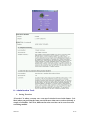
Select a restricted answer by clicking on the “select icon”
This option is available in the following 3 modules:
•
•
•
Search By Two Questions In Multiple Countries
Search By Chapter
Full Text Search
It is advisable to use this option with Country Groups, rather than with individual
countries. The option enables you to restrict the result of the search only to those
countries in which the Short Answer is one of the options in the drop-down list.
The list of options will change depending on the Country, Chapter and Question,
which have been selected. Using this option, you can view only the countries that
have the same answer to a given question.
For example, to know which countries a novelty search is done by the Office:
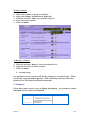
1. In the 'Country' field, select the group (AFRICA, AMERICA, ASIA,
EUROPE, EUROPEAN UNION COUNTRIES, EUROPEAN PATENT
ORGANIZATION, PATENT COOPERATION TREATY, PACIFIC &
OCEANIA or ALL)
2. Select the chapter (9. Novelty search by the Office)
3. Select the question (7. Is novelty search made by the Office of the country?)
4. In the 'Restrict To' box, select 'Yes' to restrict the response to those countries
where the answer is “Yes”.
Result: you will obtain a listing of all the countries in the group for which a design in
colour is answered “Yes”.
Note: Some Countries might have a listed answer "See comment". This could
indicate that the answer is included within the text of the comment. It is always
advisable to compare the countries with comments against the results of your
search to ensure accuracy.
2007/01
7/13