1
(2)Camera 816C
Operation
instruction
五3.、
安全注意事项
(Pic.2)
Monitor
(Front)
(Back)
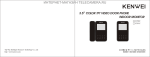
1. Monitor operation:
1
2
3
1
2
3
4
4
5
7
8
A. When someone presses the bell outside, the monitor rings and
displays the visitor’s picture, the indicator will wink, Then press( )
to intercom with the visitor, the indicator will wink slowly, intercom
time is 60 seconds. Then press ( ) to open the door. After intercom
and unlocking, it will return standby. When intercom, press( ) button
to stop.
After unlocking, it will delay 5 seconds to return standby(optional).
B. If not want to answer the calling, you can also see the visitor’s picture,
the visitor can’t know what happen inside, it will return standby after
60 seconds.
6
C. When standby, press(
after 60 seconds.
)to monitor outside, it will return standby
2. Setting brightness, color, volume, ring.
1. Microphone
2. Camera
3. Infrared light
4. Bell Button
5. Speaker
6. Out door installation of lock
7. Terminals for Indoor Station
1: AUDIO
2 :VIDEO
3 :GND
4 : POWER
8. Called lock(Only for Electronic locks)
(1). lock
(2). Lock
+
Press (
Press (
) button, adjust the brightness and color to the best you like.
) button, adjust the volume to the best.
When standby, press ( ) to browse the rings, press again to listen next
ring, and press the ( ) button to select the ring.
Camera
1. Visitor presses the bell button of outdoor camera, the monitor will ring and
the camera also can hear after-sounds.
2. Visitor can intercom with indoor monitor through the microphone.
3. There are LED/ IR in the camera for night vision, so the monitor can also see
clear pictures at night.
3
4