1
Chapter 9 Virtual Instrument Panels
Limit Information – Scale Colors:
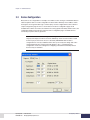
Many of the meters can also make use of limits configured in Cell Assistant. The limits which are
available for any control depend on the selected channel. Only limits that are monitoring the
selected channel can be used. These limits affect how the meter scales are drawn. Meter scales are
always the color GREEN by default. Up to four of the available limits can be selected. Once selected,
each limit must be assigned a color of RED or YELLOW. The control will then repaint part of the
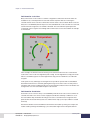
scale based on the assigned color and High and Low limit values of each selected limit. An example
is shown below.
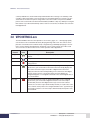
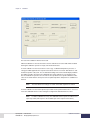
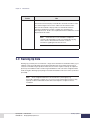
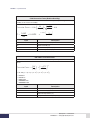
In this example, two limits that were monitoring on the selected channel were also selected to be
used for this control – both were High limits (that overlap). The first High limit has a trip point of 180
with the color RED assigned. The other High limit has a trip point of 120 with the color YELLOW
assigned.
To this point, the only advantage of selecting limits is to provide an operator with visual feedback
about limit information for a channel by painting limit ranges on the meter scale. The real power of
using limits with a meter is explained in the next section which describes how the meter border color
changes when one of the selected limits trips in Cell Assistant.
Limit Information – Border Colors:
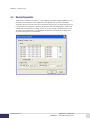
The border color of a meter is always colored GREEN just like the meter scale; however, if limits are
selected, the border color can be used as a highly visual indicator of limit trip conditions. If one of
the selected limits trips, the border will change to the same color that has been assigned to that
particular limit. The border will stay that color until the limit un-trips (i.e. the trip condition is cleared
and reset).
Note that the border color has NOTHING to do with where the needle is pointing. For example, the
needle could be pointing in the RED range, yet Cell Assistant might not have that particular limit
DyneSystems • Cell Assistant
DPD-008-02 • © Copyright DyneSystems, Inc.
Creating a VIP
9.3