1
24x7 RA Client Methods
Host Connectivity
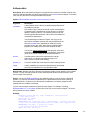
RAConnect
Description: Establishes new connection to 24x7 Remote Automation Server running on Linux or
UNIX server or workstation, creates new session and performs authentication
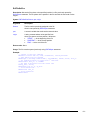
Syntax: RAConnect host, port, user_id, password
Argument
Description
server_name
A string whose value is the network name or TCP/IP
address of the remote Linux/UNIX computer running 24x7
RA Server.
port
A number whose value is the port number on which the
Remote Automation Server is listening for client
connections. The default value is 1096. You can change this
value when configuring 24x7 RA Server.
user_id
A string whose value is the name of the user to log on to the
remote Linux/UNIX computer
password
A string whose value is the password to use to log on to the
remote Linux/UNIX computer
Return value: None.
Usage: Use RAConnect statement to establish a new RA session before executing other RA
methods.
Example:
Dim process_id, number
RAConnect "123.45.789.01", 1096, "linuxuser", "valid password"
RARun "/home/linuxuser/program", process_id
RADisconnect
24x7 Remote Automation Server™ for Linux and UNIX
- 12 -