1
Now that the Philips LPC2000 Flash Utility is properly installed on our computer,
we’d like to install it into Eclipse so that it can be invoked from the RUN pull-down
menu under the “external tools” option. Start Eclipse by clicking on the desktop
icon.
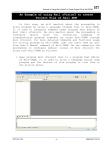
The layout of the Eclipse screen is called a “perspective.” The default perspective
is the “resource” perspective, as shown below.
We need to change it into the C/C++ perspective. In the Window pull-down menu,
select Window – Open Perspective – Other – C/C++ and then click OK.