1
May 12, 1998
1
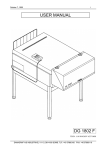
USER MANUAL
DG 66 / 86D
1:15 970815 / JOA 6314-00B
DANAGRAF A/S INDUSTRIVEJ 11-13, DK-4180 SORØ. TLF: +45 57860100 FAX: +45 57860119
May 12, 1998
2
(THIS PAGE IS NOT IN USE)
DANAGRAF A/S INDUSTRIVEJ 11-13, DK-4180 SORØ. TLF: +45 57860100 FAX: +45 57860119
May 12, 1998
3
NOTICE
All statements, technical information and recommendations contained herein are based on
tests, we believe to be reliable, but accuracy of completeness thereof is not guarantied
and the following is made in lieu of all warranties, expressed or implied:
Before using, user shall determine the suitability of the product for his intended use, and
user assumes all risks and liability, whatsoever in connection therewith.
The processor is, to the best of our knowledge, suitable to work with all types of
chemistries known to the graphic market.
No statement or recommendation not contained herein, shall have any force or effect in
any agreement signed by officers of sellers and manufacturer.
Sincerely Yours.
DANAGRAF A/S.
DANAGRAF A/S INDUSTRIVEJ 11-13, DK-4180 SORØ. TLF: +45 57860100 FAX: +45 57860119
May 12, 1998
4
DANAGRAF A/S INDUSTRIVEJ 11-13, DK-4180 SORØ. TLF: +45 57860100 FAX: +45 57860119
May 12, 1998
5
TABLE OF CONTENTS
NOTICE ……………………………………………………………………………….
TABLE OF CONTENT ………………………………………………………………
INTRODUCTION …………………………………………………………………….
TECHNICAL DATA ………………………………………………………………….
GENERAL DESCRIPTION …………………………………………………………
CONTROL PANEL ………………………………………………………………….
PREPARATIONS ……………………………………………………………………
CREATING PROGRAMS …………………………………………………………..
Choosing a program ……………………………………………………………
Developer temperature setting ………………………………………………..
Dryer temperature setting …………..…………………………………………
Dwell time setting ……..………………………………………………………..
Developer replenishment setting ……………………………………………..
Gum replenishment …….………………………………………………………
Brush speed …………………………………………………………………….
Anti-oxidation Dev. Repl……………………………………………………….
Anti-oxidation Gum Repl.………………………………………………………
Plate width …………….. ……………………………………………………….
WEEK PROGRAMS …………………………………………………………………
NIGHT PROGRAMS …………………………………………………………………
TIME ADJUSTMENT ………………………………………………………………..
WASH SECTION …………………………………………………………………….
Rewash (wash and gum, retouched plate) …………………………………..
STATUS PROGRAM ………………………………………………………………..
FILTER PROGRAM ……………………………………………………………….
TOOLS MENU ……………………………………………………………………….
MAINTENANCE ………………………………………………………………………
Routine cleaning ………………………………………………………………..
Every day ………………………………………………………………………..
Every week ………………………………………………………………………
Occasionally …………………………………………………………………….
FUNCTIONALLY SKETCH …………………………………………………………
TROUBLE SHOOTING ……………………………………………………………..
General quality control statement …………………………………………………
TROUBLESHOOTING GUIDE …………………………………………………….
BRUSH ROLLER ADJUSTMENT………..…………………………………………
Page 3
Page 4
Page 6
Page 7
Page 8
Page 10
Page 13
Page 14
Page 14
Page 15
Page 15
Page 15
Page 15
Page 16
Page 16
Page 16
Page 16
Page 17
Page 18
Page 20
Page 21
Page 22
Page 22
Page 23
Page 24
Page 25
Page 26
Page 26
Page 26
Page 26
Page 27
Page 29
Page 30
Page 30
Page 31
Page 32
DANAGRAF A/S INDUSTRIVEJ 11-13, DK-4180 SORØ. TLF: +45 57860100 FAX: +45 57860119
May 12, 1998
6
INTRODUCTION
This Graphic Film Processors is equipped with the revolutionary “Tip- Touch” control
panel. This feature, presented as a built-in control pad, enables even the unskilled
operator to perform all processor settings in a logic way, with visual control of all data
input. At any time the operator can check the status of the chemistry, temperatures,
processing speed, etc.
The ergonomic design, working height, accessibility and multitude of features will
economise your operating, as well as your maintenance time and guarantee a high
standard of reliability.
The user of this Graphic Processors will be able, with help of this selfexplaining manual, to
operate the unit to its full extend and produce quality output from the beginning.
GOOD LUCK!
DANAGRAF A/S INDUSTRIVEJ 11-13, DK-4180 SORØ. TLF: +45 57860100 FAX: +45 57860119
May 12, 1998
7
TECHNICAL DATA
FOR PROCESSOR DG 66 / 86D
Height
Width
Length
Weight,
1050 mm / 41.3”
1100/1300 mm / 43.3/51.2”
2320/2680 mm I 91.3/105.5”
Power Supply
Power consumption total
220 - 240V 50/60Hz
2300 W
Max. plate width
Min. plate width
Min. plate length
660/860 mm / 26/33.4”
200
mm / 7.9”
300
mm / 11.8”
Adjustable process speed (Dwell time)
Process speed with 20 sec. is 900 mm / min.
20 - 60 sec.
Adjustable temp. Dev.
Adjustable temp. Dryer
Adjustable Brush Speed
Adjustable replenishment, Dev./Gum.
Brush Speed
Adjustable Gum Pump time
Adjustable Gum Pump Interval
15 - 450C / 59 -1130F
40 - 650C / 72 -1490F)
0 - 99%
0 - 999 ml / m2
0 - 20 sec, default = 2 sec.
0 - 250 cm, default = 50 cm.
Rewash program (Wash / Gum / Dry)
Internal clock
9 User + 1 Night Program
Automatic water solenoid for water saving
Automatic water re-circulating unit (optional)
Automatic On / Off function
Anti-oxidation program Dev/Gum replenishment
Tank capacity Dev.
0 - 99 ml / hr
15/20 L / 4.0/5.3 US Gal.
Counter for hours of operation
Counter for amount of film processed
Counter for amount of replenishment
Filter replacement warning Dev.
Motor overload warning
hr
m2
L
Water connection
3/4”
Working range:
10 - 450C (50 - 1130F)
30- 90% humidity
DANAGRAF A/S INDUSTRIVEJ 11-13, DK-4180 SORØ. TLF: +45 57860100 FAX: +45 57860119
May 12, 1998
8
GENERAL DESCRIPTION
The processor can be in one of the following modes:
1)
“OFF”
Processor is powered. For startup push the “ON” button.
(With Main supply ON)
2)
“ON”
Processor can be in “READY MODE”, “NIGHT MODE” or
”WARMING UP”
3)
“OFF”
Processor is not powered, when the “Emergency Stop” is activated or the
Main supply is OFF. The internal clock runs on a battery.
Developing:
As soon as material is detected by the inlet sensor, the processor will start
running. When the trailing edge of the plate reaches the brush rollers,
these will change direction and brush against the direction of the plate, this
will prevent bending of plate. When the leading edge of the plate reaches
the entrance of the water section, the water supply and brush rollers will
be activated. In order to reduce the water consumption, both water and
brush rollers will stop, when the end of the plate leaves the brush rollers.
When the plate approach the dryer section, this will start up and dry the
plate when it passes through the section.
Replenishment will take place in relation to the chosen amount per m2,
depending on the programmed plate width.
After completion of the running time, when the plate has left the output, the
processor will resume ”READY MODE” and maintain bath temperatures. A
new plate can be entered when the illuminated ”No Input” has been
switched off.
Rewash: (only installed on request)
When entering a plate through the “Rewash” slot, you will start the
processor by entering the rewash sub-menu. In the Rewash menu you will
have the possibility to enter the length of the plate, this ensures a correct
period of time which the processor will have to be active.
No input:
When the “NO INPUT” on the Control Panel is lit, the processor is not
ready to receive any plates.
DANAGRAF A/S INDUSTRIVEJ 11-13, DK-4180 SORØ. TLF: +45 57860100 FAX: +45 57860119
May 12, 1998
9
Ready mode:
In the “READY” mode the processor maintains operational temperature
and the circulation pumps will be running continuously.
Replenishment takes place according to settings.
Night Prog:
The processor will maintain the chosen temperatures in developer bath.
The “ANTI OX” program will maintain the chemistry balance and turn the
rollers to avoid crystallization, according to setting.
NOTE:
Material input is not possible in this program.
Week Prog:
Start and shut-down times for each day of the week are
programmable, together with the “Night Program” settings.
Time:
The built-in clock shows time, day, date, month and year. Setting and
adjustment is possible. Runs on a battery during power failure.
Status:
This menu shows:
Total operation time
Square meter of processed material
Amount of Developer replenish used
Amount of Fixer replenish used
(2)
(3)
(4)
Position 2, 3, and 4 can be reset.
Levels:
The developer, fixer and water tanks have individual level control. If the
“NO INPUT” indicators begin to flash, the dev. and the fix. tanks will
automatically be refilled. The pumps will work for max. 40 sec. to minimize
damage in case of a leakage. You can also press the “MAN. REPL.”
button and the pump (s) will pump as long as it is activated, in order to
restore correct level. In case of low level the heater and the circulation
pump will automatically stop to prevent overheating.
DANAGRAF A/S INDUSTRIVEJ 11-13, DK-4180 SORØ. TLF: +45 57860100 FAX: +45 57860119
May 12, 1998
10
CONTROL PANEL
The Processor is equipped with a “Tip-Touch” control panel which ease the users control
of the Process.
The panel is designed to offer the user the best possible control, giving a very
comprehensive data read-out, without being to complex.
DANAGRAF A/S INDUSTRIVEJ 11-13, DK-4180 SORØ. TLF: +45 57860100 FAX: +45 57860119
May 12, 1998
11
“NO INPUT”
The "NO INPUT" indicator Is lit whenever the status of the processor
is not normal. The status Is not normal when:
- Temperature it; too low in Dev / Gum
- Temperature is too high in Dev
- "LOW LEVEL" in any tank
- Processor Is In "PROCESS MODE", either through front entry or
Rewash feeding.
“ANTI OX.”
This is lit whenever the "ANTI OX" program is active. This can be
programmed individually, to give an amount of replenish of Developer and
Fixer from 0 - 99 ml, every 60 min. The rollers also turn, to prevent
crystallization and will run for minimum 5 sec.
If the processor is in "READY MODE", but has not been used for a longer
time, the "ANTI OX" program will automatically work, depending on the
setting.
“MOTOR OVERLOAD”
This is lit, if an abnormal high load Is on the motor.
“FILTER CHANGE”
When this is lit, one of the following filters needs to be changed:
For details, go to the chapter "Maintenance"
“DISPLAY”
This is a LCD display, with a possibility of 4 lines of information at a time,
of all the "MENU"s and "PROGRAM"s.
“ON / OFF”
With this you can turn the processor "ON" or "OFF" manually, if you do not
use the programmable TIMER for automatic "ON / OFF" function.
DANAGRAF A/S INDUSTRIVEJ 11-13, DK-4180 SORØ. TLF: +45 57860100 FAX: +45 57860119
May 12, 1998
12
“MAN. REP. DEVO”
This enables you, manually to pump up more developer, in case of ”LOW
LEVEL”, after chemistry change, or if the automatic setting has been to
low for refreshing the developer.
“MAN. REP. GUM”
This enables you, manually to pump up more gum, in case of “LOW
LEVEL”, after chemistry change, or if the automatic setting has been to
low for refilling the gum.
“LIGHT ON / OFF”
Here you can turn OFF the light in the DISPLAY, if developing red light
sensitive materials.
To enter (open) a program.
To exit a program.
To bring cursor up, or to increase value in
any program, when it has been opened.
To bring cursor down, or to decrease value in any program,
when it has been opened.
To enter (confirm) setting.
DANAGRAF A/S INDUSTRIVEJ 11-13, DK-4180 SORØ. TLF: +45 57860100 FAX: +45 57860119
May 12, 1998
13
PREPARATIONS
After the processor has been installed by a qualified technician, you can prepare to fill up
the tanks with chemistry and water.
NOTE:
Always follow the instructions given by the plate and chemistry manufacturer.
Developer:
The developer tank can be filled up automatically, just make sure that the dev.
Probe is put into a tank with the developer chemestry. Also make sure that you
always have enough chemestry in the tank from which you pump. To fill up the
developer automatically, enter the sub-menu Tools. In here you have to select
Fill Up Dev, and the processor will automatically fill up the developer tank.
When it’s full the pump will stop.
The dev. tank is the first tank marked with red.
Gum:
The gum tank can be filled up automatically, just make sure that the gum probe
is put into a tank with the gum. Also make sure that you always have enough
gum in the tank from which you pump. To fill up the gum automatically, enter
the sub-menu Tools. In here you have to select Fill Up Gum, and the processor
will automatically fill up the gum tank. When it’s full the pump will stop.
Water:
If the processor is connected to a water-pipe, turn it on.
The water valve will only let in water, when the plate is passing through the
water section of the Processor.
Replenishment:
Mix some additional Developer and Gum in separate containers. Place these
under the processor and insert the 1/2” red hose into the Developer and the 1/2”
transparent hose into the Gum container.
Now you can turn the processor ON” and set up the programs, according to your needs.
Press the “MAN. REP. DEV.” and “MAN. REP. GUM.” buttons for a few
seconds, to make sure chemistry is pumped up through the system.
DANAGRAF A/S INDUSTRIVEJ 11-13, DK-4180 SORØ. TLF: +45 57860100 FAX: +45 57860119
May 12, 1998
14
CREATING PROGRAMS
Choosing a program
To enter (open) a program.
To exit a program.
To bring cursor up, or to increase value in any program, when
it has been opened.
To bring cursor down, or to decrease value in any program,
when it has been opened.
To enter (confirm) setting.
SYMBOLS IN THE DISPLAY:
“ + “ Means you can move the cursor up or down, from one program to the other.
“ – “ Means you can enter a program and change values.
When the processor has been turned "ON" on the Control Panel, you will find following in
the Display:
MAIN MENU
D:25 (dev. temp.) Dwell:15 (speed)
READY or DEV.TEMP. : (if dev.temp) LOW or HIGH
PROGRAM : +
1
Press
: - will appear
Press
or
Press:
or
to choose Program number e.g. to open Program No 1
to open Program No 1
Following Menu will appear:
PROGRAM NO
DEV. TEMP.
DRY TEMP.
DWELL TIME
DEV.REPL
GUM REPL
BRUSH SPEED
AOX. DEV.
AOX. GUM
PLATE WIDTH
NOTE:
:
:+
:
:
:
:
:
:
:
:
1
250C
550C
15 SEC
100 ml / m2
30 ml / m2
55 %
50 ml
10 ml
60 cm
(1 - 9 + NIGHT)
(15 - 450C / 59 -1130F)
(40 - 650C / 104 -1490F)
(10 - 60 sec.)
(0 - 995 ml / m2)
(0 - 995 ml / m2)
( 9 - 99 %)
(0 - 99 ml)
(0 - 99 ml)
(0 - 86)
There are 9 different factors in each program that can be set individual to have
and maintain a perfect balance in the chemistry.
DANAGRAF A/S INDUSTRIVEJ 11-13, DK-4180 SORØ. TLF: +45 57860100 FAX: +45 57860119
May 12, 1998
15
Developer temperature setting:
Press
to open DEV. TEMP. setting,
Press
or
Press
to enter (confirm) setting.
: - will appear
to correct temperature
Dryer temperature setting:
Press
to bring cursor from the DEV. TEMP. to DRY TEMP. menu.
Press
to open DRY TEMP. setting,
Press
or
Press
to enter (confirm) setting.
: - will appear
to correct temperature
Dwell time setting:
Press
to bring cursor from DRY TEMP. menu, to DWELL TIME menu.
Press
to open DWELL TIME setting,
Press
or
Press
to enter (confirm) setting.
: - will appear
to correct time
Developer replenishment setting:
Press
to bring cursor from the DWELL TIME, to DEV REP. menu
Press
to open DEV. REP. setting,
Press
or
Press
to enter (confirm) setting.
: - will appear
to correct replenishment
DANAGRAF A/S INDUSTRIVEJ 11-13, DK-4180 SORØ. TLF: +45 57860100 FAX: +45 57860119
May 12, 1998
16
Gum replenishment:
Press
to bring cursor from DEV. REP menu to GUM REPL. menu.
Press
to open GUM REPL. setting,
Press
or
Press
to enter (confirm) setting.
: - will appear
to correct amount
Brush speed:
Press
to bring cursor from the GUM REPL. to BRUSH SPEED menu.
Press
to open BRUSH SPEED setting,
Press
or
Press
to enter (confirm) setting.
: - will appear
to correct speed
Anti-oxidation Dev. Repl.:
Press
to bring cursor from BRUSH SPEED menu, to AOX. DEV menu
Press
to open AOX. DEV setting,
Press
or
Press
to enter (confirm) setting.
: - will appear
to correct Repl.
Anti-oxidation Gum. Repl.:
Press
to bring cursor from the AOX. DEV, to AOX. GUM menu
Press
to open AOX. GUM setting,
Press
or
Press
to enter (confirm) setting.
: - will appear
to correct amount
DANAGRAF A/S INDUSTRIVEJ 11-13, DK-4180 SORØ. TLF: +45 57860100 FAX: +45 57860119
May 12, 1998
17
Plate width:
Press
to bring cursor from the AOX. GUM, to PLATE WIDTH menu
Press
to open PLATE WIDTH setting,
Press
or
Press
to enter (confirm) setting,
: - will appear
to correct amount
For converting between cc/sq.in - ml/m2
DANAGRAF A/S INDUSTRIVEJ 11-13, DK-4180 SORØ. TLF: +45 57860100 FAX: +45 57860119
May 12, 1998
18
WEEK PROGRAMS:
You have the possibility to program the processor to turn ON and OFF, at a set time, any
day of the week.
Note: If you use these programs, you must program the NIGHT PROGRAM, in order to
make these function.
Press
to make sure that you are out of the programs.
Press
or
Press
to the WEEK PROGRAM menu
: - will appear
Press
or
to the correct day, e.g. MONDAY
Press
to open MONDAY setting
MONDAY
PROGRAM NO
START HOUR
MIN
STOP HOUR
MIN
:+
:
:
:
:
0
08
00
17
00
Press
to open PROGRAM NO setting
: - will appear
Press
or
Press
to enter (confirm) setting
Press
to bring cursor from PROGRAM NO to START HOUR menu
Press
to open START HOUR setting,
Press
or
Press
to enter (confirm) setting.
to choose PROGRAM NO e.g. 1
:+ will appear
: - will appear
to correct hour
DANAGRAF A/S INDUSTRIVEJ 11-13, DK-4180 SORØ. TLF: +45 57860100 FAX: +45 57860119
May 12, 1998
19
Press
to bring cursor from START HOUR to START MIN, menu
Press
to open START MIN. setting,
Press
or
Press
to enter (confirm) setting.
Press
to bring cursor from the START MIN. to STOP HOUR menu
Press
to open STOP HOUR setting,
Press
or
Press
to enter (confirm) setting.
Press
to bring cursor from the STOP HOUR to STOP MIN menu
Press
to open STOP MIN setting,
Press
or
Press
to enter (confirm) setting.
:-
will appear
to correct MINUTES
:-
will appear
to correct HOUR
:-
will appear
to correct MIN
Use the same procedure for the rest of the days of the week. After this you must program
the NIGHT PROGRAM.
Note:
If you do not want the processor to turn "ON" on e.g. Sundays, just enter too" in
the "PROGRAM NO" under the "SUNDAY" menu.
DANAGRAF A/S INDUSTRIVEJ 11-13, DK-4180 SORØ. TLF: +45 57860100 FAX: +45 57860119
May 12, 1998
20
NIGHT PROGRAM:
This program along with the Week Program, will enable you to cut down waiting for the
warming up time and by decreasing the temperature in the tanks. during the night, will
result in energy savings.
To set the NIGHT PROGRAM go to the PROGRAM NO menu
Press
or
to the PROGRAM NO menu
Press
to open PROGRAM NO setting
Press
to bring cursor to NIGHT PROGRAM
Press
to open NIGHT PROGRAM
:-
will appear
Following will appear in the Display
PROGRAM NO
DEV. TEMP
FIX. TEMP
AOX DELAY
AOX DEV.
AOX FIX.
:+
:
:
:
:
:
NIGHT
20 0C
20 0C
60 MIN
20 mL
20 mL
Press
to bring cursor from DEV. TEMP menu
Press
to open DEV. TEMP setting,
Press
or
Press
to enter (confirm) setting.
:-
will appear
to correct NIGHT DEV. TEMP
Use same procedure to set the other parameters.
Note:
If you use the automatic ON / OFF function. Do not turn OFF the MAIN POWER
switch.
DANAGRAF A/S INDUSTRIVEJ 11-13, DK-4180 SORØ. TLF: +45 57860100 FAX: +45 57860119
May 12, 1998
21
TIME ADJUSTMENT:
The built-in clock shows, time, day, date, month and year. To adjust use the following
procedure:
Press
or
to the TIME menu
Press
:-
TIME
will appear
Press
:-
ADJUST
will appear
Press
to open ADJUST menu
Following will appear in the Display:
YEAR
MONTH
DAY
DATE
HOUR
MINUTES
ADJUST TIME
:+
:
:
:
:
:
xx
xx
xx
xx
xx
xx
Press
to open ADJUST YEAR setting, : - will appear
Press
or
Press
to enter (confirm) setting.
Press
to bring cursor from YEAR to MONTH menu
Press
to open ADJUST MONTH setting, : - will appear
Press
or
Press
to enter (confirm) setting.
to correct YEAR
to correct MONTH
Use the same procedure to program the remaining parameters.
NOTE: The clock Is a 24 hour clock, according to international standard,
00:00 -- 11:69 = a.m.
12:00 -- 23:69 = p.m.
DANAGRAF A/S INDUSTRIVEJ 11-13, DK-4180 SORØ. TLF: +45 57860100 FAX: +45 57860119
May 12, 1998
22
WASH SECTION
The wash section is intended to remove any excessive chemistry from the material, before
it enters the gum and dryer.
The water should normally be connected to an in-house water-pipe, with natural pressure.
There is a built-in restrictor in the electrical water solenoid, to ensure the correct amount of
water circulation.
The water tank can also be connected to an external water cleaning unit, which cleans and
circulates the water. This will save a lot of water and ensure, that the water going to the
drain is perfectly clean, to comply to local laws and regulations.
Rewash:
On top of the processor you have a Rewash Slot in case you wish to rewash, gum and dry
your retouched plate.
To use this feature, use the following procedure:
Press
or
to the Rewash menu.
Press
to enter the Rewash menu.
Press
:
ADJUST, will appear.
Press
:
PLATE LENGTH:
+ XXX cm will appear.
Press
:
PLATE LENGTH:
- XXX cm will appear.
Press
or
Press
to return to Main Menu.
Press
to enter the Rewash menu again.
Press
Press
to select the right plate length.
:
- RUN, will appear.
and the processor will start up.
After a certain time which depends on the chosen plate length, the processor will stop
again.
Press
until you are back in the Main Menu.
DANAGRAF A/S INDUSTRIVEJ 11-13, DK-4180 SORØ. TLF: +45 57860100 FAX: +45 57860119
May 12, 1998
23
STATUS PROGRAM
In this program you can check the total running time of the processor, the amount of
developed film and the amount of used developer and fixer for replenishment.
Press
or
to the STATUS menu
Press
to open the STATUS menu
Following will appear in the Display:
POWER ON
FILM
DEV REPL
FIX REPL
STATUS
:+
:
:
:
XXX HR
XXX M2
XXX L
XXX L
Parameters 2, 3 and 4 can be reset to zero, when you change chemistry.
Press
to bring cursor to RESET
Press
to open ARE YOU SURE ? (->)
Press
to reset values.
will appear
DANAGRAF A/S INDUSTRIVEJ 11-13, DK-4180 SORØ. TLF: +45 57860100 FAX: +45 57860119
May 12, 1998
24
FILTER PROGRAM
In this program you have the possibility to see how long time the filter has been used, and
set how long time you will use it.
Make sure that you are in the Main Menu.
Press
or
to the FILTER menu.
Press
to open the FILTER menu.
Press
or
Press
to open the DEV FILTER menu.
Press
or
Press
to enter the DEV FILTER menu.
to select DEV filter.
to choose OK.
In here in the DEV FILTER menu you can see how long time the filter has been in
use. You can set when you would like to change tje filter. When the filter has been
used for a period of time which correspond to your setting, the Filter Charge indicator
will stert to flash.
You can use the same procedure to control a water filter.
When you change filter, you should reset the IN USE, this is done by entering the
RESET function and press the arrow to your right.
DANAGRAF A/S INDUSTRIVEJ 11-13, DK-4180 SORØ. TLF: +45 57860100 FAX: +45 57860119
May 12, 1998
25
TOOLS MENU
This sub menu utilizes a few tools, which might be needful. The menu consist of the
following:
Fill Dev
:
Low / Filling / Full
Fill Fix
:
Low / Filling / Full
Motor
:
Off / On
The statusline, the empty line above Fill Dev, will be filled with " + " when the motor is
running. This makes it possible for service engineers to see whether the tacho sensor is
working or not. When the motor is off, the line is left blank.
The Fill Dev and Fill Fix options, makes it possible for the user of the Processor to fill up
the bath by using the replenish pumps. The message after the Fill Dev or Fill Fix tells you
what state the Processor is in, Low, Filling or Full.
If you have a low level in either of the Dev or Fix baths, use the following procedure to fill
up the bath automatically.
Press
or
to the "TOOLS" menu
Press
:- TOOLS
will appear
Now the following menu will appear
Fill Dev
Fill Fix
Motor
:
:
:
Low/Full
Low/Full
Off
If either of the Dev or Fix is Low, the following procedure will apply.
Press
or
to the menu showing Low.
Press
to open menu.
Now the Processor will start filling up the chosen bath. When the level has been
corrected, the replenishpumps will stop.
Press
to stop the filling and to exit to the Main menu.
If you have a Film Jam, you can use the Motor menu to drive out the material. However,
this feature should only be used when the no material is stuck around any of the rollers.
To use this feature, use the same procedure as above described.
DANAGRAF A/S INDUSTRIVEJ 11-13, DK-4180 SORØ. TLF: +45 57860100 FAX: +45 57860119
May 12, 1998
26
MAINTENANCE
Routine cleaning:
The most effective way to avoid operating difficulties is to regularly clean the processor, its
hoses and the replenishment pumps.
Chemistry is subject to oxidisation and even though the machine has its own program to
eliminate this problem, the operator should pay special attention to preserving the
chemistry and removing crystallized deposits from the equipment.
The use of floating lids on the replenishment containers to keep out the air can help a
great deal to preserve the chemistry which will also give better results and create fewer
problems.
The following suggestions are simple, but extremely necessary. They will help enormously
to avoid spoiled work, wasted time, lost tempers and unnecessary expense.
NOTE: When you remove the top cover, the processor can not run (for your safety). Be
careful, always to mount the various parts in the correct position after cleaning.
IMPORTANT: (Every day)
If the night program is not used, or the processor
Have no power during the night, lift up the gum roller
To park position when the processor is not in use.
Clean the plate feed table
Use seperate damp cloth to clean guides
And each set of upper roller.
Every week:
(in addition to above)
Turn OFF the processor and remove all three roller racks. Clean them carefully with
lukewarm water, using separate cloths for each rack.
DANAGRAF A/S INDUSTRIVEJ 11-13, DK-4180 SORØ. TLF: +45 57860100 FAX: +45 57860119
May 12, 1998
27
Occasionally:
( in addition to above)
Drain the Dev and Gum baths and empty the replenishment containers.
Fill the baths and replenishment containers with water and ensure that the racks, baths,
hoses and containers are thoroughly washed by flushing and pumping water through each
bath / system.
After refilling the baths, repeatedly press the manual replenishment buttons for the
developer and gum to eliminate any air pockets in the system.
DANAGRAF A/S INDUSTRIVEJ 11-13, DK-4180 SORØ. TLF: +45 57860100 FAX: +45 57860119
May 12, 1998
28
(THIS PAGE IS NOT IN USE)
DANAGRAF A/S INDUSTRIVEJ 11-13, DK-4180 SORØ. TLF: +45 57860100 FAX: +45 57860119
May 12, 1998
29
FUNCTIONALLY SKETCH
DANAGRAF A/S INDUSTRIVEJ 11-13, DK-4180 SORØ. TLF: +45 57860100 FAX: +45 57860119
May 12, 1998
30
TROUBLE SHOOTING
General quality control statement
If there is a reduction in the quality of the processed materials, it can probably be solved
by checking the control settings, the operational procedures, or by giving a little extra
attention to the routine cleaning. A small amount of time invested in "SELF HELP" will
usually avoid a lot of wasted time and possible expense which will result from calling in a
service technician.
If, however, the problem seems to be electrical or mechanical, do not attempt such
complex trouble shooting unless you are well qualified to do so.
Great care has been taken in the development, specification, and manufacture of this
equipment to ensure that it will give many years of reliable performance and quality. It
should therefore be expected that "REAL" technical problems will be rare and, if
encountered, will involve the chemistry and materials, or the routine cleaning.
The following pages will provide answers to the most common problems that can be
encountered when processing work.
DANAGRAF A/S INDUSTRIVEJ 11-13, DK-4180 SORØ. TLF: +45 57860100 FAX: +45 57860119
May 12, 1998
31
TROUBLESHOOTING GUIDE
PROBLEM
SOLUTION
The processor is not working
* Make sure that the machine is plugged in
* Check wether the fuse is ok.
* Check that the emergency switch is not
activated.
The processor do not work and display
shows “safety switch activated”
* Place the toplid correctly on the Processor
The developer level in the bath is low.
* Check that the level in the Dev Repl
container is OK
* Check that the Dev Repl pump works.
* Check that the level sensor works.
* Check that the Dev Level probe is in the
right container.
Too little chemistry in the spray tube
* Check that the flow valve is open.
* Check for sufficient chemistry in the tank.
* Has the filter or pump been blocked.
* Check that the pump is working.
The processor is not heating the developer
chemistry.
* Check that the level in the tank is OK
* Check that the circulation pump is working
There is insufficient water level in tank.
* Are both the tap on the Processor and on
the wall open?
* Check for blockage occured in spray tube.
The Gum level in the bath is low.
* Check that the Gum pump works.
* Check that there is sufficient Gum in repl
container.
* Check that the Gum probe is in the right
container.
There is too little Gum in the spray tube
* Check for blockage in the spray tube
* Check that the flow tap inside the
processor is open
* Check that the Gum pump works
The plate is comming out wet
* Check that the dryer fan is working
* Check that the heater works
Background on the plate
Adjust the Brush Pressure, see Page 32.
DANAGRAF A/S INDUSTRIVEJ 11-13, DK-4180 SORØ. TLF: +45 57860100 FAX: +45 57860119
May 12, 1998
32
If the background is not clear for emulsion on the plate, we will recommend to adjust the
pressure between the Brush roller in the developer section and the water section.
The pressure can be adjusted with an Allan Key 3 mm, see drawing below and pay
attention to adjust the left and right side to the same pressure.
DANAGRAF A/S INDUSTRIVEJ 11-13, DK-4180 SORØ. TLF: +45 57860100 FAX: +45 57860119