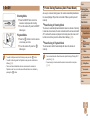
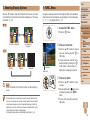
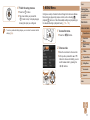
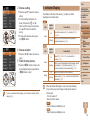
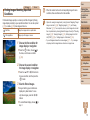
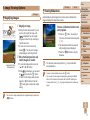
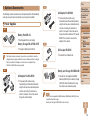
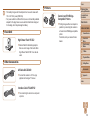
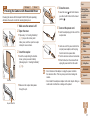
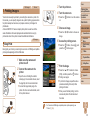
1
Cover Preliminary Notes and Legal Information Contents: Basic Operations Basic Guide Advanced Guide Camera User Guide ENGLISH • Before use, be sure to read this guide, including the safety precautions. • Reading this guide will help you learn to use the camera properly. • Store this guide safely so that you can use it in the future. • Click the buttons in the lower right to access other pages. : Next page : Previous page : Page before you clicked a link • To jump to the beginning of a chapter, click the chapter title at right. From chapter title pages, you can access topics by clicking their titles. © CANON INC. 2013 CEL-ST9EA210 1 2 3 4 5 6 7 8 Camera Basics Smart Auto Mode Other Shooting Modes P Mode Playback Mode Setting Menu Accessories Appendix Index 1 Package Contents Compatible Memory Cards Before use, make sure the following items are included in the package. If anything is missing, contact your camera retailer. The following memory cards (sold separately) can be used, regardless of capacity. • SD memory cards* Cover Preliminary Notes and Legal Information Contents: Basic Operations Basic Guide • SDHC memory cards* Camera Wrist Strap WS-800 A2600 Battery Pack NB-11L • A memory card is not included. Getting Started Warranty System Booklet A1400 Battery Charger CB-2LF/CB-2LFE AA Alkaline Batteries (x2) • SDXC memory cards* Advanced Guide • Eye-Fi cards 1 2 3 4 5 6 7 8 * Cards conforming to SD standards. However, not all memory cards have been verified to work with the camera. About Eye-Fi Cards This product is not guaranteed to support Eye-Fi card functions (including wireless transfer). In case of an issue with an Eye-Fi card, please check with the card manufacturer. Also note that an approval is required to use Eye-Fi cards in many countries or regions. Without approval, use of the card is not permitted. If it is unclear whether the card has been approved for use in the area, please check with the card manufacturer. Camera Basics Smart Auto Mode Other Shooting Modes P Mode Playback Mode Setting Menu Accessories Appendix Index 2 Preliminary Notes and Legal Information • Take and review some test shots initially to make sure the images were recorded correctly. Please note that Canon Inc., its subsidiaries and affiliates, and its distributors are not liable for any consequential damages arising from any malfunction of a camera or accessory, including memory cards, that result in the failure of an image to be recorded or to be recorded in a way that is machine readable. • Images recorded by the camera are intended for personal use. Refrain from unauthorized recording that infringes on copyright law, and note that even for personal use, photography may contravene copyright or other legal rights at some performances or exhibitions, or in some commercial settings. • For information on your camera’s warranty, please refer to the warranty information provided with your camera. For Canon Customer Support, please refer to the warranty information for contact information. • Although the LCD monitor is produced under extremely high-precision manufacturing conditions and more than 99.99% of the pixels meet design specifications, in rare cases some pixels may be defective or may appear as red or black dots. This does not indicate camera damage or affect recorded images. Cover Preliminary Notes and Legal Information Contents: Basic Operations Basic Guide Advanced Guide 1 2 3 4 5 6 7 8 Camera Basics Smart Auto Mode Other Shooting Modes P Mode Playback Mode Setting Menu Accessories Appendix Index • The LCD monitor may be covered with a thin plastic film for protection against scratches during shipment. If covered, remove the film before using the camera. • When the camera is used over an extended period, it may become warm. This does not indicate damage. 3 Part Names and Conventions in This Guide Cover A1400 Preliminary Notes and Legal Information A2600 Contents: Basic Operations Basic Guide Advanced Guide Speaker Zoom lever Shooting: <i (telephoto)> / <j (wide angle)> Playback: <k (magnify)> / <g (index)> Lens Shutter button Lamp ON/OFF button Microphone Flash Tripod socket Memory card/battery cover Indicator DC coupler cable port Strap mount AV OUT (Audio/video output) / DIGITAL terminal Zoom lever Shooting: <i (telephoto)> / <j (wide angle)> Playback: <k (magnify)> / <g (index)> Lamp Microphone Lens Shutter button ON/OFF button Flash Tripod socket Memory card/battery cover DC coupler cable port Strap mount AV OUT (Audio/video output) / DIGITAL terminal 1 2 3 4 5 6 7 8 Camera Basics Smart Auto Mode Other Shooting Modes P Mode Playback Mode Setting Menu Accessories Appendix Index Screen (LCD monitor) Movie button <A (Auto)> / <a (Single-image erase)> / Up button < > / Left button <1 (Playback)> button < (Help)> button FUNC./SET button <h (Flash)> / Right button <l (Display)> / Down button <n> button Screen (LCD monitor) Movie button <A (Auto)> / <a (Single-image erase)> / Up button < > / Left button <1 (Playback)> button < (Help)> button FUNC./SET button <h (Flash)> / Right button <l (Display)> / Down button <n> button Speaker Viewfinder Indicator 4 Cover • In this guide, icons are used to represent the corresponding camera buttons on which they appear, or which they resemble. • The following camera buttons and controls are represented by icons. <o> Up button on back <q> Left button on back <r> Right button on back <p> Down button on back • Shooting modes and on-screen icons and text are indicated in brackets. • : Important information you should know • : Notes and tips for expert camera use • =xx: Pages with related information (in this example, “xx” represents a page number) • Instructions in this guide apply to the camera under default settings. • For convenience, all supported memory cards are simply referred to as the “memory card”. • The tabs shown above titles indicate whether the function is used for still images, movies, or both. Still Images : Indicates that the function is used when shooting or viewing still images. Movies : Indicates that the function is used when shooting or viewing movies. • The following icons are used to indicate functions that differ depending on the camera model: A2600 : Functions and precautions for the PowerShot A2600 only A1400 : Functions and precautions for the PowerShot A1400 only • This guide uses PowerShot A2600 illustrations and screenshots for all explanations. Preliminary Notes and Legal Information Contents: Basic Operations Basic Guide Advanced Guide 1 2 3 4 5 6 7 8 Camera Basics Smart Auto Mode Other Shooting Modes P Mode Playback Mode Setting Menu Accessories Appendix Index 5 Table of Contents Package Contents .........................2 Compatible Memory Cards ............2 Preliminary Notes and Legal Information .....................................3 Part Names and Conventions in This Guide ..................................4 Table of Contents ...........................6 Contents: Basic Operations ...........7 Safety Precautions .........................8 2 4 1 Camera Basics.....................27 On/Off ..........................................28 Shutter Button ..............................29 Optical Viewfinder ........................29 Shooting Display Options ............30 FUNC. Menu ................................30 MENU Menu ................................31 Indicator Display ..........................32 P Mode ..................................53 Shooting in Program AE (<P> Mode) ..................................54 Image Brightness (Exposure Compensation) ...........54 Color and Continuous Shooting ...57 Shooting Range and Focusing ....58 Flash ............................................62 Using Eco Mode ..........................63 Other Settings ..............................64 Advanced Guide ............. 27 5 6 Setting Menu ........................80 Adjusting Basic Camera Functions .....................................81 7 Other Shooting Modes ........45 Specific Scenes ...........................46 Applying Special Effects ..............48 Special Modes for Other Purposes ......................................51 Basic Guide .................... 11 Initial Preparations .......................12 Trying the Camera Out ................18 Using the Software ......................21 System Map .................................26 Smart Auto Mode .................33 Shooting (Smart Auto) .................34 Common, Convenient Features ...38 Image Customization Features ....42 Helpful Shooting Features ...........44 Customizing Camera Operation .....................................44 3 Image Viewing Options ................71 Protecting Images ........................72 Erasing Images ............................74 Rotating Images ...........................75 Editing Still Images ......................77 Accessories .........................87 Optional Accessories ...................88 Using Optional Accessories .........90 Printing Images ............................93 Using an Eye-Fi Card.................101 8 Appendix ............................103 Troubleshooting .........................104 On-Screen Messages ................107 On-Screen Information ..............109 Functions and Menu Tables ....... 111 Handling Precautions ................. 117 Specifications ............................. 117 Index ..........................................121 Cover Preliminary Notes and Legal Information Contents: Basic Operations Basic Guide Advanced Guide 1 2 3 4 5 6 7 8 Camera Basics Smart Auto Mode Other Shooting Modes P Mode Playback Mode Setting Menu Accessories Appendix Index Playback Mode ....................67 Viewing ........................................68 Browsing and Filtering Images ....69 6 Contents: Basic Operations 4 Shoot Use camera-determined settings (Auto Mode) .................................... 34 Shooting people well I P Portraits (= 46) While adjusting image settings (Live View Control) ............................. 47 Focus on faces ......................................................................... 34, 46, 59 Without using the flash (Flash Off) ....................................................... 41 Include yourself in the shot (Self-Timer) ........................................ 39, 51 Add a date stamp ................................................................................. 41 1 Against Snow (= 46) Matching specific scenes t Fireworks (= 46) Low Light (= 46) Cover View View images (Playback Mode) ............................................................. 68 Automatic playback (Slideshow) .......................................................... 71 On a TV ................................................................................................ 90 On a computer ..................................................................................... 22 Browse through images quickly ..................................................... 69, 70 Erase images ....................................................................................... 74 E Shoot/View Movies Shoot movies ....................................................................................... 34 View movies (Playback Mode) ............................................................. 68 Applying special effects c Print Print pictures ........................................................................................ 93 Vivid Colors (= 48) Poster Effect (= 48) Fish-Eye Effect (= 48) Miniature Effect (= 49) Toy Camera Effect (= 50) Monochrome (= 50) Preliminary Notes and Legal Information Contents: Basic Operations Basic Guide Advanced Guide 1 2 3 4 5 6 7 8 Camera Basics Smart Auto Mode Other Shooting Modes P Mode Playback Mode Setting Menu Accessories Appendix Index Save Save images to a computer ................................................................. 24 7 Safety Precautions • Before using the product, please ensure that you read the safety precautions described below. Always ensure that the product is used correctly. • The safety precautions noted on the following pages are intended to prevent injuries to yourself and other persons, or damage to the equipment. • Be sure to also check the guides included with any separately sold accessories you use. Warning Denotes the possibility of serious injury or death. • Do not trigger the flash in close proximity to people’s eyes. Exposure to the intense light produced by the flash could damage eyesight. In particular, remain at least 1 meter (39 inches) away from infants when using the flash. • Store this equipment out of the reach of children and infants. Strap: Putting the strap around a child’s neck could result in asphyxiation. • • • • Use only recommended power sources. Do not attempt to disassemble, alter or apply heat to the product. Avoid dropping or subjecting the product to severe impacts. To avoid the risk of injury, do not touch the interior of the product if it has been dropped or otherwise damaged. • Stop using the product immediately if it emits smoke, a strange smell, or otherwise behaves abnormally. • Do not use organic solvents such as alcohol, benzine, or thinner to clean the product. • Do not let the product come into contact with water (e.g. sea water) or other liquids. • Do not allow liquids or foreign objects to enter the camera. This could result in electrical shock or fire. If liquids or foreign objects come into contact with the camera interior, immediately turn the camera off and remove the battery/batteries. A2600 If the battery charger becomes wet, unplug it from the outlet and consult your camera retailer or a Canon Customer Support Help Desk. A1400 • Do not look through the viewfinder at bright light sources (such as the sun on a clear day). This could damage your eyesight. • Use only the recommended battery/batteries. • Do not place the battery/batteries near or in direct flame. A2600 • Unplug the power cord periodically, and using a dry cloth, wipe away any dust and dirt that has collected on the plug, the exterior of the power outlet, and the surrounding area. • Do not handle the power cord with wet hands. • Do not use the equipment in a manner that exceeds the rated capacity of the electrical outlet or wiring accessories. Do not use if the power cord or plug are damaged, or not fully plugged into the outlet. • Do not allow dirt or metal objects (such as pins or keys) to contact the terminals or plug. The battery/batteries may explode or leak, resulting in electrical shock or fire. This could cause injury and damage the surroundings. In the event that a battery leaks and the battery electrolyte contacts eyes, mouth, skin or clothing, immediately flush with water. Cover Preliminary Notes and Legal Information Contents: Basic Operations Basic Guide Advanced Guide 1 2 3 4 5 6 7 8 Camera Basics Smart Auto Mode Other Shooting Modes P Mode Playback Mode Setting Menu Accessories Appendix Index • Turn the camera off in places where camera use is prohibited. The electromagnetic waves emitted by the camera may interfere with the operation of electronic instruments and other devices. Exercise adequate caution when using the camera in places where use of electronic devices is restricted, such as inside airplanes and medical facilities. 8 Cover Caution Denotes the possibility of injury. • When holding the camera by the strap, be careful not to bang it, subject it to strong impacts or shocks, or let it get caught on other objects. • Be careful not to bump or push strongly on the lens. This could lead to injury or damage the camera. • Be careful not to subject the screen to strong impacts. If the screen cracks, injury may result from the broken fragments. • When using the flash, be careful not to cover it with your fingers or clothing. This could result in burns or damage to the flash. • Avoid using, placing or storing the product in the following places: - Places subject to direct sunlight - Places subject to temperatures above 40 °C (104 °F) - Humid or dusty areas These could cause leakage, overheating or an explosion of the battery/ batteries, resulting in electrical shock, fire, burns or other injuries. High temperatures may cause deformation of the camera or battery charger casing. Caution Denotes the possibility of damage to the equipment. • Do not aim the camera at bright light sources (such as the sun on a clear day). Doing so may damage the image sensor. • When using the camera on a beach or at a windy location, be careful not to allow dust or sand to enter the camera. This may cause the product to malfunction. • In regular use, small amounts of smoke may be emitted from the flash. This is due to the high intensity of the flash burning dust and foreign materials stuck to the front of the unit. Please use a cotton swab to remove dirt, dust or other foreign matter from the flash to prevent heat build-up and damage to the unit. Preliminary Notes and Legal Information • Remove and store the battery/batteries when you are not using the camera. If the battery or batteries are left inside the camera, damage caused by leakage may occur. Advanced Guide • Before you discard the battery/batteries, cover the terminals with tape or other insulators. Contacting other metal materials may lead to fire or explosions. A2600 • Unplug the battery charger from the power outlet after charging is complete, or when you are not using it. • Do not place anything, such as cloth, on top of the battery charger while it is charging. Leaving the unit plugged in for a long period of time may cause it to overheat and distort, resulting in fire. A2600 • Do not place the battery near pets. Pets biting the battery could cause leakage, overheating or explosion, resulting in fire or damage. Contents: Basic Operations Basic Guide 1 2 3 4 5 6 7 8 Camera Basics Smart Auto Mode Other Shooting Modes P Mode Playback Mode Setting Menu Accessories Appendix Index A1400 • Do not charge batteries of different types at the same time, or use older batteries together with newer batteries. • Do not insert the batteries with the + and – terminals reversed. This may cause the product to malfunction. 9 Cover • Do not sit down with the camera in your pocket. Doing so may cause malfunctions or damage the screen. • When putting the camera in your bag, ensure that hard objects do not come into contact with the screen. • Do not attach any hard objects to the camera. Doing so may cause malfunctions or damage the screen. Preliminary Notes and Legal Information Contents: Basic Operations Basic Guide Advanced Guide 1 2 3 4 5 6 7 8 Camera Basics Smart Auto Mode Other Shooting Modes P Mode Playback Mode Setting Menu Accessories Appendix Index 10 Basic Guide Cover Preliminary Notes and Legal Information Contents: Basic Operations Basic Guide Advanced Guide 4 Gives basic instructions, from initial preparations to shooting, playback, and saving on a computer Initial Preparations ...................12 Trying the Camera Out.............18 Using the Software...................21 System Map ..............................26 1 2 3 4 5 6 7 8 Camera Basics Smart Auto Mode Other Shooting Modes P Mode Playback Mode Setting Menu Accessories Appendix Index 11 Initial Preparations Prepare for shooting as follows. Attaching the Strap Cover A2600 Charging the Battery Before use, charge the battery with the included charger. Be sure to charge the battery initially, because the camera is not sold with the battery charged. Thread the end of the strap through the 1 Insert the battery. strap hole ( ), and then pull the other end of the strap through the loop on the threaded end ( ). After aligning the marks on the battery and charger, insert the battery by pushing it in ( ) and down ( ). 2 Charge the battery. CB-2LF: Flip out the plug ( ) and plug Holding the Camera Place the strap around your wrist. When shooting, keep your arms close to CB-2LF your body and hold the camera securely to prevent it from moving. Do not rest your fingers on the flash. CB-2LFE the charger into a power outlet ( ). CB-2LFE: Plug the power cord into the charger, then plug the other end into a power outlet. The charging lamp turns orange and charging begins. When charging is finished, the lamp turns green. Preliminary Notes and Legal Information Contents: Basic Operations Basic Guide Advanced Guide 1 2 3 4 5 6 7 8 Camera Basics Smart Auto Mode Other Shooting Modes P Mode Playback Mode Setting Menu Accessories Appendix Index 3 Remove the battery. After unplugging the battery charger, remove the battery by pushing it in ( ) and up ( ). 12 Cover A2600 • To protect the battery and keep it in optimal condition, do not charge it continuously for more than 24 hours. • For battery chargers that use a power cord, do not attach the charger or cord to other objects. Doing so could result in malfunction or damage to the product. Inserting the Battery Contents: Basic Operations Insert the included battery. 1 Open the cover. Slide the cover ( ) and open it ( ). • For details on charging time and the number of shots and recording time possible with a fully charged battery, see “Number of Shots/Recording Time, Playback Time” (= 118). • Charged batteries gradually lose their charge, even when they are not used. Charge the battery on (or immediately before) the day of use. • The charger can be used in areas with 100 – 240 V AC power (50/60 Hz). For power outlets in a different format, use a commercially available adapter for the plug. Never use an electrical transformer designed for traveling, which may damage the battery. 2 Insert the battery. While pressing the battery lock in the Terminals Battery Lock Preliminary Notes and Legal Information direction of the arrow, insert the battery as shown and push it in until it clicks into the locked position. If you insert the battery facing the wrong way, it cannot be locked into the correct position. Always confirm that the battery is facing the right way and locks when inserted. 3 Close the cover. Basic Guide Advanced Guide 1 2 3 4 5 6 7 8 Camera Basics Smart Auto Mode Other Shooting Modes P Mode Playback Mode Setting Menu Accessories Appendix Index Lower the cover ( ) and hold it down as you slide it, until it clicks into the closed position ( ). 13 Cover 3 Close the cover. Removing the Battery Lower the cover ( ) and hold it down as Open the cover and press the battery you slide it, until it clicks into the closed position ( ). lock in the direction of the arrow. The battery will pop up. Preliminary Notes and Legal Information Contents: Basic Operations Basic Guide Advanced Guide Compatible Batteries Use AA alkaline batteries or Canon AA NiMH batteries (sold separately, = 88). A1400 Inserting the Batteries Insert the included batteries. 1 Open the cover. Slide the cover ( ) and open it ( ). • Due to the variations in performance of other batteries, use of specified batteries only is recommended. • NiMH batteries last longer in cameras than alkaline batteries do, especially in cold weather. • For guidelines on how many shots or hours of recording are possible with various batteries, see “Number of Shots/Recording Time, Playback Time” (= 118). 1 2 3 4 5 6 7 8 Camera Basics Smart Auto Mode Other Shooting Modes P Mode Playback Mode Setting Menu Accessories Appendix Index 2 Insert the batteries. Insert the batteries as shown. 14 Inserting the Memory Card Insert a memory card (sold separately). Note that before using a new memory card (or a memory card formatted in another device), you should format the memory card with this camera (= 82). 1 Check the card’s write-protect tab. Recording is not possible on memory cards with a write-protect tab when the tab is in the locked (downward) position. Slide the tab up until it clicks into the unlocked position. 2 Open the cover. Slide the cover ( ) and open it ( ). 3 Insert the memory card. Insert the memory card facing as shown until it clicks into the locked position. Cover 4 Close the cover. Lower the cover ( ) and hold it down as you slide it, until it clicks into the closed position ( ). Preliminary Notes and Legal Information Contents: Basic Operations Basic Guide • For guidelines on how many shots or hours of recording can be saved on one memory card, see “Number of Shots per Memory Card” (= 118). Removing the Memory Card Open the cover and push the memory card in until it clicks, and then slowly release the memory card. The memory card will pop up. Advanced Guide 1 2 3 4 5 6 7 8 Camera Basics Smart Auto Mode Other Shooting Modes P Mode Playback Mode Setting Menu Accessories Appendix Index Make sure the memory card is facing the right way when you insert it. Inserting memory cards facing the wrong way may damage the camera. Label 15 Setting the Date and Time Set the current date and time correctly as follows if the [Date/Time] screen is displayed when you turn the camera on. Information you specify this way is recorded in image properties when you shoot, and it is used when you manage images by shooting date or print images showing the date. You can also add a date stamp to shots, if you wish (= 41). 1 Turn the camera on. Press the ON/OFF button. The [Date/Time] screen is displayed. 2 Set the date and time. Cover 4 Finish the setup process. Press the <m> button to complete the setting. The setting screen is no longer displayed. Once the date and time have been set, the [Date/Time] screen is no longer displayed. To turn off the camera, press the ON/OFF button. • Unless you set the date and time, the [Date/Time] screen will be displayed each time you turn the camera on. Specify the correct information. Press the <q><r> buttons to choose an option. Press the <o><p> buttons to specify the date and time. When finished, press the <m> button. • To set daylight saving time (1 hour ahead), choose [ choose [ ] by pressing the <o><p> buttons. ] in step 2 and then Preliminary Notes and Legal Information Contents: Basic Operations Basic Guide Advanced Guide 1 2 3 4 5 6 7 8 Camera Basics Smart Auto Mode Other Shooting Modes P Mode Playback Mode Setting Menu Accessories Appendix Index 3 Set the home time zone. Press the <q><r> buttons to choose your home time zone. 16 Changing the Date and Time Adjust the date and time as follows. 1 Access the camera menu. Press the <n> button. 2 Choose [Date/Time]. Move the zoom lever to choose the [3] tab. Press the <o><p> buttons to choose [Date/Time], and then press the <m> button. 3 Change the date and time. Follow step 2 in “Setting the Date and Time” (= 16) to adjust the settings. Press the <n> button to close the menu. • Date/time settings can be retained for about 3 weeks by the camera’s built-in date/time battery (backup battery) after the battery pack or batteries are removed. • The date/time battery will be charged in about 4 hours once you insert a sufficiently charged battery/batteries or connect the camera to an AC adapter kit (sold separately, = 88), even if the camera is left off. • Once the date/time battery is depleted, the [Date/Time] screen will be displayed when you turn the camera on. Follow the steps in “Setting the Date and Time” (= 16) to set the date and time. Cover Display Language Change the display language as needed. 1 Enter Playback mode. Press the <1> button. 2 Access the setting screen. Press and hold the <m> button, and then press the <n> button. 3 Set the display language. Press the <o><p><q><r> buttons to choose a language, and then press the <m> button. Once the display language has been set, the setting screen is no longer displayed. Preliminary Notes and Legal Information Contents: Basic Operations Basic Guide Advanced Guide 1 2 3 4 5 6 7 8 Camera Basics Smart Auto Mode Other Shooting Modes P Mode Playback Mode Setting Menu Accessories Appendix Index • You can also change the display language by pressing the <n> button ] on the [3] tab. and choosing [Language 17 Cover Trying the Camera Out Still Images Movies 3 Compose the shot. To zoom in and enlarge the subject, move Follow these instructions to turn the camera on, shoot still images or movies, and then view them. Shooting (Smart Auto) the zoom lever toward <i> (telephoto), and to zoom away from the subject, move it toward <j> (wide angle). 4 Shoot. For fully automatic selection at optimal settings for specific scenes, simply let the camera determine the subject and shooting conditions. Shooting Still Images Focus. Press the shutter button lightly, halfway 1 Turn the camera on. Press the ON/OFF button. The startup screen is displayed. 2 Enter [ down. The camera beeps twice after focusing, and AF frames are displayed to indicate image areas in focus. ] mode. Press the <o> button repeatedly until [ ] is displayed. Aim the camera at the subject. The camera will make a slight clicking noise as it determines the scene. A scene icon is displayed in the upper right of the screen. Frames displayed around any detected subjects indicate that they are in focus. Shoot. Press the shutter button all the way down. Preliminary Notes and Legal Information Contents: Basic Operations Basic Guide Advanced Guide 1 2 3 4 5 6 7 8 Camera Basics Smart Auto Mode Other Shooting Modes P Mode Playback Mode Setting Menu Accessories Appendix Index As the camera shoots, a shutter sound is played, and in low-light conditions, the flash fires automatically. Keep the camera still until the shutter sound ends. Your shot is only displayed until the camera is ready to shoot again. 18 Shooting Movies Start shooting. Press the movie button. The camera Elapsed Time beeps once as recording begins, and [ Rec] is displayed with the elapsed time. Black bars displayed on the top and bottom edges of the screen indicate image areas not recorded. Cover Viewing After shooting images or movies, you can view them on the screen as follows. faces indicate that they are in focus. Once recording begins, take your finger off the movie button. Finish shooting. Press the movie button again to stop shooting. The camera beeps twice as recording stops. Advanced Guide Press the <1> button. Your last shot is displayed. 2 Browse through your images. To view the previous image, press the <q> button. To view the next image, press the <r> button. Press and hold the <q><r> buttons to browse through images quickly. Images appear grainy at this time. Movies are identified by a [ Contents: Basic Operations Basic Guide 1 Enter Playback mode. A2600 Frames displayed around any detected Preliminary Notes and Legal Information ] icon. 1 2 3 4 5 6 7 8 Camera Basics Smart Auto Mode Other Shooting Modes P Mode Playback Mode Setting Menu Accessories Appendix Index To play movies, go to step 3. 19 Cover 3 Play movies. Press the <m> button, press the <o><p> buttons to choose [ ], and then press the <m> button again. Playback now begins, and after the movie ] is displayed. is finished, [ To adjust the volume, press the <o><p> buttons. Erasing the Images You can choose and erase unneeded images one by one. Be careful when erasing images, because they cannot be recovered. 1 Choose an image to erase. Press the <q><r> buttons to choose an image. 2 Erase the image. • To switch to Shooting mode from Playback mode, press the shutter button halfway. Press the <o> button. After [Erase?] is displayed, press the <q><r> buttons to choose [Erase], and then press the <m> button. The current image is now erased. To cancel erasure, press the <q><r> buttons to choose [Cancel], and then press the <m> button. • You can also erase all images at once (= 74). Preliminary Notes and Legal Information Contents: Basic Operations Basic Guide Advanced Guide 1 2 3 4 5 6 7 8 Camera Basics Smart Auto Mode Other Shooting Modes P Mode Playback Mode Setting Menu Accessories Appendix Index 20 Still Images Movies Accessing the Help Menu Access on-screen descriptions of scenes detected by the camera, shooting advice, and playback instructions as follows. Press the < > button to access the Help menu. Press the < > button again to return to the original display. In Shooting mode, a description of the scene detected by the camera is displayed. Shooting advice is also displayed depending on the scene. Using the Software The software available for download from the Canon website is introduced below, with instructions for installation and saving images to a computer. Software After downloading the software from the Canon website and installing it, you can do the following things on your computer. CameraWindow Import images and change camera settings ImageBrowser EX Manage images: view, search, and organize Print and edit images • Internet access is required, and any ISP account charges and access fees must be paid separately. In Playback mode, press the <o><p> buttons and choose an item. The zoom lever and buttons are displayed overlaying the illustration of the camera. Choose an item and press the <r> button. An explanation of the item is displayed. To continue reading the explanation, press the <o><p> buttons to scroll up or down the screen. Press the <q> button to return to the left hand screen. • The Help menu can also be used in shooting modes other than [ those modes it will display the same as when in Playback mode. Software Guide Refer to this guide when using the software. The guide can be accessed from the help system of the software (some software excluded). Cover Preliminary Notes and Legal Information Contents: Basic Operations Basic Guide Advanced Guide 1 2 3 4 5 6 7 8 Camera Basics Smart Auto Mode Other Shooting Modes P Mode Playback Mode Setting Menu Accessories Appendix Index ], and in 21 Cover System Requirements The software can be used on the following computers. Windows Operating System Computer Processor RAM Interfaces Free Hard Disk Space Display Macintosh Windows 8 Mac OS X 10.6 Windows 7 SP1 Mac OS X 10.7 Windows Vista SP2 Mac OS X 10.8*1 Windows XP SP3 Computers running one of the above operating systems (preinstalled), with an included USB port and Internet connection Still images Mac OS X 10.7 – 10.8: Core 2 Duo or higher Still images Mac OS X 10.6: 1.6 GHz or higher Core Duo 1.83 GHz or higher Movies Movies Core 2 Duo 1.66 GHz or higher Mac OS X 10.7 – 10.8: Core 2 Duo or higher Mac OS X 10.6: Core Duo 1.83 GHz or higher Still images Windows 8 (64 bit), Windows 7 (64 bit): 2 GB or more Mac OS X 10.7 – 10.8: Windows 8 (32 bit), 2 GB or more Windows 7 (32 bit), Mac OS X 10.6: 1 GB or more Windows Vista: 1 GB or more Windows XP: 512 MB or more Movies 1 GB or more USB 440 MB or more*2 550 MB or more*2 *1 Information on computer models compatible with Mac OS X 10.8 is available on the Apple website. *2 Includes Silverlight 5.1 (max. 100 MB). Additionally, in Windows XP, Microsoft .NET Framework 3.0 or later (max. 500 MB) must be installed. Installation may take some time, depending on computer performance. Preliminary Notes and Legal Information Contents: Basic Operations Basic Guide • Check the Canon website for the latest system requirements, including supported OS versions. Installing the Software Windows 7 and Mac OS X 10.6 are used here for the sake of illustration. What you will need: Computer USB cable (camera end: Mini-B) 1 Download the software. With a computer connected to the Internet, access http://www.canon.com/icpd/. Access the site for your country or region. Download the software. Advanced Guide 1 2 3 4 5 6 7 8 Camera Basics Smart Auto Mode Other Shooting Modes P Mode Playback Mode Setting Menu Accessories Appendix Index 2 Begin the installation. Open the downloaded file. Click [Easy Installation] and follow the on-screen instructions to complete the installation process. 1024 x 768 resolution or higher 22 Cover 3 When a message is displayed prompting you to connect the camera, connect it to a computer. With the camera turned off, open the cover ( ). With the smaller plug of the USB cable in the orientation shown, insert the plug fully into the camera terminal ( ). Insert the larger plug of the USB cable in the computer’s USB port. For details about USB connections on the computer, refer to the computer user manual. 4 Install the files. Turn the camera on, and follow the on-screen instructions to complete the installation process. The software will connect to the Internet to update to the latest version and download new functions. Installation may take some time, depending on computer performance and the Internet connection. Click [Finish] or [Restart] on the screen after installation. Turn the camera off and disconnect the cable. • Using the software, you can update to the latest version, and download new functions via the Internet (some software excluded). • The first time you connect the camera to the computer, drivers will be installed, so it may take a few minutes until camera images are accessible. • Because the content and functions of software vary according to the camera model, if you have several cameras, you must use each camera to update to its latest version of the software. Preliminary Notes and Legal Information Contents: Basic Operations Basic Guide Advanced Guide 1 2 3 4 5 6 7 8 Camera Basics Smart Auto Mode Other Shooting Modes P Mode Playback Mode Setting Menu Accessories Appendix Index 23 Cover Saving Images to a Computer Double click [ Windows 7 and Mac OS X 10.6 are used here for the sake of illustration. For other functions, refer to the help system of the relevant software (some software excluded). Preliminary Notes and Legal Information Contents: Basic Operations CameraWindow 3 Save the images to the computer. 1 Connect the camera to the computer. Click [Import Images from Camera], and Follow step 3 in “Installing the Software” (= 23) to connect the camera to a computer. 2 Turn the camera on to access CameraWindow. Press the <1> button to turn the camera on. On a Macintosh computer, CameraWindow is displayed when a connection is established between the camera and computer. For Windows, follow the steps introduced below. In the screen that displays, click the [ link to modify the program. ]. ] then click [Import Untransferred Images]. Images are now saved to the Pictures folder on the computer, in separate folders named by date. After images are saved, close CameraWindow, press the <1> button to turn the camera off, and unplug the cable. For instructions on viewing images on a computer, refer to the Software Guide (= 21). Basic Guide Advanced Guide 1 2 3 4 5 6 7 8 Camera Basics Smart Auto Mode Other Shooting Modes P Mode Playback Mode Setting Menu Accessories Appendix Index Choose [Downloads Images From Canon Camera using Canon CameraWindow] and then click [OK]. 24 Cover • In Windows 7, if the screen in step 2 is not displayed, click the [ ] icon in the taskbar. • To start CameraWindow in Windows Vista or XP, click [Downloads Images From Canon Camera using Canon CameraWindow] on the screen displayed when you turn the camera on in step 2. If CameraWindow is not displayed, click the [Start] menu and choose [All Programs] ► [Canon Utilities] ► [CameraWindow] ► [CameraWindow]. • On a Macintosh computer, if CameraWindow is not displayed after step 2, click the [CameraWindow] icon in the Dock (the bar at the bottom of the desktop). • Although you can save images to a computer simply by connecting your camera to the computer without using the software, the following limitations apply. - It may take a few minutes after you connect the camera to the computer until camera images are accessible. - Images shot in vertical orientation may be saved in horizontal orientation. - Image protection settings may be cleared from images saved to a computer. - Some problems may occur when saving images or image information, depending on the operating system version, the software in use, or image file sizes. - Some functions provided by the software may not be available, such as movie editing. Preliminary Notes and Legal Information Contents: Basic Operations Basic Guide Advanced Guide 1 2 3 4 5 6 7 8 Camera Basics Smart Auto Mode Other Shooting Modes P Mode Playback Mode Setting Menu Accessories Appendix Index 25 System Map Preliminary Notes and Legal Information Included Accessories A2600 Included Accessories Wrist Strap WS-800 Cover A1400 Wrist Strap WS-800 Battery Pack NB-11L*1 USB Cable (camera end: Mini-B)*2 Power Memory Card Card Reader Cable Memory Card Power Card Reader Cable AV Cable AVC-DC400 AC Adapter Kit ACK-DC90 Flash Unit Windows/ Macintosh Computer AC Adapter Kit ACK800*4 High-Power Flash HF-DC2*3 *1 Also available for purchase separately. *2 A genuine Canon accessory is also available (Interface Cable IFC-400PCU). *3 High-Power Flash HF-DC1 also supported. *4 Requires DC Coupler DR-DC10. AV Cable AVC-DC400 Flash Unit TV/Video System Canon-brand PictBridgeCompatible Printers Contents: Basic Operations Basic Guide Advanced Guide Battery Charger CB-2LF/CB-2LFE*1 USB Cable (camera end: Mini-B)*2 AA Alkaline Batteries (x2) Battery and Charger Kit CBK4-300 Windows/ Macintosh Computer TV/Video System Canon-brand PictBridgeCompatible Printers High-Power Flash HF-DC2*3 Use of genuine Canon accessories is recommended. 1 2 3 4 5 6 7 8 Camera Basics Smart Auto Mode Other Shooting Modes P Mode Playback Mode Setting Menu Accessories Appendix Index This product is designed to achieve excellent performance when used with genuine Canon accessories. Canon shall not be liable for any damage to this product and/or accidents such as fire, etc., caused by the malfunction of non-genuine Canon accessories (e.g., a leakage and/or explosion of a battery pack). Please note that this warranty does not apply to repairs arising out of the malfunction of non-genuine Canon accessories, although you may request such repairs on a chargeable basis. Note that availability varies by area, and some accessories may no longer be available. 26 Advanced Guide 4 Preliminary Notes and Legal Information Contents: Basic Operations 1 Basic Guide Advanced Guide Camera Basics Practical guide that introduces other camera basics and describes shooting and playback options On/Off ........................................28 Shutter Button ..........................29 Optical Viewfinder ....................29 Shooting Display Options .......30 Cover FUNC. Menu ..............................30 MENU Menu ..............................31 Indicator Display ......................32 1 2 3 4 5 6 7 8 Camera Basics Smart Auto Mode Other Shooting Modes P Mode Playback Mode Setting Menu Accessories Appendix Index 27 On/Off Power-Saving Features (Auto Power Down) Shooting Mode Press the ON/OFF button to turn the camera on and prepare for shooting. To turn the camera off, press the ON/OFF button again. Playback Mode Press the <1> button to turn the camera on and view your shots. To turn the camera off, press the <1> button again. • To switch to Playback mode from Shooting mode, press the <1> button. • To switch to Shooting mode from Playback mode, press the shutter button halfway (= 29). • The lens will be retracted after about one minute once the camera is in Playback mode. You can turn the camera off when the lens is retracted by pressing the <1> button. As a way to conserve battery power, the camera automatically deactivates the screen (Display Off) and then turns itself off after a specific period of inactivity. Power Saving in Shooting Mode The screen is automatically deactivated after about one minute of inactivity. In about two more minutes, the lens is retracted and the camera turns itself off. To activate the screen and prepare for shooting when the screen is off but the lens is still out, press the shutter button halfway (= 29). Power Saving in Playback Mode The camera turns itself off automatically after about five minutes of inactivity. • You can deactivate Auto Power Down and adjust the timing of Display Off, if you prefer (= 84). • Power saving is not active while the camera is connected to a computer (= 24). Cover Preliminary Notes and Legal Information Contents: Basic Operations Basic Guide Advanced Guide 1 2 3 4 5 6 7 8 Camera Basics Smart Auto Mode Other Shooting Modes P Mode Playback Mode Setting Menu Accessories Appendix Index 28 Shutter Button Cover A1400 To ensure your shots are in focus, always begin by holding the shutter button halfway down, and once the subject is in focus, press the button all the way down to shoot. In this manual, shutter button operations are described as pressing the button halfway or all the way down. 1 Press halfway. (Press lightly to focus.) Press the shutter button halfway. The camera beeps twice, and AF frames are displayed around image areas in focus. 2 Press all the way down. (From the halfway position, press fully to shoot.) The camera shoots, as a shutter sound is played. Keep the camera still until the shutter sound ends. Optical Viewfinder To conserve battery power when shooting, you can use the optical viewfinder instead of the screen. Shoot the same way as when using the screen. Deactivate the screen. Press the <p> button to turn the screen off (= 30). • The area visible in the optical viewfinder may differ slightly from the image area in your shots. • The lens may be partially visible through the optical viewfinder at some zoom positions. • Although the camera automatically focuses on subjects, face detection and focusing is not possible. Preliminary Notes and Legal Information Contents: Basic Operations Basic Guide Advanced Guide 1 2 3 4 5 6 7 8 Camera Basics Smart Auto Mode Other Shooting Modes P Mode Playback Mode Setting Menu Accessories Appendix Index • Images may be out of focus if you shoot without initially pressing the shutter button halfway. • Length of shutter sound playback varies depending on the time required for the shot. It may take longer in some shooting scenes, and images will be blurry if you move the camera (or the subject moves) before the shutter sound ends. 29 Shooting Display Options Cover FUNC. Menu Press the <p> button to view other information on the screen, or to hide the information. For details on the information displayed, see “On-Screen Information” (= 109). Configure commonly used functions through the FUNC. menu as follows. Note that menu items and options vary depending on the shooting mode (= 112 – 113) or playback mode (= 116). A2600 1 Access the FUNC. menu. Press the <m> button. Information is displayed No information is displayed 2 Choose a menu item. Press the <o><p> buttons to choose a A1400 Display 1 Display 2 Display Off Options Menu Items menu item, and then press the <m> or <r> button. In some menu items, functions can be specified simply by pressing the <m> or <r> button, or another screen is displayed for configuring the function. 3 Choose an option. A1400 • Even if the screen is off, it will turn on when you start shooting a movie. • Screen brightness is automatically increased by the night display function when you are shooting under low light, making it easier to check how shots are composed. However, on-screen image brightness may not match the brightness of your shots. Note that any on-screen image distortion or jerky subject motion will not affect recorded images. • For playback display options, see “Switching Display Modes” (= 69). Press the <o><p> buttons to choose Preliminary Notes and Legal Information Contents: Basic Operations Basic Guide Advanced Guide 1 2 3 4 5 6 7 8 Camera Basics Smart Auto Mode Other Shooting Modes P Mode Playback Mode Setting Menu Accessories Appendix Index an option. Options labeled with a [ ] icon can be configured by pressing the <n> button. To return to the menu items, press the <q> button. 30 4 Finish the setup process. Press the <m> button. The screen before you pressed the <m> button in step 1 is displayed again, showing the option you configured. • To undo any accidental setting changes, you can restore the camera’s default settings (= 86). Cover MENU Menu Configure a variety of camera functions through other menus as follows. Menu items are grouped by purpose on tabs, such as shooting [4], playback [1], and so on. Note that available settings vary depending on the selected shooting or playback mode (= 114 – 116). 1 Access the menu. Press the <n> button. 2 Choose a tab. Move the zoom lever to choose a tab. After you have pressed the <o><p> buttons to choose a tab initially, you can switch between tabs by pressing the <q><r> buttons. Preliminary Notes and Legal Information Contents: Basic Operations Basic Guide Advanced Guide 1 2 3 4 5 6 7 8 Camera Basics Smart Auto Mode Other Shooting Modes P Mode Playback Mode Setting Menu Accessories Appendix Index 31 3 Choose a setting. Press the <o><p> buttons to choose a setting. To choose settings with options not shown, first press the <m> or <r> button to switch screens, and then press the <o><p> buttons to select the setting. To return to the previous screen, press the <n> button. Cover Indicator Display The indicator on the back of the camera (= 4) lights up or blinks depending on the camera status. A2600 Color On Green Blinking Color Press the <q><r> buttons to choose an Indicator Status option. 5 Finish the setup process. On Green Press the <n> button to return to the Blinking screen displayed before you pressed the <n> button in step 1. On Orange • To undo any accidental setting changes, you can restore the camera’s default settings (= 86). Contents: Basic Operations Basic Guide Indicator Status Camera Status Connected to a computer (= 24), or display off (= 28, 42, 63, 84) Starting up, recording/reading/transmitting images, or shooting long exposures (= 52) A1400 4 Choose an option. Preliminary Notes and Legal Information Blinking Camera Status Display off (= 28, 42, 63, 84), or connected to a computer (= 24) Starting up, recording/reading/transmitting images, shooting long exposures (= 52), distance warning (= 105), or cannot focus (when the flash is deactivated) (= 105) Ready to shoot (when the flash is activated) Distance warning (= 105), or cannot focus (when the flash is activated) (= 105) Advanced Guide 1 2 3 4 5 6 7 8 Camera Basics Smart Auto Mode Other Shooting Modes P Mode Playback Mode Setting Menu Accessories Appendix Index • When the indicator blinks green, never do any of the following things, as they may corrupt images, or damage the camera or memory card. - Turn the camera off - Shake or jolt the camera A2600 - Open the memory card/battery cover A1400 - Open the memory card/battery cover 32 Cover Preliminary Notes and Legal Information 4 Contents: Basic Operations 2 Basic Guide Advanced Guide Smart Auto Mode Convenient mode for easy shots with greater control over shooting Shooting (Smart Auto) .............34 Common, Convenient Features ...................................38 Image Customization Features ...................................42 Helpful Shooting Features ......44 Customizing Camera Operation .................................44 1 2 3 4 5 6 7 8 Camera Basics Smart Auto Mode Other Shooting Modes P Mode Playback Mode Setting Menu Accessories Appendix Index 33 Cover Shooting (Smart Auto) Still Images Movies For fully automatic selection at optimal settings for specific scenes, simply let the camera determine the subject and shooting conditions. 1 Turn the camera on. Press the ON/OFF button. The startup screen is displayed. 2 Enter [ 4 Shoot. Shooting Still Images Focus. Press the shutter button halfway. The camera beeps twice after focusing, and AF frames are displayed to indicate image areas in focus. Several AF frames are displayed when multiple areas are in focus. ] mode. Press the <o> button repeatedly until ] is displayed. [ Aim the camera at the subject. The camera will make a slight clicking noise as it determines the scene. A scene icon is displayed in the upper right of the screen (= 37). Frames displayed around any detected subjects indicate that they are in focus. 3 Compose the shot. Shoot. Press the shutter button all the way down. As the camera shoots, a shutter sound is played, and in low-light conditions, the flash fires automatically. Keep the camera still until the shutter sound ends. Your shot is only displayed until the camera is ready to shoot again. Preliminary Notes and Legal Information Contents: Basic Operations Basic Guide Advanced Guide 1 2 3 4 5 6 7 8 Camera Basics Smart Auto Mode Other Shooting Modes P Mode Playback Mode Setting Menu Accessories Appendix Index To zoom in and enlarge the subject, move Zoom Bar the zoom lever toward <i> (telephoto), and to zoom away from the subject, move it toward <j> (wide angle). (A zoom bar showing the zoom position is displayed.) 34 Cover Shooting Movies Start shooting. Finish shooting. Press the movie button again to stop shooting. The camera beeps twice as recording stops. Recording will stop automatically when the memory card becomes full. Press the movie button. The camera Elapsed Time beeps once as recording begins, and [ Rec] is displayed with the elapsed time. Black bars displayed on the top and bottom edges of the screen indicate image areas not recorded. A2600 Frames displayed around any detected faces indicate that they are in focus. Once recording begins, take your finger off the movie button. Resize the subject and recompose the shot as needed. To resize the subject, repeat the operations in step 3 (= 34). However, note that the sound of camera operations will be recorded. A2600 Note that movies shot at zoom factors shown in blue will look grainy. A1400 Note that the zoom factor is shown in blue, and movies will look grainy. When you recompose shots, the focus, brightness, and colors will be automatically adjusted. Still Images/Movies • If the camera is turned on while the <p> button is held down, the camera will no longer sound. To activate sounds again, press the <n> button and choose [Mute] on the [3] tab, and then press the <q><r> buttons to choose [Off]. A1400 • To activate the screen when the camera is on but the screen is blank, press the <p> button. Still Images • A flashing [ ] icon warns that images are more likely to be blurred by camera shake. In this case, mount the camera on a tripod or take other measures to keep it still. • If your shots are dark despite the flash firing, move closer to the subject. For details on the flash range, see “Flash Range” (= 119). • The subject may be too close if the camera only beeps once when you press the shutter button halfway. For details on the focusing range (shooting range), see “Shooting Range” (= 119). • To reduce red-eye and to assist in focusing, the lamp may be activated when shooting in low-light conditions. Preliminary Notes and Legal Information Contents: Basic Operations Basic Guide Advanced Guide 1 2 3 4 5 6 7 8 Camera Basics Smart Auto Mode Other Shooting Modes P Mode Playback Mode Setting Menu Accessories Appendix Index 35 Cover A2600 • A blinking [h] icon displayed when you attempt to shoot indicates that shooting is not possible until the flash has finished recharging. Shooting can resume as soon as the flash is ready, so either press the shutter button all the way down and wait, or release it and press it again. • The camera may become warm when shooting movies repeatedly over an extended period. This does not indicate damage. A2600 A1400 • A blinking [h] icon displayed with the message [Charging the flash] when you attempt to shoot indicates that shooting is not possible until the flash has finished recharging. Shooting can resume as soon as the flash is ready, so either press the shutter button all the way down and wait, or release it and press it again. • You can change how long images are displayed after shots (= 65). Preliminary Notes and Legal Information Movies Microphone • Keep your fingers away from the microphone while shooting movies. Blocking the microphone may prevent audio from being recorded or may cause the recording to sound muffled. A1400 Microphone • Avoid touching camera controls other than the movie button when shooting movies, because sounds made by the camera will be recorded. • Audio recording is monaural. Contents: Basic Operations Basic Guide Advanced Guide 1 2 3 4 5 6 7 8 Camera Basics Smart Auto Mode Other Shooting Modes P Mode Playback Mode Setting Menu Accessories Appendix Index 36 A2600 Still Images Movies Scene Icons People Icon In At Close Background Color Motion*1 Range Bright People Subject Other Subjects Icon In At Close Background Color Motion Range Shadows In Motion on Face Background Bright Backlit Gray – With Blue Sky Backlit Light Blue – Sunsets – – Orange Spotlights Backlit Gray – With Blue Sky Backlit Light Blue – Sunsets – – Orange Spotlights Dark Dark Blue Tripod Used In [ ] mode, shooting scenes determined by the camera are indicated by the icon displayed, and corresponding settings are automatically selected for optimal focusing, subject brightness, and color. Other Subjects Shadows In Motion*1 on Face*1 Background Still Images Scene Icons In [ ] mode, shooting scenes determined by the camera are indicated by the icon displayed, and corresponding settings are automatically selected for optimal focusing, subject brightness, and color. Subject Cover A1400 *2 – *2 – *1 Not displayed for movies. *2 Displayed in dark scenes when the camera is held still, as when mounted on a tripod. • Try shooting in <G> mode (= 53) if the scene icon does not match actual shooting conditions, or if it is not possible to shoot with your expected effect, color, or brightness. Dark Dark Blue Tripod Used * – * – * Displayed in dark scenes when the camera is held still, as when mounted on a tripod. Preliminary Notes and Legal Information Contents: Basic Operations Basic Guide Advanced Guide 1 2 3 4 5 6 7 8 Camera Basics Smart Auto Mode Other Shooting Modes P Mode Playback Mode Setting Menu Accessories Appendix Index • Try shooting in <G> mode (= 53) if the scene icon does not match actual shooting conditions, or if it is not possible to shoot with your expected effect, color, or brightness. 37 Still Images Movies On-Screen Frames In [ ] mode, a variety of frames are displayed once the camera detects subjects you are aiming the camera at. • A white frame is displayed around the subject (or person’s face) determined by the camera to be the main subject, and gray frames are displayed around other detected faces. Frames follow moving subjects within a certain range to keep them in focus. However, if the camera detects subject movement, only the white frame will remain on the screen. • When you are pressing the shutter button halfway and the camera detects subject movement, a blue frame is displayed, and the focus and image brightness are constantly adjusted (Servo AF). • Try shooting in <G> mode (= 53) if no frames are displayed, if frames are not displayed around desired subjects, or if frames are displayed on the background or similar areas. Cover Common, Convenient Features Still Images Preliminary Notes and Legal Information Movies Zooming In Closer on Subjects (Digital Zoom) When distant subjects are too far away to enlarge using the optical zoom, use digital zoom for up to about 20x enlargement. 1 Move the zoom lever toward <i>. Hold the lever until zooming stops. Zooming stops at the largest possible zoom factor (before the image becomes noticeably grainy), which is then indicated on the screen. Zoom Factor 2 Move the zoom lever toward <i> again. The camera zooms in even closer on the subject. Contents: Basic Operations Basic Guide Advanced Guide 1 2 3 4 5 6 7 8 Camera Basics Smart Auto Mode Other Shooting Modes P Mode Playback Mode Setting Menu Accessories Appendix Index 38 Cover Still Images • Moving the zoom lever will display the zoom bar (which indicates the zoom position). The color of the zoom bar will change depending on the zoom range. - White range: optical zoom range where the image will not appear grainy. - Yellow range: digital zoom range where the image is not noticeably grainy (ZoomPlus). - Blue range: digital zoom range where the image will appear grainy. Because the blue range will not be available at some resolution settings (= 42), the maximum zoom factor can be achieved by following step 1. • Focal length when optical and digital zoom are combined is as follows (35mm film equivalent). 28 – 560 mm (28 – 140 mm with optical zoom alone) Movies Using the Self-Timer With the self-timer, you can include yourself in group photos or other timed shots. The camera will shoot about 10 seconds after you press the shutter button. 1 Configure the setting. Press the <m> button, choose [ ] in the menu, and then choose the []] option (= 30). Once the setting is complete, []] is displayed. Preliminary Notes and Legal Information Contents: Basic Operations Basic Guide Advanced Guide 1 2 3 4 5 6 7 8 Camera Basics Smart Auto Mode Other Shooting Modes P Mode Playback Mode Setting Menu Accessories Appendix Index 39 Cover 2 Shoot. For Still Images: Press the shutter button halfway to focus on the subject, and then press it all the way down. For Movies: Press the movie button. Once you start the self-timer, the lamp will blink and the camera will play a selftimer sound. Two seconds before the shot, the blinking and sound will speed up. (The lamp will remain lit in case the flash fires.) To cancel shooting after you have triggered the self-timer, press the <n> button. To restore the original setting, choose [ ] in step 1. Still Images Movies Using the Self-Timer to Avoid Camera Shake This option delays shutter release until about two seconds after you have pressed the shutter button. If the camera is unsteady while you are pressing the shutter button, it will not affect your shot. Configure the setting. Follow step 1 in “Using the Self-Timer” (= 39) and choose [[]. Once the setting is complete, [[] is displayed. Still Images Movies Customizing the Self-Timer You can specify the delay (0 – 30 seconds) and number of shots (1 – 10). Preliminary Notes and Legal Information Contents: Basic Operations Basic Guide 1 Choose [$]. Following step 1 in “Using the Self-Timer” (= 39), choose [$] and press the <n> button. 2 Configure the setting. Press the <o><p> buttons to choose [Delay] or [Shots]. Press the <q><r> buttons to choose a value, and then press the <m> button. Once the setting is complete, [$] is displayed. Follow step 2 in “Using the Self-Timer” (= 40) to shoot. • For movies shot using the self-timer, [Delay] represents the delay before recording begins, but the [Shots] setting has no effect. Advanced Guide 1 2 3 4 5 6 7 8 Camera Basics Smart Auto Mode Other Shooting Modes P Mode Playback Mode Setting Menu Accessories Appendix Index • When you specify multiple shots, image brightness and white balance are determined by the first shot. More time is required between shots when the flash fires or when you have specified to take many shots. Shooting will stop automatically when the memory card becomes full. • When a delay longer than two seconds is specified, two seconds before the shot, the lamp blinking and self-timer sound will speed up. (The lamp will remain lit in case the flash fires.) Follow step 2 in “Using the Self-Timer” (= 40) to shoot. 40 Cover Still Images Deactivating the Flash Prepare the camera for shooting without the flash as follows. Configure the setting. To deactivate the flash, press the <r> button repeatedly until [!] is displayed. To activate the flash, press the <r> button again. ([ ] is displayed.) The flash will automatically fire in low-light conditions. • If a flashing [ ] icon is displayed when you press the shutter button halfway in low-light conditions, mount the camera on a tripod or take other measures to keep it still. Still Images Adding a Date Stamp The camera can add the shooting date to images, in the lower-right corner. However, note that date stamps cannot be edited or removed, so confirm beforehand that the date and time are correct (= 16). 1 Configure the setting. Press the <n> button, choose [Date Stamp ] on the [4] tab, and then choose the desired option (= 31). Once the setting is complete, [ ] is displayed. 2 Shoot. As you take shots, the camera adds the shooting date or time to the lower-right corner of images. To restore the original setting, choose [Off] in step 1. Preliminary Notes and Legal Information Contents: Basic Operations Basic Guide Advanced Guide 1 2 3 4 5 6 7 8 Camera Basics Smart Auto Mode Other Shooting Modes P Mode Playback Mode Setting Menu Accessories Appendix Index • Date stamps cannot be edited or removed. 41 Cover Image Customization Features • Shots taken without adding a date stamp can be printed with one as follows. However, adding a date stamp this way to images that already have one may cause it to be printed twice. - Print using printer functions (= 93) - Use camera DPOF print settings (= 97) to print - Use the software downloaded from the Canon website to print For details, refer to the Software Guide (= 21). Still Images Preliminary Notes and Legal Information Still Images Changing Image Resolution (Size) Choose from 5 levels of image resolution, as follows. For guidelines on how many shots at each resolution setting can fit on a memory card, see “Number of Shots per Memory Card” (= 118). Configure the setting. Movies Using Eco Mode Press the <m> button, choose [ ] in the menu, and choose the desired option (=30). The option you configured is now displayed. To restore the original setting, repeat this process but choose [ ]. This function allows you to conserve battery power in Shooting mode. When the camera is not in use, the screen quickly darkens to reduce battery consumption. 1 Configure the setting. Press the <q> button several times until ] is displayed. [ The screen darkens when the camera is not used for approximately two seconds; approximately ten seconds after darkening, the screen turns off. The camera turns off after approximately three minutes of inactivity. By pressing the <q> button again, [ ] is displayed, and Eco Mode is deactivated. 2 Shoot. To activate the screen and prepare for shooting when the screen is off but the lens is still out, press the shutter button halfway. Guidelines for Choosing Resolution Based on Paper Size A2 (16.5 x 23.4 in.) A3 – A5 (11.7 x 16.5 – 5.8 x 8.3 in.) Contents: Basic Operations Basic Guide Advanced Guide 1 2 3 4 5 6 7 8 Camera Basics Smart Auto Mode Other Shooting Modes P Mode Playback Mode Setting Menu Accessories Appendix Index [ ]: For e-mailing images. [ ]: For images displayed on widescreen HDTVs or similar display devices, on a 16:9 screen. 5 x 7 in. Postcard 3.5 x 5 in. 42 Cover Still Images Red-Eye Correction Red-eye that occurs in the flash photography can be automatically corrected as follows. Movies Changing Movie Image Quality 2 image quality settings are available. For guidelines on the maximum movie length at each level of image quality that will fit on a memory card, see “Recording Time per Memory Card” (= 119). Configure the setting. Press the <m> button, choose [ ] in the menu, and choose the desired option (= 30). The option you configured is now displayed. To restore the original setting, repeat this process but choose [ ]. [Red-Eye Corr.] on the [4] tab, and then choose [On] (= 31). Once the setting is complete, [R] is displayed. To restore the original setting, repeat this process but choose [Off]. • Red-eye correction may be applied to image areas other than eyes (if the camera misinterprets red eye makeup as red pupils, for example). • You can also correct existing images (= 78). Image Quality Resolution Frame Rate Contents: Basic Operations Basic Guide Advanced Guide Configure the setting. Press the <n> button, choose Preliminary Notes and Legal Information Details 1280 x 720 25 fps For shooting in HD 640 x 480 30 fps For shooting in standard definition 1 2 3 4 5 6 7 8 Camera Basics Smart Auto Mode Other Shooting Modes P Mode Playback Mode Setting Menu Accessories Appendix Index • In [ ] mode, black bars displayed on the top and bottom edges of the screen indicate image areas not recorded. 43 Helpful Shooting Features Cover Customizing Camera Operation Still Images Checking for Closed Eyes [ ] is displayed when the camera detects that people may have closed their eyes. 1 Configure the setting. Press the <n> button, choose [Blink Detection] on the [4] tab, and then choose [On] (= 31). 2 Shoot. [ ] flashes when the camera detects a person whose eyes are closed. To restore the original setting, choose [Off] in step 1. • When you have specified multiple shots in [$] mode, this function is only available for the final shot. • A frame is displayed around people whose eyes are closed when you have selected [2 sec.], [4 sec.], [8 sec.], or [Hold] in [Display Time] (= 65). Customize shooting functions on the [4] tab of the menu as follows. For instructions on menu functions, see “MENU Menu” (= 31). Still Images Deactivating the Lamp You can deactivate the lamp that normally lights up to help you focus in lowlight conditions when you press the shutter button halfway, or that lights up to reduce red-eye when you shoot in low-light conditions with the flash. Configure the setting. Press the <n> button, choose [Lamp Setting] on the [4] tab, and then choose [Off] (= 31). To restore the original setting, repeat this process but choose [On]. Preliminary Notes and Legal Information Contents: Basic Operations Basic Guide Advanced Guide 1 2 3 4 5 6 7 8 Camera Basics Smart Auto Mode Other Shooting Modes P Mode Playback Mode Setting Menu Accessories Appendix Index 44 Cover Preliminary Notes and Legal Information 4 3 Other Shooting Modes Shoot more effectively in various scenes, and take shots enhanced with unique image effects or captured using special functions Specific Scenes ........................46 Applying Special Effects .........48 Special Modes for Other Purposes .................................51 Contents: Basic Operations Basic Guide Advanced Guide 1 2 3 4 5 6 7 8 Camera Basics Smart Auto Mode Other Shooting Modes P Mode Playback Mode Setting Menu Accessories Appendix Index 45 Cover Specific Scenes Still Images Movies P Shoot with snowy backgrounds (Snow) Choose a mode matching the shooting scene, and the camera will automatically configure the settings for optimal shots. Bright, natural-colored shots of people 1 Choose a shooting mode. against snowy backgrounds. ] is displayed. [ Press the <m> button, choose [ ] in the menu, and choose the desired option (= 30). Still Images Movies t Shoot fireworks (Fireworks) Vivid shots of fireworks. 2 Shoot. Movies I Shoot portraits (Portrait) Take shots of people with a softening effect. Contents: Basic Operations Basic Guide Advanced Guide Press the <o> button repeatedly until Still Images Preliminary Notes and Legal Information • In [t] mode, mount the camera on a tripod or take other measures to keep it still and prevent camera shake. • [ ] mode resolution is [ ] (2304 x 1728) and cannot be changed. 1 2 3 4 5 6 7 8 Camera Basics Smart Auto Mode Other Shooting Modes P Mode Playback Mode Setting Menu Accessories Appendix Index Still Images Shoot under low light (Low Light) Shoot with minimal camera shake and subject blur even in low-light conditions. 46 Cover Still Images Movies Shooting With Reduced Blur (Digital IS) Brightness/Color Customization (Live View Control) Image brightness or colors when shooting can be easily customized as follows. 1 Enter < Follow step 1 in “Specific Scenes” ]. 2 Configure the setting. Press the <p> button to access the setting screen. Press the <o><p> buttons to choose a setting item, and then press the <q><r> buttons to adjust the value as you watch the screen. Press the <m> button. 3 Shoot. Brightness Color Tone Shoot with minimal camera shake and subject blur. In scenes without people, continuously shot images can be combined to reduce camera shake and noise. For brighter images, adjust the level to the right, and for darker images, adjust it to the left. For more vivid images, adjust the level to the right, and for more subdued images, adjust it to the left. For a warm, reddish tone, adjust the level to the right, and for a cool, bluish tone, adjust it to the left. Follow step 1 in “Specific Scenes” (= 46) and choose [ Preliminary Notes and Legal Information Contents: Basic Operations Basic Guide Advanced Guide 1 Enter < > mode. > mode. (= 46) and choose [ Still Images ]. 2 Shoot. Press the shutter button halfway. [ ] is displayed on the left side of the screen in scenes without people. When [ ] is displayed, press the shutter button all the way down. Images will be shot continuously, and then be combined. When the icon is not displayed, press the shutter button all the way down to shoot a single image. • Because the camera will shoot continuously when [ ] is displayed, hold it steady while shooting. • In some scenes, images may not look as expected. • The flash will not fire when [ ] is displayed, even in low-light conditions. • In scenes with people, the camera will shoot continuously when you have set the flash to [!]. 1 2 3 4 5 6 7 8 Camera Basics Smart Auto Mode Other Shooting Modes P Mode Playback Mode Setting Menu Accessories Appendix Index • When using a tripod, shoot in [ ] mode (= 33). • [ ] mode resolution is [ ] (2304 x 1728) and cannot be changed. 47 Cover Applying Special Effects Still Images Shooting with a Fish-Eye Lens Effect (Fish-eye Effect) Add a variety of effects to images when shooting. 1 Choose a shooting mode. Follow step 1 in “Specific Scenes” (= 46) to choose a shooting mode. 2 Shoot. Shoot with the distorting effect of a fish-eye lens. 1 Choose [ ]. (= 46) and choose [ Movies Shoot in vivid colors (Super Vivid) Advanced Guide ]. 2 Choose an effect level. Press the <p> button, press the <q><r> buttons to choose an effect level, and then press the <m> button. A preview is shown of how your shot will look with the effect applied. Shots in rich, vivid colors. 3 Shoot. Still Images Movies Posterized shots (Poster Effect) Shots that resemble an old poster or illustration. Contents: Basic Operations Basic Guide Follow step 1 in “Specific Scenes” Still Images Preliminary Notes and Legal Information • Try taking some test shots first, to make sure you obtain the desired results. 1 2 3 4 5 6 7 8 Camera Basics Smart Auto Mode Other Shooting Modes P Mode Playback Mode Setting Menu Accessories Appendix Index • In [ ] and [ ] modes, try taking some test shots first, to make sure you obtain the desired results. 48 Still Images 4 Return to the shooting screen Movies Shots Resembling Miniature Models (Miniature Effect) Creates the effect of a miniature model, by blurring image areas above and below your selected area. You can also make movies that look like scenes in miniature models by choosing the playback speed before the movie is recorded. People and objects in the scene will move quickly during playback. Note that sound is not recorded. Press the <n> button to return to the shooting screen, and then shoot. Follow step 1 in “Specific Scenes” Speed Playback Time Approx. 12 sec. Approx. 3 sec. ]. A white frame is displayed, indicating the image area that will not be blurred. 2 Choose the area to keep in focus. Press the <p> button. Move the zoom lever to resize the frame, and press the <o><p> buttons to move it. 3 For movies, choose the movie playback speed. Preliminary Notes and Legal Information Contents: Basic Operations Basic Guide Playback Speed and Estimated Playback Time (for One-Minute Clips) Approx. 6 sec. 1 Choose [ ]. (= 46) and choose [ and shoot. Cover • The zoom is not available when shooting movies. Be sure to set the zoom before shooting. • Try taking some test shots first, to make sure you obtain the desired results. • To switch the orientation of the frame to vertical, press the <q><r> buttons in step 2. To move the frame, press the <q><r> buttons again. To return the frame to horizontal orientation, press the <o><p> buttons. • Holding the camera vertically will change the orientation of the frame. • Movie image quality is [ ] when a still image resolution of [ ] is selected and [ ] when a still image resolution of [ ] is selected (= 42). These quality settings cannot be changed. Advanced Guide 1 2 3 4 5 6 7 8 Camera Basics Smart Auto Mode Other Shooting Modes P Mode Playback Mode Setting Menu Accessories Appendix Index Press the <n> button, and then press the <q><r> buttons to choose the speed. 49 Cover Still Images Shooting with a Toy Camera Effect (Toy Camera Effect) Still Images Shooting in Monochrome Shoot images in black and white, sepia, or blue and white. This effect makes images resemble shots from a toy camera by vignetting (darker, blurred image corners) and changing the overall color. Follow step 1 in “Specific Scenes” (= 46) and choose [ Follow step 1 in “Specific Scenes” Press the <p> button, press the 2 Choose a color tone. <q><r> buttons to choose a color tone, and then press the <m> button. A preview is shown of how your shot will look with the effect applied. Press the <p> button, press the <q><r> buttons to choose a color tone, and then press the <m> button. A preview is shown of how your shot will look with the effect applied. 3 Shoot. Standard Warm Cool Shots resemble toy camera images. Images have a warmer tone than with [Standard]. Images have a cooler tone than with [Standard]. ]. 2 Choose a color tone. ]. 3 Shoot. B/W Sepia Blue Black and white shots. Sepia tone shots. Blue and white shots. Preliminary Notes and Legal Information Contents: Basic Operations Basic Guide 1 Choose [ ]. 1 Choose [ ]. (= 46) and choose [ Movies Advanced Guide 1 2 3 4 5 6 7 8 Camera Basics Smart Auto Mode Other Shooting Modes P Mode Playback Mode Setting Menu Accessories Appendix Index • Try taking some test shots first, to make sure you obtain the desired results. 50 Special Modes for Other Purposes Still Images Using the Face Self-Timer 4 Join the subjects in the shooting area and look at the camera. After the camera detects a new face, the The camera will shoot about two seconds after detecting that the face of another person (such as the photographer) has entered the shooting area (= 59). This is useful when including yourself in group photos or similar shots. 1 Choose [ ]. Follow step 1 in “Specific Scenes” (= 46) and choose [ Cover lamp blinking and self-timer sound will speed up. (When the flash fires, the lamp will remain lit.) About two seconds later, the camera will shoot. To cancel shooting after you have triggered the self-timer, press the <n> button. ]. 2 Compose the shot and press the shutter button halfway. Make sure a green frame is displayed around the face you focus on and white frames around other faces. 3 Press the shutter button all the way down. The camera now enters shooting standby mode, and [Look straight at camera to start count down] is displayed. The lamp blinks and the self-timer sound is played. • Even if your face is not detected after you join the others in the shooting area, the camera will shoot about 15 seconds later. • To change the number of shots, press the <p> button, press the <q><r> buttons to choose the number of shots, and then press the <m> button. [Blink Detection] (= 44) is only available for the final shot. Preliminary Notes and Legal Information Contents: Basic Operations Basic Guide Advanced Guide 1 2 3 4 5 6 7 8 Camera Basics Smart Auto Mode Other Shooting Modes P Mode Playback Mode Setting Menu Accessories Appendix Index 51 Cover Still Images Shooting Long Exposures (Long Shutter) Specify a shutter speed of 1 – 15 seconds to shoot long exposures. In this case, mount the camera on a tripod or take other measures to prevent camera shake. 1 Choose [N]. Follow step 1 in “Specific Scenes” (= 46) and choose [N]. 2 Choose the shutter speed. Press the <m> button, choose [)] in the menu, and choose the desired shutter speed (= 30). 3 Check the exposure. Press the shutter button halfway to view the exposure for your selected shutter speed. 4 Shoot. • On-screen image brightness in step 3, when you pressed the shutter button halfway, may not match the brightness of your shots. • With shutter speeds of 1.3 seconds or slower, there will be a delay before you can shoot again, as the camera processes images to reduce noise. Preliminary Notes and Legal Information Contents: Basic Operations Basic Guide Advanced Guide 1 2 3 4 5 6 7 8 Camera Basics Smart Auto Mode Other Shooting Modes P Mode Playback Mode Setting Menu Accessories Appendix Index • If the flash fires, your shot may be overexposed. In this case, set the flash to [!] and shoot again (= 62). 52 Cover Preliminary Notes and Legal Information 4 Contents: Basic Operations 4 Basic Guide Advanced Guide P Mode More discerning shots, in your preferred shooting style • Instructions in this chapter apply to the camera when set to <G> mode. • <G>: Program AE; AE: Auto Exposure • Before using a function introduced in this chapter in modes other than <G>, make sure the function is available in that mode (= 111 – 115). Shooting in Program AE (<P> Mode) ..............................54 Image Brightness (Exposure Compensation) .....54 Color and Continuous Shooting ..................................57 Shooting Range and Focusing ..................................58 Flash ..........................................62 Using Eco Mode .......................63 Other Settings ..........................64 1 2 3 4 5 6 7 8 Camera Basics Smart Auto Mode Other Shooting Modes P Mode Playback Mode Setting Menu Accessories Appendix Index 53 Still Images Movies Shooting in Program AE (<P> Mode) You can customize many function settings to suit your preferred shooting style. 1 Enter <G> mode. Follow step 1 in “Specific Scenes” (= 46) and choose [G]. 2 Customize the settings as desired (= 54 – 66), and then shoot. • If adequate exposure cannot be obtained when you press the shutter button halfway, shutter speeds and aperture values are displayed in orange. In this case, try adjusting the ISO speed (= 56) or activating the flash (if subjects are dark, = 62), which may enable adequate exposure. • Movies can be recorded in <G> mode as well, by pressing the movie button. However, some <H> and <n> settings may be automatically adjusted for movie recording. • For details on the shooting range in <G> mode, see “Shooting Range” (= 119). Cover Image Brightness (Exposure Compensation) Still Images Preliminary Notes and Legal Information Movies Adjusting Image Brightness (Exposure Compensation) The standard exposure set by the camera can be adjusted in 1/3-stop increments, in a range of –2 to +2. Press the <m> button and choose [#] in the menu. As you watch the screen, press the <o><p> buttons to adjust brightness (= 30). The correction level you specified is now displayed. When shooting movies, shoot with the exposure compensation bar displayed. When shooting still images, press the <m> button to display the set exposure compensation amount, and then shoot. Contents: Basic Operations Basic Guide Advanced Guide 1 2 3 4 5 6 7 8 Camera Basics Smart Auto Mode Other Shooting Modes P Mode Playback Mode Setting Menu Accessories Appendix Index • You can also shoot still images with exposure compensation bar displayed. • While recording a movie, [&] is displayed, and the exposure is locked. 54 Cover Still Images Movies Locking Image Brightness/Exposure (AE Lock) Before shooting, you can lock the exposure, or you can specify focus and exposure separately. Still Images Changing the Metering Method Adjust the metering method (how brightness is measured) to suit shooting conditions as follows. Press the <m> button, choose [ ] in the menu, and choose the desired option (= 30). The option you configured is now displayed. 1 Deactivate the flash (= 41). 2 Lock the exposure. Aim the camera at the subject to shoot with the exposure locked. With the shutter button pressed halfway, press the <r> button. [&] is displayed, and the exposure is locked. To unlock AE, release the shutter button and press the <r> button again. In this case, [&] is no longer displayed. 3 Compose the shot and shoot. • AE: Auto Exposure For typical shooting conditions, including backlit shots. Automatically adjusts exposure to match the shooting conditions. Determines the average brightness of light across the entire Center image area, calculated by treating brightness in the central area Weighted Avg. as more important. Evaluative Spot Metering restricted to within the [ ] (Spot AE Point frame), displayed in the center of the screen. Preliminary Notes and Legal Information Contents: Basic Operations Basic Guide Advanced Guide 1 2 3 4 5 6 7 8 Camera Basics Smart Auto Mode Other Shooting Modes P Mode Playback Mode Setting Menu Accessories Appendix Index 55 Cover Still Images Changing the ISO Speed Press the <m> button, choose [ ] in the menu, and choose the desired option (=30). The option you configured is now displayed. Automatically adjusts the ISO speed to suit the shooting mode and conditions. Low Still Images Correcting Image Brightness (i-Contrast) Before shooting, excessively bright or dark image areas (such as faces or backgrounds) can be detected and automatically adjusted to the optimal brightness. Insufficient overall image contrast can also be automatically corrected before shooting to make subjects stand out better. Press the <n> button, choose [i-Contrast] on the [4] tab, and then choose [Auto] (= 31). Once the setting is complete, [@] is displayed. For shooting outdoors in fair weather. For shooting in cloudy conditions, or at twilight. High For shooting night scenes, or in dark rooms. • To view the automatically set ISO speed when the camera is set to [ ], press the shutter button halfway. • Although choosing a lower ISO speed may reduce image graininess, there may be a greater risk of subject blurriness in some shooting conditions. • Choosing a higher ISO speed will increase shutter speed, which may reduce subject blurriness and increase the flash range. However, shots may look grainy. • Under some shooting conditions, correction may be inaccurate or may cause images to appear grainy. • You can also correct existing images (= 78). Preliminary Notes and Legal Information Contents: Basic Operations Basic Guide Advanced Guide 1 2 3 4 5 6 7 8 Camera Basics Smart Auto Mode Other Shooting Modes P Mode Playback Mode Setting Menu Accessories Appendix Index 56 Cover Color and Continuous Shooting Still Images Still Images Movies Adjusting White Balance By adjusting white balance (WB), you can make image colors look more natural for the scene you are shooting. Press the <m> button, choose [ ] in the menu, and choose the desired option (=30). The option you configured is now displayed. Auto Automatically sets the optimal white balance for the shooting conditions. Day Light For shooting outdoors in fair weather. Cloudy For shooting in cloudy conditions, in the shade, or at twilight. For shooting under ordinary incandescent (tungsten) lighting and similarly colored fluorescent lighting. For shooting under warm-white (or similarly colored) or coolFluorescent white fluorescent lighting. For shooting under daylight fluorescent and similarly colored Fluorescent H fluorescent lighting. Tungsten Custom Movies Custom White Balance For image colors that look natural under the light in your shot, adjust white balance to suit the light source where you are shooting. Set the white balance under the same light source that will illuminate your shot. Preliminary Notes and Legal Information Contents: Basic Operations Basic Guide Advanced Guide Follow the steps in “Adjusting White Balance” (= 57) to choose [ ]. Aim the camera at a plain white subject, so that the entire screen is white. Press the <n> button. The tint of the screen changes once the white balance data has been recorded. • Colors may look unnatural if you change camera settings after recording white balance data. 1 2 3 4 5 6 7 8 Camera Basics Smart Auto Mode Other Shooting Modes P Mode Playback Mode Setting Menu Accessories Appendix Index For manually setting a custom white balance (= 57). 57 Still Images Continuous Shooting Hold the shutter button all the way down to shoot continuously. For details on the continuous shooting speed, see “Continuous Shooting Speed” (= 119). 1 Configure the setting. Press the <m> button, choose [ ] in the menu, and then choose [W] (= 30). Once the setting is complete, [W] is displayed. Cover Shooting Range and Focusing Still Images Preliminary Notes and Legal Information Movies Shooting Close-ups (Macro) To restrict the focus to subjects at close range, set the camera to [e]. For details on the focusing range, see “Shooting Range” (= 119). Press the <m> button, choose [ ] in the menu, and then choose the [e] option (= 30). Once the setting is complete, [e] is displayed. 2 Shoot. Hold the shutter button all the way down to shoot continuously. • Cannot be used with the self-timer (= 39) or [Blink Detection] (= 44). • During continuous shooting, focus and exposure are locked at the position/level determined when you pressed the shutter button halfway. • Shooting may stop momentarily or continuous shooting may slow down depending on shooting conditions, camera settings, and the zoom position. • As more shots are taken, shooting may slow down. • Shooting may slow down if the flash fires. • Continuous shooting is faster in [ • If the flash fires, vignetting may occur. • In the yellow bar display area below the zoom bar, [e] will turn gray and the camera will not focus. • To prevent camera shake, try mounting the camera on a tripod and shooting with the camera set to [[] (= 40). Contents: Basic Operations Basic Guide Advanced Guide 1 2 3 4 5 6 7 8 Camera Basics Smart Auto Mode Other Shooting Modes P Mode Playback Mode Setting Menu Accessories Appendix Index ] mode (= 46). 58 Cover Still Images Movies Shooting Distant Subjects (Infinity) Still Images To restrict the focus to distant subjects, set the camera to [u]. For details on the focusing range, see “Shooting Range” (= 119). Press the <m> button, choose [ ] in the menu, and then choose the [u] option (= 30). Once the setting is complete, [u] is displayed. Still Images Movies Changing the AF Frame Mode Change the AF (auto focus) frame mode to suit the shooting conditions as follows. Press the <n> button, choose [AF Frame] on the [4] tab, and then choose the desired option (= 31). Movies Face AiAF • Detects people’s faces, and then sets the focus, exposure (evaluative metering only), and white balance ([ ] only). • After you aim the camera at the subject, a white frame is displayed around the person’s face determined by the camera to be the main subject, and up to two gray frames are displayed around other detected faces. • When the camera detects movement, frames will follow moving subjects, within a certain range. • After you press the shutter button halfway, up to nine green frames are displayed around faces in focus. • If faces are not detected, or when only gray frames are displayed (without a white frame), up to nine green frames are displayed in the areas in focus when you press the shutter button halfway. • If faces are not detected when Servo AF (= 61) is set to [On], the AF frame is displayed in the center of the screen when you press the shutter button halfway. • Examples of faces that cannot be detected: - Subjects that are distant or extremely close - Subjects that are dark or light - Faces in profile, at an angle, or partly hidden • The camera may misinterpret non-human subjects as faces. • No AF frames are displayed if the camera cannot focus when you press the shutter button halfway. Preliminary Notes and Legal Information Contents: Basic Operations Basic Guide Advanced Guide 1 2 3 4 5 6 7 8 Camera Basics Smart Auto Mode Other Shooting Modes P Mode Playback Mode Setting Menu Accessories Appendix Index 59 Cover Still Images Choosing Subjects to Focus On (Tracking AF) Shoot after choosing a subject to focus on as follows. 1 Choose [Tracking AF]. Follow the steps in “Changing the AF Frame Mode” (= 59) to choose [Tracking AF]. [ ] is displayed in the center of the screen. 2 Choose a subject to focus on. Aim the camera so that [ ] is on the desired subject. Press the shutter button halfway. [ ] changes to a blue [ ], which follows the subject as the camera continues to adjust the focus and exposure (Servo AF) (= 61). If no subject is detected, [ ] is displayed. 3 Shoot. Press the shutter button all the way down Still Images Movies Center One AF frame is displayed in the center. Effective for reliable focusing. Preliminary Notes and Legal Information Contents: Basic Operations Basic Guide • A yellow AF frame is displayed with [ ] if the camera cannot focus when you press the shutter button halfway. Note that AF-point zooming (= 65) is not possible. • To compose shots so that subjects are positioned at the edge or in a corner, first aim the camera to capture the subject in an AF frame, and then hold the shutter button halfway down. As you continue to hold the shutter button halfway, recompose the shot as desired, and then press the shutter button all the way down (Focus Lock). Advanced Guide 1 2 3 4 5 6 7 8 Camera Basics Smart Auto Mode Other Shooting Modes P Mode Playback Mode Setting Menu Accessories Appendix Index to shoot. • [Servo AF] (= 61) is set to [On] and cannot be changed. • Tracking may not be possible when subjects are too small or move too rapidly, or when subject color or brightness matches that of the background too closely. • [AF-Point Zoom] on the [4] tab is not available. • [e] and [u] are not available. 60 Cover Still Images Still Images Shooting with Servo AF This mode helps avoid missing shots of subjects in motion, because the camera continues to focus on the subject and adjust the exposure as long as you press the shutter button halfway. 1 Configure the setting. Press the <n> button, choose [Servo AF] on the [4] tab, and then choose [On] (= 31). 2 Focus. The focus and exposure are maintained where the blue AF frame is displayed while you are pressing the shutter button halfway. • Focusing may not be possible in some shooting conditions. • In low-light conditions, Servo AF may not be activated (AF frames may not turn blue) when you press the shutter button halfway. In this case, the focus and exposure are set according to the specified AF frame mode. • If adequate exposure cannot be obtained, shutter speeds and aperture values are displayed in orange. Release the shutter button, and then press it halfway again. • AF lock shooting is not available. • [AF-Point Zoom] on the [4] tab is not available. • Not available when using the self-timer (= 39). Movies Changing the Focus Setting You can change default camera operation of constantly focusing on subjects it is aimed at, even when the shutter button is not pressed. Instead, you can limit camera focusing to the moment you press the shutter button halfway. Press the <n> button, choose [Continuous AF] on the [4] tab, and then choose [Off] (= 31). Helps avoid missing sudden photo opportunities, because the camera constantly focuses on subjects until you press the shutter button halfway. Conserves battery power, because the Off camera does not focus constantly. On Preliminary Notes and Legal Information Contents: Basic Operations Basic Guide Advanced Guide 1 2 3 4 5 6 7 8 Camera Basics Smart Auto Mode Other Shooting Modes P Mode Playback Mode Setting Menu Accessories Appendix Index 61 Cover Still Images Movies Shooting with the AF Lock The focus can be locked. After you lock the focus, the focal position will not change even when you release your finger from the shutter button. 1 Lock the focus. Flash Changing the Flash Mode You can change the flash mode to match the shooting scene. Preliminary Notes and Legal Information Contents: Basic Operations Basic Guide Advanced Guide With the shutter button pressed halfway, Press the <r> button, press the <q><r> press the <q> button. buttons to choose a flash mode, and then press the <m> button. The option you configured is now displayed. The focus is now locked, and [%] is displayed. To unlock the focus, release the shutter button and press the <q> button again. In this case, [%] is no longer displayed. 2 Compose the shot and shoot. Still Images [ ] Auto The flash fires automatically in low-light conditions. [h] On You can have the flash fire for each shot. For details on the flash range, see “Flash Range” (= 119). [Z] Slow Synchro With this option, the flash fires to increase the brightness of the main subject (such as people) while the camera shoots at a slow shutter speed to increase the brightness of the background that is out of the flash range. 1 2 3 4 5 6 7 8 Camera Basics Smart Auto Mode Other Shooting Modes P Mode Playback Mode Setting Menu Accessories Appendix Index • Even after the flash fires, ensure that the main subject does not move until the shutter sound is finished playing. • Mount the camera on a tripod or take other measures to keep it still and prevent camera shake. 62 Cover Using Eco Mode [!] Off You can prepare the camera for shooting without the flash. • If a flashing [ ] icon is displayed when you press the shutter button halfway in low-light conditions, mount the camera on a tripod or take other measures to keep it still. Still Images Shooting with the FE Lock Just as with the AE lock (= 55), you can lock the exposure for the flash shots. 1 Set the flash to [h] (= 62). 2 Lock the flash exposure. Aim the camera at the subject to shoot with the exposure locked. With the shutter button pressed halfway, press the <r> button. The flash fires, and when [(] is displayed, the flash output level is retained. To unlock FE, release the shutter button and press the <r> button again. In this case, [(] is no longer displayed. This function allows you to conserve battery power in Shooting mode. When the camera is not in use, the screen quickly darkens to reduce battery consumption. 1 Configure the setting. Contents: Basic Operations Basic Guide Advanced Guide Press the <q> button, and then press the <q><r> buttons to choose [ Preliminary Notes and Legal Information ]. [ ] is now shown on the shooting screen (= 109). The screen darkens when the camera is not used for approximately two seconds; approximately ten seconds after darkening, the screen turns off. The camera turns off after approximately three minutes of inactivity. 2 Shoot. To activate the screen and prepare for shooting when the screen is off but the lens is still out, press the shutter button halfway. To restore the original setting, choose ] in step 1. [ 1 2 3 4 5 6 7 8 Camera Basics Smart Auto Mode Other Shooting Modes P Mode Playback Mode Setting Menu Accessories Appendix Index 3 Compose the shot and shoot. • FE: Flash Exposure 63 Cover Other Settings Still Images Movies Deactivating the Digital Zoom Still Images Movies Displaying Grid Lines Grid lines can be displayed on the screen for vertical and horizontal reference while shooting. Configure the setting. Press the <n> button, choose [Grid Lines] on the [4] tab, and then choose [On] (= 31). Once the setting is complete, grid lines are displayed on the screen. To restore the original setting, repeat this process but choose [Off]. • Grid lines are not recorded in your shots. If you prefer not to use the digital zoom (= 38), you can deactivate it as follows. Configure the setting. Press the <n> button, choose [Digital Zoom] on the [4] tab, and then choose [Off] (= 31). Preliminary Notes and Legal Information Contents: Basic Operations Basic Guide Advanced Guide 1 2 3 4 5 6 7 8 Camera Basics Smart Auto Mode Other Shooting Modes P Mode Playback Mode Setting Menu Accessories Appendix Index 64 Cover Still Images Magnifying the Area in Focus You can check the focus by pressing the shutter button halfway, which will enlarge the portion of the image in focus in the AF frame. 1 Configure the setting. Still Images Changing the Image Display Style After Shots You can change how long images are displayed and what information is displayed immediately after shooting. Changing the Image Display Period After Shots Press the <n> button, choose [AF- 1 Access the [Review image after Point Zoom] on the [4] tab, and then choose [On] (= 31). shooting] screen. Press the <n> button, choose [Review image after shooting] on the [4] tab, and then press the <m> button (= 31). 2 Configure the setting. Press the <o><p> buttons to choose [Display Time]. Press the <q><r> buttons to choose the desired option. To restore the original setting, repeat this process but choose [Quick]. 2 Check the focus. Press the shutter button halfway. The face detected as the main subject is now magnified. To restore the original setting, choose [Off] in step 1. Quick 2 sec., 4 sec., 8 sec. Hold Off Displays images only until you can shoot again. Displays images for the specified time. Even while the shot is displayed, you can take another shot by pressing the shutter button halfway again. Displays images until you press the shutter button halfway. No image display after shots. Preliminary Notes and Legal Information Contents: Basic Operations Basic Guide Advanced Guide 1 2 3 4 5 6 7 8 Camera Basics Smart Auto Mode Other Shooting Modes P Mode Playback Mode Setting Menu Accessories Appendix Index • The area in focus will not be magnified when you press the shutter button halfway if a face was not detected, if the person is too close to the camera and their face is too large for the screen, or if the camera detects subject movement. • The display will not magnify when using the digital zoom (= 38) or Tracking AF (= 60). 65 Cover Changing the Screen Displayed After Shots 1 Set [Display Time] to [2 sec.], [4 sec.], [8 sec.], or [Hold] (= 65). 2 Configure the setting. Press the <o><p> buttons to choose [Display Info]. Press the <q><r> buttons to choose the desired option. To restore the original setting, repeat this process but choose [Off]. Off Displays only the image. Detailed Displays shooting details (= 110). • When [Display Time] is set to [Off] or [Quick] (= 65), [Display Info] is set to [Off] and cannot be changed. • By pressing the <l> button while an image is displayed after shooting, you can switch the display information. Note that the settings of [Display Info] on the [4] tab cannot be changed. By pressing the <m> button, you can do the following operations. - Protection (= 72) Preliminary Notes and Legal Information Contents: Basic Operations Basic Guide Advanced Guide 1 2 3 4 5 6 7 8 Camera Basics Smart Auto Mode Other Shooting Modes P Mode Playback Mode Setting Menu Accessories Appendix Index 66 Cover Preliminary Notes and Legal Information 4 Contents: Basic Operations 5 Basic Guide Advanced Guide Playback Mode Have fun reviewing your shots, and browse or edit them in many ways • To prepare the camera for these operations, press the <1> button to enter Playback mode. • It may not be possible to play back or edit images that were renamed or already edited on a computer, or images from other cameras. Viewing......................................68 Browsing and Filtering Images .....................................69 Image Viewing Options............71 Protecting Images ....................72 Erasing Images.........................74 Rotating Images .......................75 Editing Still Images ..................77 1 2 3 4 5 6 7 8 Camera Basics Smart Auto Mode Other Shooting Modes P Mode Playback Mode Setting Menu Accessories Appendix Index 67 Cover Viewing Still Images Movies 3 Play movies. To start playback, press the <m> button, press the <o><p> buttons to choose [ ], and then press the <m> button again. After shooting images or movies, you can view them on the screen as follows. 4 Adjust the volume. 1 Enter Playback mode. Press the <o><p> buttons to adjust the Press the <1> button. volume. Even after the volume indicator disappears, you can adjust the volume by pressing the <o><p> buttons. Your last shot is displayed. 2 Browse through your images. 5 Pause playback. To view the previous image, press the <q> button. To view the next image, press the <r> button. Press and hold the <q><r> buttons to browse through images quickly. Images appear grainy at this time. Movies are identified by a [ To play movies, go to step 3. ] icon. To pause or resume playback, press the Volume Indicator <m> button. After the movie is finished, [ displayed. ] is • To switch to Shooting mode from Playback mode, press the shutter button halfway. • If you prefer to have the most recent shot displayed when you enter Playback mode, press the <n> button, and on the [1] tab, choose [Resume] and then [Last shot]. • To change the transition shown between images, press the <n> button, choose [Transition] on the [1] tab, and then press the <q><r> buttons to choose the effect. Preliminary Notes and Legal Information Contents: Basic Operations Basic Guide Advanced Guide 1 2 3 4 5 6 7 8 Camera Basics Smart Auto Mode Other Shooting Modes P Mode Playback Mode Setting Menu Accessories Appendix Index 68 Still Images Movies Switching Display Modes Press the <p> button to view other information on the screen, or to hide the information. For details on the information displayed, see “Playback (Detailed Information Display)” (= 110). Cover Browsing and Filtering Images Still Images Preliminary Notes and Legal Information Movies Navigating Through Images in an Index By displaying multiple images in an index, you can quickly find the images you are looking for. 1 Display images in an index. No Information Display Simple Information Display Detailed Information Display Still Images Movies Overexposure Warning (for Image Highlights) Washed-out highlights in the image flash on the screen in detailed information display (see above). Still Images Movies Histogram High Low Dark Bright The graph in detailed information display Move the zoom lever toward <g> to display images in an index. Moving the lever again will increase the number of images shown. To display fewer images, move the zoom lever toward <k>. Fewer images are shown each time you move the lever. 2 Choose an image. Press the <o><p><q><r> buttons to choose an image. An orange frame is displayed around the selected image. Press the <m> button to view the selected image in single-image display. Contents: Basic Operations Basic Guide Advanced Guide 1 2 3 4 5 6 7 8 Camera Basics Smart Auto Mode Other Shooting Modes P Mode Playback Mode Setting Menu Accessories Appendix Index (see above) is a histogram showing the distribution of brightness in the image. The horizontal axis represents the degree of brightness, and the vertical axis, how much of the image is at each level of brightness. Viewing the histogram is a way to check exposure. 69 Cover Still Images Finding Images Matching Specified Conditions Movies Find desired images quickly on a memory card full of images by filtering image display according to your specified conditions. You can also protect (= 72) or delete (= 74) these images all at once. Shot Date Displays the images shot on a specific date. Still image/Movie Displays only still images or movies. 1 Choose the first condition for image display or navigation. Press the <m> button, choose [ ] in the menu, and choose a condition (= 30). 2 Choose the second condition for image display or navigation. Press the <o><p><q><r> buttons to choose a condition, and then press the <m> button. • When the camera has found no corresponding images for some conditions, those conditions will not be available. Preliminary Notes and Legal Information • Options for viewing the images found (in step 3) include “Navigating Through Images in an Index” (= 69), “Magnifying Images” (= 71), and “Viewing Slideshows” (= 71). You can protect, erase, or print all images found or add them to a photobook by choosing [Select All Images in Search] in “Protecting Images” (= 72), “Erasing All Images” (= 74), “Adding Images to the Print List (DPOF)” (= 97), or “Adding Images to a Photobook” (= 99). • If you edit images and save them as new images (= 77 – 79), a message is displayed, and the images that were found are no longer shown. Basic Guide Contents: Basic Operations Advanced Guide 1 2 3 4 5 6 7 8 Camera Basics Smart Auto Mode Other Shooting Modes P Mode Playback Mode Setting Menu Accessories Appendix Index 3 View the filtered images. Images matching your conditions are displayed in yellow frames. To view only these images, press the <q><r> buttons. To cancel filtered display, choose [ ] in step 1. 70 Cover Image Viewing Options Still Images Viewing Slideshows Still Images Magnifying Images 1 Magnify an image. Moving the zoom lever toward <k> will zoom in and magnify the image, and ] is displayed. You can magnify [ images up to about 10x by continuing to hold the zoom lever. To zoom out, move the zoom lever toward <g>. You can return to singleimage display by continuing to hold it. 2 Move the display position and switch images as needed. Approximate Position of Displayed Area Movies To move the display position, press the <o><p><q><r> buttons. While [ ] is displayed, you can switch ] by pressing the <m> button. to [ To switch to other images while zoomed, press the <q><r> buttons. Press the <m> button again to restore the original setting. Automatically play back images from a memory card as follows. Each image is displayed for about three seconds. Choose a slideshow transition and start playback. Press the <m> button, choose [.] in the menu, and choose the desired option (= 30). The slideshow will start a few seconds after [Loading image] is displayed. Press the <n> button to stop the slideshow. • The camera’s power-saving functions (= 28) are deactivated during slideshows. • To pause or resume slideshows, press the <m> button. • You can switch to other images during playback by pressing the <q><r> buttons. For fast-forward or fast-rewind, hold the <q><r> buttons down. • In image search mode (= 70), only images matching search conditions are played. Preliminary Notes and Legal Information Contents: Basic Operations Basic Guide Advanced Guide 1 2 3 4 5 6 7 8 Camera Basics Smart Auto Mode Other Shooting Modes P Mode Playback Mode Setting Menu Accessories Appendix Index • You can return to single-image display from magnified display by pressing the <n> button. 71 Cover Changing Slideshow Settings You can set up slideshows to repeat, and you can change the transitions between images and the display duration of each image. Protecting Images Still Images Movies Protect important images to prevent accidental erasure by the camera (= 74). 1 Access the setting screen. Press the <m> button, and then choose Press the <n> button, and then [:] in the menu (= 30). [Protected] is displayed. To cancel protection, repeat this process and choose [:] again, and then press the <m> button. choose [Slideshow] on the [1] tab (= 31). 2 Configure the settings. Choose a menu item to configure, and then choose the desired option (= 31). To start the slideshow with your settings, choose [Start] and press the <m> button. To return to the menu screen, press the <n> button. Using the Menu 1 Access the setting screen. Press the <n> button and choose [Protect] on the [1] tab (= 31). Preliminary Notes and Legal Information Contents: Basic Operations Basic Guide Advanced Guide 1 2 3 4 5 6 7 8 Camera Basics Smart Auto Mode Other Shooting Modes P Mode Playback Mode Setting Menu Accessories Appendix Index 2 Choose a selection method. Choose a menu item and a setting as desired (= 31). To return to the menu screen, press the <n> button. 72 Specifying All Images at Once • Protected images on a memory card will be erased if you format the card (= 82, 83). • Protected images cannot be erased using the camera’s erasure function. To erase them this way, first cancel protection. Choosing Images Individually 1 Choose [Select]. Following step 2 in “Using the Menu” 1 Choose [Select All Images]. Following step 2 in “Using the Menu” (= 72), choose [Select All Images] and press the <m> button. 2 Protect the images. Press the <o><p> buttons to choose [Protect], and then press the <m> button. (= 72), choose [Select] and press the <m> button. 2 Choose an image. Press the <q><r> buttons to choose an image, and then press the <m> button. [ ] is displayed. To cancel selection, press the <m> button again. [ ] is no longer displayed. Repeat this process to specify other images. 3 Protect the image. • To cancel protection for groups of images, choose [Unlock] in step 2. Cover Preliminary Notes and Legal Information Contents: Basic Operations Basic Guide Advanced Guide 1 2 3 4 5 6 7 8 Camera Basics Smart Auto Mode Other Shooting Modes P Mode Playback Mode Setting Menu Accessories Appendix Index Press the <n> button. A confirmation message is displayed. Press the <q><r> buttons to choose [OK], and then press the <m> button. • Images will not be protected if you switch to Shooting mode or turn the camera off before finishing the setup process in step 3. 73 Still Images Erasing Images Movies You can choose and erase unneeded images one by one. Be careful when erasing images, because they cannot be recovered. However, protected images (= 72) cannot be erased. 1 Choose an image to erase. Press the <q><r> buttons to choose an image. Cover Erasing All Images You can erase all images at once. Be careful when erasing images, because they cannot be recovered. However, protected images (= 72) cannot be erased. Choosing a Selection Method 1 Access the setting screen. Press the <n> button, and then choose [Erase] on the [1] tab (= 31). 2 Erase the image. Press the <o> button. After [Erase?] is displayed, press the <q><r> buttons to choose [Erase], and then press the <m> button. The current image is now erased. To cancel erasure, press the <q><r> buttons to choose [Cancel], and then press the <m> button. 2 Choose a selection method. Choose a menu item and a setting as desired (= 31). Press the <o><p> buttons to choose a selection method, and then press the <m> button. To return to the menu screen, press the <n> button. Choosing Images Individually 1 Choose [Select]. Preliminary Notes and Legal Information Contents: Basic Operations Basic Guide Advanced Guide 1 2 3 4 5 6 7 8 Camera Basics Smart Auto Mode Other Shooting Modes P Mode Playback Mode Setting Menu Accessories Appendix Index Following step 2 in “Choosing a Selection Method” (see above), choose [Select] and press the <m> button. 74 Cover 2 Choose an image. Once you choose an image following step 2 in “Choosing Images Individually” (= 73), [ ] is displayed. To cancel selection, press the <m> button again. [ ] is no longer displayed. Repeat this process to specify other images. Rotating Images Still Images Movies Change the orientation of images and save them as follows. 1 Choose [\]. Press the <m> button, and then choose [\] in the menu (= 30). 3 Erase the image. Press the <n> button. A confirmation message is displayed. Press the <q><r> buttons to choose [OK], and then press the <m> button. Specifying All Images at Once 1 Choose [Select All Images]. Following step 2 in “Choosing a Selection Method” (= 74), choose [Select All Images] and press the <m> button. 2 Erase the images. 2 Rotate the image. Press the <q> or <r> button, depending on the desired direction. Each time you press the button, the image is rotated 90°. Press the <m> button to complete the setting. Preliminary Notes and Legal Information Contents: Basic Operations Basic Guide Advanced Guide 1 2 3 4 5 6 7 8 Camera Basics Smart Auto Mode Other Shooting Modes P Mode Playback Mode Setting Menu Accessories Appendix Index Press the <q><r> buttons to choose [OK], and then press the <m> button. 75 Using the Menu Deactivating Auto Rotation 1 Choose [Rotate]. Press the <n> button and choose [Rotate] on the [1] tab (= 31). Follow these steps to deactivate automatic rotation by the camera, which rotates images shot in vertical orientation so they are displayed vertically on the camera. Press the <n> button, choose [Auto Rotate] on the [1] tab, and then choose [Off] (= 31). 2 Rotate the image. Press the <q><r> buttons to choose an image. The image is rotated 90° each time you press the <m> button. To return to the menu screen, press the <n> button. • Movies with an image quality of [ ] cannot be rotated. • Rotation is not possible when [Auto Rotate] is set to [Off] (= 76). • Images cannot be rotated (= 75) when you set [Auto Rotate] to [Off]. Additionally, images already rotated will be displayed in the original orientation. Cover Preliminary Notes and Legal Information Contents: Basic Operations Basic Guide Advanced Guide 1 2 3 4 5 6 7 8 Camera Basics Smart Auto Mode Other Shooting Modes P Mode Playback Mode Setting Menu Accessories Appendix Index 76 Cover Editing Still Images 5 Review the new image. Press the <n> button. [Display new • Image editing (= 77 – 79) is only available when the memory card has sufficient free space. Still Images Resizing Images Save a copy of images at a lower resolution. 1 Choose [Resize]. Press the <n> button and choose [Resize] on the [1] tab (= 31). 2 Choose an image. Press the <q><r> buttons to choose an image, and then press the <m> button. 3 Choose an image size. Press the <q><r> buttons to choose the size, and then press the <m> button. [Save new image?] is displayed. image?] is displayed. Press the <q><r> buttons to choose [Yes], and then press the <m> button. The saved image is now displayed. • Editing is not possible for images shot at a resolution of [ (= 42) or saved as [ ] in step 3. • Images cannot be resized to a higher resolution. ] Preliminary Notes and Legal Information Contents: Basic Operations Basic Guide Advanced Guide 1 2 3 4 5 6 7 8 Camera Basics Smart Auto Mode Other Shooting Modes P Mode Playback Mode Setting Menu Accessories Appendix Index 4 Save the new image. Press the <q><r> buttons to choose [OK], and then press the <m> button. The image is now saved as a new file. 77 Cover Still Images Correcting Image Brightness (i-Contrast) Excessively dark image areas (such as faces or backgrounds) can be detected and automatically adjusted to the optimal brightness. Insufficient overall image contrast is also automatically corrected, to make subjects stand out better. Choose from four correction levels, and then save the image as a separate file. 1 Choose [i-Contrast]. Press the <n> button, and then choose [i-Contrast] on the [1] tab (= 31). 2 Choose an image. Press the <q><r> buttons to choose an image, and then press the <m> button. 3 Choose an option. Press the <q><r> buttons to choose an option, and then press the <m> button. 4 Save as a new image and review. Follow steps 4 – 5 in “Resizing Images” (= 77). • For some images, correction may be inaccurate or may cause images to appear grainy. • Images may look grainy after repeated editing using this function. • If [Auto] does not produce the expected results, try correcting images using [Low], [Medium], or [High]. Still Images Correcting Red-Eye Automatically corrects images affected by red-eye. You can save the corrected image as a separate file. 1 Choose [Red-Eye Correction]. Press the <n> button, and then choose [Red-Eye Correction] on the [1] tab (= 31). 2 Choose an image. Press the <q><r> buttons to choose an image. 3 Correct the image. Press the <m> button. Red-eye detected by the camera is now corrected, and frames are displayed around corrected image areas. Enlarge or reduce images as needed. Follow the steps in “Magnifying Images” (= 71). 4 Save as a new image and Preliminary Notes and Legal Information Contents: Basic Operations Basic Guide Advanced Guide 1 2 3 4 5 6 7 8 Camera Basics Smart Auto Mode Other Shooting Modes P Mode Playback Mode Setting Menu Accessories Appendix Index review. Press the <o><p><q><r> buttons to choose [New File], and then press the <m> button. The image is now saved as a new file. Follow step 5 in “Resizing Images” (= 77). 78 Cover • Some images may not be corrected accurately. • To overwrite the original image with the corrected image, choose [Overwrite] in step 4. In this case, the original image will be erased. • Protected images cannot be overwritten. Preliminary Notes and Legal Information Contents: Basic Operations Basic Guide Advanced Guide 1 2 3 4 5 6 7 8 Camera Basics Smart Auto Mode Other Shooting Modes P Mode Playback Mode Setting Menu Accessories Appendix Index 79 Cover Preliminary Notes and Legal Information 4 6 Setting Menu Customize or adjust basic camera functions for greater convenience Adjusting Basic Camera Functions.................................81 Contents: Basic Operations Basic Guide Advanced Guide 1 2 3 4 5 6 7 8 Camera Basics Smart Auto Mode Other Shooting Modes P Mode Playback Mode Setting Menu Accessories Appendix Index 80 Adjusting Basic Camera Functions Functions can be configured on the [3] tab. Customize commonly used functions as desired, for greater convenience (= 31). Silencing Camera Operations Hiding Hints and Tips Display of hints and tips for camera functions can be deactivated. Choose [Hints & Tips], and then choose [Off]. Choose [Mute], and then choose [On]. Screen Brightness Adjust screen brightness as follows. Choose [LCD Brightness], and then Adjusting the Volume Adjust the volume of individual camera sounds as follows. Choose [Volume], and then press the <m> button. Preliminary Notes and Legal Information Contents: Basic Operations Basic Guide Advanced Guide Silence camera sounds and movies as follows. • Operation can also be silenced by holding down the <p> button as you turn the camera on. • Sound is not played during movies if you mute camera sounds (= 68). To restore sound during movies, press the <o> button. Adjust volume with the <o><p> buttons, as needed. Cover press the <q><r> buttons to adjust the brightness. 1 2 3 4 5 6 7 8 Camera Basics Smart Auto Mode Other Shooting Modes P Mode Playback Mode Setting Menu Accessories Appendix Index • For maximum brightness, press and hold the <p> button for at least one second when the shooting screen is displayed or when in single-image display. (This will override the [LCD Brightness] setting on the [3] tab.) To restore the original brightness, press and hold the <p> button again for at least one second or restart the camera. Choose an item, and then press the <q><r> buttons to adjust the volume. 81 Hiding the Start-up Screen If you prefer, you can deactivate display of the start-up screen normally shown when you turn the camera on. Choose [Start-up Image], and then choose [Off]. Formatting Memory Cards Before using a new memory card or a card formatted in another device, you should format the card with this camera. Formatting erases all data on a memory card. Before formatting, copy images on the memory card to a computer, or take other steps to back them up. An Eye-Fi card (= 101) contains software on the card itself. Before formatting an Eye-Fi card, install the software on a computer. 1 Access the [Format] screen. Choose [Format], and then press the Cover 3 Format the memory card. To begin the formatting process, press the <o><p> buttons to choose [OK], and then press the <m> button. When formatting is finished, [Memory card formatting complete] is displayed. Press the <m> button. • Formatting or erasing data on a memory card only changes file management information on the card and does not erase the data completely. When transferring or disposing of memory cards, take steps to protect personal information if necessary, as by physically destroying cards. • The total card capacity indicated on the formatting screen may be less than the advertised capacity. Preliminary Notes and Legal Information Contents: Basic Operations Basic Guide Advanced Guide 1 2 3 4 5 6 7 8 Camera Basics Smart Auto Mode Other Shooting Modes P Mode Playback Mode Setting Menu Accessories Appendix Index <m> button. 2 Choose [OK]. Press the <o><p> buttons to choose [Cancel], press the <q><r> buttons to choose [OK], and then press the <m> button. 82 Cover File Numbering Low-Level Formatting Perform low-level formatting in these cases: [Memory card error] is displayed, the camera is not working correctly, card image reading/writing is slower, continuous shooting is slower, or movie recording suddenly stops. Low-level formatting erases all data on a memory card. Before low-level formatting, copy images on the memory card to a computer, or take other steps to back them up. On the screen in step 2 of “Formatting Memory Cards” (= 82), press the <o><p> buttons to choose [Low Level Format], and then press the <q><r> buttons to select this option. A [ ] icon is displayed. Follow step 3 in “Formatting Memory Cards” (= 82) to continue with the formatting process. • Low-level formatting takes longer than “Formatting Memory Cards” (= 82), because data is erased from all storage regions of the memory card. • You can cancel low-level formatting in progress by choosing [Stop]. In this case, all data will be erased, but the memory card can be used normally. Your shots are automatically numbered in sequential order (0001 – 9999) and saved in folders that store up to 2,000 images each. You can change how the camera assigns file numbers. Choose [File Numbering], and then choose an option. Continuous Auto Reset Images are numbered consecutively (until the 9999th shot is taken/saved) even if you switch memory cards. Image numbering is reset to 0001 if you switch memory cards, or when a new folder is created. • Regardless of the option selected in this setting, shots may be numbered consecutively after the last number of existing images on newly inserted memory cards. To start saving shots from 0001, use an empty (or formatted (= 82)) memory card. • Refer to the Software Guide (= 21) for information on the card folder structure and image formats. Preliminary Notes and Legal Information Contents: Basic Operations Basic Guide Advanced Guide 1 2 3 4 5 6 7 8 Camera Basics Smart Auto Mode Other Shooting Modes P Mode Playback Mode Setting Menu Accessories Appendix Index 83 Date-Based Image Storage Instead of saving images in folders created each month, you can have the camera create folders each day you shoot to store shots taken that day. Choose [Create Folder], and then choose [Daily]. Images will now be saved in folders created on the shooting date. Lens Retraction Timing The lens is normally retracted for safety about one minute after you press the <1> button in Shooting mode (= 28). To have the lens retracted immediately after you press the <1> button, set the retraction timing to [0 sec.]. Choose [Lens Retract], and then choose [0 sec.]. Power-Saving Adjustment Adjust the timing of automatic camera and screen deactivation (Auto Power Down and Display Off, respectively) as needed (= 28). Choose [Power Saving], and then press the <m> button. After choosing an item, press the <q><r> buttons to adjust it as needed. • To conserve battery power, you should normally choose [On] for [Auto Power Down] and [1 min.] or less for [Display Off]. • The [Display Off] setting is applied even if you set [Auto Power Down] to [Off]. • These power-saving functions are not available when you have set Eco mode ]. (= 42, 63) to [ Cover Preliminary Notes and Legal Information Contents: Basic Operations Basic Guide Advanced Guide 1 2 3 4 5 6 7 8 Camera Basics Smart Auto Mode Other Shooting Modes P Mode Playback Mode Setting Menu Accessories Appendix Index 84 World Clock Cover Date and Time To ensure that your shots will have the correct local date and time when you travel abroad, simply register the destination in advance and switch to that time zone. This convenient feature eliminates the need to change the Date/ Time setting manually. Before using the world clock, be sure to set the date and time and your home time zone, as described in “Setting the Date and Time” (= 16). 1 Specify your destination. Adjust the date and time as follows. Choose [Date/Time], and then press the <m> button. Press the <q><r> buttons to choose an item, and then press the <o><p> buttons to adjust the setting. Choose [Time Zone], and then press the <m> button. Press the <o><p> buttons to choose [ World], and then press the <m> button. Press the <q><r> buttons to choose the destination. To set daylight saving time (1 hour ahead), press the <o><p> buttons to choose [ ]. Press the <m> button. 2 Switch to the destination time zone. Checking Certification Logos Some logos for certification requirements met by the camera can be viewed on the screen. Other certification logos are printed in this guide, on the camera packaging, or on the camera body. Choose [Certification Logo Display], and then press the <m> button. Preliminary Notes and Legal Information Contents: Basic Operations Basic Guide Advanced Guide 1 2 3 4 5 6 7 8 Camera Basics Smart Auto Mode Other Shooting Modes P Mode Playback Mode Setting Menu Accessories Appendix Index Press the <o><p> buttons to choose [ World], and then press the <n> button. [ ] is now shown on the shooting screen (= 109). • Adjusting the date or time while in [ ] mode (= 17) will automatically Home] time and date. update your [ 85 Display Language Cover Restoring Defaults Change the display language as needed. Choose [Language ], and then press the <m> button. Press the <o><p><q><r> buttons to choose a language, and then press the <m> button. If you accidentally change a setting, you can restore default camera settings. Choose [Reset All], and then press the <m> button. Press the <q><r> buttons to choose [OK], and then press the <m> button. Default settings are now restored. Adjusting Other Settings The following settings can also be adjusted on the [3] tab. • [Video System] (= 90) • [Eye-Fi Settings] (= 101) • The following functions are not restored to default settings. ] (= 17), - [3] tab settings [Date/Time] (= 16), [Language [Time Zone] (= 85), and [Video System] (= 90) - Custom white balance data you have recorded (= 57) - Shooting mode (= 46) Preliminary Notes and Legal Information Contents: Basic Operations Basic Guide Advanced Guide 1 2 3 4 5 6 7 8 Camera Basics Smart Auto Mode Other Shooting Modes P Mode Playback Mode Setting Menu Accessories Appendix Index 86 Cover Preliminary Notes and Legal Information 4 7 Accessories Use included accessories effectively and enjoy the camera in more ways with optional Canon accessories and other compatible accessories sold separately Optional Accessories...............88 Using Optional Accessories....90 Printing Images ........................93 Using an Eye-Fi Card .............101 Contents: Basic Operations Basic Guide Advanced Guide 1 2 3 4 5 6 7 8 Camera Basics Smart Auto Mode Other Shooting Modes P Mode Playback Mode Setting Menu Accessories Appendix Index 87 Optional Accessories AC Adapter Kit ACK800 The following camera accessories are sold separately. Note that availability varies by area, and some accessories may no longer be available. For powering the camera using Power Supplies A2600 Battery Pack NB-11L Rechargeable lithium-ion battery Battery Charger CB-2LF/CB-2LFE A1400 Charger for Battery Pack NB-11L • The battery includes a convenient cover which you can attach to know the charging status at a glance. Attach the cover so that is visible on a charged battery, and attach it so that is not visible on an uncharged battery. • CB-2LD and CB-2LDE are also supported. A2600 Cover A1400 household power. Recommended when using the camera over extended periods, or when connecting the camera to a printer or computer. Cannot be used to charge the camera batteries. DC Coupler DR-DC10 is required to connect the adapter to the camera. DC Coupler DR-DC10 Used with the AC adapter kit. A1400 Battery and Charger Kit CBK4-300 AC Adapter Kit ACK-DC90 For powering the camera using household power. Recommended when using the camera over extended periods, or when connecting the camera to a printer or computer. Cannot be used to charge the camera battery. Includes four rechargeable AA NiMH batteries (NB-3AH) and a battery charger (CB-5AH). Recommended when using the camera over extended periods. Preliminary Notes and Legal Information Contents: Basic Operations Basic Guide Advanced Guide 1 2 3 4 5 6 7 8 Camera Basics Smart Auto Mode Other Shooting Modes P Mode Playback Mode Setting Menu Accessories Appendix Index A1400 • A set of four rechargeable AA NiMH batteries (NiMH Battery NB4-300) is also available without the charger. • Battery and Charger Kit CBK4-200 can also be used. 88 Cover Printers • The battery charger and AC adapter kit can be used in areas with 100 – 240 V AC power (50/60 Hz). • For power outlets in a different format, use a commercially available adapter for the plug. Never use an electrical transformer designed for traveling, which may damage the battery. Flash Unit High-Power Flash HF-DC2 External flash for illuminating subjects that are out of range of the built-in flash. High-Power Flash HF-DC1 can also be used. Other Accessories AV Cable AVC-DC400 Connect the camera to a TV to enjoy playback on the larger TV screen. Preliminary Notes and Legal Information Canon-brand PictBridgeCompatible Printers Printing images without a computer is possible by connecting the camera to a Canon-brand PictBridge-compatible printer. For details, visit your nearest Canon dealer. Contents: Basic Operations Basic Guide Advanced Guide 1 2 3 4 5 6 7 8 Camera Basics Smart Auto Mode Other Shooting Modes P Mode Playback Mode Setting Menu Accessories Appendix Index Interface Cable IFC-400PCU For connecting the camera to a computer or printer. 89 Still Images Using Optional Accessories Still Images Movies video input. Switch the TV input to the video input you Movies Playback on a TV • Some information may not be displayed on the TV (= 110). 1 Make sure the camera and TV are off. Black or white 2 Connect the camera to the TV. On the TV, insert the cable plugs fully into the video inputs as shown. Yellow connected the cable to in step 2. 4 Turn the camera on. Connecting the camera to a TV with the AV Cable AVC-DC400 (sold separately) enables you to view your shots on the larger screen of the TV as you control the camera. For details on connection or how to switch inputs, refer to the TV manual. Yellow 3 Turn the TV on and switch to Black Press the <1> button to turn the camera on. Images from the camera are now displayed on the TV. (Nothing is displayed on the camera screen.) When finished, turn off the camera and TV before disconnecting the cable. • Correct display is not possible unless the camera video output format (NTSC or PAL) matches the TV format. To change the video output format, press the <n> button and choose [Video System] on the [3] tab. Cover Preliminary Notes and Legal Information Contents: Basic Operations Basic Guide Advanced Guide 1 2 3 4 5 6 7 8 Camera Basics Smart Auto Mode Other Shooting Modes P Mode Playback Mode Setting Menu Accessories Appendix Index On the camera, open the terminal cover and insert the cable plug fully into the camera terminal. 90 Cover A2600 Still Images Movies Powering the Camera with Household Power Powering the camera with AC Adapter Kit ACK-DC90 (sold separately) eliminates the need to monitor the remaining battery level. 1 Make sure the camera is off. 2 Open the cover. Follow step 1 in “Inserting the Battery” (= 13) to open the memory card/ battery cover, and then open the coupler cable port cover as shown. 3 Insert the coupler. Insert the coupler facing the direction shown, just as you would a battery (following step 2 in “Inserting the Battery” (= 13)). Terminals Make sure the coupler cable passes 4 Close the cover. Lower the cover ( ) and hold it down as you slide it, until it clicks into the closed position ( ). Preliminary Notes and Legal Information Contents: Basic Operations Basic Guide 5 Connect the power cord. Insert the adapter plug into the end of the coupler cable. Insert one end of the power cord into the compact power adapter, and then plug the other end into a power outlet. Turn the camera on and use it as desired. When finished, turn the camera off and unplug the power cord from the outlet. • Do not disconnect the adapter or unplug the power cord while the camera is still on. This may erase your shots or damage the camera. • Do not attach the adapter or adapter cord to other objects. Doing so could result in malfunction or damage to the product. Advanced Guide 1 2 3 4 5 6 7 8 Camera Basics Smart Auto Mode Other Shooting Modes P Mode Playback Mode Setting Menu Accessories Appendix Index through the port. Coupler Cable Port 91 Cover A1400 Still Images Movies Powering the Camera with Household Power Powering the camera with AC Adapter Kit ACK800 and DC Coupler DR-DC10 (both sold separately) eliminates the need to monitor the remaining battery level. 1 Make sure the camera is off. 2 Open the cover. Follow step 1 in “Inserting the Batteries” (= 14) to open the memory card/ battery cover, and then open the coupler cable port cover as shown. 3 Insert the coupler. Insert the coupler as shown. Make sure the coupler cable passes through the port. 4 Close the cover. Lower the cover ( ) and hold it down as you slide it, until it clicks into the closed position ( ). Preliminary Notes and Legal Information Contents: Basic Operations Basic Guide 5 Connect the power cord. Insert the adapter plug into the end of the coupler cable. Insert one end of the power cord into the compact power adapter, and then plug the other end into a power outlet. Turn the camera on and use it as desired. When finished, turn the camera off and unplug the power cord from the outlet. • Do not disconnect the adapter or unplug the power cord while the camera is still on. This may erase your shots or damage the camera. • Do not attach the adapter or adapter cord to other objects. Doing so could result in malfunction or damage to the product. Advanced Guide 1 2 3 4 5 6 7 8 Camera Basics Smart Auto Mode Other Shooting Modes P Mode Playback Mode Setting Menu Accessories Appendix Index Coupler Cable Port 92 Still Images Printing Images Movies Your shots can easily be printed by connecting the camera to a printer. On the camera, you can specify images to set up batch printing, prepare orders for photo development services, and prepare orders or print images for photobooks. A Canon SELPHY CP series compact photo printer is used here for the sake of illustration. Screens displayed and available functions vary by printer. Also refer to the printer manual for additional information. Still Images Easy Print 3 Turn the printer on. 4 Turn the camera on. Press the <1> button to turn the camera on. 5 Choose an image. Press the <q><r> buttons to choose an image. 6 Access the printing screen. Press the <m> button, choose [c], and Easily print your shots by connecting the camera to a PictBridge-compatible printer (sold separately) with the USB cable. press the <m> button again. 1 Make sure the camera and printer are off. 2 Connect the camera to the printer. Open the cover. Holding the smaller cable plug in the orientation shown, insert the plug fully into the camera terminal. Connect the larger cable plug to the printer. For other connection details, refer to the printer manual. 7 Print the image. Press the <o><p> buttons to choose [Print], and then press the <m> button. Printing now begins. To print other images, repeat the above Cover Preliminary Notes and Legal Information Contents: Basic Operations Basic Guide Advanced Guide 1 2 3 4 5 6 7 8 Camera Basics Smart Auto Mode Other Shooting Modes P Mode Playback Mode Setting Menu Accessories Appendix Index procedures starting from step 5 after printing is finished. When you are finished printing, turn the camera and printer off and disconnect the cable. • For Canon-brand PictBridge-compatible printers (sold separately), see “Printers” (= 89). 93 Cover Still Images Configuring Print Settings 1 Access the printing screen. Follow steps 1 – 6 in “Easy Print” (= 93) to access the screen at left. 2 Configure the settings. Press the <o><p> buttons to choose an item, and then press the <q><r> buttons to choose an option. Default Date File No. Both Off Default Off On Red-Eye 1 Matches current printer settings. Prints images with the date added. Prints images with the file number added. Prints images with both the date and file number added. – Matches current printer settings. – Uses information from the time of shooting to print under optimal settings. Corrects red-eye. No. of Copies Choose the number of copies to print. Cropping – Specify a desired image area to print (= 94). Paper Settings – Specify the paper size, layout, and other details (= 95). Still Images Cropping Images Before Printing (Cropping) By cropping images before printing, you can print a desired image area instead of the entire image. 1 Choose [Cropping]. After following step 1 in “Configuring Print Settings” (= 94) to access the printing screen, choose [Cropping] and press the <m> button. A cropping frame is now displayed, indicating the image area to print. 2 Adjust the cropping frame as needed. To resize the frame, move the zoom lever. To move the frame, press the <o><p><q><r> buttons. To rotate the frame, press the <m> button. Press the <n> button, press the <o><p> buttons to choose [OK], and then press the <m> button. Preliminary Notes and Legal Information Contents: Basic Operations Basic Guide Advanced Guide 1 2 3 4 5 6 7 8 Camera Basics Smart Auto Mode Other Shooting Modes P Mode Playback Mode Setting Menu Accessories Appendix Index 3 Print the image. Follow step 7 in “Easy Print” (= 93) to print. 94 Cover 3 Choose a type of paper. Press the <o><p> buttons to choose an • Cropping may not be possible at small image sizes, or at some aspect ratios. • Dates may not be printed correctly if you crop images shot with [Date Stamp ] selected. option, and then press the <m> button. Advanced Guide Choosing Paper Size and Layout Before Printing 4 Choose a layout. Press the <o><p> buttons to choose 1 Choose [Paper Settings]. an option. When choosing [N-up], press the <q><r> buttons to specify the number of images per sheet. Press the <m> button. After following step 1 in “Configuring Print Settings” (= 94) to access the printing screen, choose [Paper Settings] and press the <m> button. 5 Print the image. Press the <o><p> buttons to choose an option, and then press the <m> button. Contents: Basic Operations Basic Guide Still Images 2 Choose a paper size. Preliminary Notes and Legal Information Available Layout Options Default Bordered Borderless N-up ID Photo Fixed Size Matches current printer settings. Prints with blank space around the image. Borderless, edge-to-edge printing. Choose how many images to print per sheet. Prints images for identification purposes. Only available for images with a resolution of L. Choose the print size. Choose from 3.5 x 5 in., postcard, or wide-format prints. 1 2 3 4 5 6 7 8 Camera Basics Smart Auto Mode Other Shooting Modes P Mode Playback Mode Setting Menu Accessories Appendix Index 95 Cover Movies Still Images Printing ID Photos Printing Movie Scenes 1 Access the printing screen. 1 Choose [ID Photo]. Follow steps 1 – 6 in “Easy Print” Following steps 1 – 4 in “Choosing (= 93) to choose a movie. The screen at left is displayed. Paper Size and Layout Before Printing” (= 95), choose [ID Photo] and press the <m> button. 2 Choose a printing method. Press the <o><p> buttons to choose 2 Choose the long and short side [ ], and then press the <q><r> buttons to choose the printing method. length. Press the <o><p> buttons to choose an item. Choose the length by pressing the <q><r> buttons, and then press the <m> button. 3 Choose the printing area. Follow step 2 in “Cropping Images Before Printing (Cropping)” (= 94) to choose the printing area. 3 Print the image. Movie Printing Options Single Sequence Prints the current scene as a still image. Prints a series of scenes, a certain interval apart, on a single sheet of paper. You can also print the folder number, file number, and elapsed time for the frame by setting [Caption] to [On]. • To cancel printing in progress, press the <m> button. • [ID Photo] and [Sequence] cannot be chosen on Canon-brand PictBridgecompatible printers from CP720/CP730 and earlier models. Preliminary Notes and Legal Information Contents: Basic Operations Basic Guide Advanced Guide 1 2 3 4 5 6 7 8 Camera Basics Smart Auto Mode Other Shooting Modes P Mode Playback Mode Setting Menu Accessories Appendix Index 4 Print the image. 96 Cover Still Images Adding Images to the Print List (DPOF) Batch printing (= 99) and ordering prints from a photo development service can be set up on the camera. Choose up to 998 images on a memory card and configure relevant settings, such as the number of copies, as follows. The printing information you prepare this way will conform to DPOF (Digital Print Order Format) standards. Still Images Configuring Print Settings Specify the printing format, whether to add the date or file number, and other settings as follows. These settings apply to all images in the print list. Press the <n> button, and then choose [Print Settings] on the [2] tab. Choose and configure settings as desired (= 31). Standard Print Type Date File No. Clear DPOF data Index Both On Off On Off On Off One image is printed per sheet. Smaller versions of multiple images are printed per sheet. Both standard and index formats are printed. Images are printed with the shooting date. – • Not all of your DPOF settings may be applied in printing by the printer or photo development service, in some cases. • [ ] may be displayed on the camera to warn you that the memory card has print settings that were configured on another camera. Changing the print settings using this camera may overwrite all previous settings. • Setting [Date] to [On] may cause some printers to print the date twice. • Specifying [Index] will prevent you from choosing [On] for both [Date] and [File No.] at the same time. • The date is printed in a format matching setting details in [Date/Time] on the [3] tab, accessible by pressing the <n> button (= 16). • Index printing is not available on some Canon-brand PictBridge-compatible printers (sold separately). Preliminary Notes and Legal Information Contents: Basic Operations Basic Guide Advanced Guide 1 2 3 4 5 6 7 8 Camera Basics Smart Auto Mode Other Shooting Modes P Mode Playback Mode Setting Menu Accessories Appendix Index Images are printed with the file number. – All image print list settings are cleared after printing. – 97 Cover Still Images Setting Up Printing for Individual Images 1 Choose [Select Images & Qty.]. Press the <n> button, choose [Select Images & Qty.] on the [2] tab, and then press the <m> button. 2 Choose an image. Press the <q><r> buttons to choose an Still Images Setting Up Printing for All Images Following step 1 in “Setting Up Printing for Individual Images” (= 98), choose [Select All Images] and press the <m> button. Press the <q><r> buttons to choose [OK], and then press the <m> button. image, and then press the <m> button. You can now specify the number of copies. If you specify index printing for the image, it is labeled with a [ ] icon. To cancel index printing for the image, press the <m> button again. [ ] is no longer displayed. 3 Specify the number of prints. Press the <o><p> buttons to specify the number of prints (up to 99). To set up printing for other images and Still Images Clearing All Images from the Print List Following step 1 in “Setting Up Printing for Individual Images” (= 98), choose [Clear All Selections] and press the <m> button. Press the <q><r> buttons to choose [OK], and then press the <m> button. Preliminary Notes and Legal Information Contents: Basic Operations Basic Guide Advanced Guide 1 2 3 4 5 6 7 8 Camera Basics Smart Auto Mode Other Shooting Modes P Mode Playback Mode Setting Menu Accessories Appendix Index specify the number of prints, repeat steps 2 – 3. Printing quantity cannot be specified for index prints. You can only choose which images to print, by following step 2. When finished, press the <n> button to return to the menu screen. 98 Cover Still Images Still Images Printing Images Added to the Print List (DPOF) When images have been added to the print list (= 97 – 98), the screen at left is displayed after you connect the camera to a PictBridge-compatible printer. Press the <o><p> buttons to choose [Print now], and then simply press the <m> button to print the images in the print list. Any DPOF print job that you temporarily stop will be resumed from the next image. Adding Images to a Photobook Photobooks can be set up on the camera by choosing up to 998 images on a memory card and importing them into the software on your computer, where they are stored in their own folder. This is convenient when ordering printed photobooks online or printing photobooks with your own printer. Choosing a Selection Method Press the <n> button, choose [Photobook Set-up] on the [1] tab, and then choose how you will select images. • [ ] may be displayed on the camera to warn you that the memory card has print settings that were configured on another camera. Changing the print settings using this camera may overwrite all previous settings. • After importing images to your computer, also refer to the Software Guide (= 21) and the printer manual for further information. Preliminary Notes and Legal Information Contents: Basic Operations Basic Guide Advanced Guide 1 2 3 4 5 6 7 8 Camera Basics Smart Auto Mode Other Shooting Modes P Mode Playback Mode Setting Menu Accessories Appendix Index 99 Cover Still Images Adding Images Individually 1 Choose [Select]. Following the procedure in “Choosing a Selection Method” (= 99), choose [Select] and press the <m> button. Still Images Adding All Images to a Photobook Following the procedure in “Choosing a Selection Method” (= 99), choose [Select All Images] and press the <m> button. Press the <q><r> buttons to choose [OK], and then press the <m> button. 2 Choose an image. Still Images Press the <q><r> buttons to choose an image, and then press the <m> button. [ ] is displayed. To remove the image from the photobook, press the <m> button again. [ ] is no longer displayed. Repeat this process to specify other images. When finished, press the <n> button to return to the menu screen. Removing All Images from a Photobook Following the procedure in “Choosing a Selection Method” (= 99), choose [Clear All Selections] and press the <m> button. Press the <q><r> buttons to choose [OK], and then press the <m> button. Preliminary Notes and Legal Information Contents: Basic Operations Basic Guide Advanced Guide 1 2 3 4 5 6 7 8 Camera Basics Smart Auto Mode Other Shooting Modes P Mode Playback Mode Setting Menu Accessories Appendix Index 100 Cover Using an Eye-Fi Card Still Images Movies Before using an Eye-Fi card, always confirm that local use is permitted (= 2). Inserting a prepared Eye-Fi card enables automatic wireless transfer of images to a computer or uploading to a photo-sharing website. Images are transferred by the Eye-Fi card. Refer to the card’s user manual or contact the manufacturer for instructions on preparing and using cards or resolving transfer problems. • When using an Eye-Fi card, keep the following points in mind. - Cards may continue to transmit radio waves even when [Eye-Fi trans.] is set to [Disable] (= 102). Remove the Eye-Fi card before entering hospitals, aircraft, or other areas where transmission is prohibited. - When troubleshooting image transfer issues, check the card and computer settings. For details, refer to the card’s user manual. - Poor Eye-Fi connections may cause image transfer to take a long time, and transfer may be interrupted in some cases. - Eye-Fi cards may become hot, due to their transfer functions. - Battery power will be consumed faster than in normal use. - Camera operation may become sluggish. To resolve this, try setting [Eye-Fi trans.] to [Disable]. Connection status of Eye-Fi cards in the camera can be checked on the shooting screen (in regular information display mode) or playback screen (in simple information display mode). (Gray) Not connected Interrupted (Blinking white) Connecting Not communicating (White) Connected Error acquiring Eye-Fi card information*2 (Animated) Transfer in progress*1 *1 Power saving (= 28) on the camera is temporarily disabled during image transfer. *2 Restart the camera. Repeated display of this icon may indicate a problem with the card. Images labeled with a [ ] icon have been transferred. Checking Connection Information Check the access point SSID used by the Eye-Fi card or the connection status, as needed. Press the <n> button, choose [Eye-Fi Settings] on the [3] tab, and then press the <m> button. Choose [Connection info], and then press the <m> button. The connection information screen is displayed. Preliminary Notes and Legal Information Contents: Basic Operations Basic Guide Advanced Guide 1 2 3 4 5 6 7 8 Camera Basics Smart Auto Mode Other Shooting Modes P Mode Playback Mode Setting Menu Accessories Appendix Index 101 Disabling Eye-Fi Transfer Configure the setting as follows to disable Eye-Fi transfer by the card, if necessary. Choose [Disable] in [Eye-Fi trans.]. Press the <n> button, choose [Eye-Fi Settings] on the [3] tab, and then press the <m> button. Choose [Eye-Fi trans.], and then choose [Disable]. • [Eye-Fi Settings] is not shown unless an Eye-Fi card is in the camera with its write-protect tab in the unlocked position. For this reason, you cannot change settings for an inserted Eye-Fi card if the write-protect tab is in the locked position. Cover Preliminary Notes and Legal Information Contents: Basic Operations Basic Guide Advanced Guide 1 2 3 4 5 6 7 8 Camera Basics Smart Auto Mode Other Shooting Modes P Mode Playback Mode Setting Menu Accessories Appendix Index 102 Cover Preliminary Notes and Legal Information 4 Contents: Basic Operations 8 Basic Guide Advanced Guide Appendix Helpful information when using the camera Troubleshooting .....................104 On-Screen Messages .............107 On-Screen Information ..........109 Functions and Menu Tables ..................................... 111 Handling Precautions ............117 Specifications .........................117 1 2 3 4 5 6 7 8 Camera Basics Smart Auto Mode Other Shooting Modes P Mode Playback Mode Setting Menu Accessories Appendix Index 103 Troubleshooting A2600 Cover The battery is swollen. If you think there is a problem with the camera, first check the following. If the items below do not solve your problem, contact a Canon Customer Support Help Desk. Preliminary Notes and Legal Information • Battery swelling is normal and does not pose any safety concerns. However, if battery swelling prevents the battery from fitting in the camera, contact a Canon Customer Support Help Desk. Contents: Basic Operations Power Display on a TV Nothing happens when the ON/OFF button is pressed. Camera images look distorted or not displayed on a TV (= 90). Advanced Guide A2600 • Confirm that the battery is charged (= 12). Shooting 1 2 3 4 5 6 7 8 • Confirm that the battery is inserted facing the correct way (= 13). Cannot shoot. • Confirm that the memory card/battery cover is fully closed (= 13). • In Playback mode (= 17), press the shutter button halfway (= 29). • Dirty battery terminals reduce battery performance. Try cleaning the terminals with a cotton swab and reinserting the battery a few times. A1400 • Confirm that new batteries of the correct type are inserted (= 14). A1400 Nothing is displayed (= 35). Strange display on the screen under low light (= 30). • Confirm that the batteries are inserted facing the correct way (= 14). Strange display on the screen when shooting. • Confirm that the memory card/battery cover is fully closed (= 14). Note that the following display problems are not recorded in still images but are recorded in movies. • The screen may darken under bright light. • Dirty battery terminals reduce battery performance. Try cleaning the terminals with a cotton swab and reinserting the batteries a few times. A2600 The battery is depleted quickly. • Battery performance decreases at low temperatures. Try warming the battery a little by putting it in your pocket, for example, ensuring that the terminals do not touch any metal objects. • If these measures do not help and the battery is still depleted soon after charging, it has reached the end of its life. Purchase a new battery. A1400 Batteries are depleted quickly. • The screen may flicker under fluorescent or LED lighting. • Purplish banding may appear on the screen if you compose a shot that includes a bright light source. No date stamp is added to images. Basic Guide Camera Basics Smart Auto Mode Other Shooting Modes P Mode Playback Mode Setting Menu Accessories Appendix Index • Configure the [Date Stamp ] setting (= 41). Note that date stamps are not added to images automatically, merely because you have configured the [Date/Time] setting (= 16). • Date stamps are not added in shooting modes (= 115) in which this setting cannot be configured (= 41). • Battery performance decreases at low temperatures. Try warming the batteries a little by putting them in your pocket, for example, ensuring that the terminals do not touch any metal objects. 104 A2600 [h] flashes on the screen when the shutter button is pressed, and shooting is not possible (= 36). A1400 [Charging the flash] is displayed when the shutter button is pressed, and shooting is not possible (= 36). [ ] is displayed when the shutter button is pressed halfway (= 41). • Set the flash mode to [h] (= 62). • Increase the ISO speed (= 56). Shots are out of focus. • Press the shutter button halfway to focus on subjects before pressing it all the way down to shoot (= 29). • Make sure subjects are within focusing range (= 119). Cover Subjects look too bright, highlights are washed-out. • Set the flash mode to [!] (= 41). • Adjust brightness by using exposure compensation (= 54). • Use AE lock or spot metering (= 55). Basic Guide Shots look too dark despite the flash firing (= 35). Advanced Guide • Shoot within flash range (= 119). • Increase the ISO speed (= 56). Subjects in flash shots look too bright, highlights are washed-out. • Shoot within flash range (= 119). • Set the flash mode to [!] (= 41). White dots or similar image artifacts appear in flash shots. • This is caused by light from the flash reflecting off dust or airborne particles. • Confirm that unneeded functions such as macro are deactivated. Shots look grainy. • Try shooting with focus lock or AF lock (= 60, 62). • Lower the ISO speed (= 56). No AF frames are displayed and the camera does not focus when the shutter button is pressed halfway. Subjects are affected by red-eye (= 43). Subjects in shots look too dark. • Set the flash mode to [h] (= 62). • Adjust brightness by using exposure compensation (= 54). • Adjust contrast by using i-Contrast (= 56, 78). • Use AE lock or spot metering (= 55). Contents: Basic Operations • Reduce the lighting on subjects. • Set [Lamp Setting] to [On] (= 44). • To have AF frames displayed and the camera focus correctly, try composing the shot with higher-contrast subject areas centered before you press the shutter button halfway. Otherwise, try pressing the shutter button halfway repeatedly. Preliminary Notes and Legal Information • High ISO speeds in some shooting modes may cause grainy images (= 56). • Set [Lamp Setting] to [On] (= 44) to activate the red-eye reduction lamp (= 4) in flash shots. Note that while the red-eye reduction lamp is on (for about one second), it is not possible to shoot, because the lamp is counteracting red-eye. For best results, have subjects look at the red-eye reduction lamp. Also try increasing the lighting in indoor scenes and shooting at closer range. 1 2 3 4 5 6 7 8 Camera Basics Smart Auto Mode Other Shooting Modes P Mode Playback Mode Setting Menu Accessories Appendix Index • Edit images using red-eye correction (= 78). Recording to the memory card takes too long, or continuous shooting is slower. • Use the camera to perform low-level formatting of the memory card (= 83). Shooting settings or FUNC. menu settings are not available. • Available setting items vary by shooting mode. Refer to “Functions Available in Each Shooting Mode”, “FUNC. Menu”, and “Shooting Menu” (= 111 – 114). 105 Cover Shooting Movies Memory Card The elapsed time shown is incorrect, or recording is interrupted. The memory card is not recognized. • Use the camera to format the memory card, or switch to a card that supports highspeed recording. Note that even if the elapsed time display is incorrect, the length of movies on the memory card corresponds to the actual recording time (= 82, 119). • Restart the camera, with the memory card in it (= 28). [ When attempting to transfer images to the computer via a cable, try reducing the transfer speed as follows. • Press the <1> button to enter Playback mode. Hold the <n> button down as you press the <o> and <m> buttons at the same time. On the next screen, press the <q><r> buttons to choose [B], and then press the <m> button. ] is displayed and shooting stops automatically. The camera’s internal memory buffer filled up as the camera could not record to the memory card quickly enough. Try one of the following measures. • Use the camera to perform low-level formatting of the memory card (= 83). • Lower the image quality (= 43). Basic Guide Cannot transfer images to a computer. Advanced Guide Eye-Fi Cards Zooming is not possible. Cannot transfer images (= 101). ] mode (= 49). Playback Playback is not possible. • Image or movie playback may not be possible if a computer is used to rename files or alter the folder structure. Refer to the Software Guide (= 21) for details on folder structure and file names. Playback stops, or audio skips. • Switch to a memory card that you have performed low-level formatting on with the camera (= 83). Contents: Basic Operations Computer • Switch to a memory card that supports high-speed recording (= 119). • Zooming is not possible when shooting movies in [ Preliminary Notes and Legal Information 1 2 3 4 5 6 7 8 Camera Basics Smart Auto Mode Other Shooting Modes P Mode Playback Mode Setting Menu Accessories Appendix Index • There may be brief interruptions when playing movies copied to memory cards that have slow read speeds. • When movies are played on a computer, frames may be dropped and audio may skip if computer performance is inadequate. Sound is not played during movies. • Adjust the volume (= 68) if you have activated [Mute] (= 81) or the sound in the movie is faint. • No sound is played for movies shot in [ recorded in this mode. ] mode (= 49) because audio is not 106 On-Screen Messages If an error message is displayed, respond as follows. No memory card • The memory card may be inserted facing the wrong way. Reinsert the memory card facing the correct way (= 15). Memory card locked • The write-protect tab of the memory card is set to the locked position. Switch the write-protect tab to the unlocked position (= 15). Cannot record! • Shooting was attempted without a memory card in the camera. To shoot, insert a memory card facing the correct way (= 15). Memory card error (= 83) • If the same error message is displayed even after you have formatted a supported memory card (= 2) and have inserted it facing the correct way, contact a Canon Customer Support Help Desk (= 15). Cover Cannot magnify!/Cannot rotate/Cannot modify image/Cannot modify/ Cannot assign to category/Unselectable image. Preliminary Notes and Legal Information • The following functions may be unavailable for images that were renamed or already edited on a computer, or images shot with another camera. Note that starred (*) functions are not available for movies. Magnify* (= 71), Rotate (= 75), Edit* (= 77 – 79), Print List* (= 97), and Photobook Set-up* (= 99). Contents: Basic Operations Exceeded selection limit • Print List (= 97) or Photobook Set-up (= 99) settings could not be saved correctly. Reduce the number of selected images and try again. Communication error • An excessive amount of images (approx. 1,000) on the memory card prevented printing or image transfer to a computer. To transfer the images, use a commercially available USB card reader. To print, insert the memory card directly into the printer card slot. Naming error! • There is not enough free space on the memory card to shoot (= 33, 45, 53) or edit images (= 77 – 79). Either erase unneeded images (= 74) or insert a memory card with enough free space (= 15). • The folder could not be created or images could not be recorded, because the highest supported folder number (999) for storing images on the card has been reached and the highest supported image number (9999) for images in folders has been reached. In the [3] menu, change [File Numbering] to [Auto Reset] (= 83), or format the memory card (= 82). Charge the battery (= 12) Lens Error No Image. • This error may occur if the lens is held while it is moving, or when the camera is used in dusty or sandy locations. Insufficient space on card • The memory card does not contain any images that can be displayed. Protected! (= 72) • Frequent display of this error message may indicate camera damage. In this case, contact a Canon Customer Support Help Desk. Unidentified Image/Incompatible JPEG/Image too large./Cannot play back MOV/Cannot play back MP4/RAW A camera error was detected (error number) • Unsupported or corrupt images cannot be displayed. • It may not be possible to display images that were edited or renamed on a computer, or images shot with another camera. Basic Guide Advanced Guide 1 2 3 4 5 6 7 8 Camera Basics Smart Auto Mode Other Shooting Modes P Mode Playback Mode Setting Menu Accessories Appendix Index • If this error message is displayed immediately after a shot, the image may not have been saved. Switch to Playback mode to check for the image. • Frequent display of this error message may indicate camera damage. In this case, write down the error number (Exx) and contact a Canon Customer Support Help Desk. 107 File Error • Correct printing (= 93) may not be possible for photos from other cameras or images that have been altered using computer software, even if the camera is connected to the printer. Print error • Check the paper size setting (= 95). If this error message is displayed when the setting is correct, restart the printer and complete the setting on the camera again. Ink absorber full • Contact a Canon Customer Support Help Desk to request assistance with ink absorber replacement. Cover Preliminary Notes and Legal Information Contents: Basic Operations Basic Guide Advanced Guide 1 2 3 4 5 6 7 8 Camera Basics Smart Auto Mode Other Shooting Modes P Mode Playback Mode Setting Menu Accessories Appendix Index 108 On-Screen Information Cover A2600 Preliminary Notes and Legal Information Battery Level Shooting (Information Display) An on-screen icon or message indicates the battery charge level. Display (Blinking red) [Charge the battery] Details Sufficient charge Basic Guide Slightly depleted, but sufficient Advanced Guide Nearly depleted – charge the battery soon 1 2 3 4 5 6 7 8 Depleted – charge the battery immediately A1400 Battery Level An on-screen icon or message warns you when there is little battery power left. No icon or message is shown unless the batteries are running out of power. Battery level (= 109) White balance (= 57) Drive mode (= 58) Eco mode (= 42, 63) Self-timer (= 39) Camera shake warning (=35) Metering method (= 55) Eye-Fi connection status (= 101) Resolution (= 42) Recordable shots (= 118) Movie quality (= 43) Remaining time (= 119) Digital zoom magnification (= 38) AF frame (= 59) Focusing range (= 58, 59), AF lock (= 62) Shooting mode (= 111), Scene icon (= 37) Flash mode (= 41, 62) Red-eye correction (= 43) Date stamp (= 41) ISO speed (= 56) i-Contrast (= 56) Grid lines (= 64) AE lock (= 55), FE lock (= 63) Shutter speed Aperture value Zoom bar (=34) Blink detection (= 44) Time zone (= 85) Display (Blinking red) [Change the batteries] Contents: Basic Operations Details Nearly depleted – prepare replacement batteries Depleted – replace the batteries Camera Basics Smart Auto Mode Other Shooting Modes P Mode Playback Mode Setting Menu Accessories Appendix Index 109 Cover Playback (Detailed Information Display) • Some information may not be displayed when viewing images on a TV (= 90). Summary of Movie Control Panel in “Viewing” (= 68) Exit Play Slow Motion (Press the <q><r> buttons to adjust the playback speed. No sound is played.) Skip Backward* (To continue skipping backward, keep holding down the <m> button.) Previous Frame (For fast-rewind, keep holding down the <m> button.) Next Frame (For fast-forward, keep holding down the <m> button.) Movies (= 34, 68) Shooting mode (= 111) ISO speed (= 56), Playback speed (= 49) Exposure compensation level (= 54) White balance (= 57) Histogram (= 69) Image editing (= 77 – 79) Resolution (= 42), MOV (movies) Transferred via EyeFi (= 101) Battery level (= 109) Metering method (= 55) Folder number - File number (= 83) Current image no. / Total no. of images Shutter speed (still images), Image quality / Frame rate (movies) (= 43) Aperture value Flash (= 62) Focusing range (= 58, 59) File size Still images: Resolution (= 118) Movies: Playback time (= 119) Protection (= 72) Red-eye correction (= 43, 78) i-Contrast (= 56, 78) Shooting date/time (= 16) c Skip Forward* (To continue skipping forward, keep holding down the <m> button.) Shown when the camera is connected to a PictBridge-compatible printer (= 93). * Displays the frame approx. 4 sec. before or after the current frame. • To skip forward or back during movie playback, press the <q><r> buttons. Preliminary Notes and Legal Information Contents: Basic Operations Basic Guide Advanced Guide 1 2 3 4 5 6 7 8 Camera Basics Smart Auto Mode Other Shooting Modes P Mode Playback Mode Setting Menu Accessories Appendix Index 110 Cover Functions and Menu Tables Preliminary Notes and Legal Information Functions Available in Each Shooting Mode Contents: Basic Operations Shooting Mode G Function Flash (= 41, 62) P t N Basic Guide Advanced Guide O O O O O O O O O O O O O O – – h – O O – O O – O O O O O O O – O Z *1 O O O – – – – – – – – – – – – – O O O O O O O O O O O O O O O – O – – – – – – – – – – – – – – ! AE Lock/FE Lock (= 55, 63)*2 – O O – – – – – – – – – – – – O On/Off O O O O O O O O O O O O O O O O Display Off*3 No Information Display Information Display O O O O O O – – O – O O O O O – – O O O O – – O – – O – – O – – O – O O – O O O O O O O O O O O AF Lock (= 62) Eco Mode (= 42, 63) I Screen Display (= 30) *1 Not available, but switches to [Z] in some cases. *2 FE lock not available in [!] flash mode. *3 PowerShot A1400 only O Available or set automatically. – Not available. 1 2 3 4 5 6 7 8 Camera Basics Smart Auto Mode Other Shooting Modes P Mode Playback Mode Setting Menu Accessories Appendix Index 111 Cover FUNC. Menu Preliminary Notes and Legal Information Shooting Mode G Function Exposure Compensation (= 54) O I P t N Contents: Basic Operations O Basic Guide Advanced Guide O *1 O O O O O O O O O O O O O O O O O O O O O O O O O O O – – O – – – – – – – – – – – – – O O O O O O O O O O O O O O O O O – O – O – O O – – – – – – – – O O O O – O O O O O O O O O O O O – – – O – – – – – – – – – – – – – O – – O – O O O O O O O O O – O O O O O O O O O O O O O O O O ][$ O O O O O – O O O O O O O O O O Delay*2 Shots*3 O O O O O O O O O O – – O O O O O O O O O O O O O O O O O O O O O O O O O O O O O O O O O O O O – O – – – – – – – – – – – – – – ISO Speed (= 56) White Balance (= 57) Drive Mode (= 58) Self-Timer (= 39) Self-Timer Settings (= 40) 1 2 3 4 5 6 7 8 Camera Basics Smart Auto Mode Other Shooting Modes P Mode Playback Mode Setting Menu Accessories Appendix Index Metering Method (= 55) *1 Settings [Dark - Light]. *2 Cannot be set to 0 seconds in modes without selection of the number of shots. *3 One shot (cannot be modified) in modes without selection of the number of shots. O Available or set automatically. – Not available. 112 Cover Shooting Mode G Function Resolution (= 42) I P t N Preliminary Notes and Legal Information Contents: Basic Operations Movie Quality (= 43) O O O – O O – O O O O O O O O O O O – – O O – – – – – – – O O O – – – O – – O – – – – – – – – – O O – – O O – – – – – – – O O O O O – – O O – – O – – – – O O O O O O O O O O O * 1 O O O O O O O O O O O O O O O O O O O O O O O – O O O O – O O O O O O O O – O Focusing Range (= 58, 59) eu *1 Synchronizes with the resolution setting and is automatically set (= 42). O Available or set automatically. – Not available. Basic Guide Advanced Guide 1 2 3 4 5 6 7 8 Camera Basics Smart Auto Mode Other Shooting Modes P Mode Playback Mode Setting Menu Accessories Appendix Index 113 Cover 4 Shooting Menu Preliminary Notes and Legal Information Shooting Mode G I P t N O O O O O O – – O O O O – O – O O O O O O O O O O O O O O O – O O O – O O O O O O O O O – O – O O O O O O O O O O O O O – O O O O O O O O O O O O O O O O O – O O O O O – O – O – O – O – O – O O O – – O O O – – O – O – O – O – O – O – O – O – O Function AF Frame (= 59) Face AiAF*1 Tracking AF Center O – – O O O O O O O O O O O O O – – O O O – – O – – – O – O O O O O O O Digital Zoom (= 38) On Off O – O O O O – O O O O O – O – O – O – O – O AF-Point Zoom (= 65) On Off – O O O O O O O O O O O O O – O – O – O Servo AF (= 61) On Off*2 – O O O O O O O O O – O O O – O – O Continuous AF (= 61) On Off O – O O O O O O O O O – – O O O Lamp Setting (= 44) On Off O O O O O O O O O O O O O O Red-Eye Corr. (= 43) On Off O O O O – O O O O O O O i-Contrast (= 56) Auto Off O – O O – O – O – O – O *1 Operation when no faces are detected varies by shooting mode. ] mode. *2 [On] when subject movement is detected in [ Contents: Basic Operations Basic Guide Advanced Guide 1 2 3 4 5 6 7 8 Camera Basics Smart Auto Mode Other Shooting Modes P Mode Playback Mode Setting Menu Accessories Appendix Index O Available or set automatically. – Not available. 114 Cover Shooting Mode Function Review image after shooting (= 65) Display Time Off/Quick/2 sec./4 sec./8 sec./Hold Off Display Info Detailed Blink Detection (= 44) On Off Grid Lines (= 64) On Off Date Stamp G I P t N Preliminary Notes and Legal Information Contents: Basic Operations O O O O O O O O O O O O O O O O O – O O O O O O O O O O O O O O O O O O O O O O O O O O O O O O Advanced Guide O O O – O O O – – – – O O O – – O O O O O O O O O O O O O O O O – O O O O O O O O O O O O O O O O O O O O O O O O O O O O O O O 1 2 3 4 5 6 7 8 (= 41) Off O O O Date/Date & Time O O O O – O O O O O – O – O – O – O – O – O – O O O O O O O Available or set automatically. – Not available. Basic Guide Camera Basics Smart Auto Mode Other Shooting Modes P Mode Playback Mode Setting Menu Accessories Appendix Index 115 3 Set up Menu Item Mute Cover 2 Print Menu Ref. Page Item = 81 Format Ref. Page = 82, 83 Item Preliminary Notes and Legal Information Ref. Page – Print Volume = 81 File Numbering = 83 Select Images & Qty. = 98 Hints & Tips = 81 Create Folder = 84 Select All Images = 98 Date/Time = 16 Video System = 90 Time Zone = 85 Eye-Fi Settings = 101 Lens Retract = 84 Certification Logo Display = 85 Power Saving = 28, 84 Language = 17 LCD Brightness = 81 Reset All = 86 Start-up Image = 82 1 Playback Menu Item Ref. Page Item Ref. Page Slideshow = 71 Red-Eye Correction = 78 Erase = 74 Resize = 77 Protect = 72 Auto Rotate = 76 Rotate = 75 Resume = 68 Photobook Set-up = 99 Transition = 68 i-Contrast = 78 Item Ref. Page Clear All Selections = 98 Print Settings = 97 Rotate Ref. Page = 75 Basic Guide Advanced Guide Playback Mode FUNC. Menu Item Contents: Basic Operations Item Play Movie Ref. Page = 68 Protect = 72 Image Search = 70 Print = 93 Slideshow = 71 1 2 3 4 5 6 7 8 Camera Basics Smart Auto Mode Other Shooting Modes P Mode Playback Mode Setting Menu Accessories Appendix Index 116 Handling Precautions Specifications Cover Preliminary Notes and Legal Information • The camera is a high-precision electronic device. Avoid dropping it or subjecting it to strong impact. Camera Effective Pixels (Max.) Approx. 16 million pixels Contents: Basic Operations • Never bring the camera near magnets, motors, or other devices that generate strong electromagnetic fields, which may cause malfunction or erase image data. Lens Focal Length 5x zoom: 5.0 (W) – 25.0 (T) mm (35mm film equivalent: 28 (W) – 140 (T) mm) Basic Guide A1400 Viewfinder Real-image type optical zoom viewfinder Advanced Guide A2600 7.5 cm (3.0 in.) color TFT LCD Effective Pixels: Approx. 230,000 dots A1400 6.8 cm (2.7 in.) color TFT LCD Effective Pixels: Approx. 230,000 dots Design rule for Camera File system, DPOF (version 1.1) compliant Still Images: Exif 2.3 (JPEG) Movies: MOV (Image data: H.264; Audio data: Linear PCM (monaural)) Hi-speed USB Analog audio output (monaural) Analog video output (NTSC/PAL) 1 2 3 4 5 6 7 8 • If water droplets or dirt adheres to the camera or screen, wipe with a dry soft cloth, such as an eyeglass cloth. Do not rub hard or apply force. • Never use cleaners containing organic solvents to clean the camera or screen. LCD Monitor • Use a blower brush to remove dust from the lens. If cleaning is difficult, contact a Canon Customer Support Help Desk. • To prevent condensation from forming on the camera after sudden temperature changes (when the camera is transferred from cold to warm environments), put the camera in an airtight, resealable plastic bag and let it gradually adjust to the temperature before removing it from the bag. • If condensation does form on the camera, stop using it immediately. Continuing to use the camera in this state may damage it. Remove the battery/batteries and memory card, and wait until the moisture has evaporated before resuming use. File Format Data Type Interface Power Source A2600 Battery Pack NB-11L AC Adapter Kit ACK-DC90 A1400 AA alkaline batteries (AA NiMH batteries (Canon NB-3AH)) x2 AC Adapter Kit ACK800 • However, connection requires DC Coupler DR-DC10, sold separately Dimensions (Based on CIPA Guidelines) A2600 97.7 x 56.0 x 19.8 mm (3.85 x 2.20 x 0.78 in.) A1400 94.7 x 61.7 x 29.8 mm (3.73 x 2.43 x 1.17 in.) A2600 • Before long-term battery storage, use up the battery’s remaining charge, remove it from the camera, and store it in a plastic bag or similar container. Storing a partially charged battery over extended periods (about a year) may shorten its life or affect performance. Camera Basics Smart Auto Mode Other Shooting Modes P Mode Playback Mode Setting Menu Accessories Appendix Index 117 Cover Weight (Based on CIPA Guidelines) A2600 Approx. 135 g (Approx. 4.76 oz.; including the battery and memory card) Approx. 120 g (Approx. 4.23 oz.; camera body only) A1400 Approx. 174 g (Approx. 6.14 oz.; including the batteries and memory card) Approx. 126 g (Approx. 4.44 oz.; camera body only) A2600 Approx. 300 Movie Recording Time*1 Number of Shots per Memory Card Approx. 50 minutes Continuous Shooting*2 Playback Time Approx. 1 hour, 30 minutes Recording Pixels Approx. 5 hours (Large) A1400 Power Source Number of Shots Screen On in Eco mode Screen Off Movie Recording Time*1 Continuous Shooting* 2 Playback Time 16M/4608x3456 Alkaline Batteries NiMH Batteries (Sold Separately) Approx. 150 Approx. 500 8M/3264x2448 Approx. 200 Approx. 650 (Medium 2) Approx. 500 Approx. 1100 2M/1600x1200 Approx. 40 minutes Approx. 2 hours (Small) Approx. 1 hour Approx. 3 hours 0.3M/640x480 Approx. 6 hours Approx. 13 hours *1 Time under default camera settings, when normal operations are performed, such as shooting, pausing, turning the camera on and off, and zooming. *2 Time available when shooting the maximum movie length (until recording stops automatically) repeatedly. Contents: Basic Operations Advanced Guide A1400 Approx. 220 in Eco mode Preliminary Notes and Legal Information Basic Guide A2600 • Number of shots/time with a fully charged battery. • The number of shots and recording time that can be taken may vary widely depending on the brand of alkaline batteries used. • Number of shots/time with fully charged NiMH batteries. Number of Shots/Recording Time, Playback Time Number of Shots • The number of shots that can be taken is based on measurement guidelines of the Camera & Imaging Products Association (CIPA). • Under some shooting conditions, the number of shots and recording time may be less than mentioned above. (Medium 1) (Widescreen) 4608x2592 Number of Shots per Memory Card (Approx. shots) 8 GB 32 GB 1903 7684 3721 15020 12927 52176 40937 165225 2531 10219 1 2 3 4 5 6 7 8 Camera Basics Smart Auto Mode Other Shooting Modes P Mode Playback Mode Setting Menu Accessories Appendix Index • The values in the table are measured according to Canon standards and may change depending on the subject, memory card and camera settings. 118 Cover Recording Time per Memory Card Image Quality Preliminary Notes and Legal Information Continuous Shooting Speed Recording Time per Memory Card 8 GB 32 GB Shooting Mode G 49 min. 15 sec. 3 hr. 19 min. 00 sec. 1 hr. 28 min. 53 sec. 5 hr. 59 min. 05 sec. • The values in the table are measured according to Canon standards and may change depending on the subject, memory card and camera settings. • Recording will automatically stop when the clip file size reaches 4 GB, or when the recording time reaches approximately 29 minutes and 59 seconds when shooting in [ ], or approximately 1 hour when shooting in [ ]. • Recording may stop even if the maximum clip length has not been reached on some memory cards. SD Speed Class 6 or higher memory cards are recommended. Speed Approx. 0.8 shots/sec. Contents: Basic Operations Approx. 2.9 shots/sec. Basic Guide Advanced Guide Shutter Speed [ ] mode, automatically set range Range in all shooting modes 1 – 1/2000 sec. 15 – 1/2000 sec. Aperture f/number f/2.8 / f/7.9 (W), f/6.9 / f/20 (T) Flash Range Maximum wide angle (j) 50 cm – 3.0 m (1.6 – 9.8 ft.) Maximum telephoto (i) 1.2 – 2.0 m (3.9 – 6.6 ft.) A2600 Battery Pack NB-11L Shooting Range Shooting Mode Focusing Range – Maximum Wide Angle (j) Maximum Telephoto (i) 3 cm (1.2 in.) – infinity 1.2 m (3.9 ft.) – infinity Type: Rechargeable lithium-ion battery Nominal Voltage: 3.6 V DC Nominal Capacity: 680 mAh Charging Cycles: Approx. 300 times Operating Temperatures: 0 – 40 °C (32 – 104 °F) Dimensions: 34.6 x 40.2 x 5.2 mm (1.36 x 1.58 x 0.20 in.) Weight: Approx. 13 g (approx. 0.46 oz.) 1 2 3 4 5 6 7 8 Camera Basics Smart Auto Mode Other Shooting Modes P Mode Playback Mode Setting Menu Accessories Appendix Index 5 cm (2.0 in.) – infinity 1.2 m (3.9 ft.) – infinity Other modes e* 3 – 50 cm (1.2 in. – 1.6 ft.) – u* 3 m (9.8 ft.) – infinity 3 m (9.8 ft.) – infinity * Not available in some shooting modes. 119 Cover A2600 Battery Charger CB-2LF/CB-2LFE Rated Input: 100 – 240 V AC (50/60 Hz) 8.0 VA, 0.07 A (100 V) – 0.04 A (240 V) Rated Output: 4.2 V / 0.41 A Charging Time: Approx. 2 hr. (when using NB-11L) Charge Indicator: Charging: orange / Fully charged: green (two-indicator system) Operating Temperatures: 5 – 40 °C (41 – 104 °F) • All data is based on tests by Canon. • Camera specifications or appearance are subject to change without notice. Preliminary Notes and Legal Information Contents: Basic Operations Basic Guide Advanced Guide 1 2 3 4 5 6 7 8 Camera Basics Smart Auto Mode Other Shooting Modes P Mode Playback Mode Setting Menu Accessories Appendix Index 120 Index File numbering ..................................... 83 Fireworks (shooting mode) .................. 46 A D AC adapter kit .......................... 88, 91, 92 AUTO mode (shooting mode)........ 18, 34 Date/time Adding date stamps ...................... 41 Changing ....................................... 17 Date/time battery ........................... 17 Settings ......................................... 16 World clock .................................... 85 DC coupler........................................... 88 AV cable .............................................. 90 Defaults Reset all Accessories ......................................... 88 AE lock ................................................ 55 AF frames ............................................ 59 AF lock................................................. 62 B Digital zoom ......................................... 38 Display language ................................. 17 Batteries ........................................ 14, 88 Date/time (Date/time battery) Battery and charger kit .................. 88 Level ............................................ 109 Power saving ................................. 28 Battery Charging ........................................ 12 Eco mode ................................ 42, 63 Level ............................................ 109 Power saving ................................. 28 Battery and charger kit ........................ 88 DPOF................................................... 97 Battery charger ................................ 2, 88 Exposure AE lock .......................................... 55 Compensation ............................... 54 FE lock .......................................... 63 Eye-Fi cards .................................. 2, 101 Blink detection ..................................... 44 C Camera Reset all ........................................ 86 Center (AF frame mode)...................... 60 Color (white balance)........................... 57 Continuous shooting ............................ 58 Custom white balance ......................... 57 Drive mode .......................................... 58 E Editing i-Contrast ....................................... 78 Red-eye correction ........................ 78 Resizing images ............................ 77 Erasing ................................................ 74 Error messages ................................. 107 F Face AiAF (AF frame mode) ................ 59 Face self-timer (shooting mode) .......... 51 FE lock................................................. 63 Fish-eye effect (shooting mode) .......... 48 Flash Deactivating flash .......................... 41 On ................................................. 62 Slow synchro ................................. 62 Focusing AF frames ...................................... 59 AF lock .......................................... 62 AF-point zoom ............................... 65 Servo AF ....................................... 61 Focusing range Infinity ............................................ 59 Macro ............................................ 58 Focus lock ........................................... 60 FUNC. menu Basic operations ............................ 30 Table ..................................... 112, 116 G Grid lines ............................................. 64 H Household power........................... 91, 92 ISO speed............................................ 56 L Live View Control (shooting mode)...... 47 Long shutter (shooting mode).............. 52 Low light (shooting mode) ................... 46 M Macro (focus mode)............................. 58 Magnified display ................................. 71 Memory cards ........................................ 2 Recording time .............................119 Menu Basic operations ............................ 31 Table ............................................. 111 Metering method.................................. 55 Miniature effect (shooting mode) ......... 49 Monochrome (shooting mode)............. 50 Movies Image quality (resolution/frame rate) ................... 43 Recording time .............................119 P Cover Preliminary Notes and Legal Information Contents: Basic Operations Basic Guide Advanced Guide 1 2 3 4 5 6 7 8 Camera Basics Smart Auto Mode Other Shooting Modes P Mode Playback Mode Setting Menu Accessories Appendix Index Package contents .................................. 2 I Photobook set-up ................................ 99 i-Contrast ....................................... 56, 78 PictBridge ...................................... 89, 93 Images Display period ............................... 65 Erasing .......................................... 74 Playback Viewing Protecting ...................................... 72 Indicator ............................................... 32 Playback Viewing Infinity (focus mode) ............................ 59 Portrait (shooting mode) ...................... 46 Poster effect (shooting mode) ............. 48 Power AC adapter kit Batteries Battery Battery and charger kit 121 Power saving ....................................... 28 Sounds ................................................ 81 Printing ................................................ 93 Strap ................................................ 2, 12 Program AE ......................................... 54 Super vivid (shooting mode) ................ 48 Protecting ............................................ 72 T P (shooting mode) ............................... 54 Terminal ............................. 90, 91, 92, 93 R Toy camera effect (shooting mode) ..... 50 Red-eye correction ........................ 43, 78 Tracking AF ......................................... 60 Reset all............................................... 86 Traveling with the camera ................... 85 Resizing images .................................. 77 Troubleshooting ................................. 104 Resolution (image size) ....................... 42 TV display ............................................ 90 Rotating ............................................... 75 V S Viewfinder ............................................ 29 Screen Display language ........................... 17 Icons .....................................109, 110 Menu FUNC. menu, Menu SD/SDHC/SDXC memory cards Memory cards Viewing ................................................ 19 Image search ................................ 70 Index display ................................. 69 Magnified display .......................... 71 Single-image display ..................... 19 Slideshow ...................................... 71 TV display ..................................... 90 Searching ............................................ 70 Self-timer ............................................. 39 2-second self-timer ........................ 40 Customizing the self-timer ............. 40 Face self-timer (shooting mode) ... 51 Servo AF .............................................. 61 Shooting Shooting date/time Date/time Shooting information ................... 109 Slideshow ............................................ 71 W White balance (color)........................... 57 Cover Preliminary Notes and Legal Information Contents: Basic Operations Basic Guide Advanced Guide 1 2 3 4 5 6 7 8 Camera Basics Smart Auto Mode Other Shooting Modes P Mode Playback Mode Setting Menu Accessories Appendix Index Widescreen (resolution)....................... 42 World clock .......................................... 85 Wrist strap Strap Z Zoom ....................................... 18, 34, 38 Snow (shooting mode)......................... 46 Software Installation ..................................... 22 Saving images to a computer ........ 24 122 Cover CAUTION RISK OF EXPLOSION IF BATTERY IS REPLACED BY AN INCORRECT TYPE. DISPOSE OF USED BATTERIES ACCORDING TO LOCAL REGULATION. Trademark Acknowledgments • The SDXC logo is a trademark of SD-3C, LLC. • This device incorporates exFAT technology licensed from Microsoft. About MPEG-4 Licensing This product is licensed under AT&T patents for the MPEG-4 standard and may be used for encoding MPEG-4 compliant video and/or decoding MPEG-4 compliant video that was encoded only (1) for a personal and non-commercial purpose or (2) by a video provider licensed under the AT&T patents to provide MPEG-4 compliant video. No license is granted or implied for any other use for MPEG-4 standard. Disclaimer • Reprinting, transmitting, or storing in a retrieval system any part of this guide without the permission of Canon is prohibited. • Canon reserves the right to change the contents of this guide at any time without prior notice. • Illustrations and screenshots in this guide may differ slightly from the actual equipment. • The above items notwithstanding, Canon accepts no liability for damages due to mistaken operation of the products. Preliminary Notes and Legal Information Contents: Basic Operations Basic Guide Advanced Guide 1 2 3 4 5 6 7 8 Camera Basics Smart Auto Mode Other Shooting Modes P Mode Playback Mode Setting Menu Accessories Appendix Index 123