1
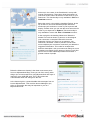
Most mentions
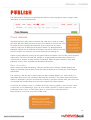
In the Most mentions column you can see the people who have mentioned you or your keywords
most frequently on Twitter. If you click on a name a window will appear, allowing you to follow the
person on Twitter or invite them to your network on Mynewsdesk through Twitter. By clicking Show
hits you can see the posts the person has created where they mention your company or some of
your keywords.
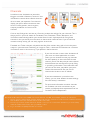
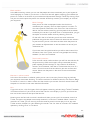
Most Coverage
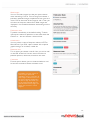
Here you will find the newspapers/media sites that have
mentioned your company name or other keywords in articles. To
view more specific information, click Show hits. You will then be
able to view the articles containing your keywords that have been
created by this sender. If you hover over an article headline, you get
the option to view the whole article by selecting Show hit.
On the left in the list of articles you will see email addresses
published alongside the article. If the email addresses are relevant
to your business you can click them to either invite the person to
your network on Mynewsdesk or add the address to one of your
distribution lists.
If you hover over the article headline you will be able to email it to
someone, share it on Twitter, see how many people have already
tweeted it, or like it on Facebook.
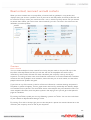
Social media mentions
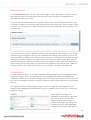
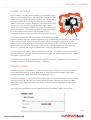
In the chart for social media mentions you will find the statistics for
the past ten days. With social media, always remember that only
public updates will be included. To view statistics for different
sources, click Facebook, YouTube or Twitter below the chart. If a
word is in bold it means that the statistics you see are from that
source. Hover over the peaks in the chart to see more detailed
information.
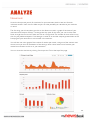
Mentions in editorial media
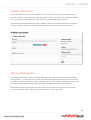
In the chart for mentions in editorial media you can see in how many forums, blogs and articles
your keywords have been featuring. To view the statistics for different sources, click Forums, Blogs
or Articles. If a word is in bold it means that the statistics you see are from that source. Hover over
the peaks in the chart to see more detailed information.
Hits
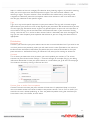
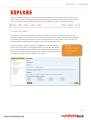
If you click on hits, a list of all types of hits will appear, containing articles, blogs, Twitter, Facebook,
YouTube and forums. If you wish for one of the sources not to display in your list, just untick the
box next to that source at the top of the blue list.
Hovering over the field with an article’s headline will allow you to email it to someone, share it on
Twitter, see how many people have already tweeted it, or like it on Facebook. When it comes to
mentions on Twitter, you can not only share the tweet by email, but also reply to it via your own
Twitter account, retweet it, or start following the sender. You can share or comment on Facebook
updates by clicking Show on Facebook.
23