1
NAURTECH W EB BROWSER AND TERMINAL EMULATION FOR W INDOWS CE AND W INDOWS MOBILE
Table of Contents
Preface ............................................................................................................................................ 6
Assumptions .................................................................................................................................... 6
Conventions used in this Manual..................................................................................................... 6
Additional Documentation ................................................................................................................ 7
Online Support Wiki ......................................................................................................................... 7
Introduction ...................................................................................................................................... 8
What‘s New is version 5.7 .......................................................................................................... 10
Feature Highlights & Benefits .................................................................................................... 12
Benefits of Naurtech Terminal Emulators & Industrial Web Browser ............................................ 19
System Requirements ................................................................................................................... 20
Installation ...................................................................................................................................... 21
Quick Start ..................................................................................................................................... 22
Quick ―How To‖ Tips ...................................................................................................................... 23
Automatically submit a barcode (Postamble ENTER) ........................................................... 23
Change the font to fit rows and columns on the screen ......................................................... 23
Configure a session to automatically connect on startup ....................................................... 23
Setup Automatic login ............................................................................................................ 23
Remap hardware keys ........................................................................................................... 23
Configure Full Screen mode................................................................................................... 24
Lock down the device ............................................................................................................. 24
Display Indicators ................................................................................................................... 24
Configure to display International language character sets ................................................... 24
Enable SSL / SSH security..................................................................................................... 25
Exiting out from the registration dialog ................................................................................... 25
Automatic Licensing Registration ........................................................................................... 25
Evaluation Mode ............................................................................................................................ 26
Software Registration .................................................................................................................... 27
Product Version ............................................................................................................................. 29
Application Menu ........................................................................................................................... 30
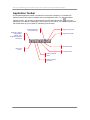
Application Toolbar ........................................................................................................................ 32
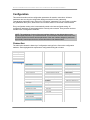
Configuration ................................................................................................................................. 33
Connection ................................................................................................................................. 33
General ................................................................................................................................... 36
Network .................................................................................................................................. 38
Security................................................................................................................................... 40
SSH Secure Shell ...................................................................................................................... 40
General ................................................................................................................................... 41
Encryption............................................................................................................................... 48
User Keys ............................................................................................................................... 50
Server ..................................................................................................................................... 51
Proxy ...................................................................................................................................... 52
IBM Options ............................................................................................................................ 55
VT Modes ............................................................................................................................... 57
VT Options.............................................................................................................................. 58
VT Extensions ........................................................................................................................ 60
Display ....................................................................................................................................... 62
Hide / Show ............................................................................................................................ 65
Colors ..................................................................................................................................... 67
User‘s Manual for CETerm | CE3270 | CE5250 | CEVT220
Page 3