1
®
JAWS PDF CREATOR 3
®
JAWS PDF CREATOR ON PC PLATFORMS
INDEX | CONTENTS | >17<
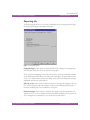
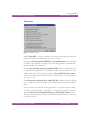
Web: Optimized for screen viewing and for use in web pages at 72 dpi.
Any custom configurations you have created also appear in this menu. Note that you
cannot edit the standard configurations. The names of shared configurations are
prefixed with a space, for example ’ my_conf’. See “Creating a new configuration”
and “Renaming or removing a configuration” for details.
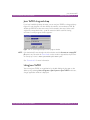
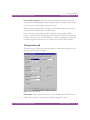
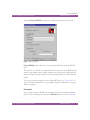
Use the Edit Configurations button to display the PDF Creator Control Panel, where
additional configurations can be defined.
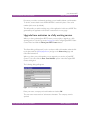
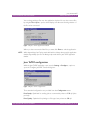
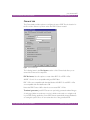
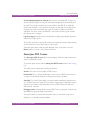
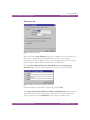
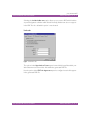
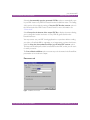
Jaws ToPDF can be configured to either; prompt for an output file name, or to save
the file in the default output folder.
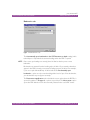
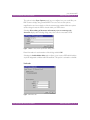
When you select Always prompt for a destination, a PDF Creator browser dialog is
displayed every time you convert a file. This allows you to change the output file
name or place it in a different folder.
If you select Do not prompt for a destination, Jaws ToPDF silently outputs the PDF
file to the default output folder. Although you can only change this setting from the
Jaws ToPDF application window, it also affects any jobs which are converted by being
dropped onto the desktop icon or shortcut.
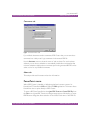
Whether or not you ask Jaws ToPDF to prompt for a destination, it calculates the
default output folder in the same way. This is the same folder as the input file, unless
you have set the Always output files to option in the General tab, in which case it is
the folder you have specified. See “General tab” for more information about the
General tab. If you have configured Jaws ToPDF not to prompt for a destination, the
default output folder is used. If you have asked Jaws ToPDF to prompt you, the
browser dialog still allows you to change the output folder.
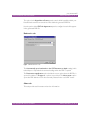
When you convert an EPS file, Jaws ToPDF uses the bounding box in the file to
determine the page size for the PDF file, and ignores the currently selected Use
%%BoundingBox for option. See “Advanced Options dialog box” for more
information.
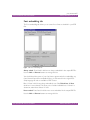
When the configuration for the Jaws ToPDF application is completed, select OK.
Selecting Cancel aborts the changes made to the configuration.
®
JAWS PDF CREATOR ON PC PLATFORMS
INDEX | CONTENTS | >17<