1
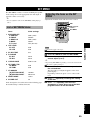
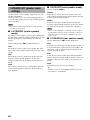
SETUP MENU
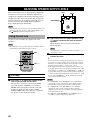
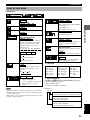
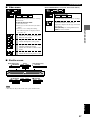
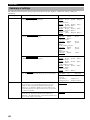
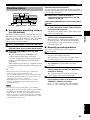
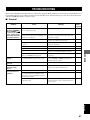
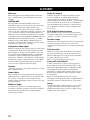
Summary of settings
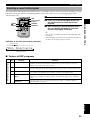
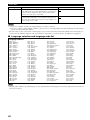
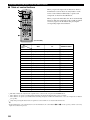
The following chart shows the menu groups and each items. In the “Options” column, the factory settings are
underlined.
Menu groups
Disc
Items
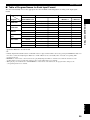
Audio DVD-A DVD-V
Select the preferred audio track language.
Subtitle DVD-A DVD-V
Select the preferred subtitle language.
Menus DVD-A DVD-V
Select the preferred disc menu language.
Ratings DVD-V
Set a ratings level to limit DVD-Video play. See p.51 for details.
Options
(U.S.A. and Canada models)
English French
Spanish
Other**
(Australia model)
English French
German
Spanish Original* Other**
(U.K. and Europe models)
English French
German
Spanish Original* Other**
(General model)
English Chinese Original*
(U.S.A. and Canada models)
Automatic
English
Spanish
Other**
(Australia model)
Automatic
English
German
Italian
Other**
(U.K. and Europe models)
Automatic
English
German
Italian
Other**
(General model)
Automatic
English
Other**
Original*
Italian
Italian
Other**
French
French
Spanish
French
Spanish
Chinese
(U.S.A. and Canada models)
English French
Spanish
(Australia model)
English French
German
Spanish Other**
(U.K. and Europe models)
English French
German
Spanish Other**
(General model)
English Chinese Other**
Other**
Italian
Italian
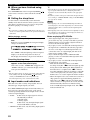
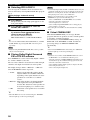
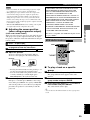
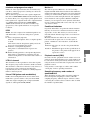
Setting ratings (When level 8 is selected)
8 No Limit
1 to 7
0 Lock All
Changing ratings (When level 0 – 7 is
selected)
Unlock Player
Change Level
Change Password
Temporary Unlock
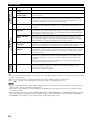
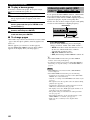
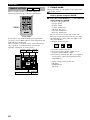
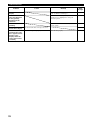
Video
48
TV Aspect
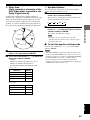
If you connect to a 4:3 conventional-type monitor, select “4:3
Pan&Scan” (left and right sides trimmed when playing 16:9
software) or “4:3 Letterbox” (black areas appear at the top and
bottom when playing 16:9 software). Select “16:9” if you connect
to a widescreen monitor.
4:3 Pan&Scan
16:9
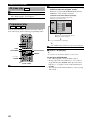
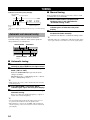
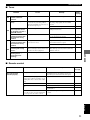
Still Mode
Specify the type of picture shown when paused. First select
“Automatic”. If a still picture jitters, select “Field”. If details don’t
appear clearly enough, select “Frame”.
Automatic
4:3 Letterbox
Field
Frame