1
1 Introduction
Thank you for purchasing the LT-HD™! We are proud to provide you with a reliable,
professional-quality product for your digital audio requirements.
This manual provides basic information to help you get started. Additional information is
available via our web site and email support. Please refer to the support section at the end of this
manual for support contact information.
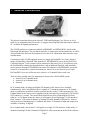
The LT-HD is a 32-channel LSlot interface that is designed to allow the Aurora professional
audio AD/DA converters to be used with Digidesign® ProTools|HD® Recording Systems. The
LT-HD allows direct connection with ProTools|HD Core, Accel and Process cards. An LT-HD
equipped Aurora emulates a Digidesign 192 I/O™ interface, making integration simple and
allowing for accurate delay compensation within ProTools® software. Multiple LT-HD equipped
Auroras can be used to achieve the desired channel count within a ProTools|HD system.
2 Features
¾ One Primary and one Expansion DigiLink port.
¾ Up to 32 channels of AD/DA conversion per ProTools|HD Core or Accel/Process card
possible with two Aurora 16’s.
¾ Aurora 16 can operate in 16-channel mode or 32-channel mode. In 16-channel mode up to 16
channels of analog and digital I/O can be used at one time. In 32-channel mode all 16
channels of analog I/O and all 16 channels of digital I/O can be used simultaneously.
¾ Aurora 8 provides 8 channels of analog I/O and 8 channels of digital I/O simultaneously.
¾ Supports full channel count at sample rates up to 192 kHz.
¾ Offers audio signal latency identical to that of the Digidesign 192 I/O for accurate delay
compensation within ProTools - no manual delay adjustments required.
¾ Allows I/O functions and Aurora parameters to be controlled and monitored within ProTools.
¾ Interfaces with HD system using standard DigiLink cables.
¾ Allows daisy-chaining of multiple Aurora converters and other DigiLink devices via
Expansion port.
¾ Lynx proprietary SynchroLock™ technology can be used to reduce jitter when Aurora is a
clock slave or to provide stable, low jitter clock to downstream devices.
¾ Easily installed into Aurora.
Page 1