1
Menu Feature Descriptions
This chapter describes all of your phone’s features in alphabetical
order. Some descriptions also include page numbers where you
can find more detailed information. If you would like to learn
more about a specific feature, a reference guide for your phone
is also available. To obtain a copy of the reference guide or
another copy of this user guide, see the Motorola Web site at:
http://motorola.com/consumer/manuals
or contact the Motorola Customer Call Center at
1-800-331-6456.
BROWSER
M > Browser
Access Web pages and run Web-based
applications.
The micro-browser delivers WAP (Wireless Application
Protocol) pages from your service provider directly to your
phone. See “Micro-Browser” on page 114.
CONNECTION
Connect your phone to a computer or hand-held
device to send and receive data and fax calls on
the connected device. Connect your phone using a
serial cable or USB cable. See “Connecting Your Phone to
an External Device” on page 123.
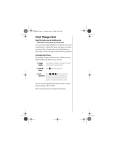
Incoming Call
M > Settings
> Connection
> Incoming Call
Specify the format for the next incoming call. You can select
Fax In Only, Data In Only, or Normal.
61