1
27 TUTORIAL / QUICK START: NAVAL TUTORIAL
TUTORIAL / QUICK START: PACIFIC GENERAL SCREEN OPTIONS 28
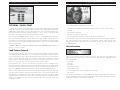
PACIFIC GENERAL SCREEN OPTIONS
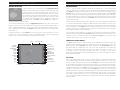
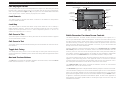
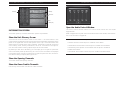
The PACIFIC GENERAL screen is the first screen displayed and presents eight options in
the form of rectangular buttons. From this screen you are able to:
• Start a Campaign game to fight the war as the Allies or the Axis.
• Start a Scenario to play a particular battle either against the computer, or against
a human player, in person or via Email.
Turns Three — Eight
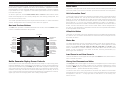
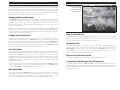
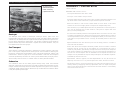
The first thing for this turn is to repair any damaged aircraft on board the Midway.
Select the carrier, and left-click on it again to open the Unit Control window and click
on the Special button. The Hangar display appears showing the injured fighter in one
of the hanger boxes. Left-click on the fighter to select it, and again to open the Unit
Control window for the fighter. You can now give the fighter replacements or elite
replacements if you have the prestige points. This ends the fighter’s turn, but it
becomes available at full strength next turn.
Use your three remaining Fighters to attack any surviving Zeros, and to attack the
enemy Val dive bomber (remembering to box it in again, in case it survives). Use the
submarine to attack the wounded carrier again. Move the Montana to (12,3) and
attack the aircraft carrier Hosho at (14,4). Leave the carrier Midway where it is, but
use the rest of your ships to surround and attack the remaining ships of
the enemy fleet.
Remember the following naval tactics:
• Protect your carriers with fighters placed on combat air patrol (CAP). Reassign
fighters to CAP if they successfully intercept an enemy plane.
• Use “massed attacks” to improve the odds in attacks on larger enemy ships.
• Torpedo bombers can attack from an adjacent sea hex (not land).
• Submarines can move and attack submerged, giving them the benefit of a surprise
attack and immunity to attacks by units other than destroyers.
• Your dive- and torpedo bombers should be used to finish off any surviving
enemy ships.
• If any of your ships suffer critical hits, take the time to use the Repair control.
• Take replacements for damaged destroyers, light cruisers, and aircraft.
• Planes must be on board an aircraft carrier at the beginning of a turn to take
replacements or elite replacements.
• Start the Battle Generator to create or modify a scenario.
• Start the Tutorial scenarios.
• Open the Unit Information database.
• Start a Multi-player game to play a scenario over an IPX network, the Internet, or
using a modem via direct connection.
• Load a saved regular or Email game.
• Quit and return to the operating system.
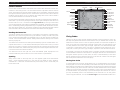
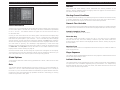
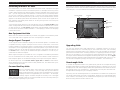
THE CAMPAIGN SELECTION WINDOW
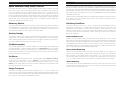
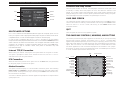
There are two campaigns in PACIFIC GENERAL: Axis and Allied. Each campaign is made
up of several scenarios based on historic battles from World War II. Each campaign
can proceed beyond the purely historical to include some “What If?” scenarios.
In a campaign game, you control a “core group” of units and, in most battles, noncore or “auxiliary” units. The core group’s strength indicators feature black numbers
while auxiliary units’ strength indicators have white numbers. Auxiliary units serve
with you only for the duration of a battle, while surviving core units are carried forward to successive campaign battles. Your core units gain combat experience and
can be upgraded with new equipment as it becomes available.
Your core units are deployed for you in the first scenario of any campaign. In
later campaign scenarios, you may deploy your core units freely within designated
deployment zones.
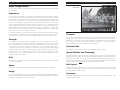
Select the campaign you wish to play by clicking on the left side of the screen to play
the Allies, which consist of US, British and Australian forces in the Pacific, and on the
right side of the screen to play the Axis, represented largely by the Japanese.
The button at the bottom of the screen begins the Campaign game or returns to
the main screen.