1
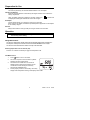
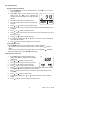
CO2 Maximum and Minimum Recording Measurement
1.
Press “MX/MN” button to enter the maximum / minimum
recording mode, the “MAX” icon appears on the display.
The maximum CO2 reading will be displayed and will be
updated only when a higher reading occurs.
2.
Press “TIME” button to enter time display mode.
Displays 2 and 3 will indicate the time the maximum
reading occurred.
3.
Press “MX/MN” button again. The “MIN” icon will
appear with the minimum value and its stamp time.
4.
Press “MX/MN” button again. The “△ ” icon will
appear with the current value and current time.
5.
Press “MX/MN” button again cycle through the
recorded MAX, MIN and current readings.
6.
Press “↵” button to exit this mode.
7.
Press “TIME” button exit the time display mode.
MAX
8
CO2
ppm
d-h
m:s
MIN
CO2
ppm
d-h
m:s
CO2
d-h
m:s
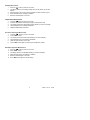
Data Hold
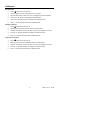
1. Press the H button momentarily to freeze the displayed
reading. The 'H' icon will appear on the upper left-hand
side of the display.
2. Press the H button again to return to normal operation
(the 'H' hold icon will disappear).
SET MAX MIN
ALM
R
M
ppm
8888
88 Err
INTV
8888
CO2 m:s
CO2
DEW
WET
°C°F
ppm
CAL
ppm
8888
CO2 d-h %RH ppm
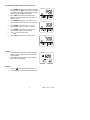
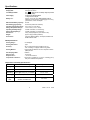
Backlight
1.
2.
Press the “
“ button to turn the backlight on or off.
The backlight will turn off automatically after 30 second.
5
EA80
V2.1H
11/06