1
Manual Dataogging
Storing readings
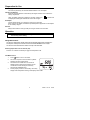
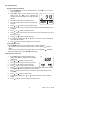
Press " MEM " button. LCD will
memory address number. Total
memory size is 99 readings.
SET MAX MIN
display " M " and the
ALM
R
M
Viewing readings.
Press " READ " button to enter READ mode. The LCD
will display " R " and the memory address number.
8888
88 Err
8888
CO2 m:s
INTV
DEW
WET
°C°F
ppm
CO2
CAL
ppm
8888
CO2 d-h %RH ppm
Press " " or " " button to scroll through stored readings
Press " ↵ " enter button to exit this mode.
Deleting stored data
Press “ SET ” button three times, the LCD will display “ CLr ” and enter the clear
memory mode.
Press “↵” button to clear the all manually stored readings.
If you wish not to clear the memory press “ SET ” button two times then press “↵” button
to exit the clear memory mode.
Auto Datalogging
Setting interval time
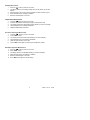
Press “SET” button two times, the “INTV” mark is displayed and enter to the setting
interval time mode.
Press “” or “” button to select desired interval time from 1 second to 255 seconds.
Press “↵” button to store the setting value and exit this mode.
Auto Datalogging mode
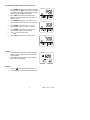
Press and hold “MEM” button for two seconds (3 beeps), the LCD will display “ ¯ ”and
the memory location.
“M” will flash each time a recording is made
The maximum memory capacity is 20,000 recordings and that can be divided into 99
sets.
Press “↵” button to exit this mode and stop recording.
Deleting Logged Data
Press “SET” button four times, the “CLr” and “ ¯ ” mark will be displayed
Press “↵” button to clear the auto datalogged memorized data and exit this mode.
If you choose not to clear the memory, press “SET” button again then press “↵” button to
exit the clear memory mode.
7
EA80
V2.1H
11/06