1
Chapter 3
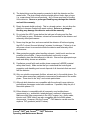
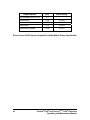
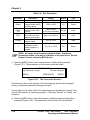
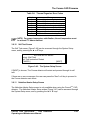
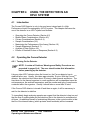
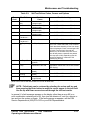
Table 3-4: Run Parameters
Parameter
i
Output
Current
Range
(R)
Filter
%Offset
T
Description
Current
% of full scale, display
of signal output sent to
recording device
Used to set the
sensitivity level of the
detector
Time constant for the
filter used to smooth
baseline (and signal).
Percent offset added to
baseline signal
Indicates current
temperature of the
thermal organizer, if
installed
Range
0 pA to +500 pA
Default
Type
Output
-100 to +100%
0%
Output
1 pA to 500 pA
(1,2,5 step increment)
100 pA
Input
None, Low, Med, Hi
None
Input
-50% to +50%
0%
Input
TA +10° to +45°C
Off
Output
NOTE: All values should remain somewhat stable. Significant
fluctuations within a run may be indicative of a serious issue. Review
Chapter 5 before contacting ESA Service.
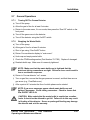
f)
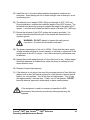
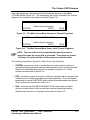
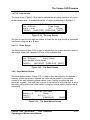
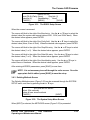
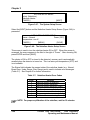
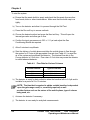
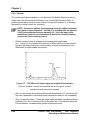
Press the [NEXT] button, and a second screen of data will be presented
(Figure 3-27). The parameters on this screen cannot be edited.
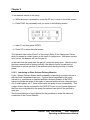
CORONA RUN
Gas Pressure = xx psi
Corona = Normal
[MENU]
[PREVIOUS]
[NEXT]
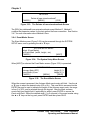
Figure 3-27: The Corona Run Screen 2
Gas Pressure refers to the pressure of the incoming gas and should correspond
closely to pressures measured at the gas inlet port.
Corona refers to the status of the Corona discharge and should show "normal" if the
Corona CAD detector is functioning properly. If showing: “Service” or “Failing”, see
Chapter 5.
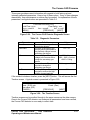
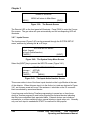
g) Press the [NEXT] button, and a third screen containing diagnostic data will be
presented (Figure 3-28). The parameters on this screen can not be edited.
3-16
Corona® CAD® and Corona®Plus CAD® Detectors
Operating and Maintenance Manual