1
The Corona CAD Firmware
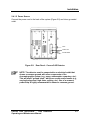
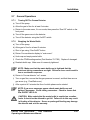
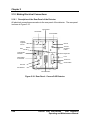
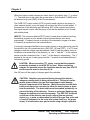
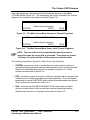
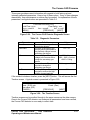
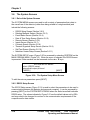
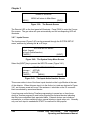
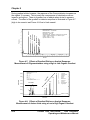
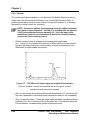
After several seconds, the instrument will automatically advance to the MAIN
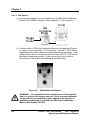
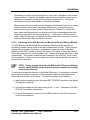
CORONA MENU (Figure 3-3). The temperature will only be indicated if the Thermal
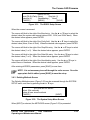
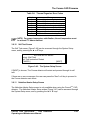
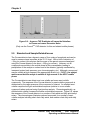
Organizer is connected to the detector module (Figure 3-4).
MAIN CORONA MENU
[SYSTEM]
Select desired operation
[EDIT]
[RUN]
Figure 3-3: The Main Corona Menu Screen (no Thermal Organizer)
T = 23oC
[SYSTEM]
MAIN CORONA MENU
Select desired operation
[EDIT]
[RUN]
Figure 3-4: The Main Corona Menu Screen (with Thermal Organizer)
NOTE: The role of the four keys immediately below the screen is
dependent upon the screen that is presented. These keys are termed
“soft keys” since the definition of these keys is context sensitive.
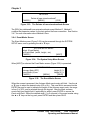
The soft keys presented in Figures 3-3 and 3-4 are used as follows:
•
SYSTEM: accesses a series of screens that are used to select a variety of
general operating parameters such as defining default values, setting time/date,
defining the communication protocol to a personal computer, etc. These
screens are discussed in Section 3.6.
•
EDIT: accesses a series of screens to select the desired mode of operation and
establish a set of analytical parameters for data acquisition. A set of analytical
parameters is termed a METHOD, which can be stored and recalled as desired.
These screens are discussed in Section 3.4.
•
RUN: accesses the RUN METHOD SELECTION screen which is used to
choose a stored method to be run and then execute the selected method.
Selection and execution of a method is discussed in Section 3.5.
Corona® CAD® and Corona®Plus CAD® Detectors
Operating and Maintenance Manual
3-3