1
4. Communication Parameter Settings
PART 1
4.1 Station number setting
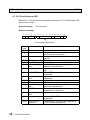
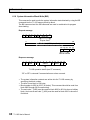
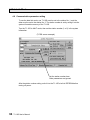
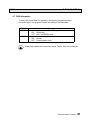
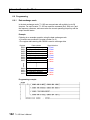
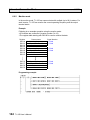
The station number is set by writing the data into the special register SW36. The
valid station number data is 1 to 32 (decimal).
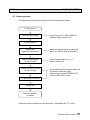
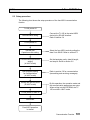
Turn the T1-16S to HALT mode, and write the station number into SW36. After
writing, execute the EEPROM write command. And cycle power off and on again.
Then the setting will be effective.
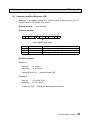
Address
SW36
Name
PRG port station address
Data range
1 to 32 (decimal)
NOTE
(1) The default setting of the station number is 1.
(2) If the data is out of the valid range, the T1-16S works as station 1.
NOTE
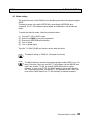
The SW36 setting is saved in the program storage module RM102 (ver. 2 or
later). Therefore, when you save the T1-16S program into the RM102 then
load it into another T1-16S, the original SW36 setting will be copied.
However, in case of the T-PDS, the SW36 setting is not saved in the disk
file. Therefore even when you load the T1-16S program by the T-PDS, you
must set the SW36 data for the T1-16S manually as mentioned above.
4.2 Parity setting
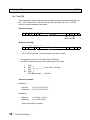
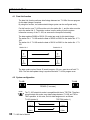
Parity setting can be selected either odd or none. The even parity is not supported.
The default is odd parity. The none parity is normally used for modem connection.
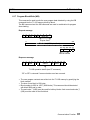
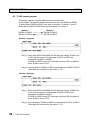
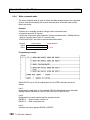
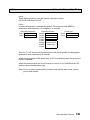
The parity is set by writing the data into the special register SW37. The valid data is
1 or 2.
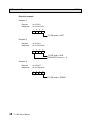
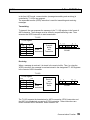
Turn the T1-16S to HALT mode, and write the parity setting (0 = none, 1 = odd) into
SW37. After writing, execute the EEPROM write command. And cycle power off and
on again. Then the setting will be effective.
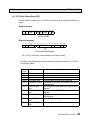
Address
SW37
22
Name
PRG port parity
Data range
0 = none, 1 = odd
NOTE
(1) The default setting of the parity is odd.
(2) If the data is out of the valid range, the T1-16S works as odd parity.
NOTE
The SW37 setting is saved in the program storage module RM102 (ver. 2 or
later). Therefore, when you save the T1-16S program into the RM102 then
load it into another T1-16S, the original SW37 setting will be copied.
However, in case of the T-PDS, the SW37 setting is not saved in the disk
file. Therefore even when you load the T1-16S program by the T-PDS, you
must set the SW37 data for the T1-16S manually as mentioned above.
T1-16S User’s Manual