1
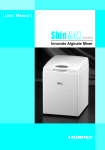
Product Parts & Accessories
7
1
5
4
2
6
8
3
9
1 Protective Shield:
The safety switch will be activated when the Protective Shield is not closed.
The machine will automatically stop its operation in case the protective
shield is opened.
2 Holding Arms:
Where to place the capsule.
3 Power Button:
The Mode indicator & Time Display indicator will start to blink (showing
display of “10” ) when the power button is pressed ON.
4 Mode Set-up Buttons:
Press Mode button to set up required Mode setting.
5 Mode Indicator:
When the required mode is selected, the corresponding indicator will be
turned on.
- Timer Setting Button:
6 ▲▼
+
To set the mixing time, adjustable up to 1~30 seconds.
7 Time Display indicator:
Display the selected mixing time. The timer will blink during operation as
it counts down.
8 STORT/STOP Button:
Press the button to start operation. Press once again to stop the operation
at anytime.
9 Adaptor: 100V ~ 240V 50/60Hz
2