1
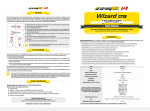
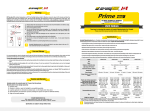
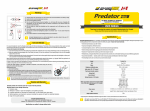
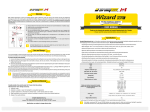
Set description
Operation
4
1
x2
5
2
3
In OFF state:
Click: To turn on the last used mode.
Press and hold: To go through 2 Firefly modes (release to select). Keeping button pressed will start cycling through the Main modes.
In ON state:
Click: To turn off the flashlight.
Press and hold: To start cycling through the Main modes.
Double click: To turn on the Maximum mode. Second double click brings back the last used mode.
For comfortable operation you have a convenient momentary access to all the following modes:
Prime
Main
Click x1
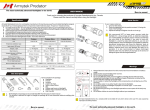
Items included in the package:
1 - Flashlight
2 - Clip
3 - Holster
4 - 2 spare O-rings
5 - User manual
Main. Short click from the OFF-state activates the Main
mode (if it was the last mode used previously).
OFF вMain (if last used)
Firefly
Press & Hold
OFF вFirefly1 вFirefly2
ь Depending on the model, your flashlight can inconsiderably differ from the pictures in the manual.
ь The producer reserves the right to change the package at his own discretion without modifying this manual.
Maximum
Click x2
Initial Service
Maximum. The mode is activated by double click in any
mode. To return to the last mode make double-click again.
Any mode вMax
Max вLast mode
3.
1.
Firefly. Press and hold the button in OFF-state to turn on the
desired Firefly mode and then release immediately. Keeping
the button pressed will start cycling through the Main
modes.
Cycling through Modes
Press & Hold
Main1 вMain2
е
з
Main3
Cycling through the Main modes. In ON-state press and hold
the button (in any mode): the 3 Main modes will start
switching cyclically. Release the button to select the desired
mode. In Maximum mode it starts cycling through the Main
modes.
2.
Automemorizing. After switching off the last used Mode is memorized for quick 1-click access at next switching on.
Lock-out function. Unscrew the tailcap to 1/4 for the protection from accidental switching on.
To set/replace batteries:
1. Unscrew the tailcap.
2. Place the batteries with the positive contact (+) facing the head of the flashlight.
3. Adjust the tailcap and tighten it as far as it can go.
We recommend NOT to leave power sources inside the flashlight for a long storage period, as batteries (especially, non-rechargeable) can leak
for various reasons and damage the inner parts of the flashlight. If you want to keep your flashlight in a stand-by state with batteries in, use new
and quality batteries, store the flashlight in acceptable for batteries operational temperature and revise the batteries' state at least once a
month. If you have noticed any signs of batteries' defects, withdraw them from the flashlight and take out of operation. It is also recommended
to replace discharged batteries with new ones before the storage as the chance of leakage is higher with discharged batteries.
Low Battery Indication
Warning
Critical
High Temperature Indication
Critical
вMain3
вFirefly2
вFirefly1
вOFF
Warning Indication. In ON-state shows the battery level
and the temperature inside the flashlight.
Low battery level. When it is <25%, the main LED flashes 2
times once a minute. At critical level <5% light output
decreases to Firefly1 and then switched off.
High temperature (C2 only). At critical level the main LED
flashes 4 times once and the light output decreases by
35%. In case the temperature doesn’t fall the light output
decreases to Firefly2. At normal temperature the
brightness increases to usual level.