1
Delete CHAT Tag
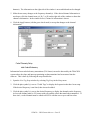
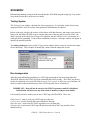
Information setup for a CHAT tag can be viewed by following the steps listed below:
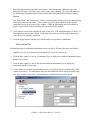
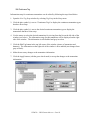
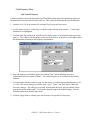
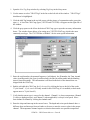
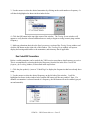
1. Open the New Tag Setup window by selecting Tag Setup in the Setup menu.
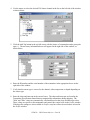
2. Click the plus symbol (+) next to "CHAT Tags" in the list on the left side of the window.
3. Click the plus symbol (+) next to the desired CHAT tag type (either TP or TPS) to display the
tags that have already been setup.
4. Use the mouse to select the desired CHAT tag for viewing from the list on the left side of the
window (see View CHAT tag). The information setup for this transmitter will be displayed on the
right side of the window.
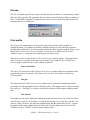
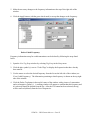
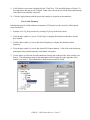
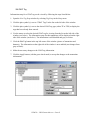
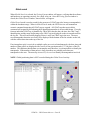
5. Click the Delete Tag button in the top left corner of the window with a picture of a transmitter
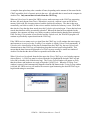
and a red negative symbol (-). A warning window will appear to confirm that this CHAT tag should
be deleted from the list. After the Yes button has been selected, the tag will be removed (deleted)
from the list of CHAT tags.
Decoding setup
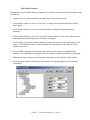
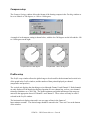
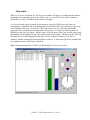
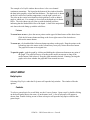
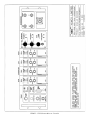
The Decoding Setup window contains four sections for selecting and entering the desired settings.
These sections are (clockwise from the top left corner): AGC sensitivity, Bearing, Signal options,
and Sound travel. Each are described below the picture of the Decoding Setup window.
VEMCO - VR28 SYSTEM MANUAL - PAGE 43