1
94
VersaForm XL
DEFAULT VALUES
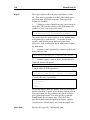
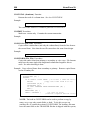
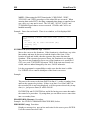
You may choose calculation to have the system enter "default" values. Up to 20
characters of information-- standard words, phrases or numbers--may be selected
for automatic filling to fill in any items on your form.
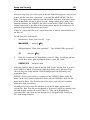
When the Calculation form is displayed, key the value in I1 (the first item on the
Calculation form). Do not specify any operation. The value may be numeric or
non-numeric, for example, "N/C" (No Charge).
*
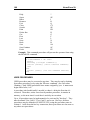
An example: use this feature to fill in the name of a clerk who handles most
of your orders.
*
Manual entry always overrides defaults when you enter data.
COLUMN TOTAL
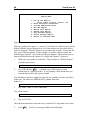
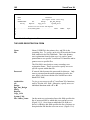
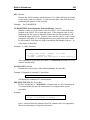
You may have a total filled in by choosing Column Total from the checking and
filling menu.
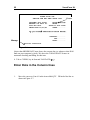
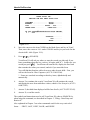
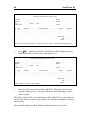
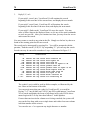
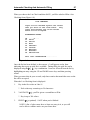
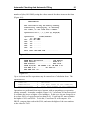
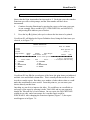
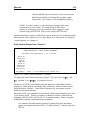
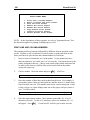
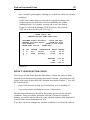
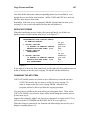
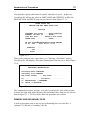
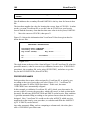
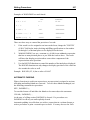
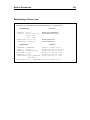
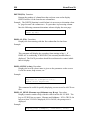
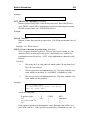
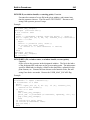
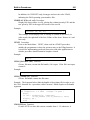
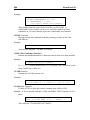
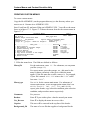
When the column total form is displayed, enter the name of the column which is to
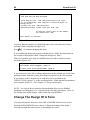
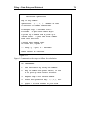
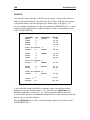
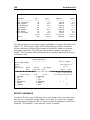
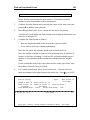
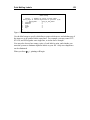
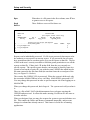
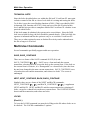
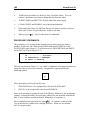
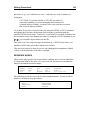
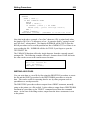
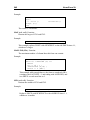
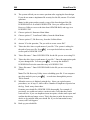
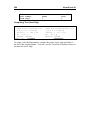
be totaled. (In Figure 6-12, it is AMOUNT. VersaForm XL will add the
AMOUNT values and place the result in the item called SUBTOTAL.)
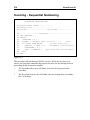
COLUMN TOTALS
Enter below the name of the column
whose total is to be kept in this
item:
Item name: AMOUNT................
This item: SUBTOTAL..............
Figure 6-12
*
The item you use to hold the total of a column must be a single item on your
form.
*
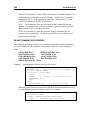
Since a column total will be a number, you may also want to choose Justify
for the item. SUBTOTAL (Figure 6-5) would be justified to two decimal
places, since it's a dollars-and-cents item.
*
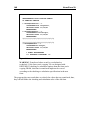
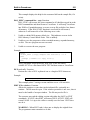
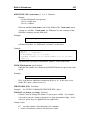
Numbers will be justified (and rounded, if necessary) to the proper number
of decimal places after each operation. Only the justified results of
calculations will be shown on the screen. Column totals will be the totals of
the justified values in the columns.