1
Table of Contents
Table of Contents
Safety & General Use
Maintenance for Your Drive
Safety Precautions.......................................................4
Initialize the Drive for Mac..................................... 30
Backup Your Data.........................................................5
Restore the Drive Icon............................................. 34
Reformat with Partitions........................................ 35
About Your G-RAID with Thunderbolt
Replace a Failed Drive Module............................. 41
Introduction...................................................................7
What’s in the Box .........................................................8 Using Your Drive on Windows
System Requirements.................................................8
Windows Use............................................................... 44
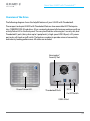
Overview of the Drive ................................................9
Cross Platform Use ................................................... 44
Activity & Failure LED............................................... 10
Support & Warranty
Using Your Drive on Mac
Technical Support..................................................... 48
Easy Installation for Mac......................................... 12
Limited Warranty....................................................... 49
Optimize Performance............................................ 12
Copyright...................................................................... 51
Use With Time Machine ......................................... 13
Disconnect the Drive .............................................. 15
Using RAID Modes
Supported RAID Modes.......................................... 17
G-Technology Assistant Utility............................. 18
G-Technology Assistant Menu............................. 19
G-RAID with Thunderbolt Config. Utility......... 20
Configure the RAID Mode for Mac..................... 21
RAID 1 Degraded Mode for Mac......................... 25
Configure the RAID Mode for Windows........... 25
RAID 1 Rebuild for Windows................................. 28
p.2