1
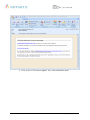
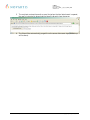
e-Seal User Manual Doc. No.: e-Seal_2_8_11_0096_UME Version: 1.1 1 Purpose The e-Seal service enables you to securely exchange emails and files with associates of Novartis and all its affiliates. This document provides instructions and guidance for external users. 2 Prerequisites To use the e-Seal service, you will need: • An email address and any email client configured to access the mailbox associated with the address • Web Browser: Netscape 7.0 and higher, Internet Explorer (IE) 5.0 Service Pack 1 and higher, Firefox 1.0 and higher • Java: Microsoft JVM 5, Sun Java 1.3.x, and Sun Java 1.4.2+ and higher. 3 Restrictions 3.1 Appropriate use - The e-Seal service must be used according to the Terms and Conditions: https://secure-mail.novartis.net/websafe/terms.html 3.2 Offline use You cannot use the e-Seal service offline. Whenever you intend to secure emails written offline, save the email in the draft folder and send it as soon as you have access to the network again. 4 Instructions 4.1 Registering for e-Seal 4.1.1 You receive the registration notification and register - The first secured email sent by a Novartis associate triggers a registration notification. A one-time registration process is required for you to use the e-Seal secure email system. To do this you simply have to follow the instructions sent along with the registration notification: Novartis – Template IT504.0040 V.1.8 4 / 14 e-Seal_2_8_11_0096_UME_1.1.doc