1
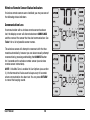
If humidification and dehumidification are both enabled you will
first see the current humidity level along with the humidification
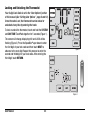
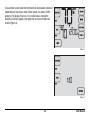
set point. Press the SpeedBar® up or down to adjust the humidification
set point. Touch HUMID again to display the dehumidification
set point. Press the SpeedBar up or down to adjust the dehumidification
set point (Figure 3). Touch RETURN.
NOTE: If Automatic Humidity Control was enabled in the Installer
Options, the humidification set point may be automatically adjusted
to compensate for changes in outdoor temperature.
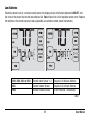
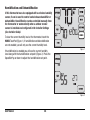
When there is a call for humidification the word HUMID
will appear in the screen (Figure 4). When there is a call for
dehumidification, the word DEHUMID will appear.
HUMID
Figure 3
HUMID
Figure 4
37
User Manual