1
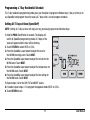
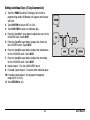
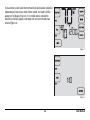
Setting Individual Days (7 Day Commercial)
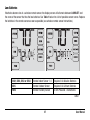
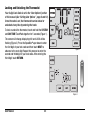
1. Touch the PROG TouchPad. The display will switch to
programming mode. M (Monday) will appear and the hour
will flash.
2.Touch SYSTEM to select HEAT or COOL.
3.Touch DAY/TIME to select an individual day.
4. Press the SpeedBar® up or down to adjust the hour for the
OCCUPIED event. Touch NEXT.
5. Press the SpeedBar up or down to adjust the minute for
the OCCUPIED event. Touch NEXT.
6. Press the SpeedBar up or down to adjust the temperature
for the OCCUPIED event. Touch NEXT.
7. Press the SpeedBar up or down to adjust the fan setting
for the OCCUPIED event. Touch NEXT.
8. Repeat steps 4-7 for your UNOCCUPIED event.
9. If needed, repeat steps 3-7 to select other individual days.
10. If needed, repeat steps 2-9 to program the opposite
mode (HEAT or COOL).
11. Touch RETURN to exit.
21
User Manual