1
Beyond Navigation
BT-Q1000eX eXtreme Recor
der™
.............................................................................................................................................................
.................
process easily.
2.1 The Import Wizard will jump out every time during
program startup. You can also launch it by
clicking <File> \ <Import Wizard> or the quick link
icon.
2.2 Select the method to import the tracks from
device.
<Import tracks and photos into new trip>
Create a new trip to save the tracks
<Select trip to import tracks and photos>
Save the tracks into an existed trip
<Import whole trip from project file (*.itm)>
Import a trip from a project file saved by Travel
Recorder software
2.3 QTravel™ will automatically detect the com port
and baud rate and load in the GPS tracks.
2.4 A track list window will be popped up. Select the
tracks to import.
2.5 Please select the photo folder to import photos for
geotag. You can also skip this step by clicking
<Finish> directly and then there will be only tracks
shown on Google Map.
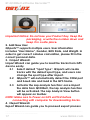
NOTE: Make sure to Power on GPS unit first before
connecting with computer for downloading tracks.
3. <File> \ <Export Wizard>
Export Wizard can guide you to proceed export process
easily.
3.1 HTML: Pack selected tracks and photos into
editable html files or a single easy sharing mht
file.
3.2 Google Earth: KML and KMZ are Google Earth files
……….…..…………………………………………………………………………………………
…………………………......................
www.Qstarz.com
20