1
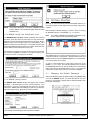
Reset Modem
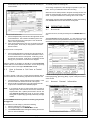
This command will reset the modem. After resetting the modem, wait
for the Status field (bottom left of window) to display “Modem Reset
Successful” before attempting a call.
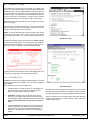
Pickup
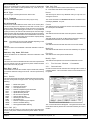
This command will prompt WDSRP to pickup an incoming call . WDSRP will then be on-line with the control panel.
An incoming call produces a tone through the speaker of your computer. This is your notification that a call is incoming. When this tone
is heard, you must proceed to the Find Accounts window, choose the
[Communicate] command, then choose the [Pickup] command. It may
take a while for the incoming call to come on-line.
Voice Call
This command will dial the phone number to reach this Account’s subscriber/voice contact. This phone number will reach the person listed
in the Contact field.
Answering
Machine
This command will make WDSRP hang up and redial the phone number. This will allow control panels with answering machine override
programmed to answer this call from WDSRP.
Abort
This command will cancel this attempt to call and hang-up immediately.
CAUTION: Only use the abort command if communications are
locked-up or in the event of an emergency. The abort
command will cause the control panel to remain on-line
a few minutes before it times out.
The following commands will show when WDSRP is on-line with a
control panel:
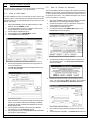
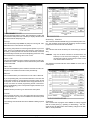
Data Call
This command will dial the phone number to reach this Account’s control panel. This number will call the control panel directly.
Manual
This command allows you to switch from a Voice call to a Data call.
If you are speaking with your technician/subscriber on the same line
as the panel’s Data line, use the Manual command to switch access
to the panel. As soon as the subscriber hears a high-pitched tone, he
or she must enter the remote programming answer command sequence ( [PIN] [#] [86] ) on the control panel’s keypad, and both of you
should hang up.
WDSRP will then proceed to go on-line with the control panel.
Cancel
This command will return you to the original Find Account window.
From this window you may choose a different Account/control panel
to communicate with.
The following commands will show when WDSRP is dialing a phone
number:
WDSRP User’s Guide
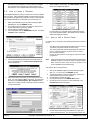
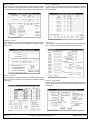
Suspend
This command will only appear when WDSRP is actively engaged
with the control panel (e.g. uploading or downloading). This command will stop all data transfer without making changes to the WDSRP or control panel data.
Copyright © 1994-96 Detection Systems, Inc.
Page 13













![Terms of Reference [ 462 KB]](http://vs1.manualzilla.com/store/data/005818895_1-55ed04ecdfa99aee80736235a8d4f256-150x150.png)