1
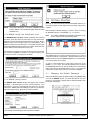
Choose [Users] from the WDSRP Main window.
2.2
Changing the Master Password
The next task to perform is to change the Master Password. It is a
level 16 password that is your safeguard should anything happen to
the other passwords. The Master Password can never be deleted
and its authority level can never be changed. Once you have changed
the Master Password, do not use it as a working password, use the
Level 15 Password you just created (see Section 2.1). Write down
the Master Password and keep it in a secure place. You will NOT be
able to see the Master Password under User Information unless you
log in with it.
To change the Master Password:
1. Choose [Log-out] from the WDSRP Main window.
2. Enter [Master] for the password as you Log in.
3. Choose [Users] from the WDSRP Main window.
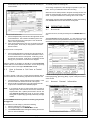
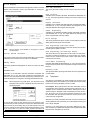
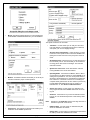
4. The Find User window will appear.
The Find User window will appear showing User (lev15) information.
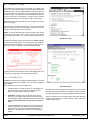
1.
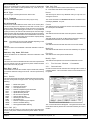
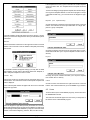
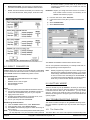
Choose the [Edit data] command from the right hand column
of command buttons. The Edit User Information window
will appear with the Password (lev15) highlighted.
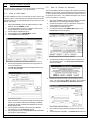
2.
Replace all the necessary information in this window with the
information for yourself.
Create a new password for yourself. The password can be
up to 12 characters long. Do not use spaces or non-alpha
characters in your password. Keep authority level 15, the
highest normal level.
Supply the rest of the information as needed. Some fields
are automatically filled in by WDSRP; the Operator ID field,
Created Field, Modified Field, and the Modify Operator field.
Choose the [OK] button to return to the Find User window.
3.
4.
5.
WDSRP User’s Guide
5. Locate the Master user information by choosing the [Next]
command from the command buttons at the bottom of the window.
6. Choose the [Edit data] command from the right hand column
command buttons.
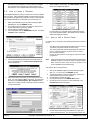
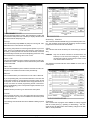
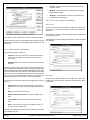
7. The Edit User Information window will appear with the password
“Master” highlighted. From this window you may edit all necessary
information.
8. Replace the information in this window with your own information.
9. Give yourself a new Master Password.
10. Supply the rest of the information as needed.
The authority Level and Operator ID fields can not be changed.
Once this task has been completed, log-out and log back in as the
level 15 password you previously created.
Copyright © 1994-96 Detection Systems, Inc.
Page 7












![Terms of Reference [ 462 KB]](http://vs1.manualzilla.com/store/data/005818895_1-55ed04ecdfa99aee80736235a8d4f256-150x150.png)