Transcript
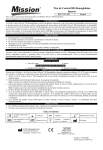
Hb Hemoglobin Control Strip
Package Insert
REF C121- 3035
English
For checking the performance of the Insight® Hb Hemoglobin Meter optical system.
For in vitro diagnostic use only.
INTENDED USE
The Insight® Hb Hemoglobin Control Strip is a firm plastic strip onto which a brown reference pad is affixed on the back of
the strip for checking the performance of the optical system of the Insight® Hb Hemoglobin Meter. The Insight® Hb
Hemoglobin Control Strip reference pad provides a standardized reflectance value as a reference for the optical system.
After the control strip is inserted into the meter, the meter will compare the reflectance value to the pre-calibrated value
stored in the meter software. The meter will display YES if the optical system is working properly, or no if the optical
system is not working properly. Contact your local distributor for more details.
PRECAUTIONS
• For in vitro diagnostic use only.
• The strip should remain in the closed canister until use.
• Do not use after the expiration date.
• Keep the control strip clean. Do not touch the brown reference pad on the back of the strip.
• Do not bend the control strip.
• Do not use a contaminated, discolored, bent or damaged control strip.
STORAGE AND STABILITY
Store as packaged in the closed canister at room temperature (2-30°C). Keep out of direct sunlight, extreme temperature
and humidity. Remove the strip for immediate use and put it back into the canister with which it was packaged after each
use. Close the canister immediately.
MATERIALS
Materials Provided
• Control strip(s)
• Package insert
Materials Required But Not Provided
• Hb Hemoglobin Meter
• User’s manual
DIRECTIONS FOR USE
®
Allow the Insight Hb Hemoglobin Control Strips and Meter to reach room temperature (15-30°C) prior to testing. Refer to
the Hb Hemoglobin Testing System User’s Manual for detailed instructions.
1. Remove a Insight® Hb Hemoglobin Control Strip from the closed canister. Immediately close the canister tightly after
removing the strip.
2. Enter the Optical Check submenu from the Setup Screen.
Note: Refer to the Instruction Manual for detailed test procedures.
3. Wait for the meter to flash the strip symbol. Insert the Control Strip completely into the Strip Channel in the same
direction as the arrows printed on the strip.
Note: Ensure the strip is inserted completely for accurate results.
4. Press the middle button to start the Optical Check.
5. If the meter displays YES, the optical system is working properly. Refer to the User’s Manual for performing specimen
testing as usual. If the meter displays no, the optical system is not working properly. Repeat the test using a new
Control Strip that has not been contaminated, bent, damaged or discolored.
6. If the meter displays no after performing the test again, contact your local distributor for further assistance.
LIMITATIONS
1. This Optical Check should be performed under normal lab lighting conditions.
2. Do not perform this test under extreme overhead lighting conditions.
Index of Symbols
Consult instructions
for use
Use by
For in vitro diagnostic
use only
Lot Number
ACON Laboratories, Inc.
10125 Mesa Rim Road,
San Diego, CA 92121, USA
REF
Catalog #
Store between 2-30°C
Contains sufficient for
<n> tests
Manufacturer
MDSS GmbH
Schiffgraben 41
30175 Hannover, Germany
Number: 1150566201
Effectived date: 2010-06-25