1
Troubleshooting (continued)
Problem:
Small text is hard to read in VGA mode.
I can’t get my desktop to appear in VGA mode.
Getting started
Solution:
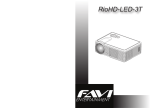
The following diagrams point out the features of your projector:
Set your desktop resolution to 800x600 or lower.
First, check to make sure the projector is properly
connected to your computer. Try shuting down
your computer, connecting the projector, and
rebooting. Your computer should automatically
detect your projector.
If you are running a dual display configuration, first
check to make sure your computer is detecting
your projector. Also make sure your desktop
resolution is set at or below 1920x1080 with a 60
hertz refresh rate.
1
2
9 10
6
7
11
3
5•
8
4
1: Power button
2: Indicator LED
3: Front ventilation slots
4: Lens
5: A/V and power input panel.
14
6: IR sensor
7: Rear ventilation slots
8: VGA input
3
9: Keystone adjustment wheel
10: Front height adjustment foot
11: Speakers